How to reset Root Password on Ubuntu 20.x?
Before you reset the Ubuntu root password, you will need to have the access to login to My Z.com account.
Step1. After login to My Z.com, please go to the “Cloud” menu and Click on “the server name tag” to access the VM console as follows.
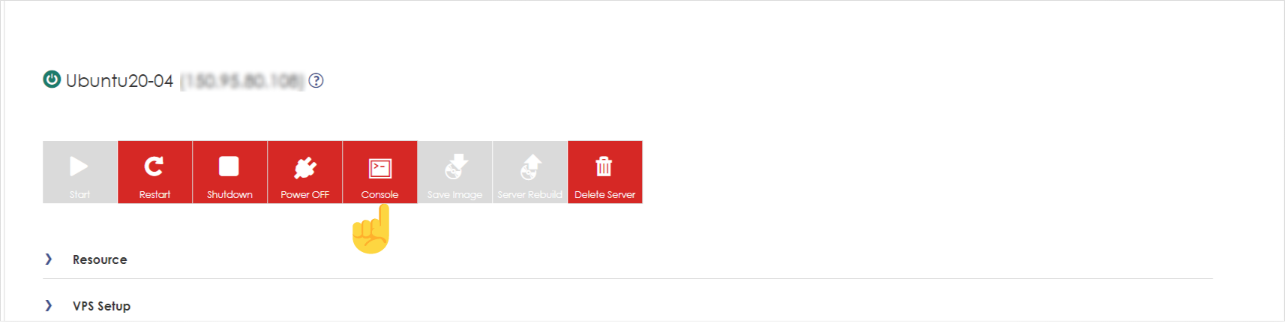
Step2. Please click on the “Console” to access the VM console.
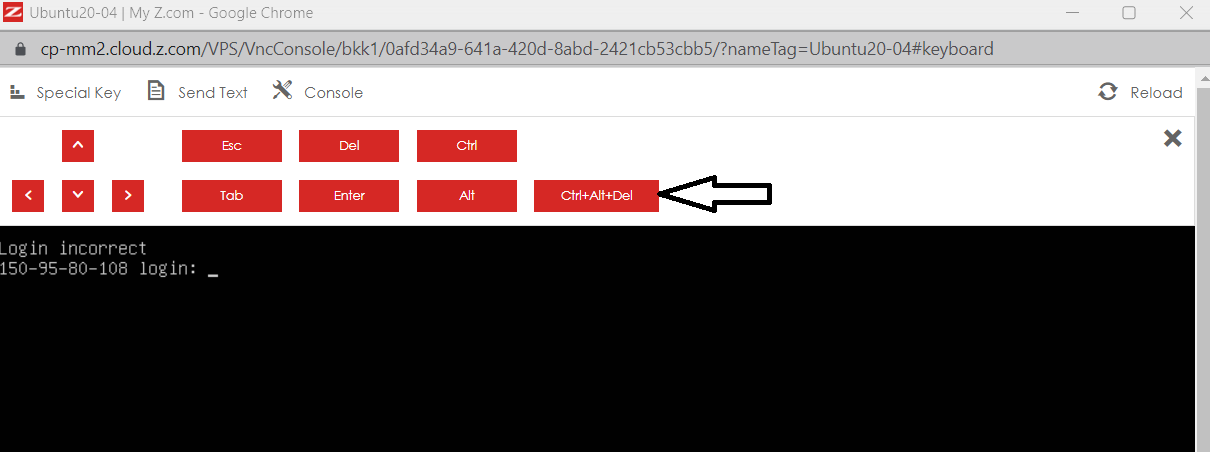
Step3. A new window will pop up and you will see the VM Console. Please click on “Special Key” and click the “Ctrl+Alt+Del” button.
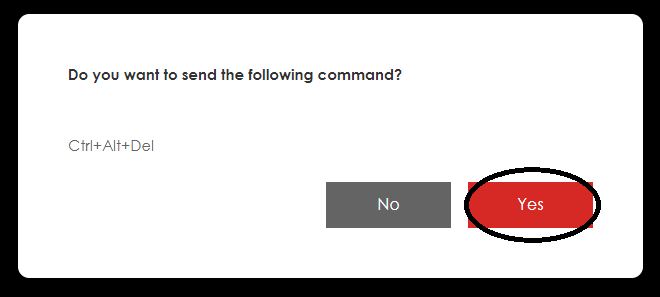
Then click “Yes” to reboot the VM.
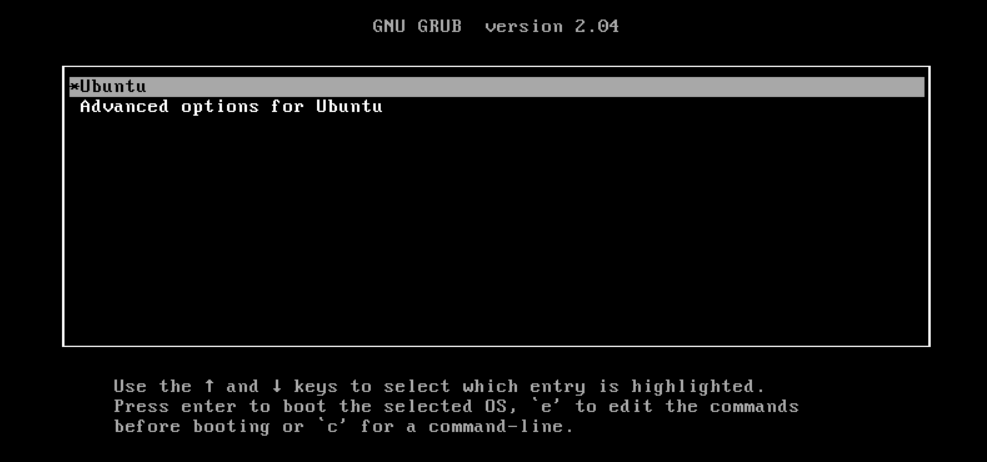
Step4. The VM will reboot and you will see the boot order of Ubuntu. Please click “e” on your keyboard to edit the code.
Step5. After that, you will see the boot code as follow and please delete “the red line text“. Please be careful not to delete other codes.
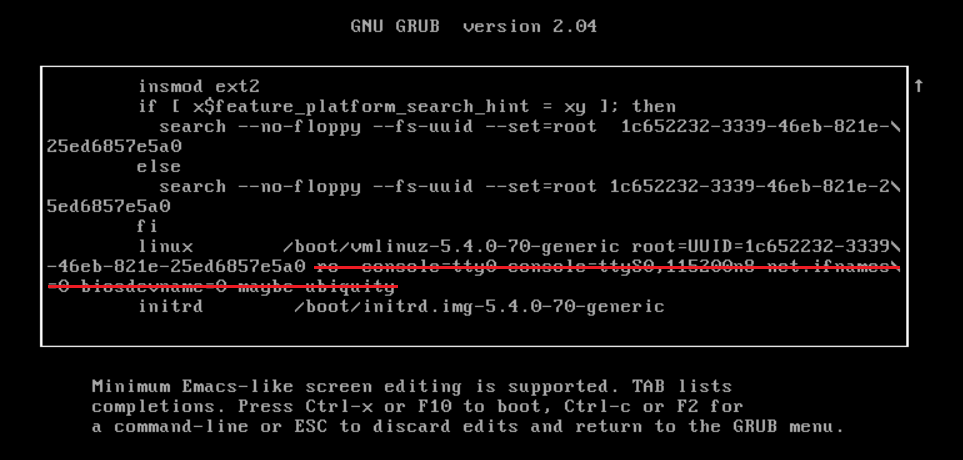
Step6. After deleting, please replace it with the following code.
[Code]=> rw init=/bin/bash
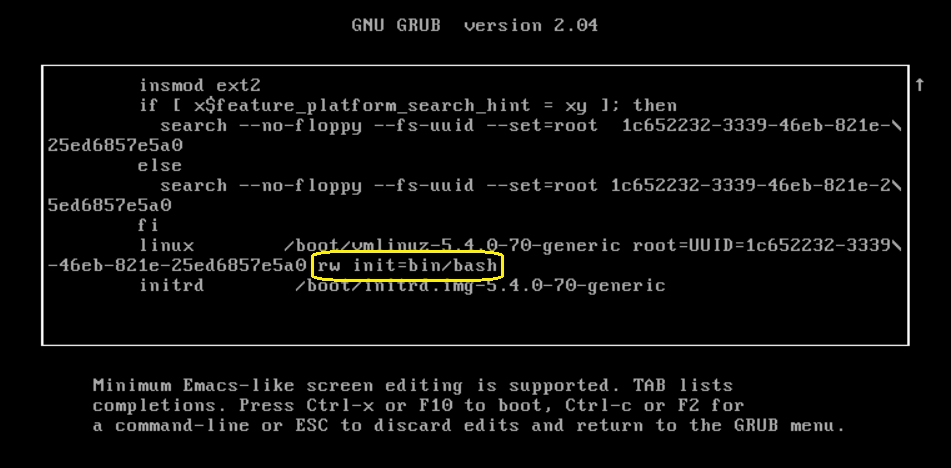
Step7. After that, click “Ctrl+x” from your keyboard to start the init mode.
Please type: passwd root

Then please enter your new root password. Please note that in another place.
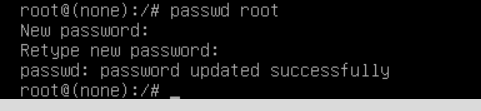
Step8. After you changed the password, please type the following to reboot the VM again.
[Code]=> exec /sbin/init

Please wait to reboot the VM. Now you can login with the new password to the server
THANK YOU!!!
Was this article helpful?
That’s Great!
Thank you for your feedback
Sorry! We couldn't be helpful
Thank you for your feedback
Feedback sent
We appreciate your effort and will try to fix the article