How to Add The Domain Whitelist on Web Hosting Server?
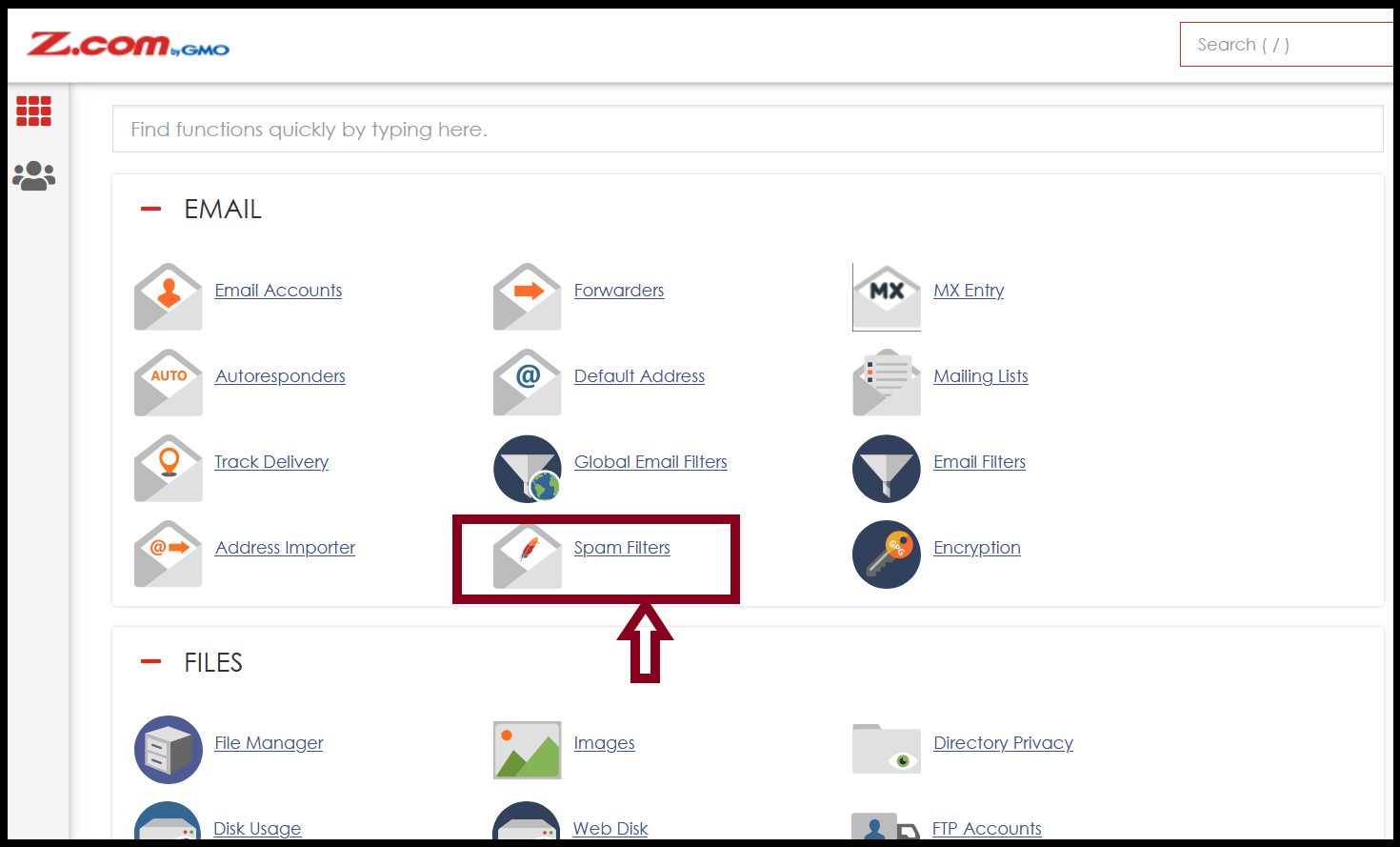
Step1. Login to the cPanel and Click “Spam Filters” from cPanel DASKBOARD.
Step2. Click “Show Additional Configurations”.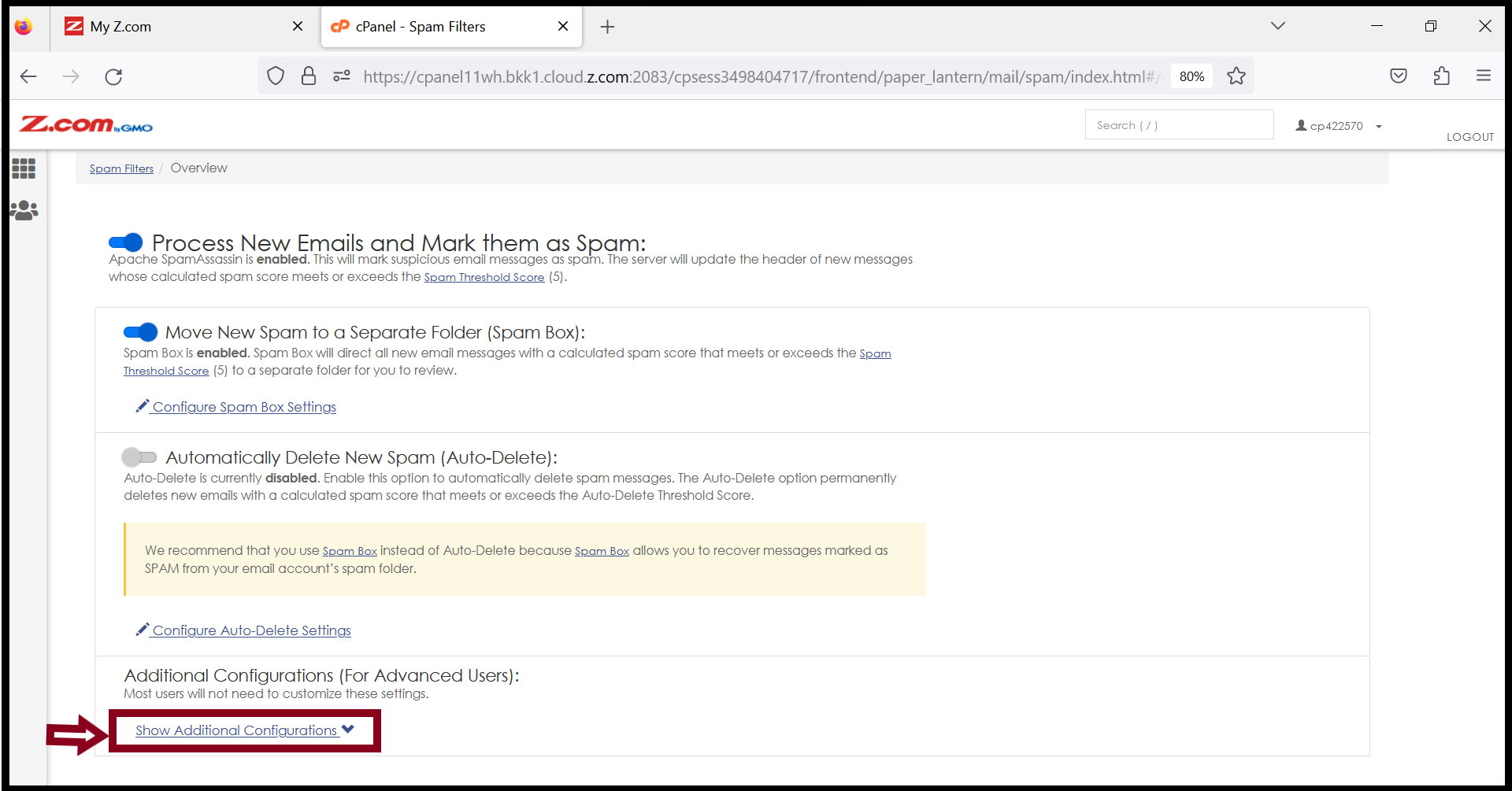
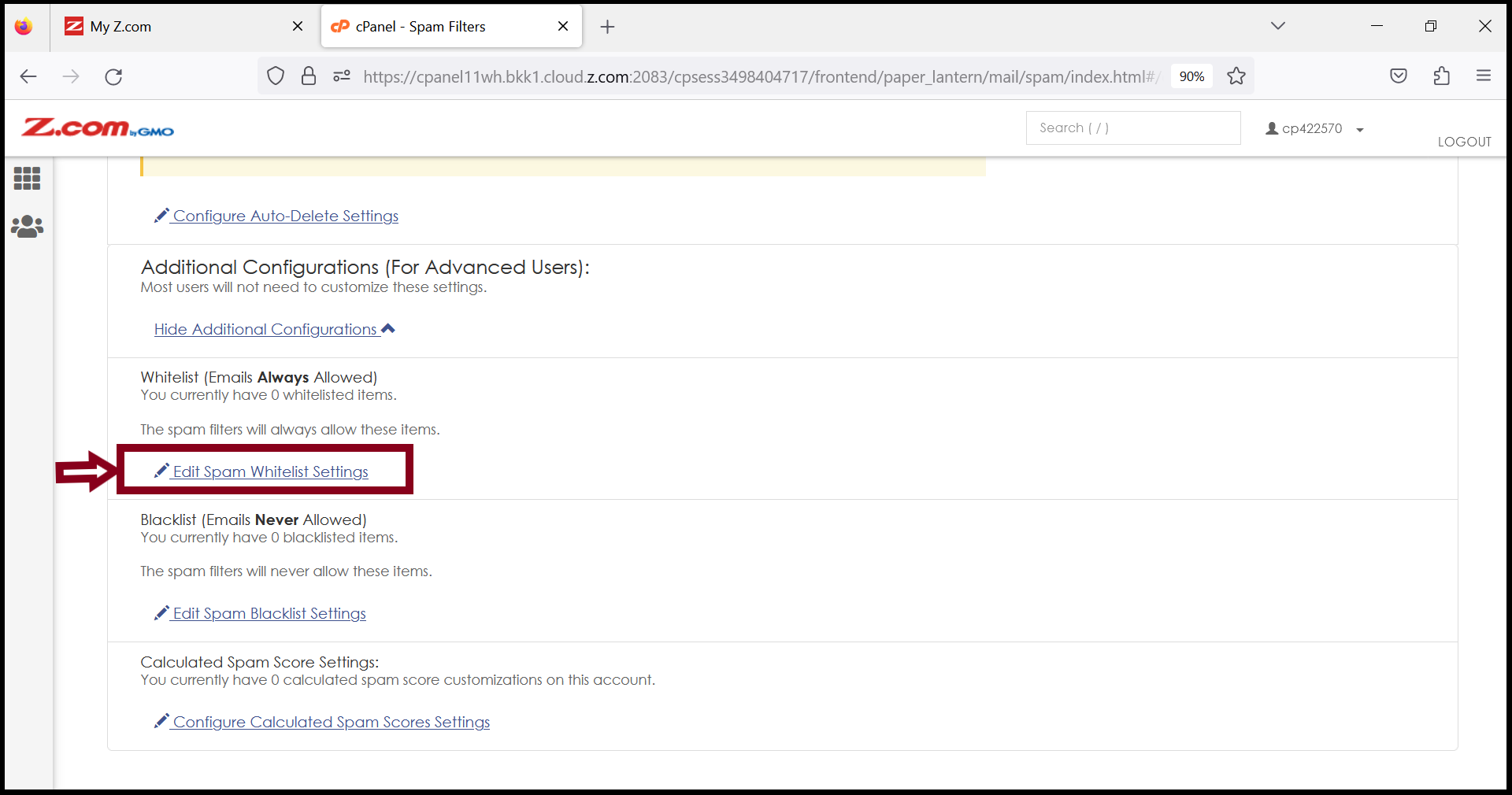
Step3. Click “Edit Spam Whitelist Settings”.
Select “+Add A New whitelist from item”.
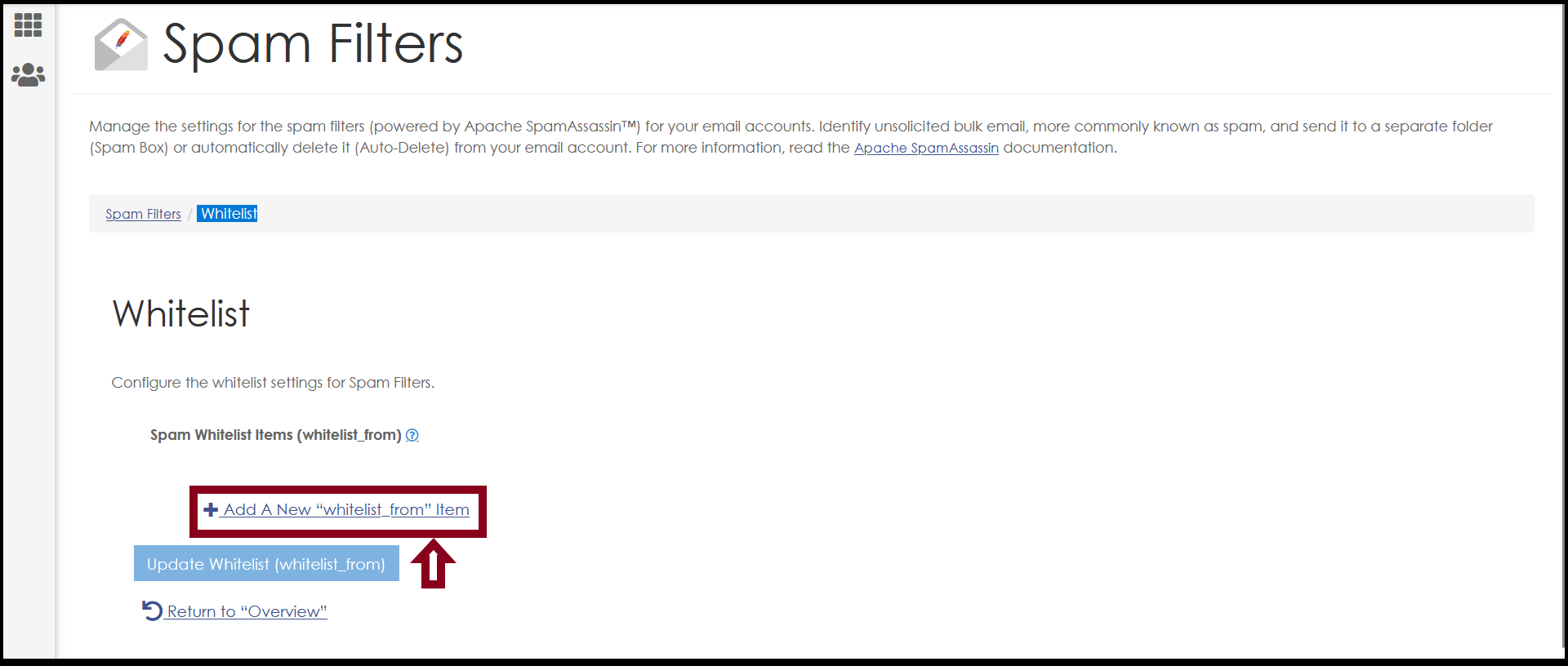
And Then, Add “A Domain Name” that you want to add.
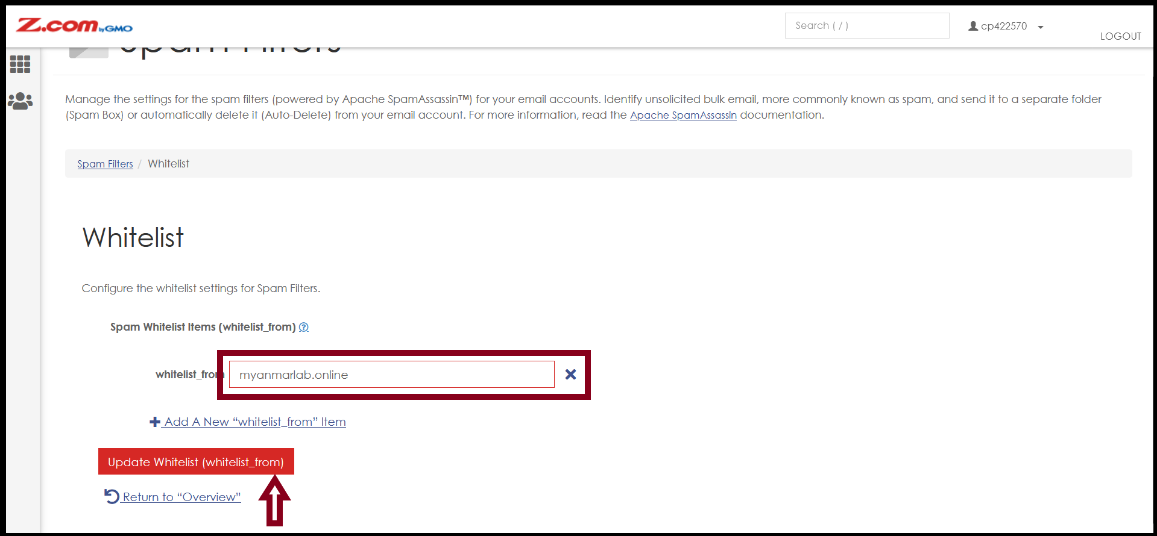
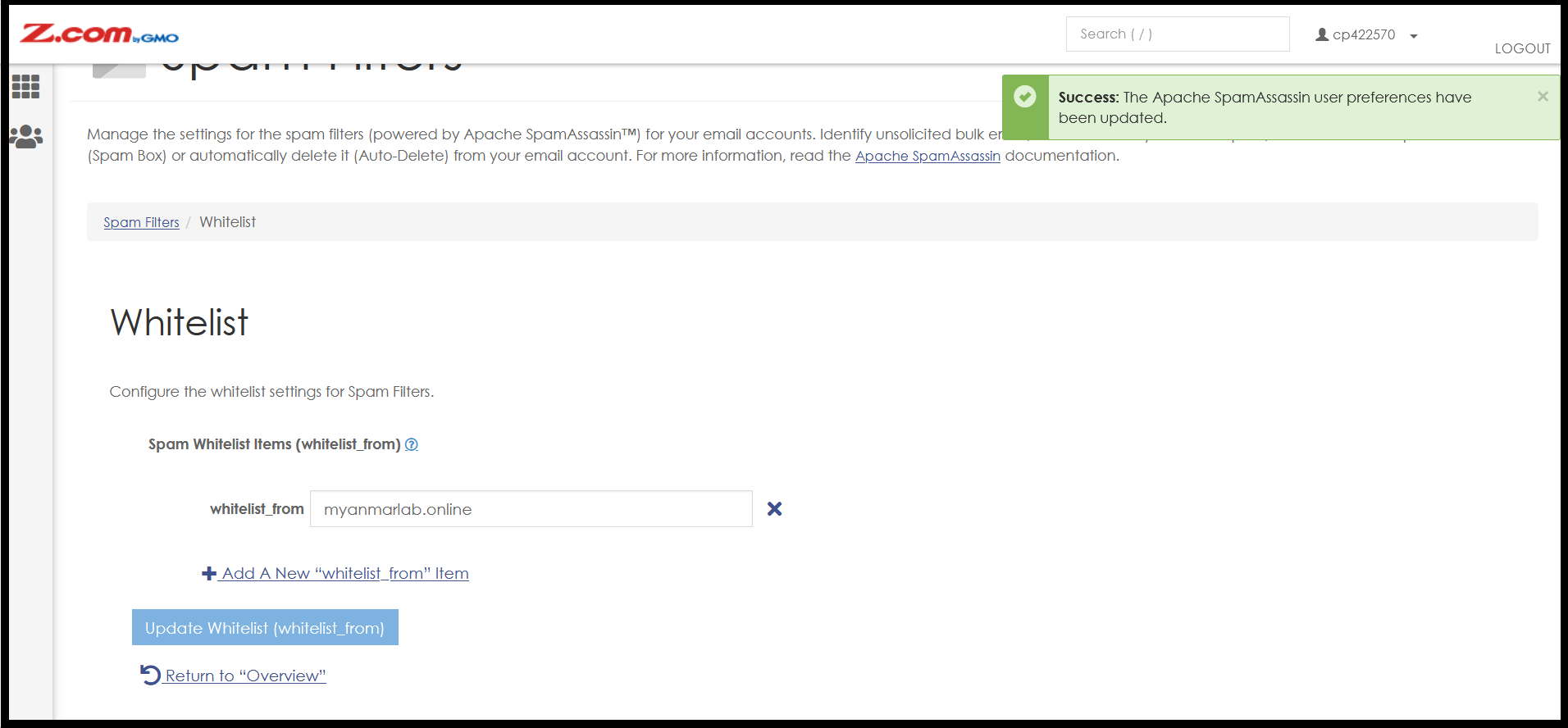
Step4. Now we can add the domain " whitelist " successfully.
Thank You!!!
Was this article helpful?
That’s Great!
Thank you for your feedback
Sorry! We couldn't be helpful
Thank you for your feedback
Feedback sent
We appreciate your effort and will try to fix the article