How to generate DKIM record in Email Hosting Server?
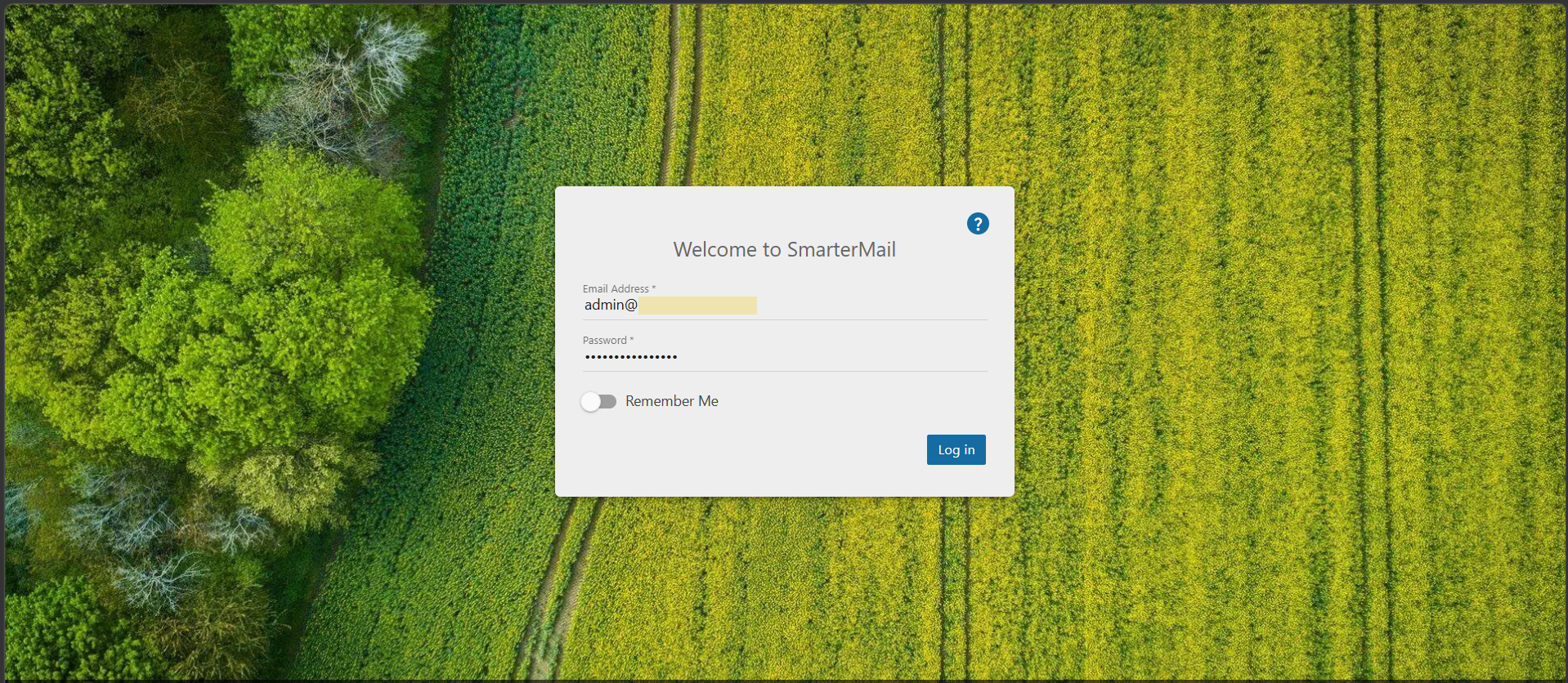
Step1. Login to the Email server with admin account. If you didn't know the server information, please check in your Z.com account under Email Hosting Tab.
Login Link: https://mailpro-01.zth.netdesignhost.com (OR) https://mail.domain-name.com
(This URL information can differently depend on your server plan type)
Username: admin@domain-name.com
Password: ***********
Step2. Click "Domain Settings". 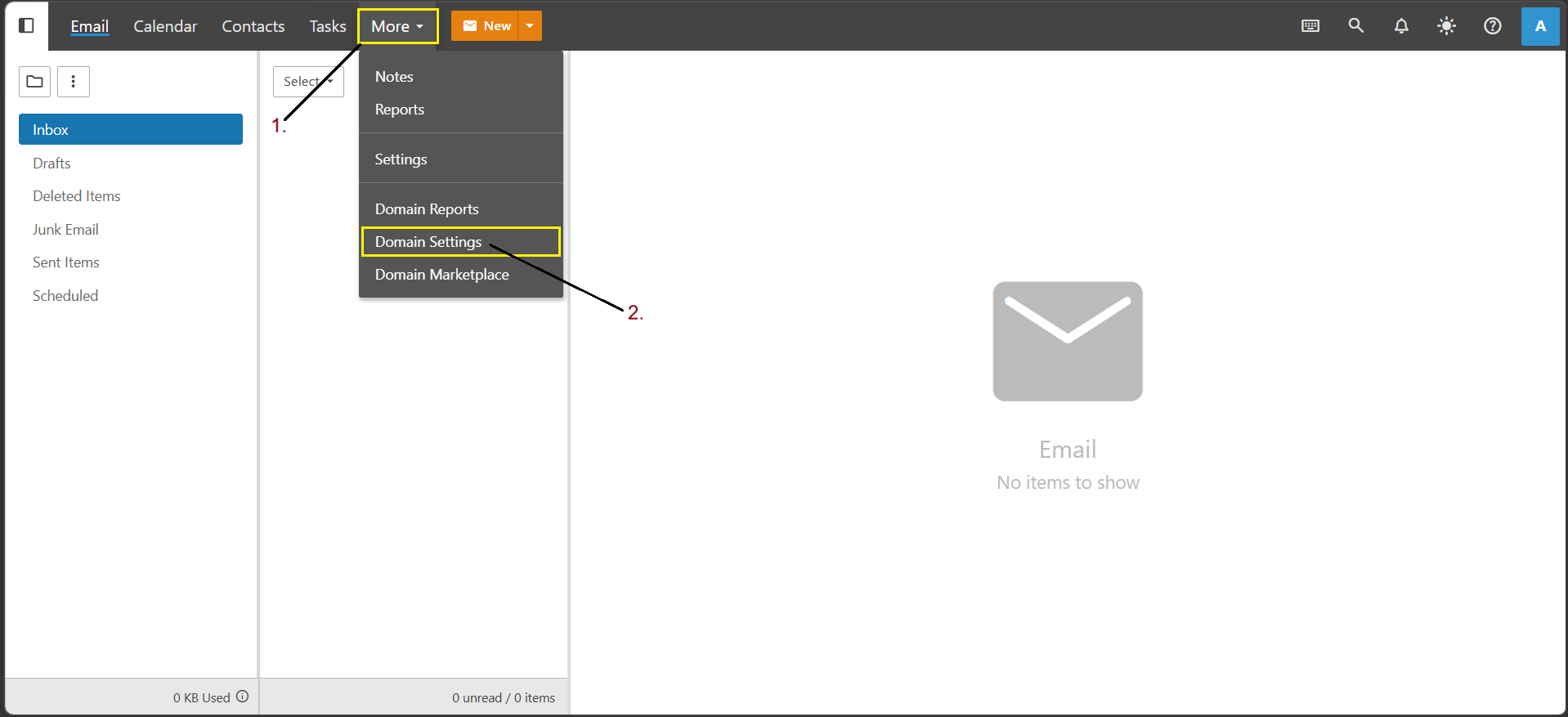
Step3. Go to "General" in Domain Settings and then click "Enable" the DKIM Email Signing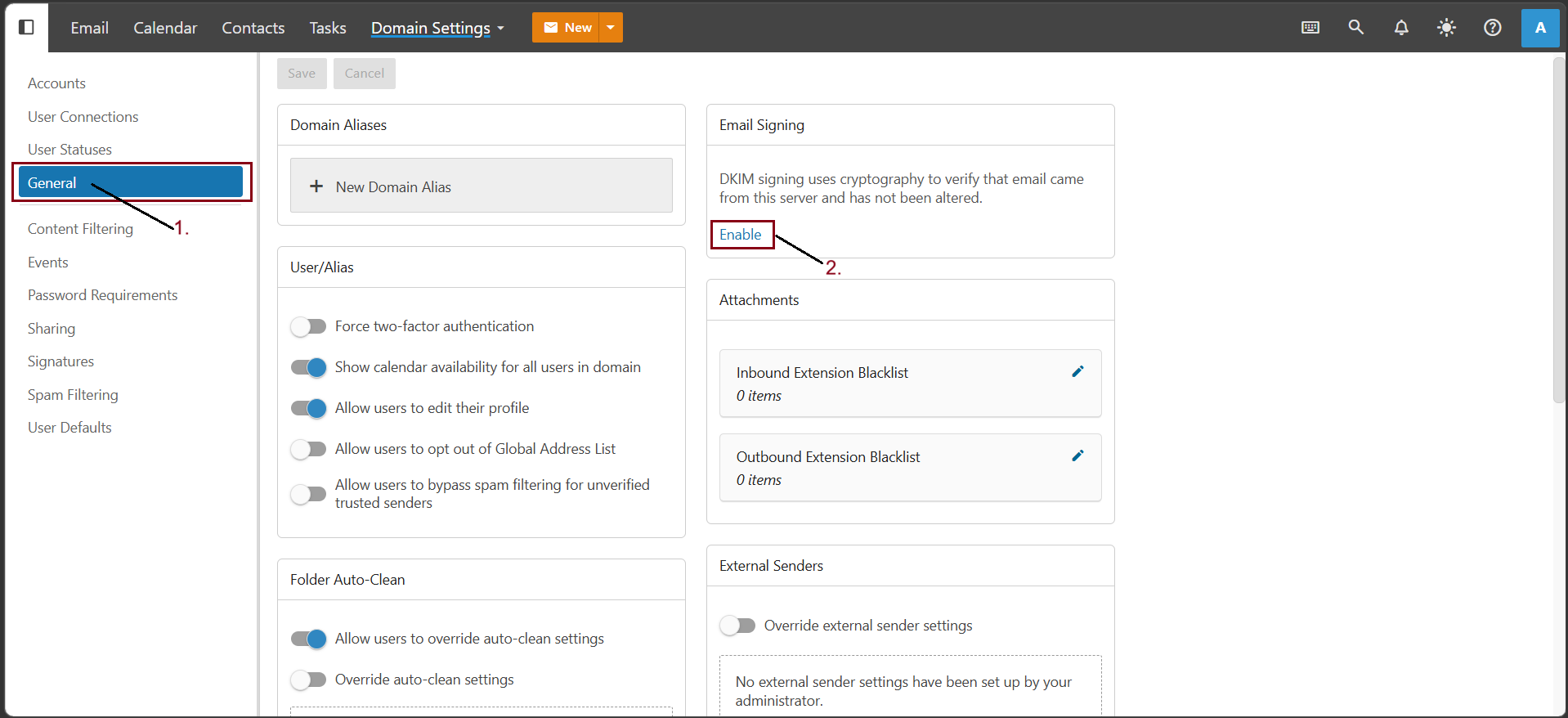
If already enabled the Email Signing, click "+ Add Rollover".
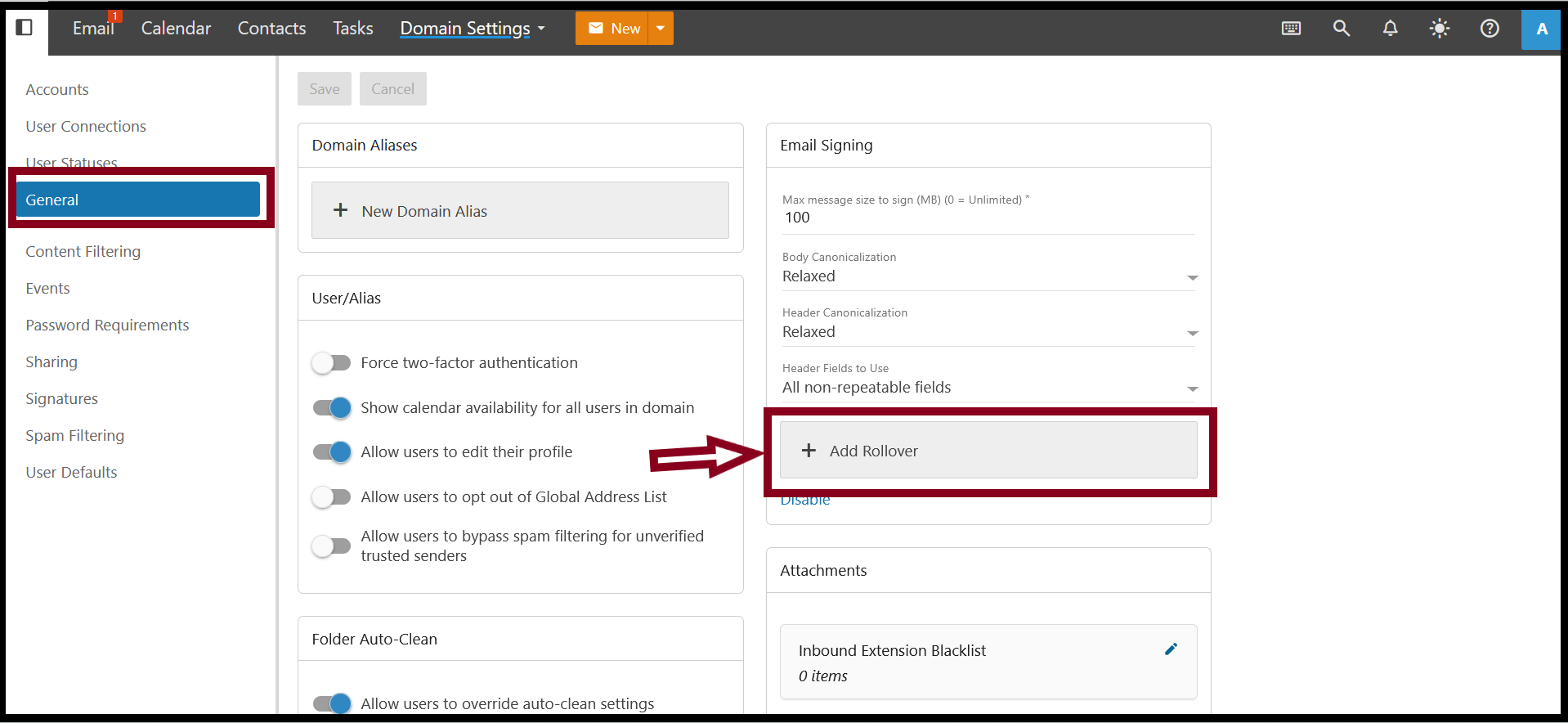
Step4. To verify the DKIM Record, copy the record and add your Domain's DNS Panel.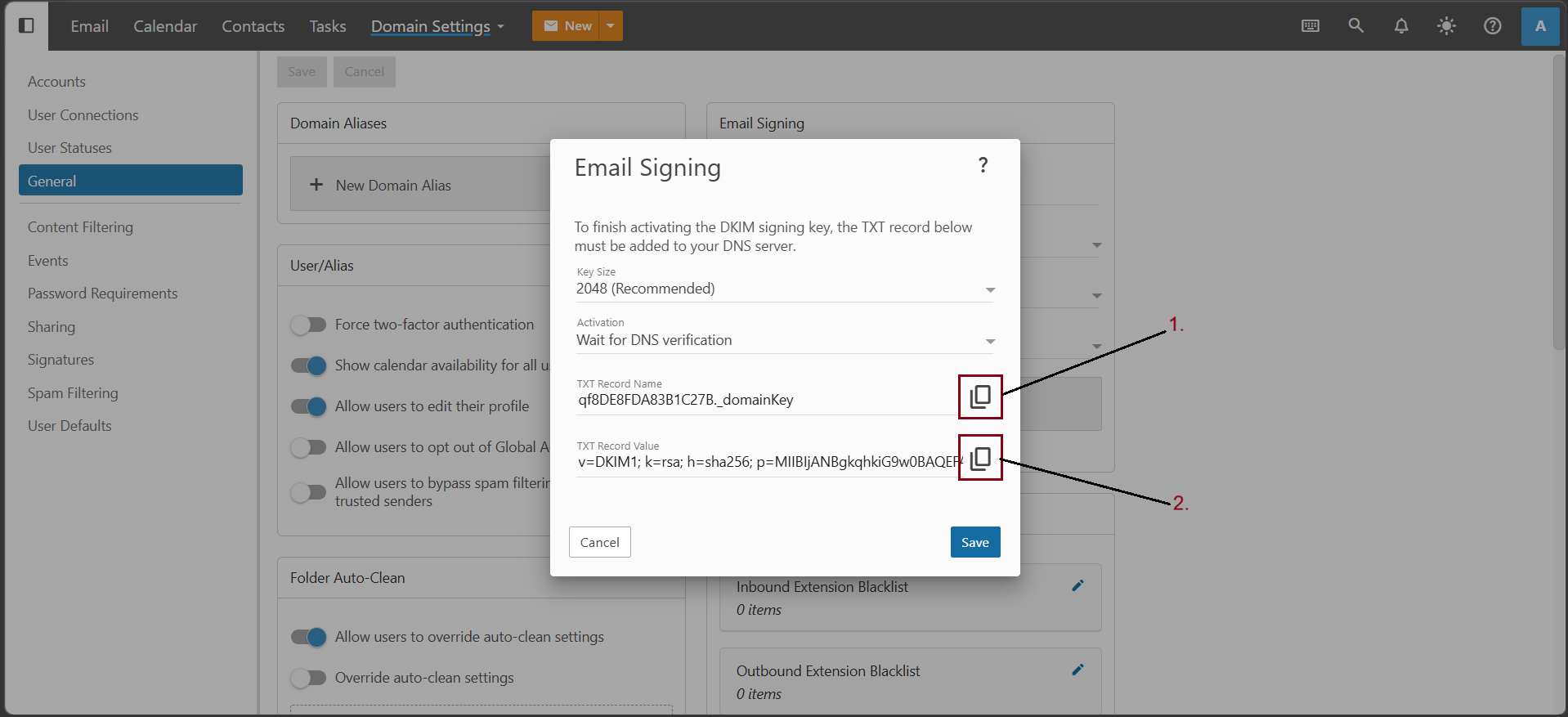
Step5. Add the copied DKIM record to your Domain's DNS Panel using TXT type.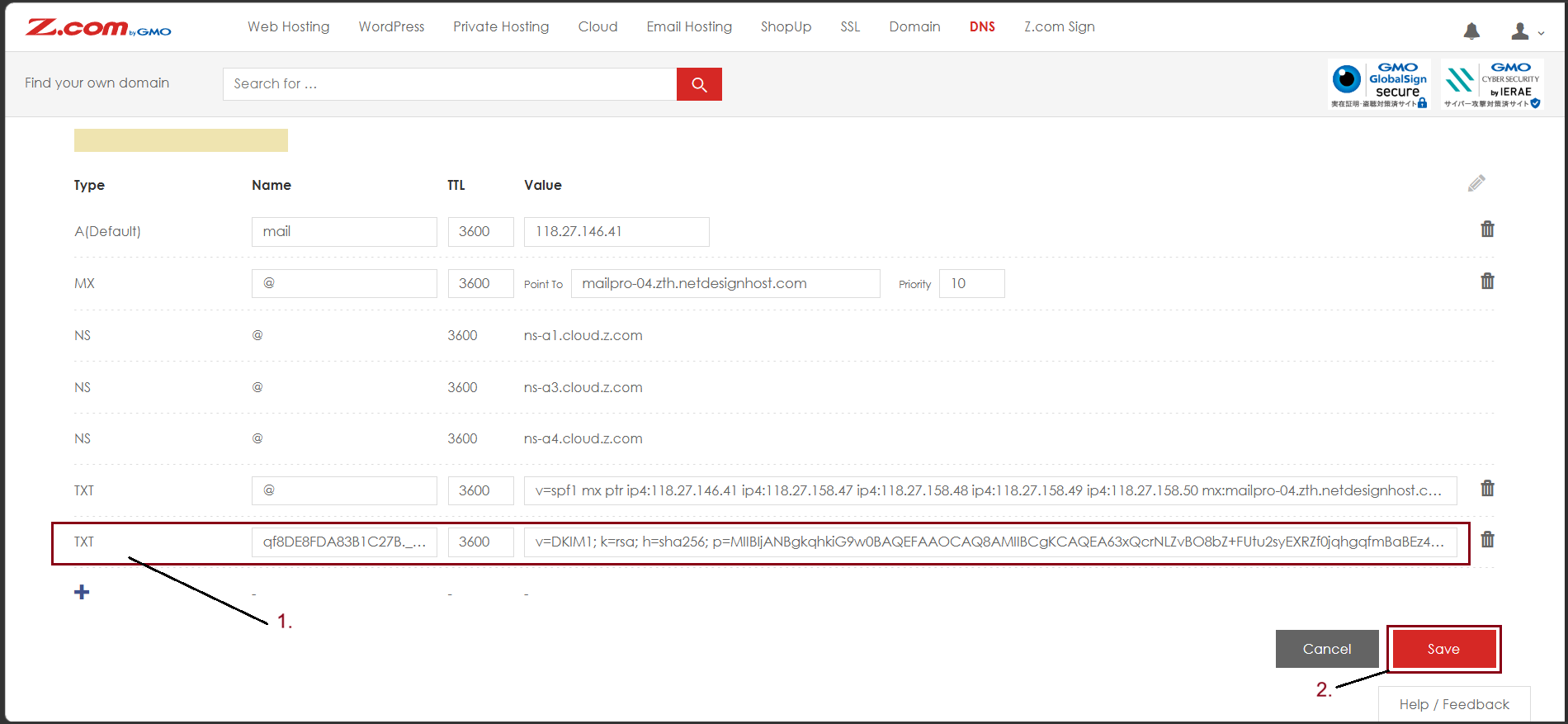
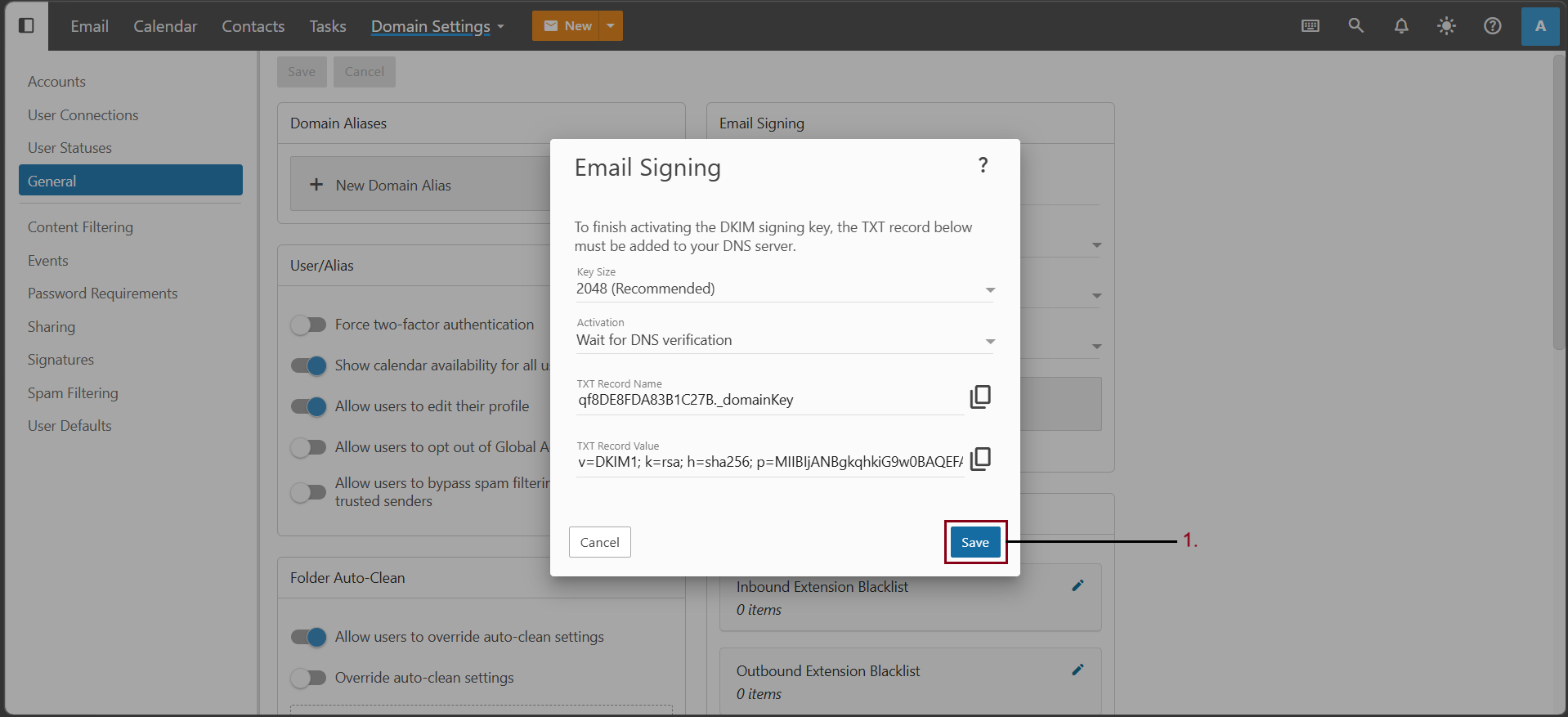
After adding the DKIM record in DNS, click "Save" in SmarterMail.
Step6. The DKIM record will be "Active" when the DNS propagation time completed.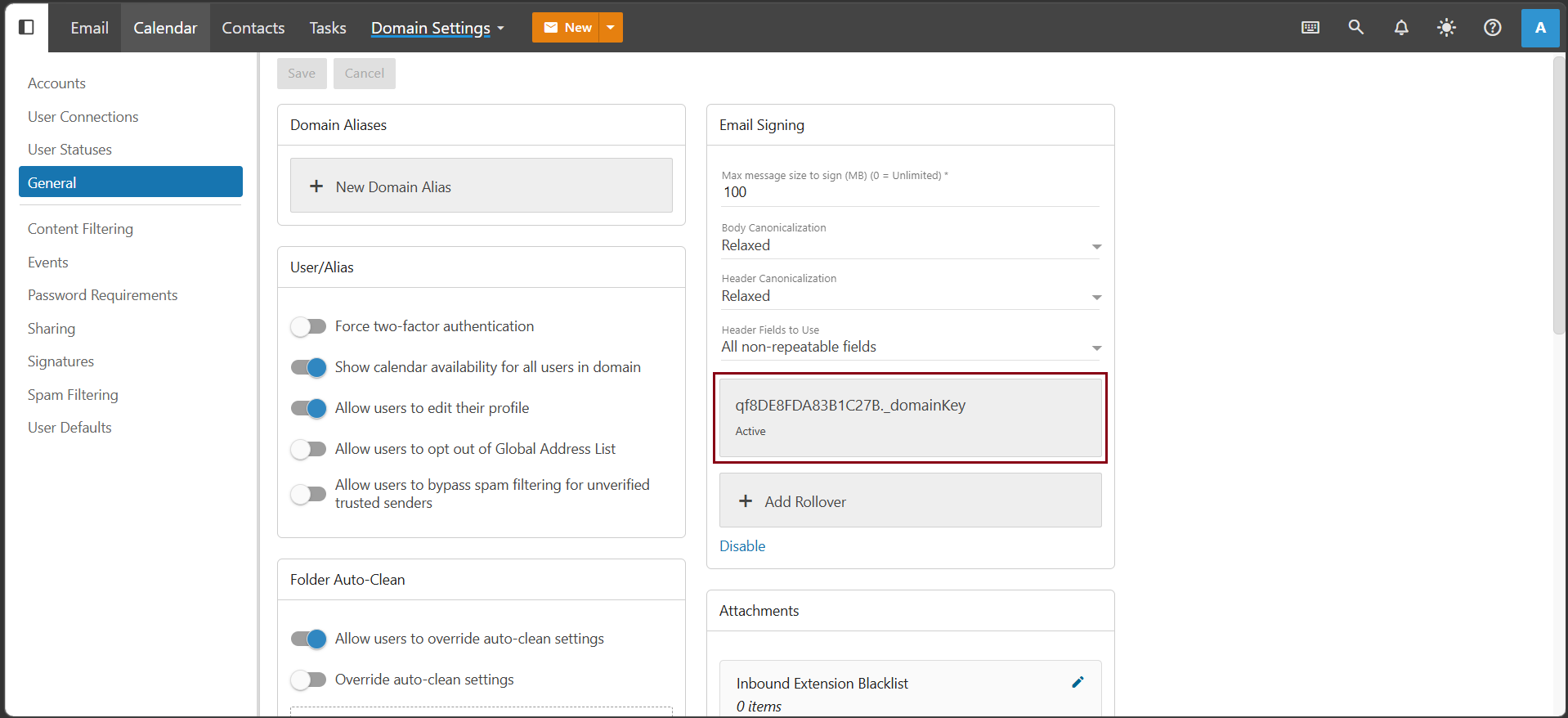
THANK YOU!!!
Was this article helpful?
That’s Great!
Thank you for your feedback
Sorry! We couldn't be helpful
Thank you for your feedback
Feedback sent
We appreciate your effort and will try to fix the article