How to Check the DKIM Record on the Plesk Panel?
Please follow the below instruction to check DKIM record in the Plesk panel. The DKIM record is used to verify your email sender.
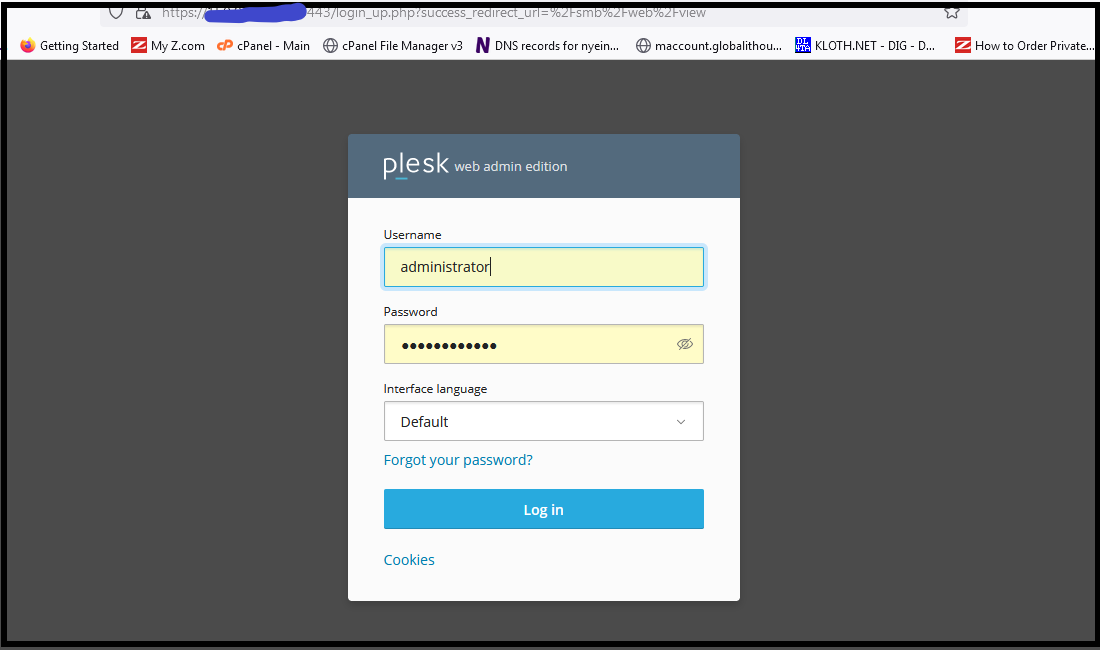
Step 1. Login to the Plesk server with admin user.
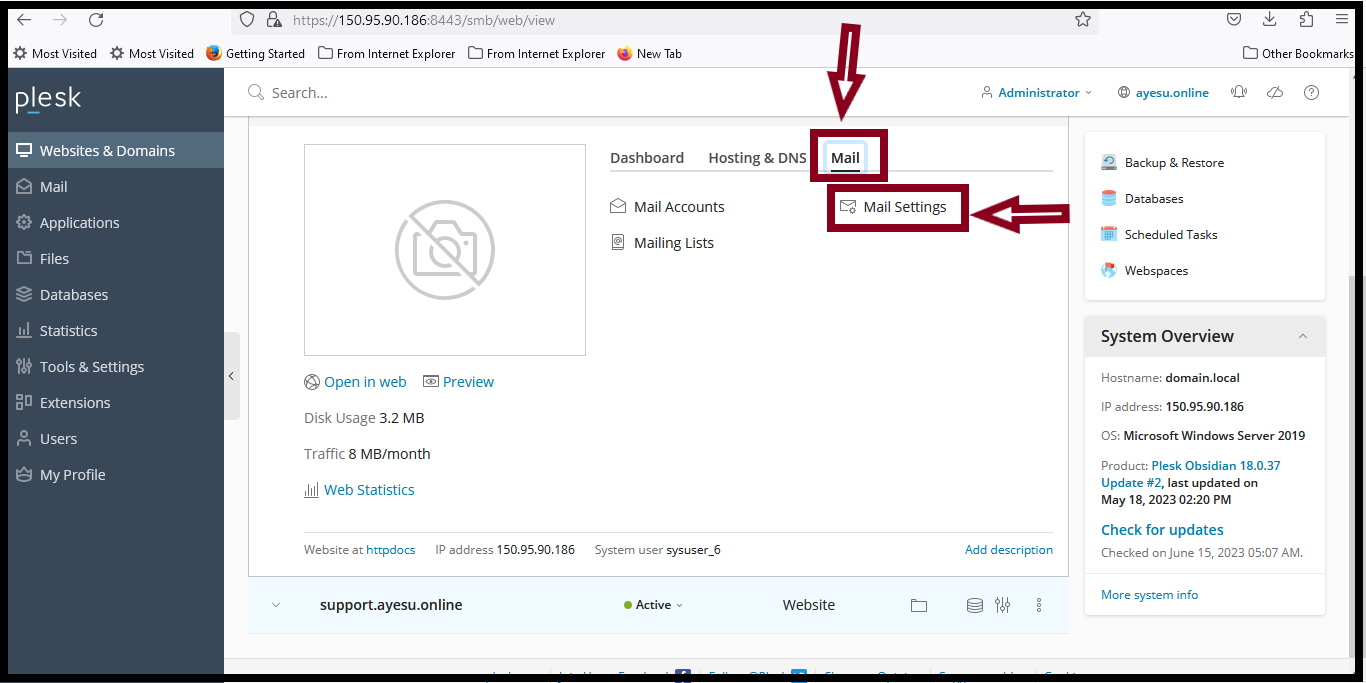
Step 2. Select the Websites & Domains.
Step 3. Click "Mail" and then "Mail settings".
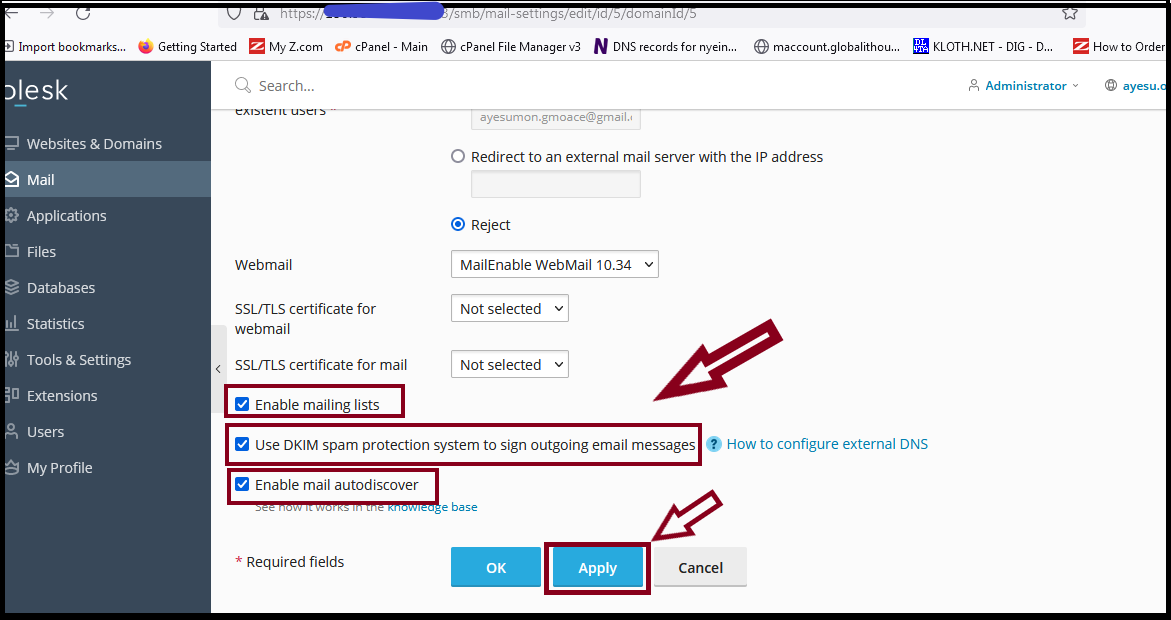
Step 4. Check the following three options.
– Enable mailing lists
– Use DKIM spam protection system to sign outgoing email messages.
– Enable mail autodiscover.
And then click "Apply" button.
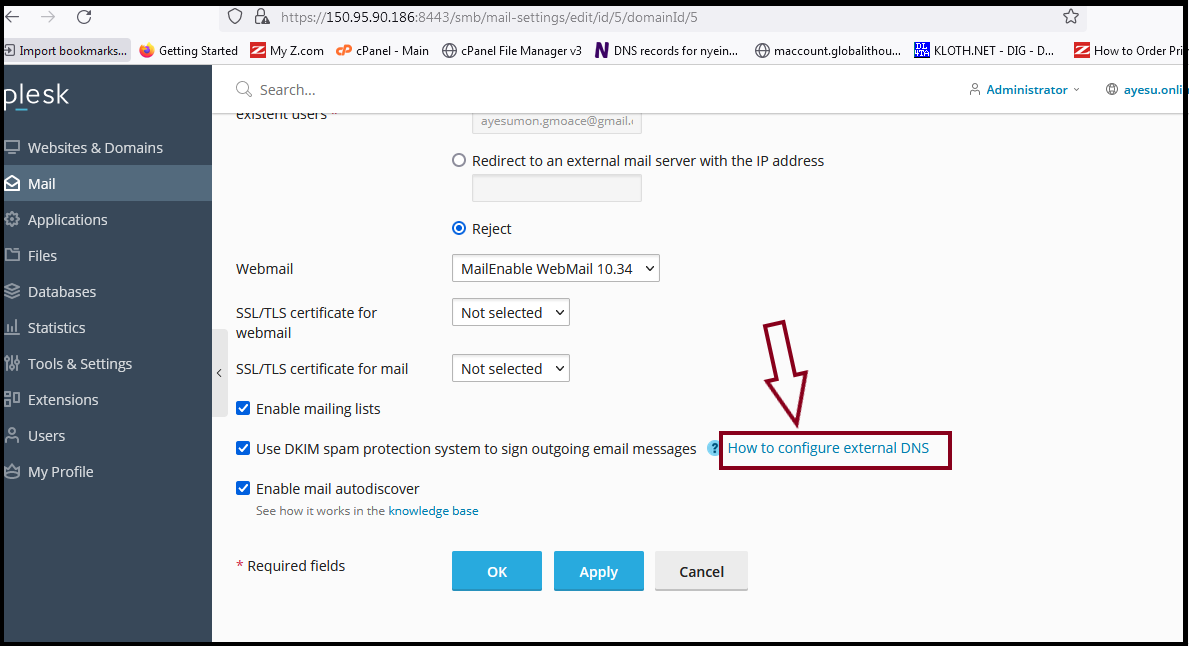
Step 5. Click "How to configure external DNS".
Step 6. And then you will see TXT record.
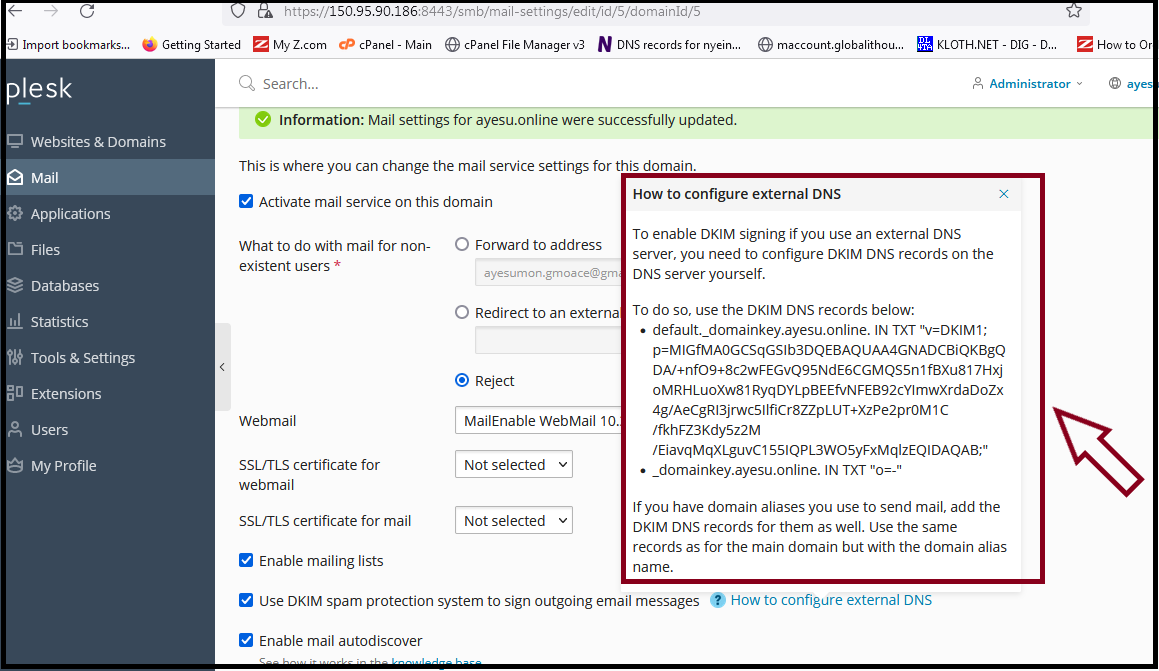
You can copy the TXT value and add in your DNS as TXT record.
Thank you!!
Was this article helpful?
That’s Great!
Thank you for your feedback
Sorry! We couldn't be helpful
Thank you for your feedback
Feedback sent
We appreciate your effort and will try to fix the article