How to Copy MySQL Database in Plesk Panel?
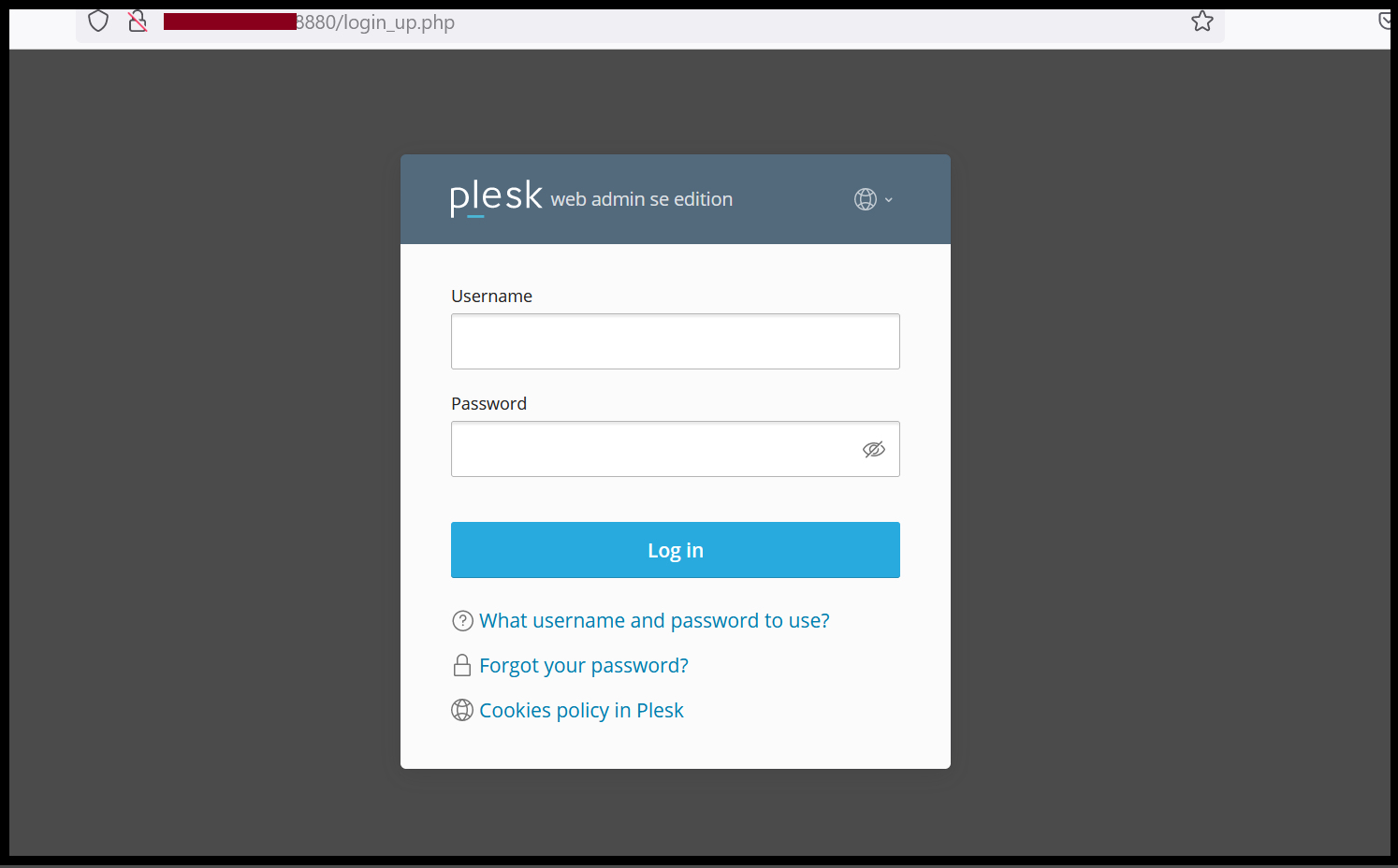
Step1. Login to the Plesk Panel with an Admin account.
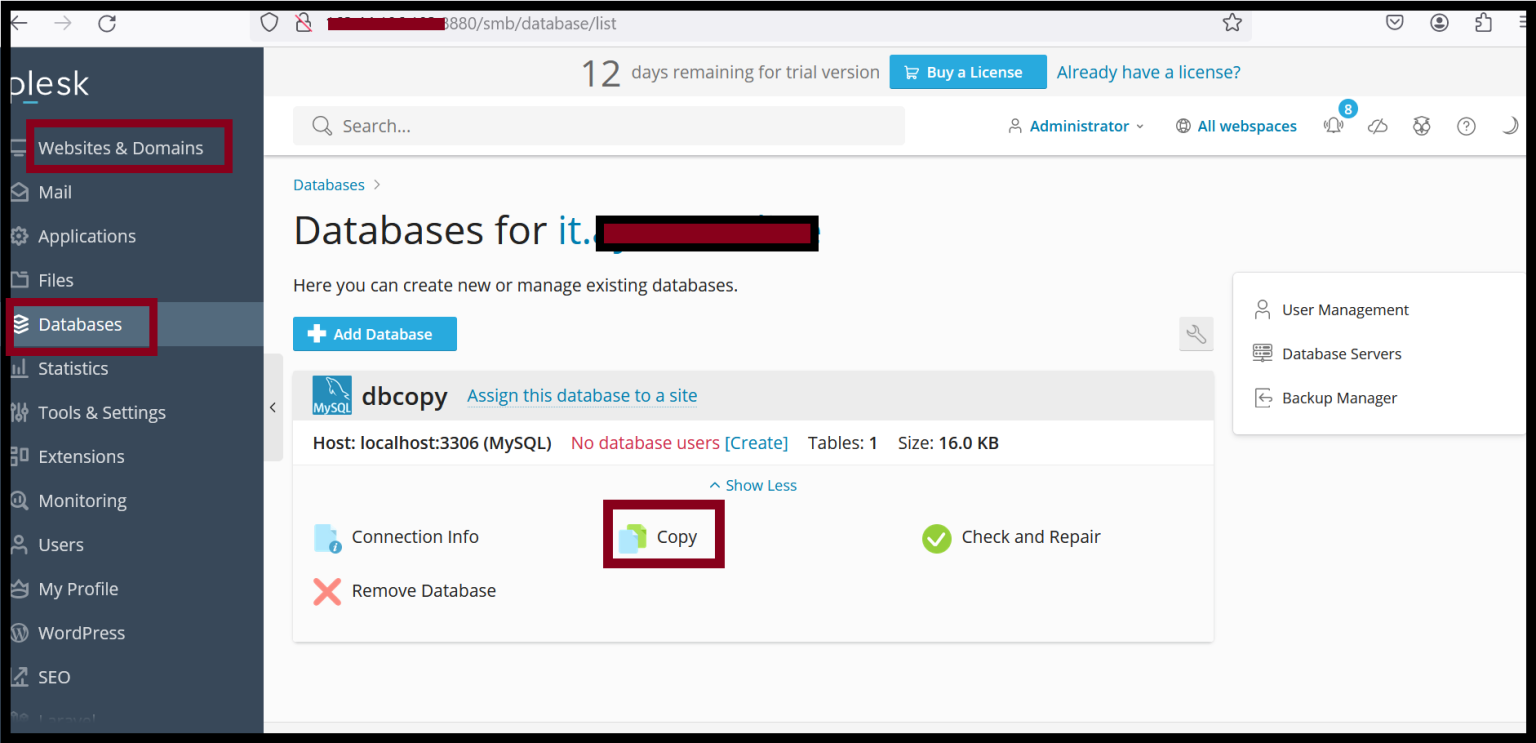
Step2. Go to the Websites & Domain.
Step3. Click on the Database and then find the required database and Click Copy.
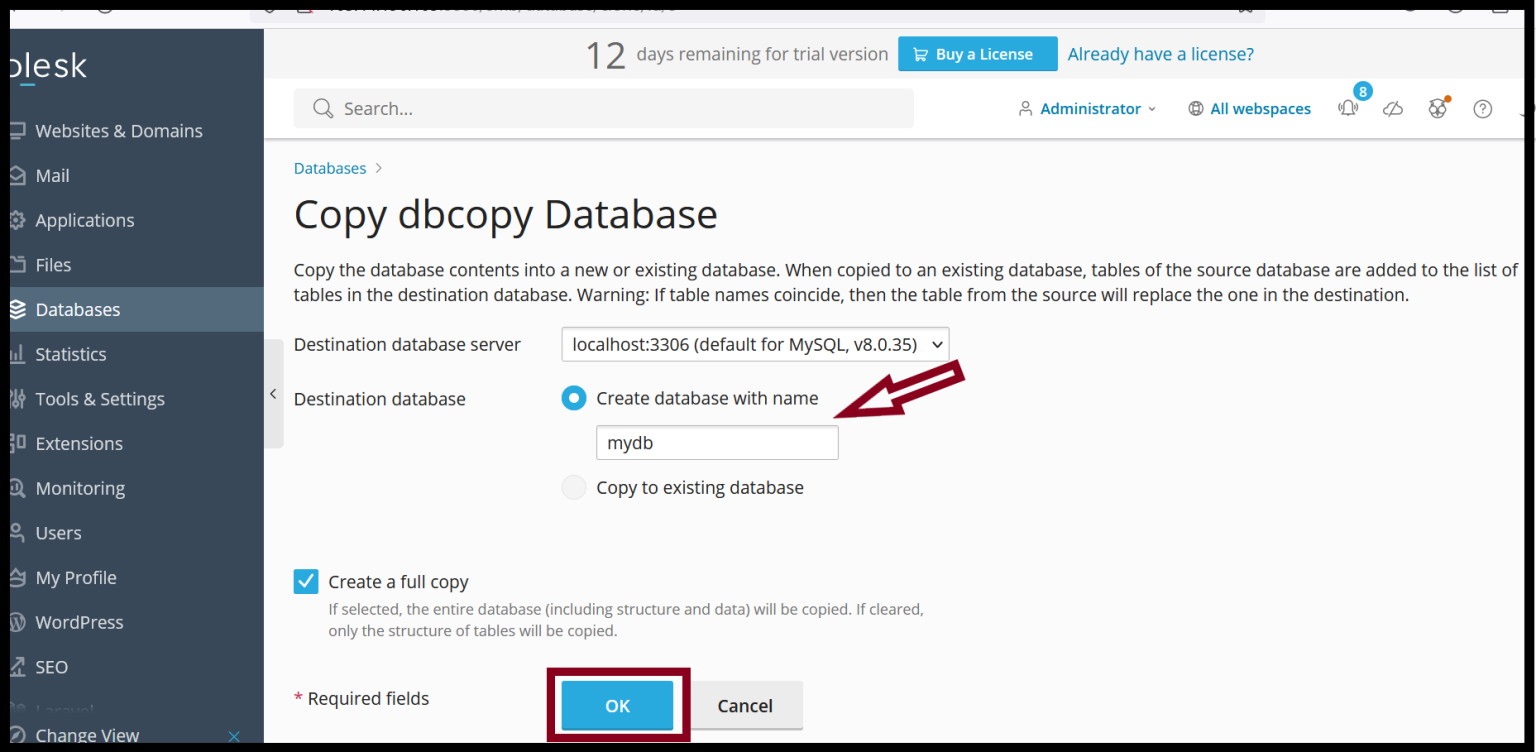
Step4. Select the destination database: Copy into a new database or existing database.
Step5. Click OK.
Thank you!!!
Was this article helpful?
That’s Great!
Thank you for your feedback
Sorry! We couldn't be helpful
Thank you for your feedback
Feedback sent
We appreciate your effort and will try to fix the article