How to Create an Email Account in Plesk Panel?
To create and Email account in the Plesk server, please follow the instructions below.
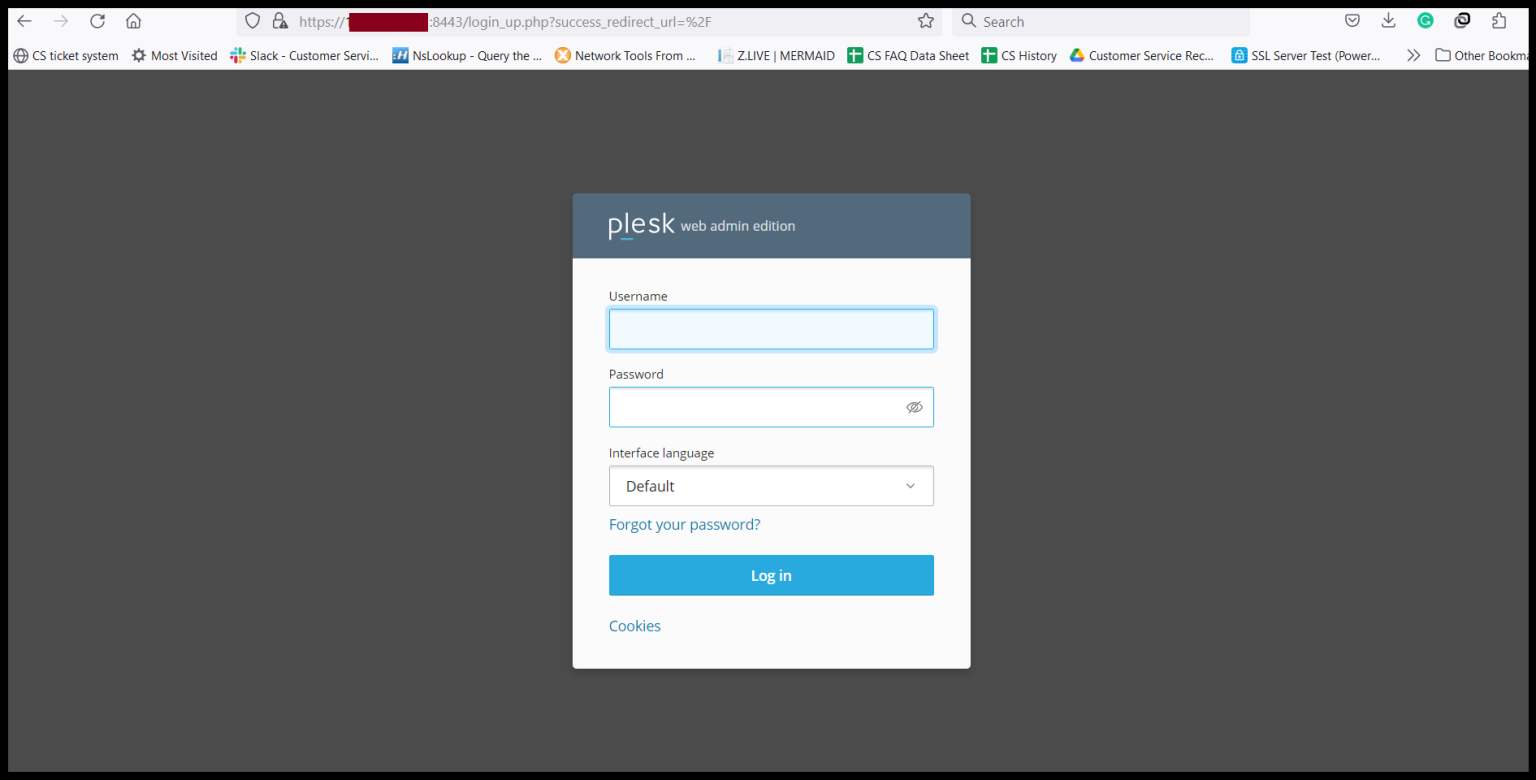
Step1. Login to the Plesk Server, https://150.95.xx.xx:8443/
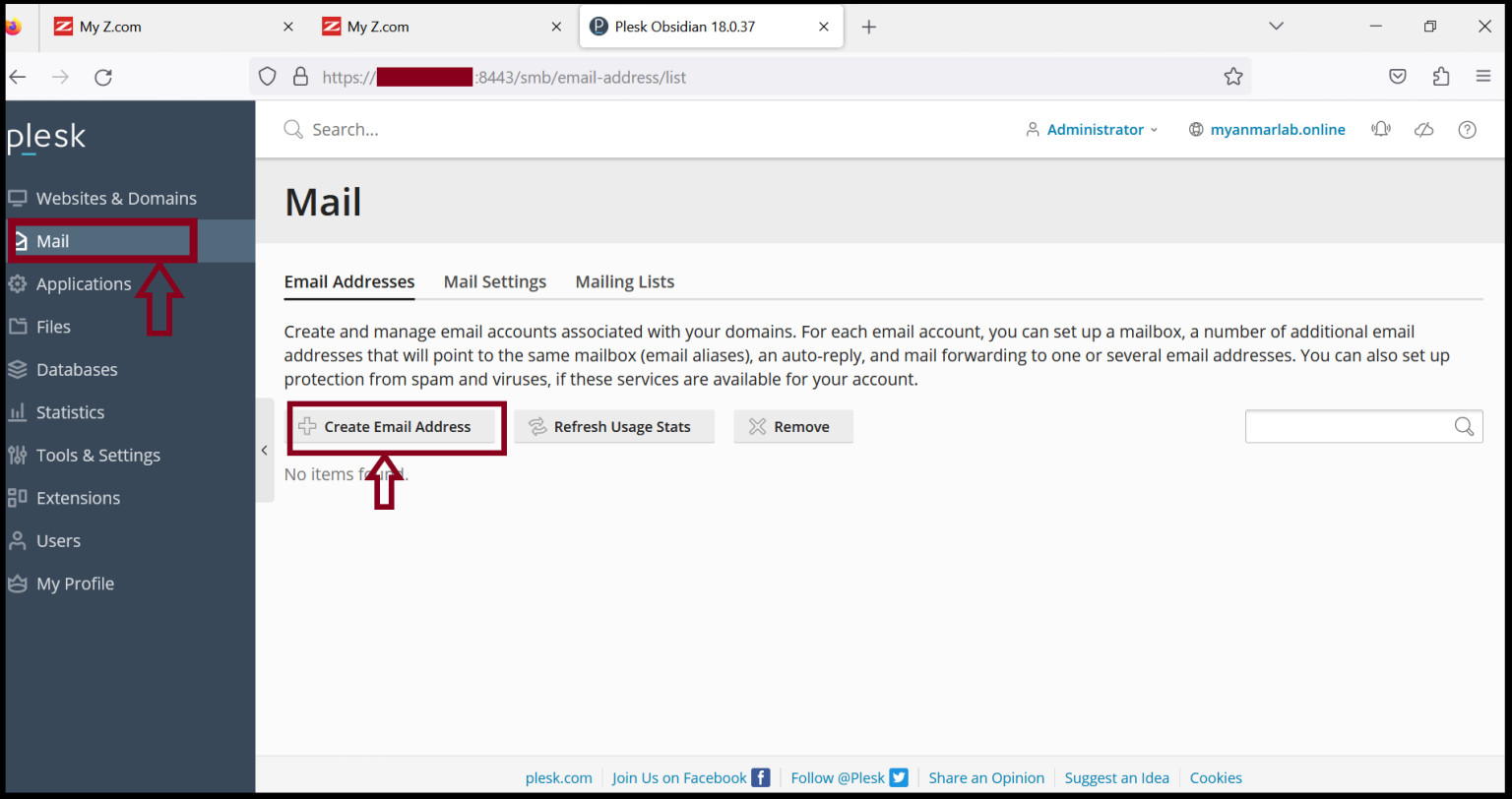
Step2. Go to Mail and Click “Create Mail Address".
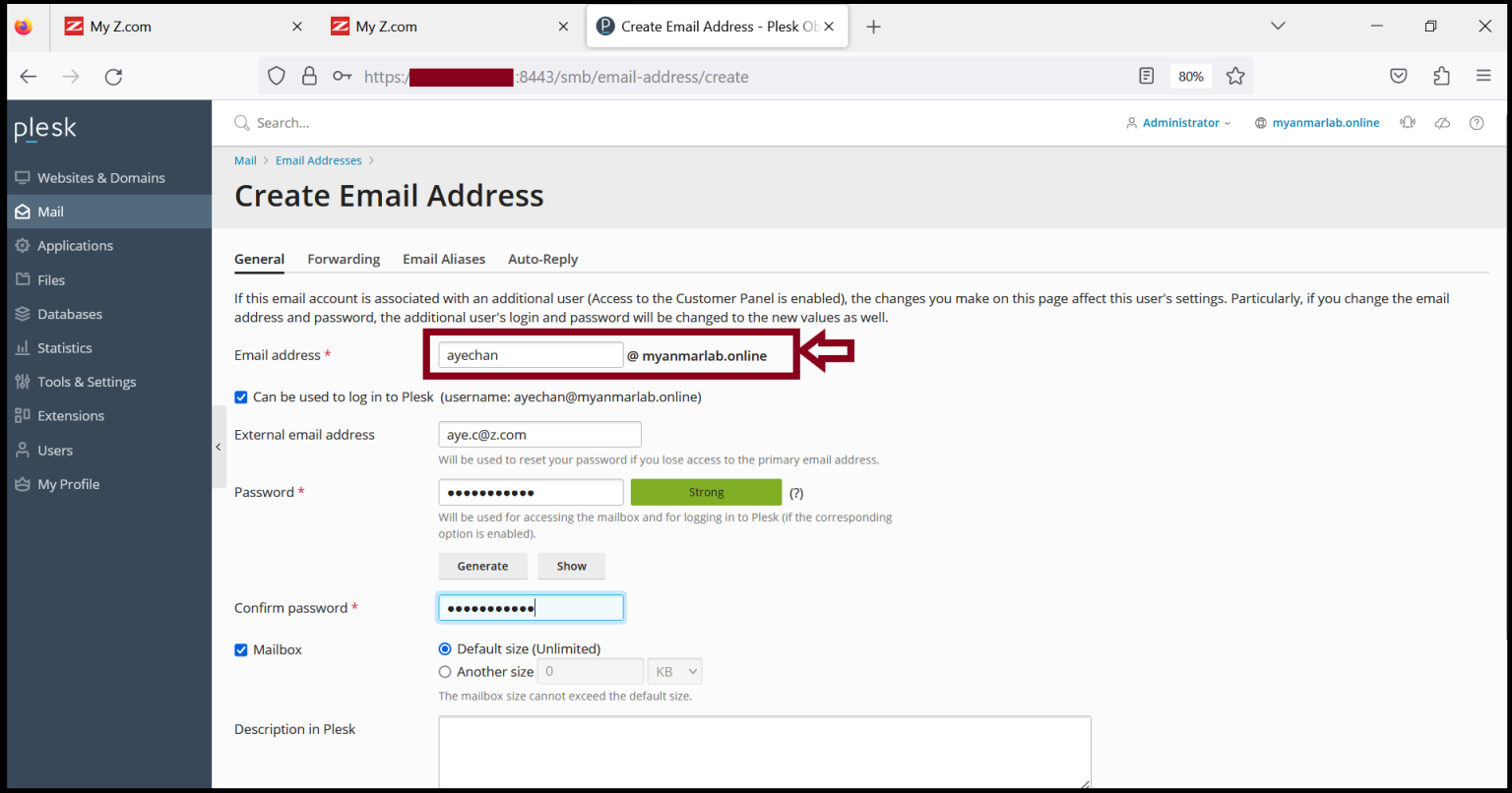
Step3. Please fill in the email information that you want to create.
Step4. Now, we can see the email account that we created in the previous.
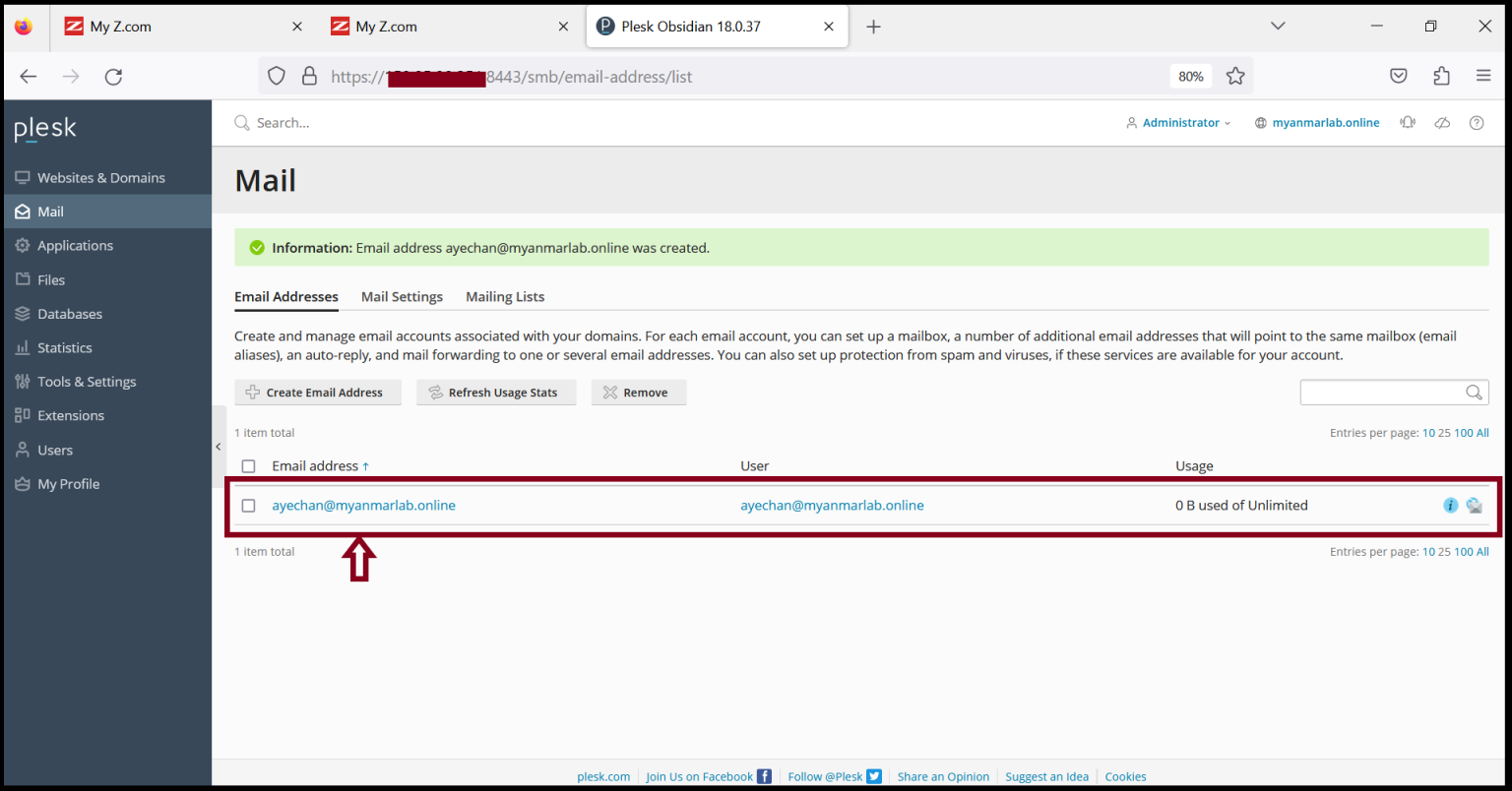
Before we use this email account, we need to add Mail DNS record in Domain Control Panel. If we’ve finished the DNS setup in Domain, we can use email account normally.
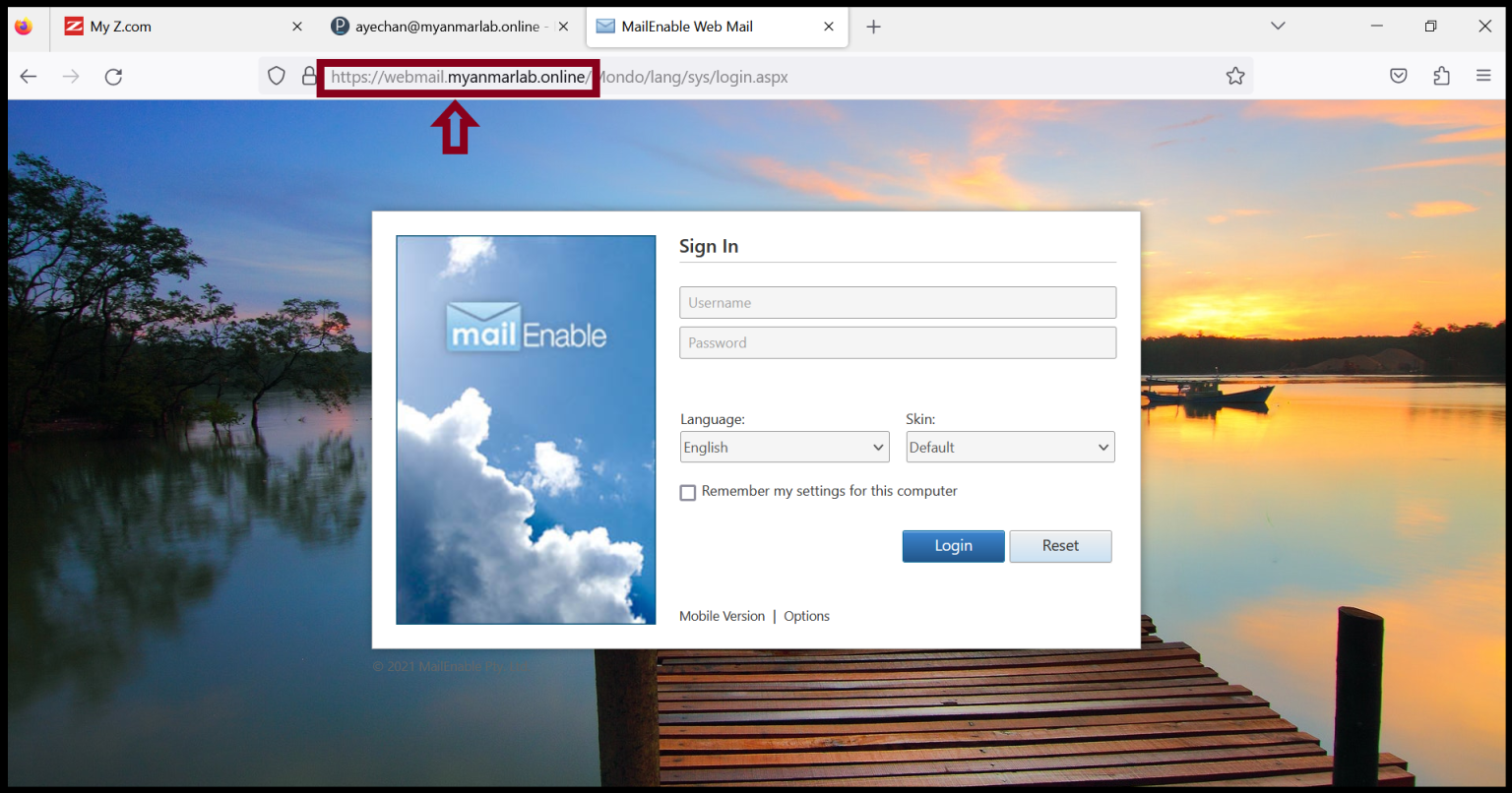
Step5. Login to the email account with the following method.
https:// webmail.yourdomainname.com
Enter an email address and password that you want to log in to the webmail server.
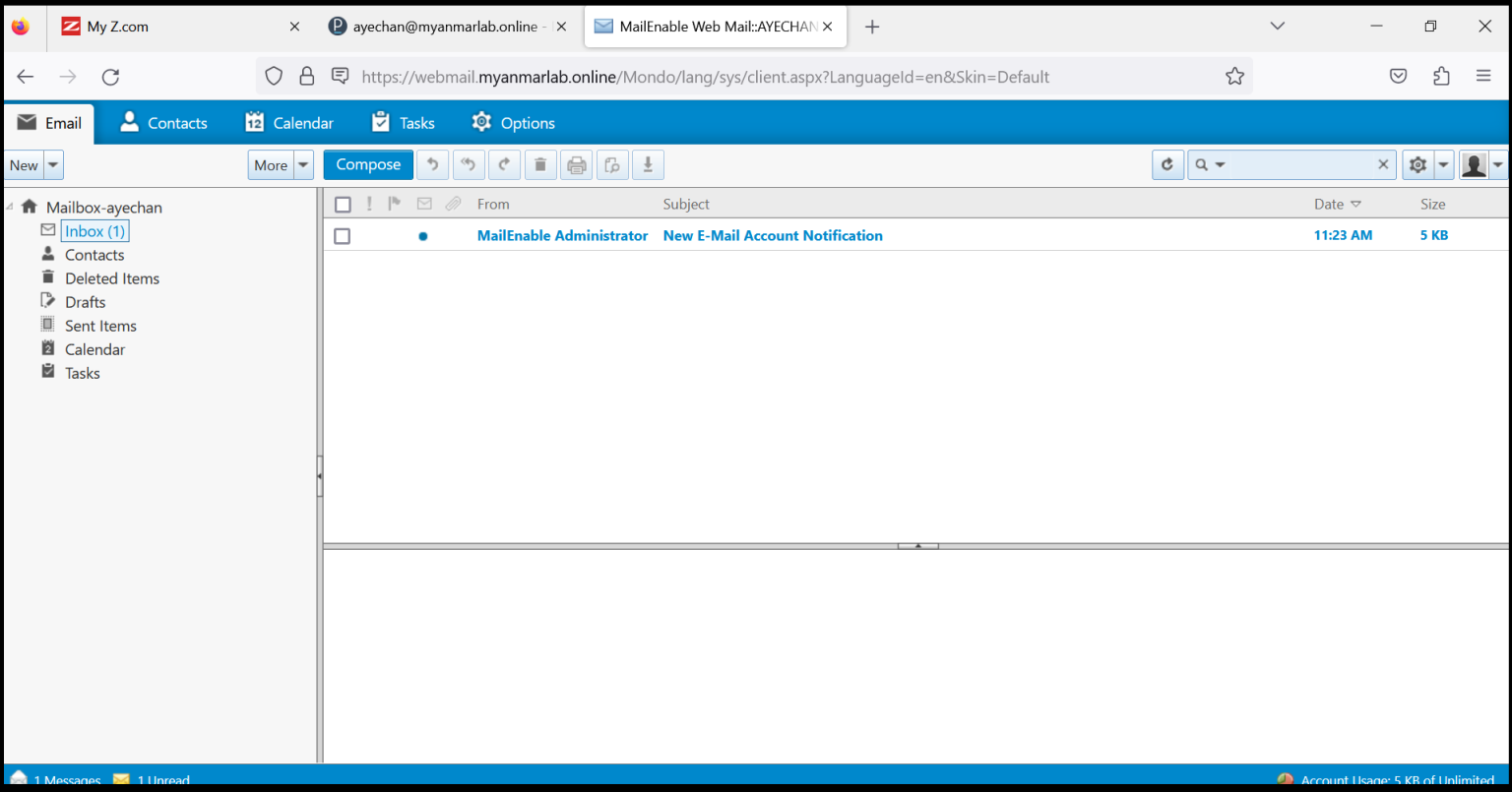
Now, we can login successfully into the webmail.
Thank you!!!
Was this article helpful?
That’s Great!
Thank you for your feedback
Sorry! We couldn't be helpful
Thank you for your feedback
Feedback sent
We appreciate your effort and will try to fix the article