How to block the spam mail address in SmarterMail?
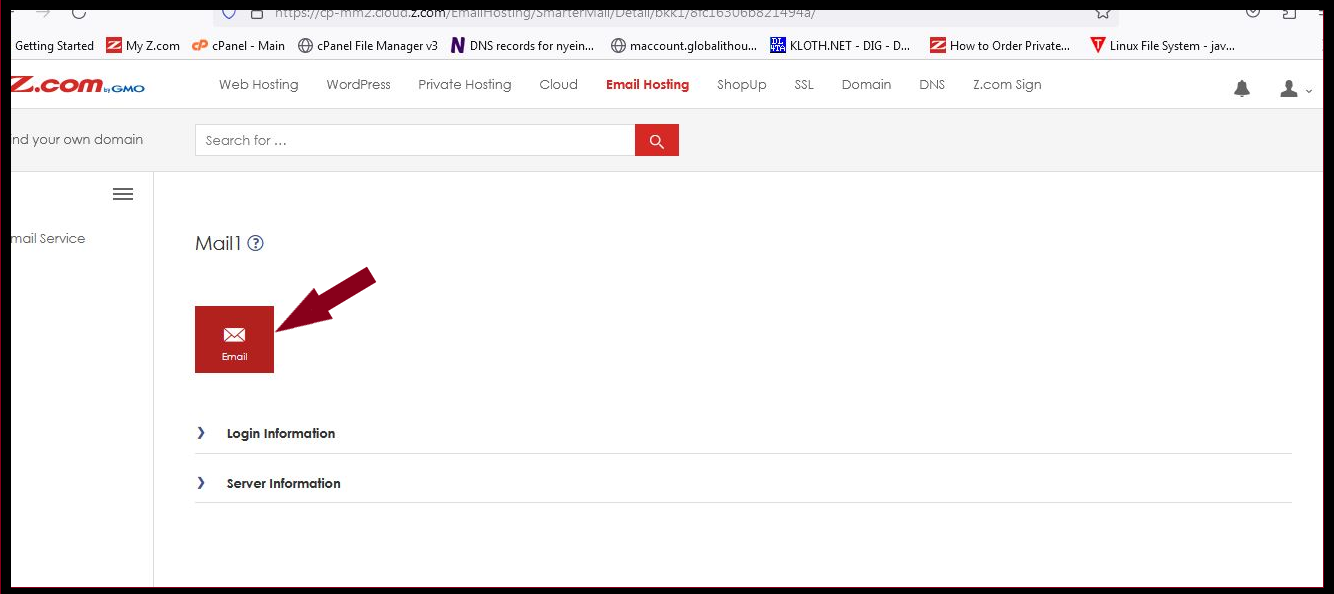
Step1. Login to Z.com and click on Email Hosting.
Step2. Click on the Email icon or mail login URL link under login information.
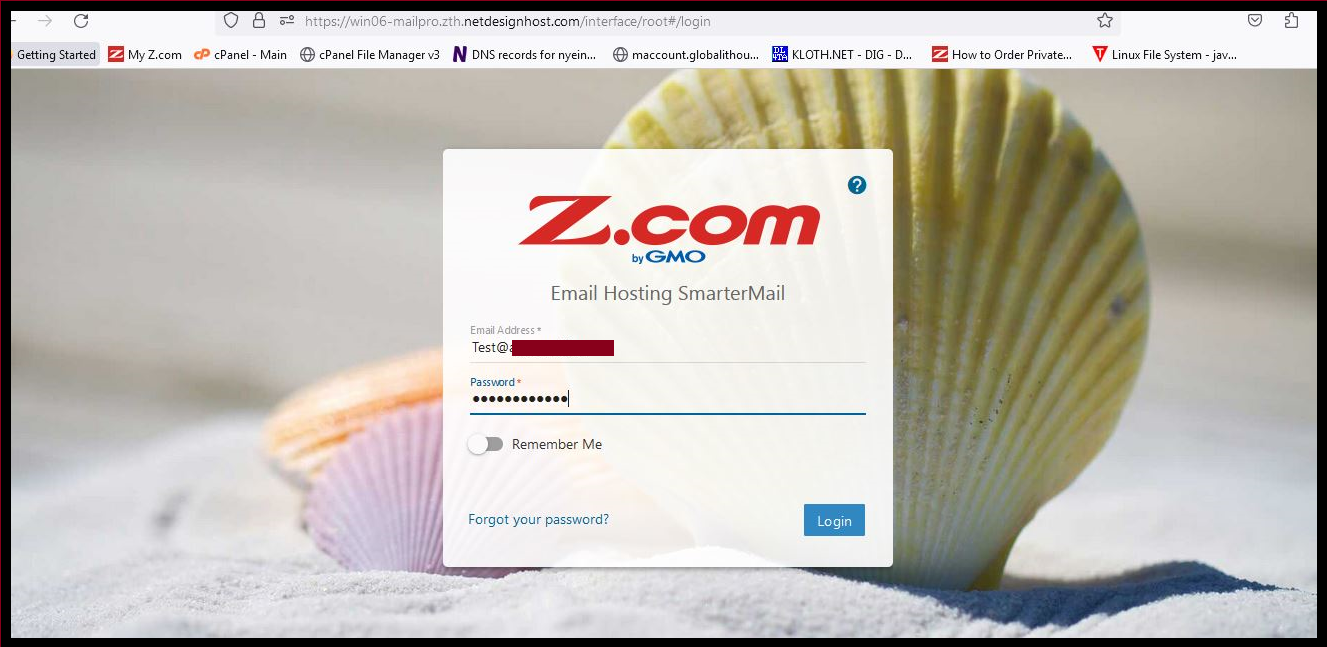
Step3. Login to the webmail panel with your mail account.
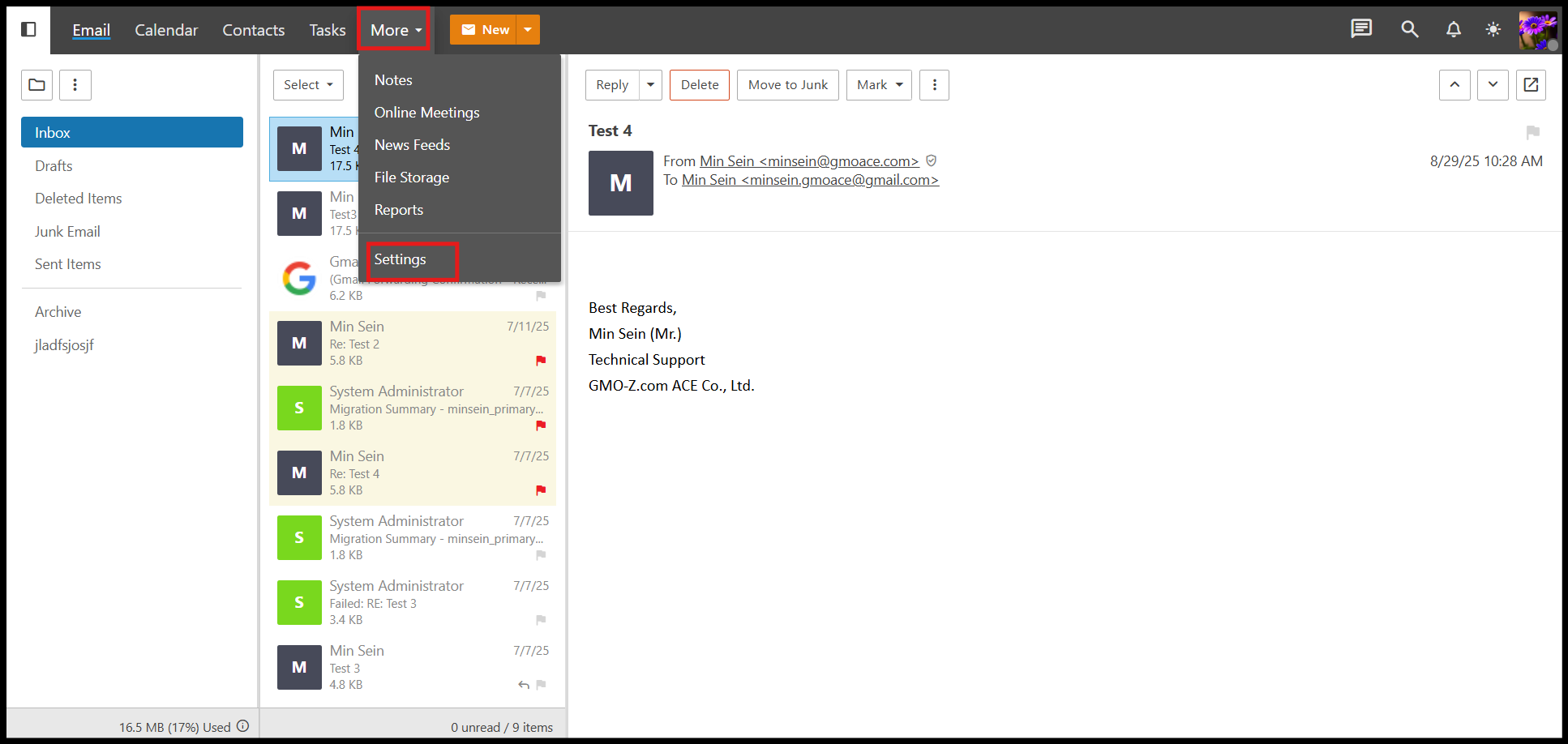
Step4. Go to More and click Settings.
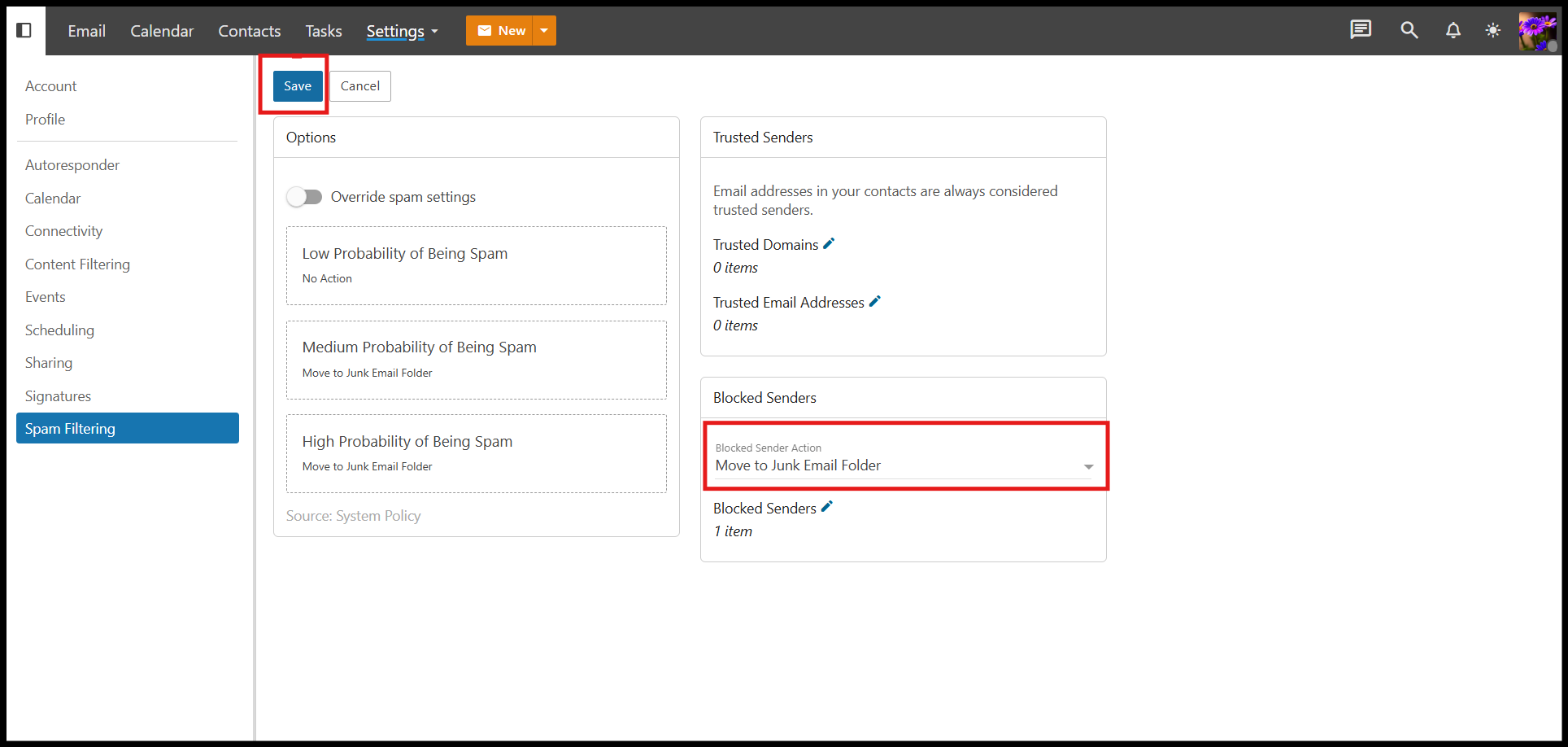
Step5. Click on the Spam filtering and then click on the Pencil icon by the Blocked Senders.

Step6. Add the mail address that you want to block and click OK.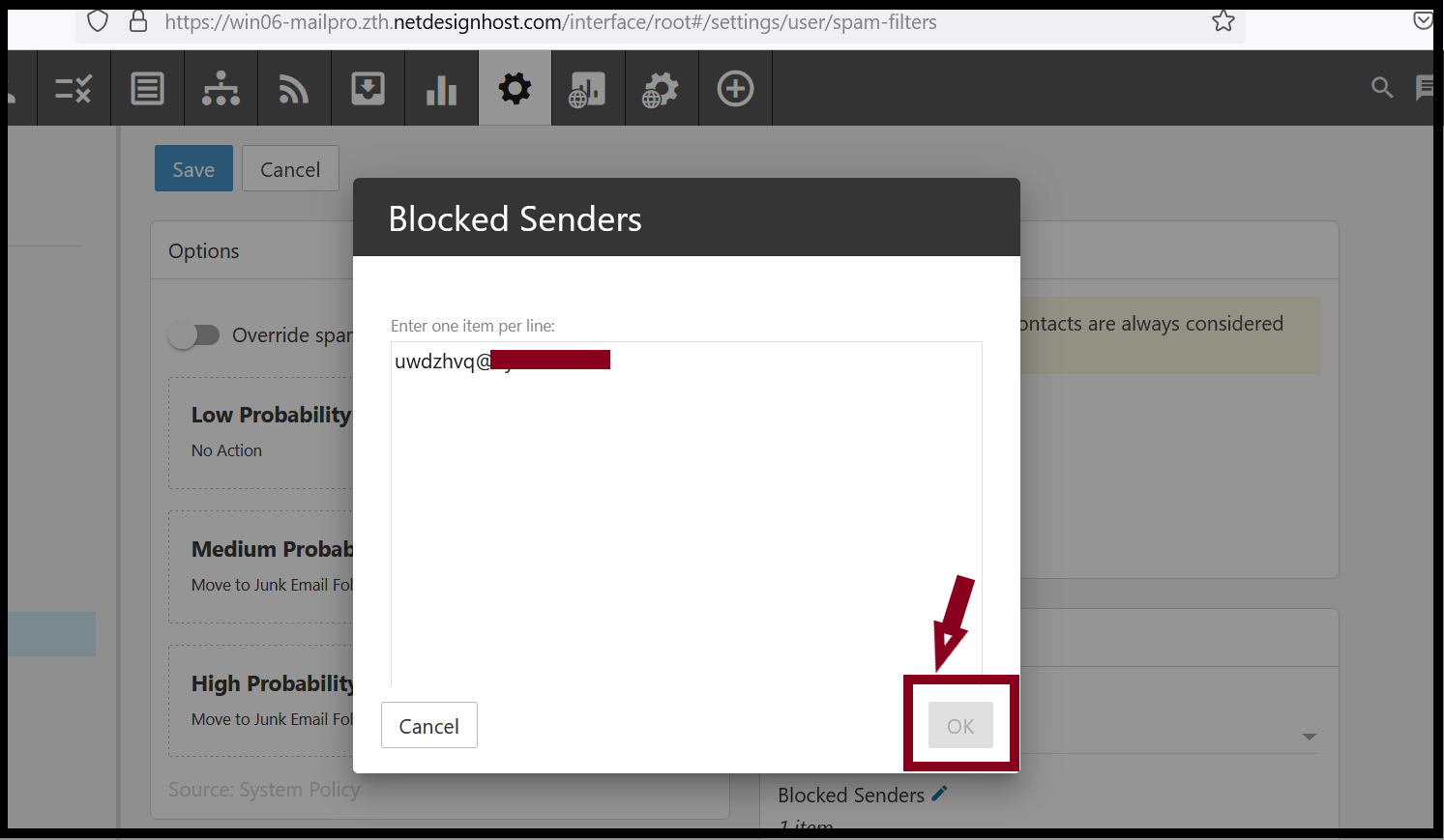
Step7. Please select the action that you want to setup. Click Save.
Thank you!!!
Was this article helpful?
That’s Great!
Thank you for your feedback
Sorry! We couldn't be helpful
Thank you for your feedback
Feedback sent
We appreciate your effort and will try to fix the article