How to add Mail Signature in SmarterMail?
Step1. Login to the My Z.com.
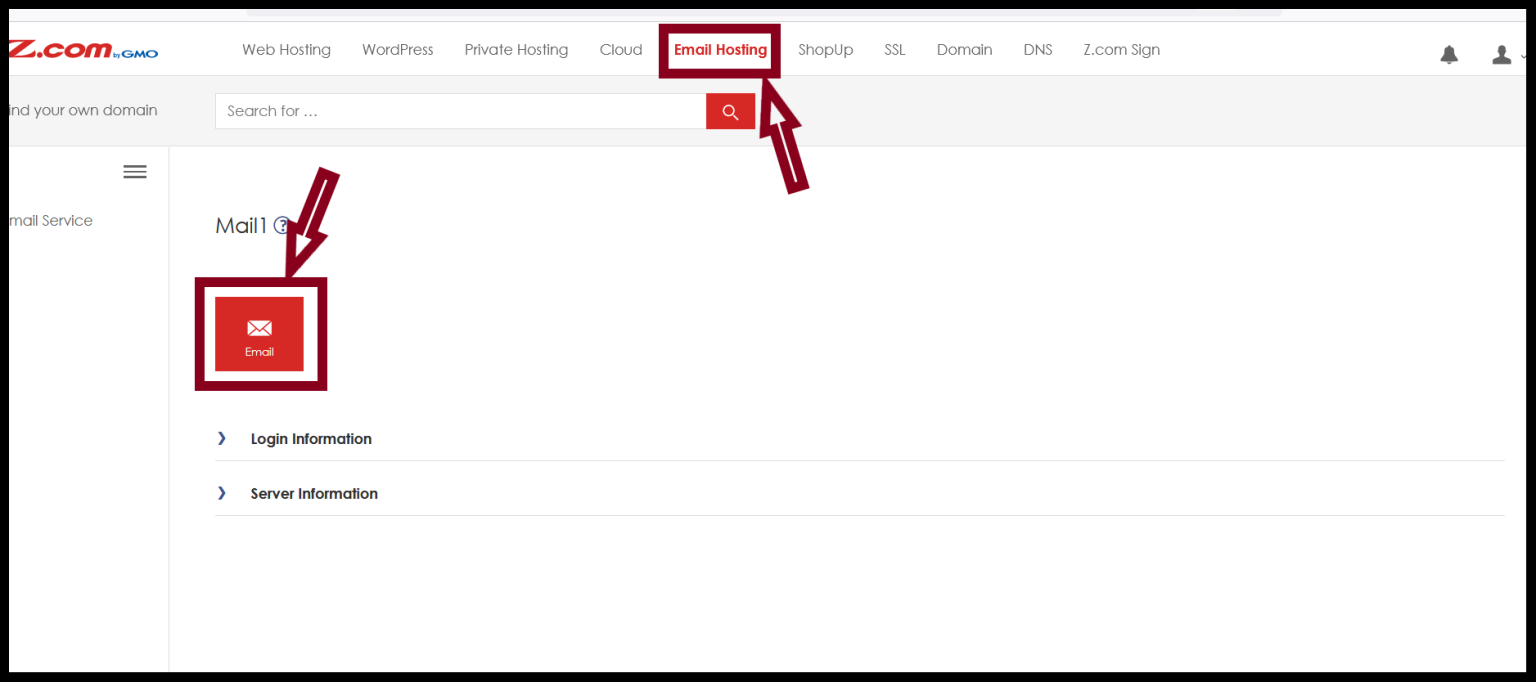
Step2. Click on the Email Icon and mail login link.
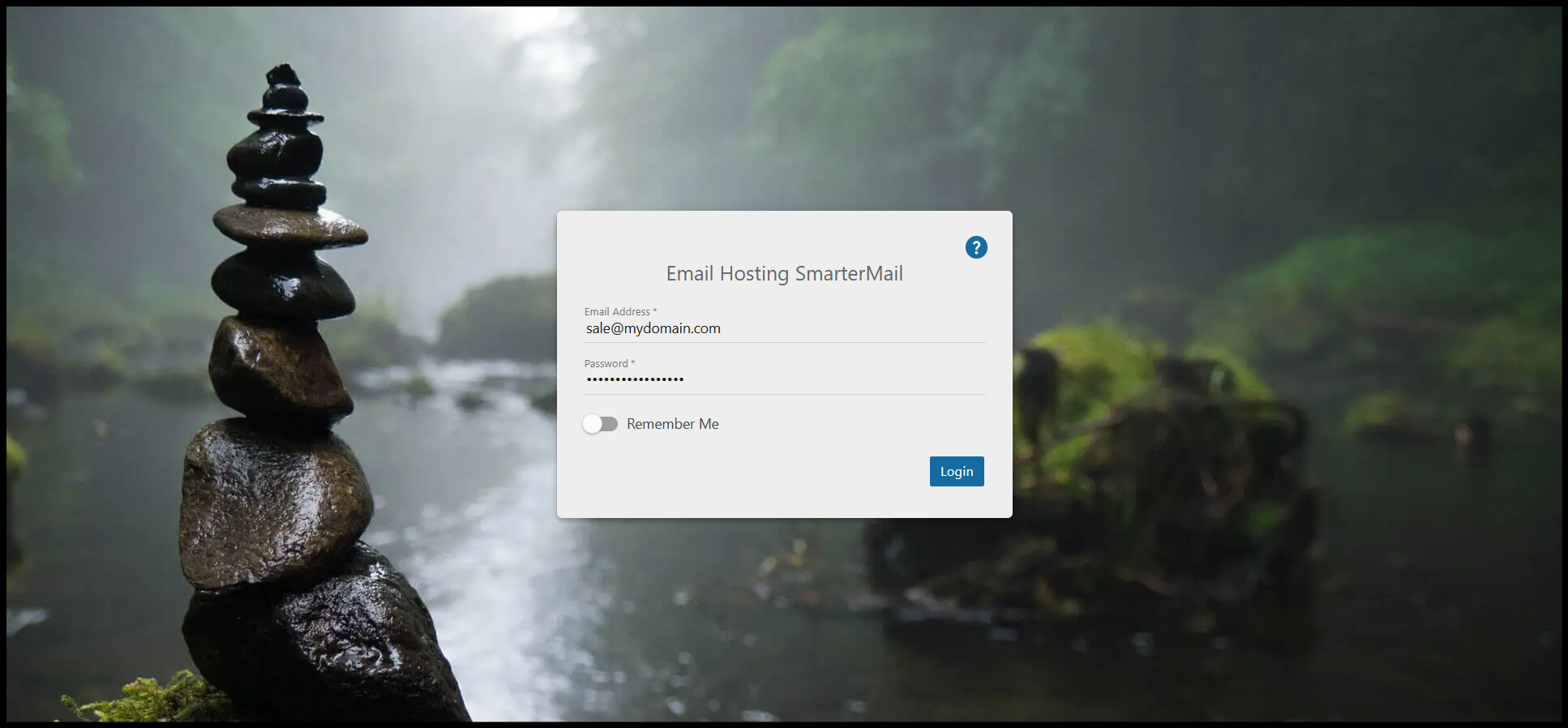
Step3. Login to the webmail with the account which you want to add your signature.
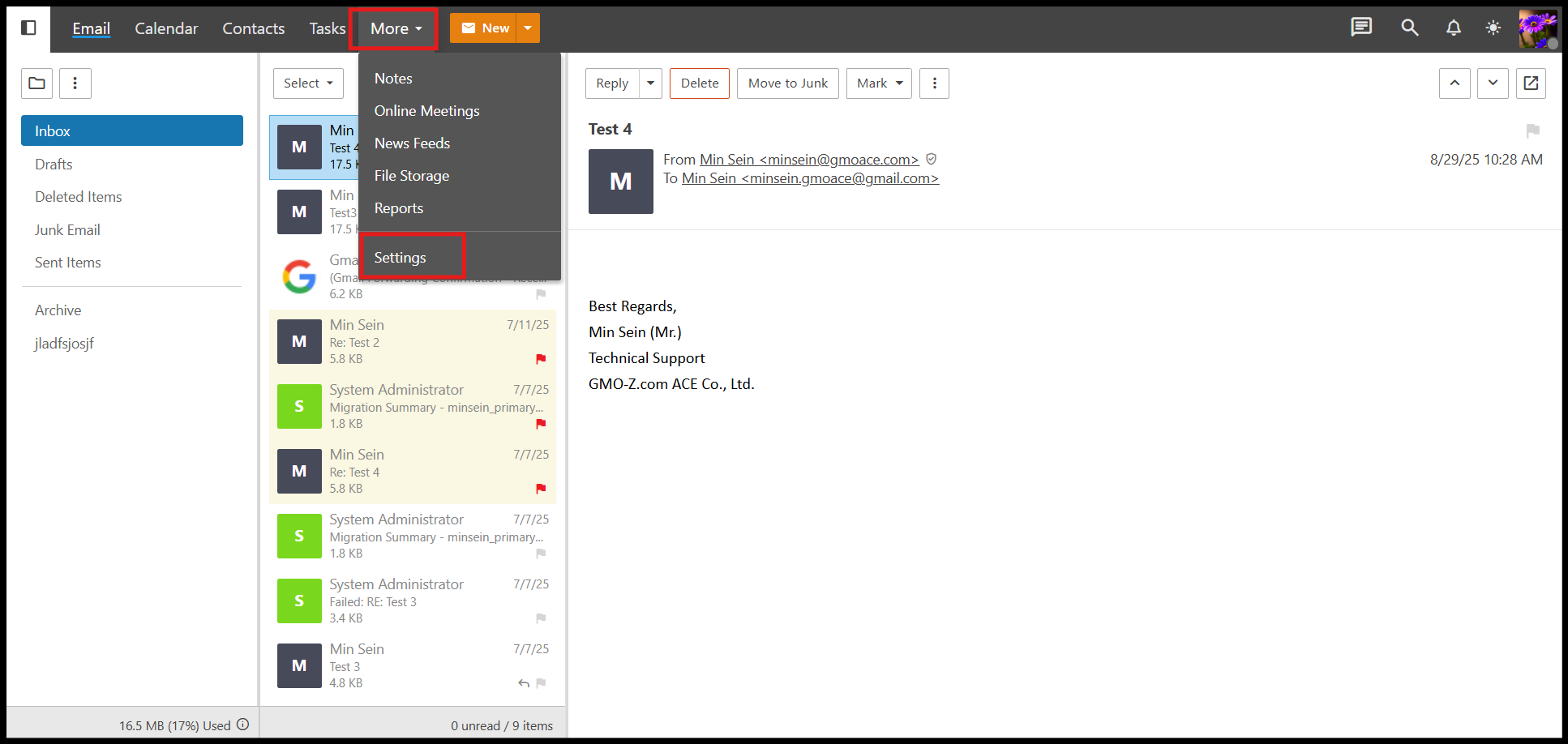
Step4. Click on the More > Settings and then click the Signature tab.
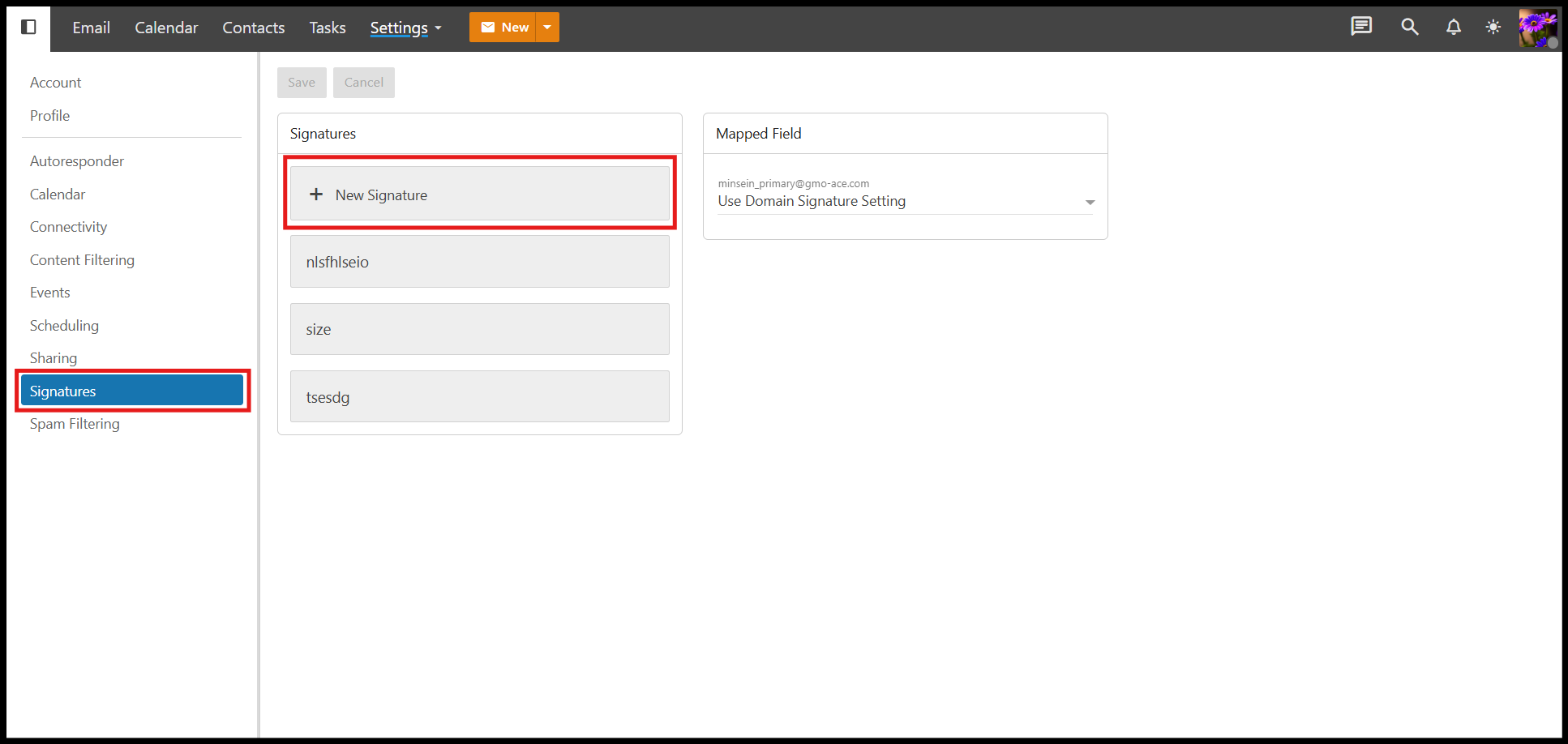
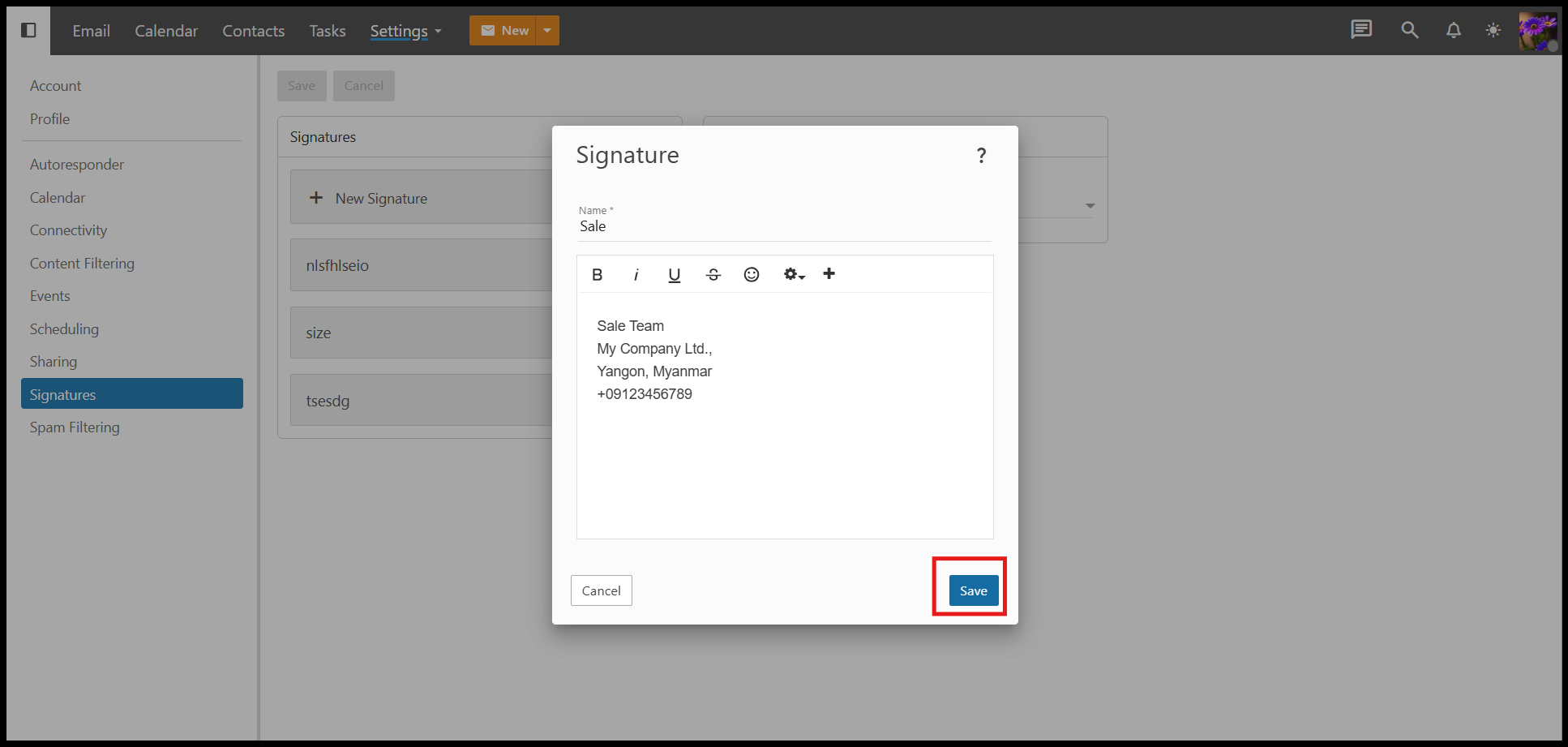
Step5. Click New Signature to add an email signature.
Step6. Give your mail signature name, and enter your mail signature message in the message box and then click Save.
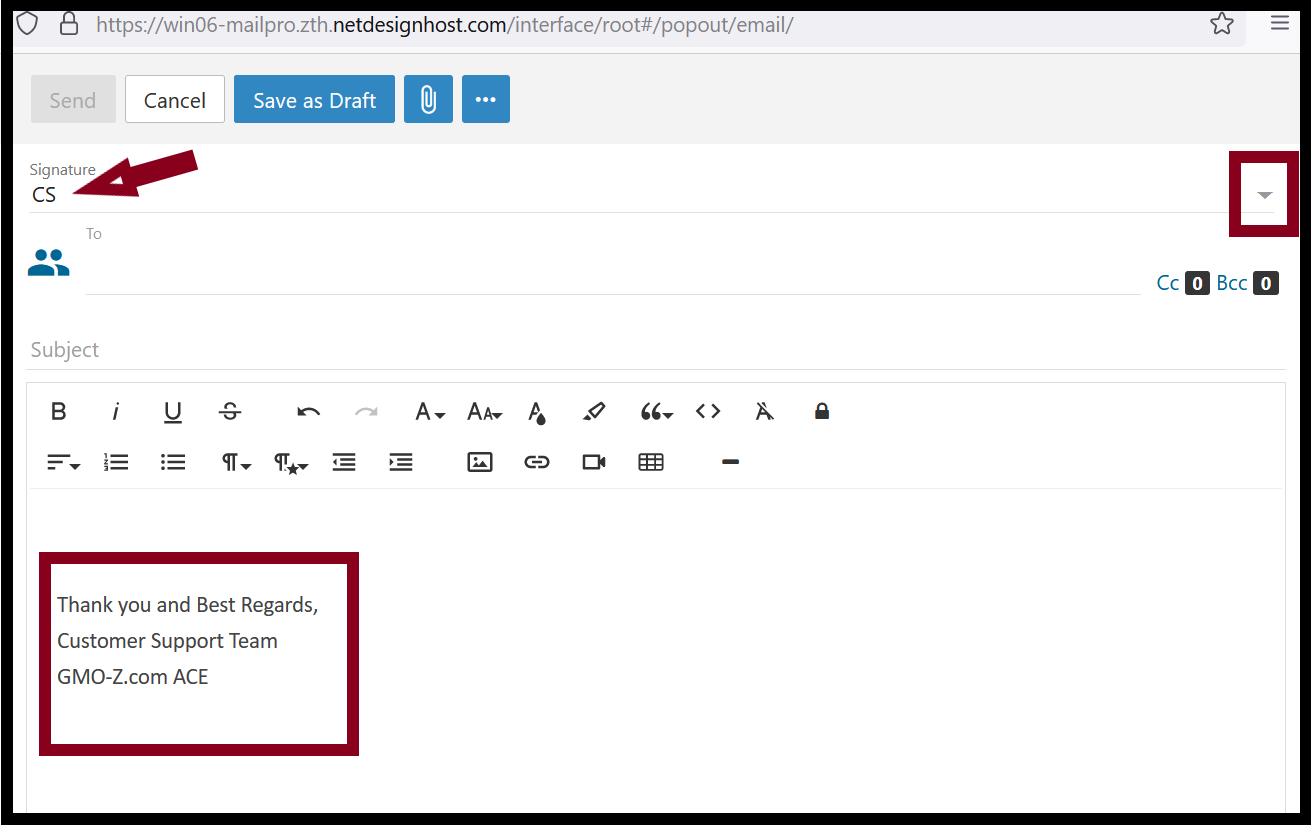
Step7. Now you have created your new mail signature. Click on the down arrow and choose your signature name and the email signature will appear.
Thank you!!!
Was this article helpful?
That’s Great!
Thank you for your feedback
Sorry! We couldn't be helpful
Thank you for your feedback
Feedback sent
We appreciate your effort and will try to fix the article