How to Setup Mail Forward in cPanel?
Login to your z.com account, https://cloud.z.com/mm/signin
Step 1 . Login to the cPanel and in the Email section, Click the " Forwarders " .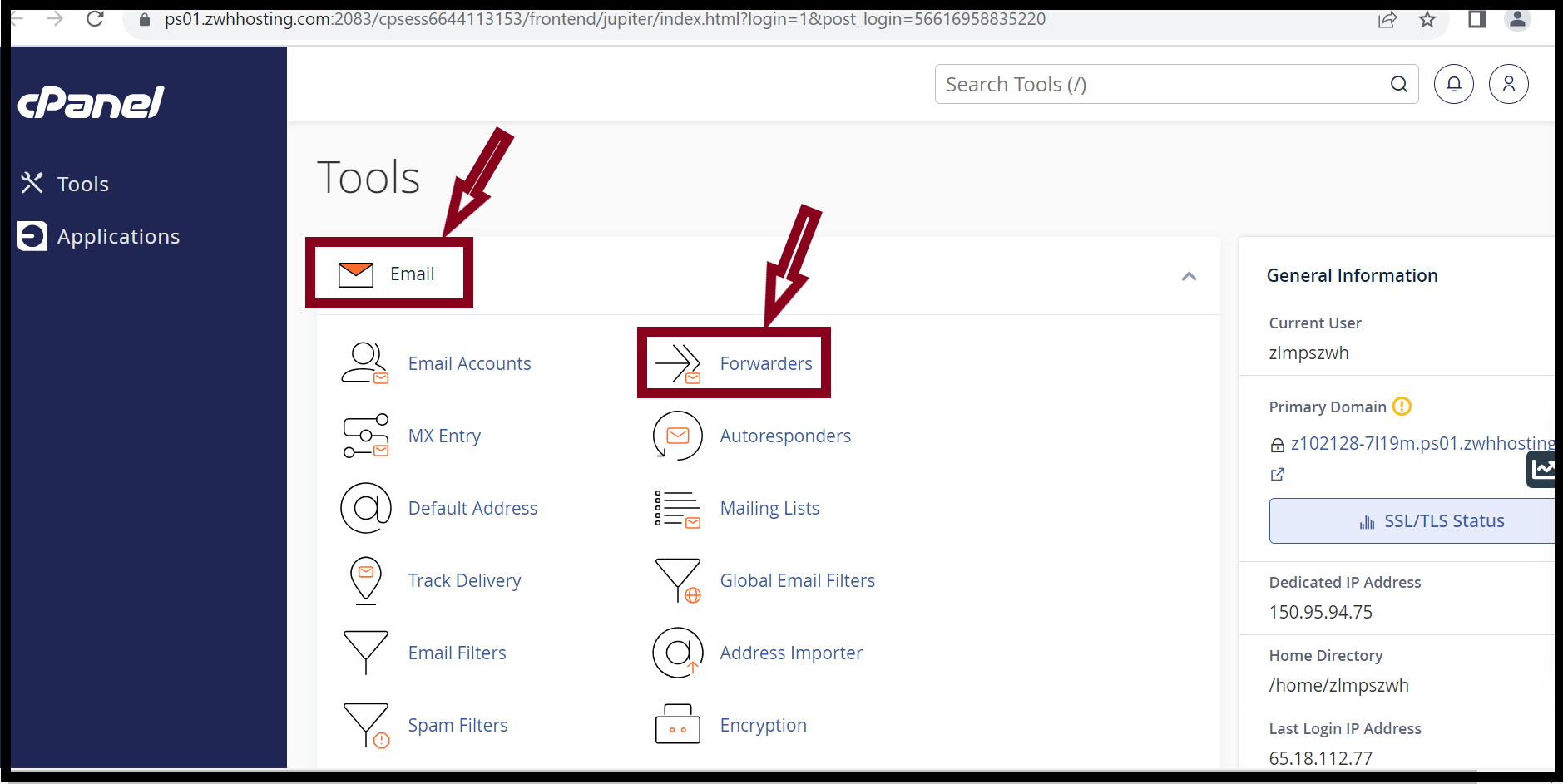
Step 2 . Click on the " Add Forwarders " .
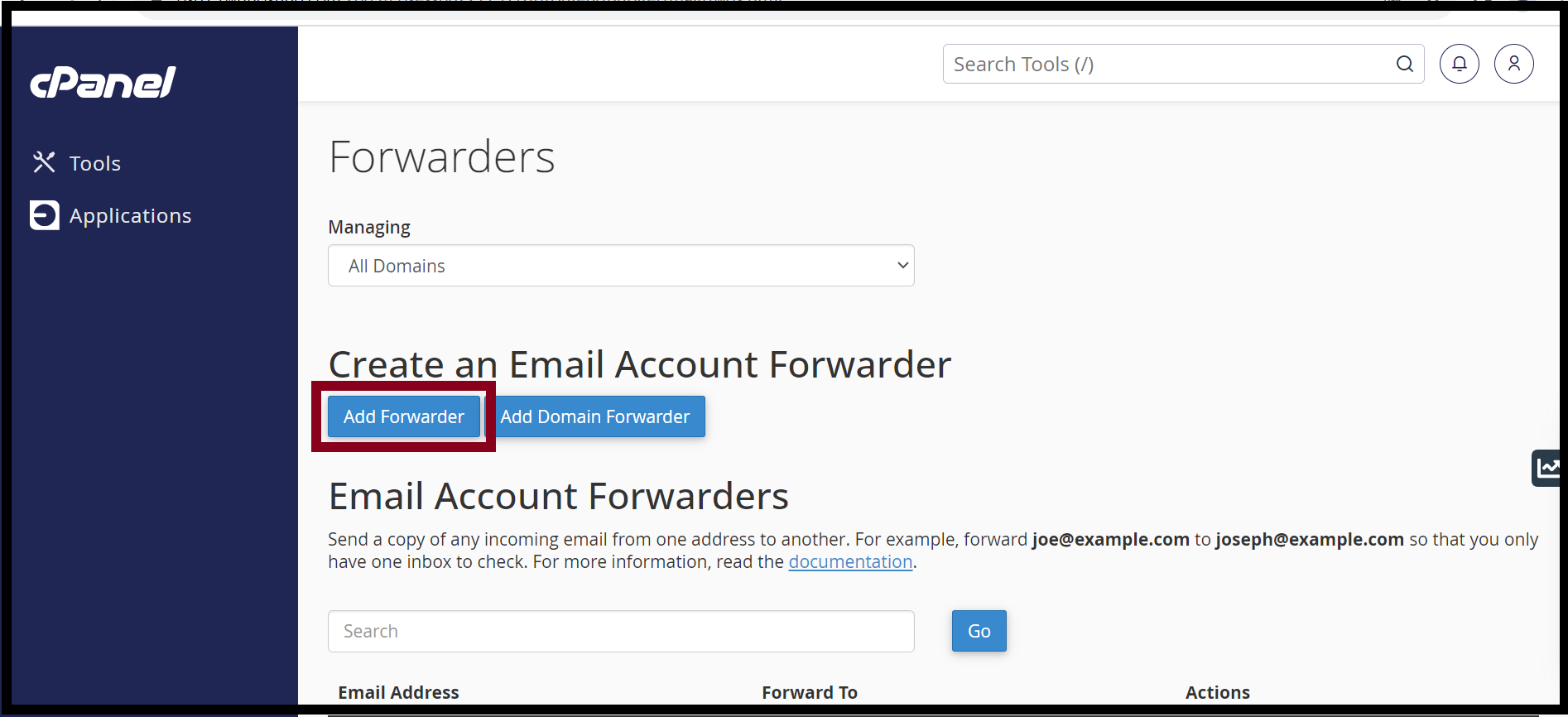
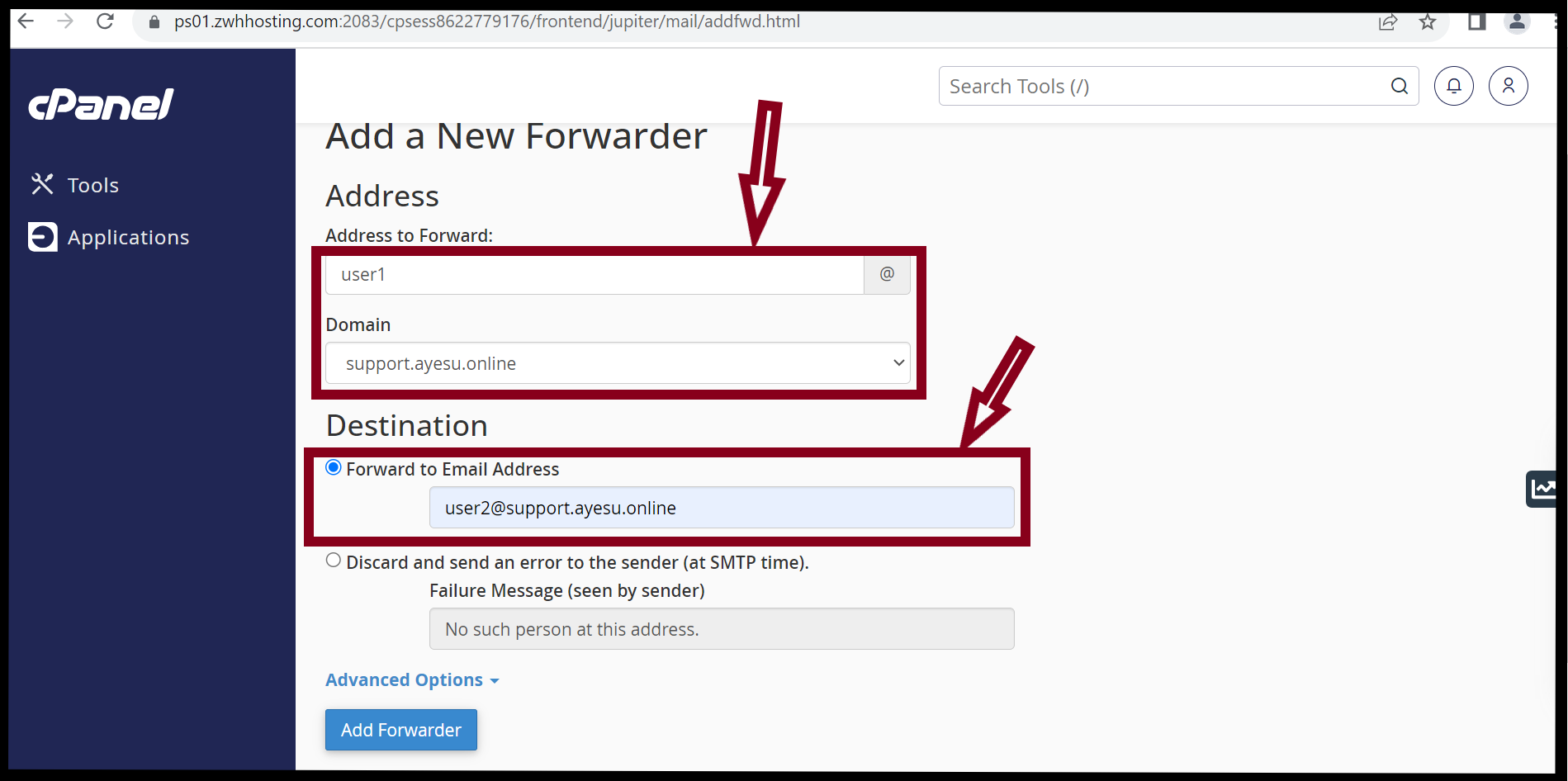
Step 3 . In the Address to Forward, Enter the address that will have its messages forwarded.
Step 4 . In the Destination, enter the forward to address.
Step 5 . Click " Add Forwarder ".
Step 6 . Now you have finished the mail forwarding setup.
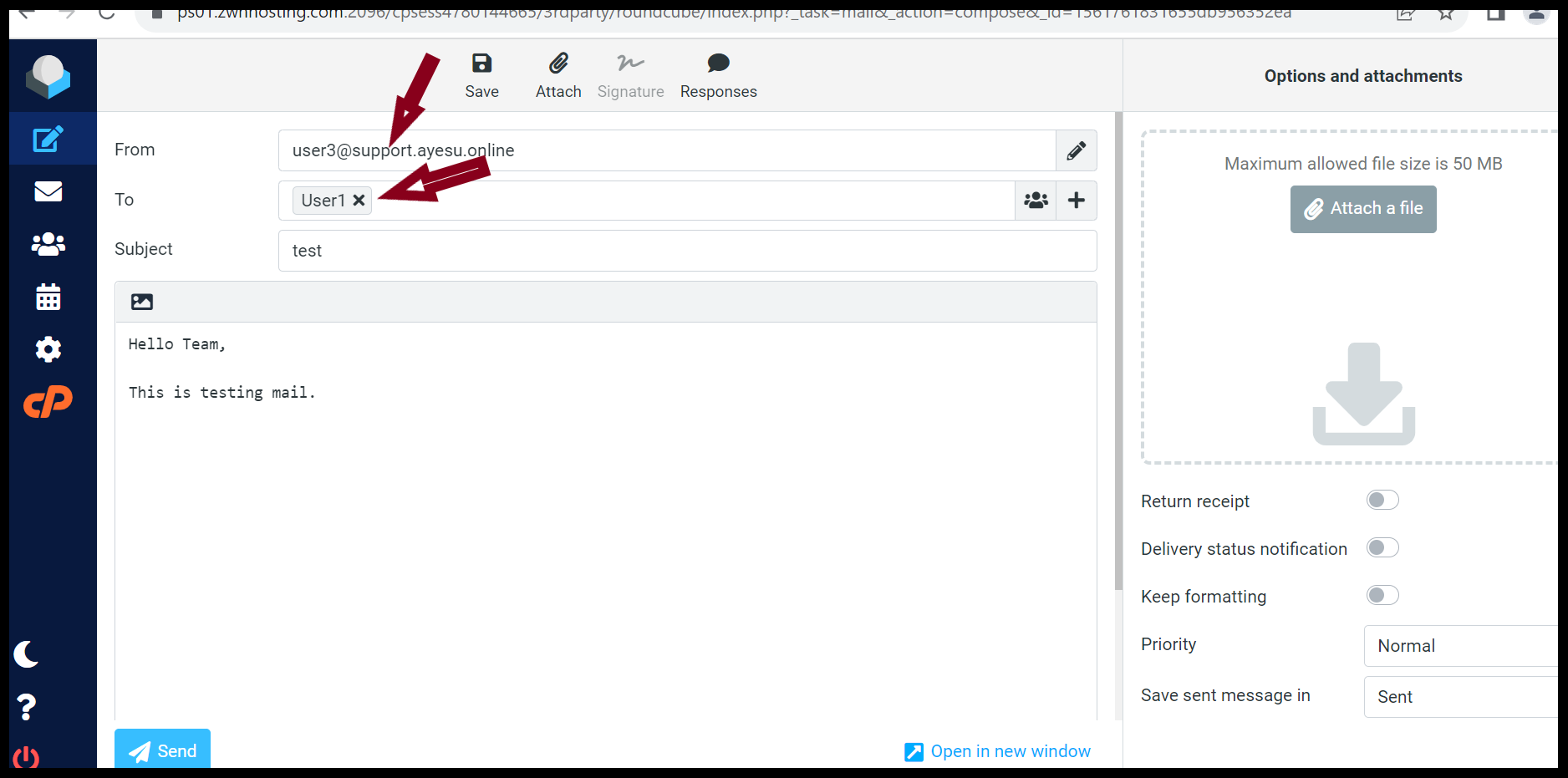
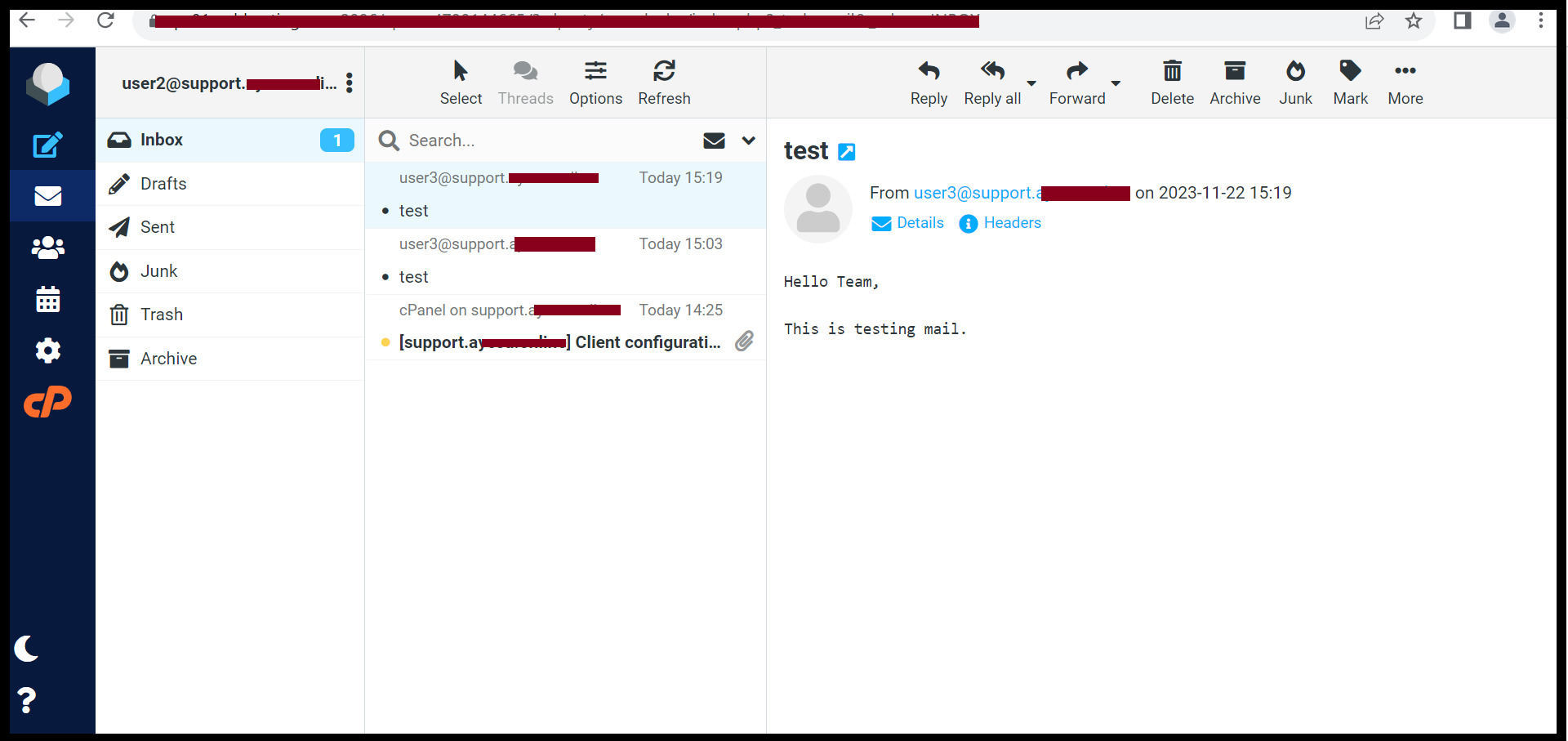
Step 7. The sending mail from user3 will go to both user1 and user2 .
COMPLETE
THANK YOU !!!
Was this article helpful?
That’s Great!
Thank you for your feedback
Sorry! We couldn't be helpful
Thank you for your feedback
Feedback sent
We appreciate your effort and will try to fix the article