Setup Email Forwarder Function on SmarterMail
Step1. Log in to your email hosting (SmarterMail) with an admin account
URL: http://mail.domain-name.com
Email Address: admin@domain-name.com
Password: **************** 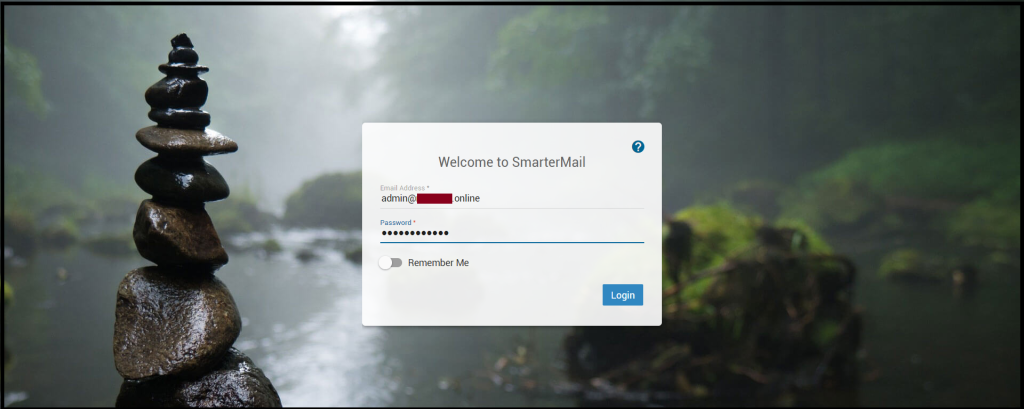
To use the Email Forwarder Function, You will need to create the Forwarder Email address first. If you want to create an email address on SmarterMail, click here.Now, we will show you how to add the email addresses under the forwarder email.
Forwarder Email Address: zcomsupport@mccgray.online
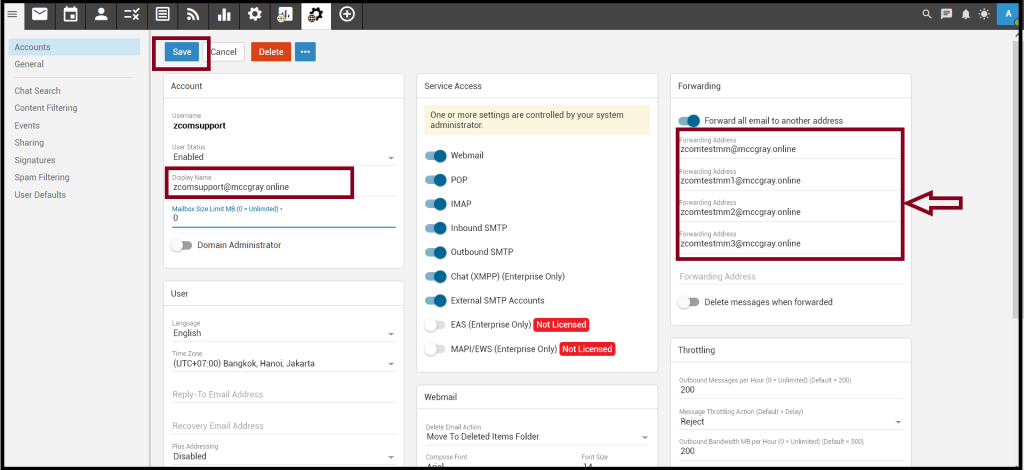
Forward To: zcomtestmm@mccgray.online, zcomtestmm1@mccgray.online, zcomtestmm2@mccgray.online,                    zcomtestmm3@mccgray.online
Step2. Click “your forwarder email address”
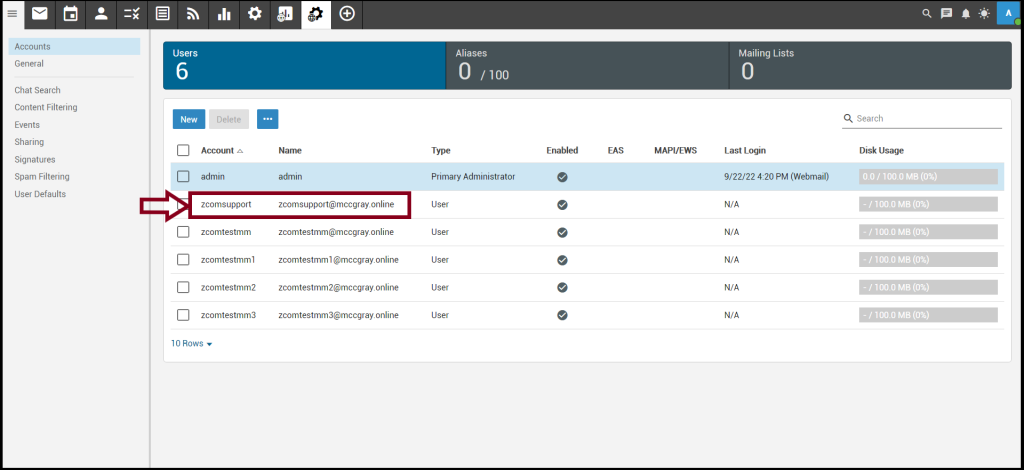 And, add the email address that you want to forward as follows
Then, Click “Save“
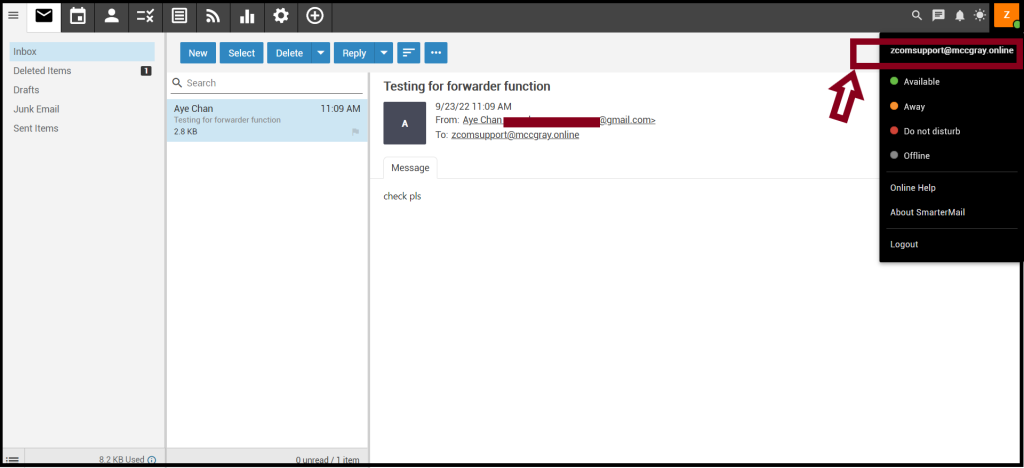
In Next Section, We sent the email to the “Forwarder Email Address (zcomsupport@mccgray.online)” from Gmail.
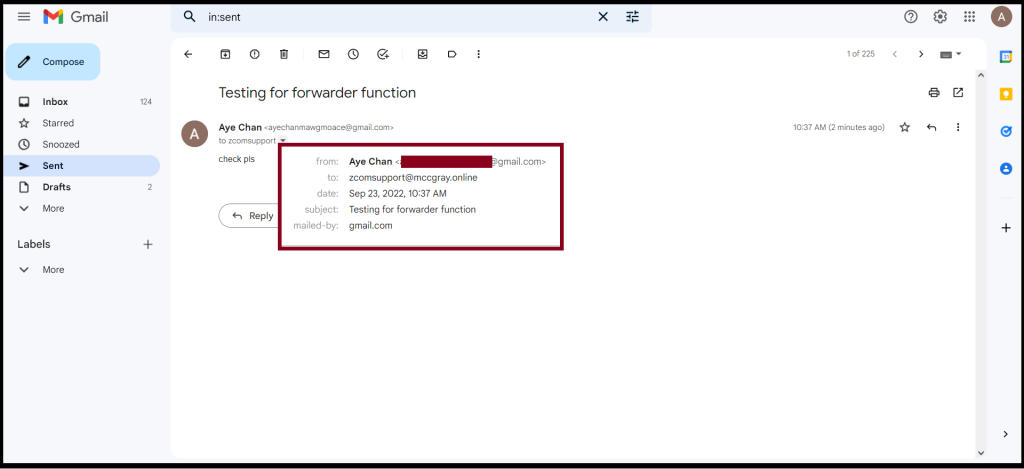
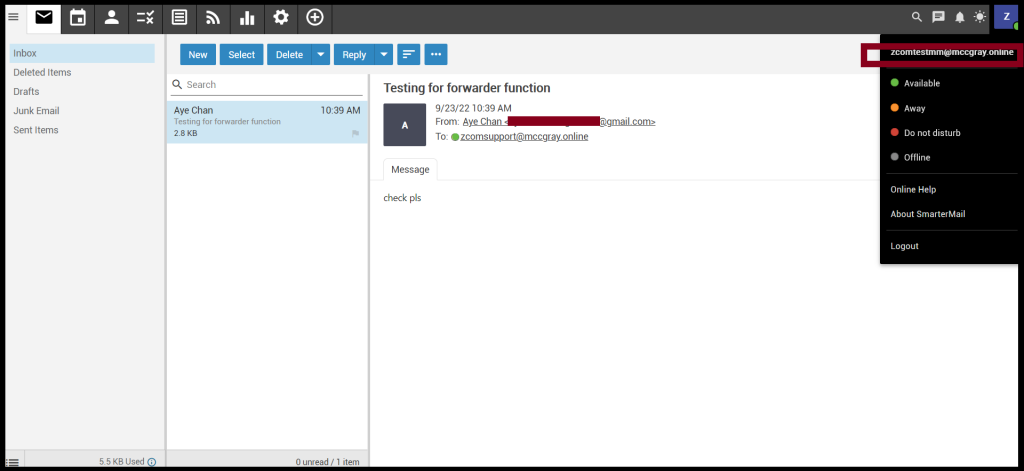
And then, the Forwarder Email Address will forward to your receipt email address as follows.
Finally, you can check the email from the receipt address.
Receipt (1)
Receipt(2)
Now you can set up the forwarder function on SmarterMail successfully.
THANK YOU!!!
Was this article helpful?
That’s Great!
Thank you for your feedback
Sorry! We couldn't be helpful
Thank you for your feedback
Feedback sent
We appreciate your effort and will try to fix the article