How to Classify Spam Mail by Checking the Internet Header from the Webmail Server?
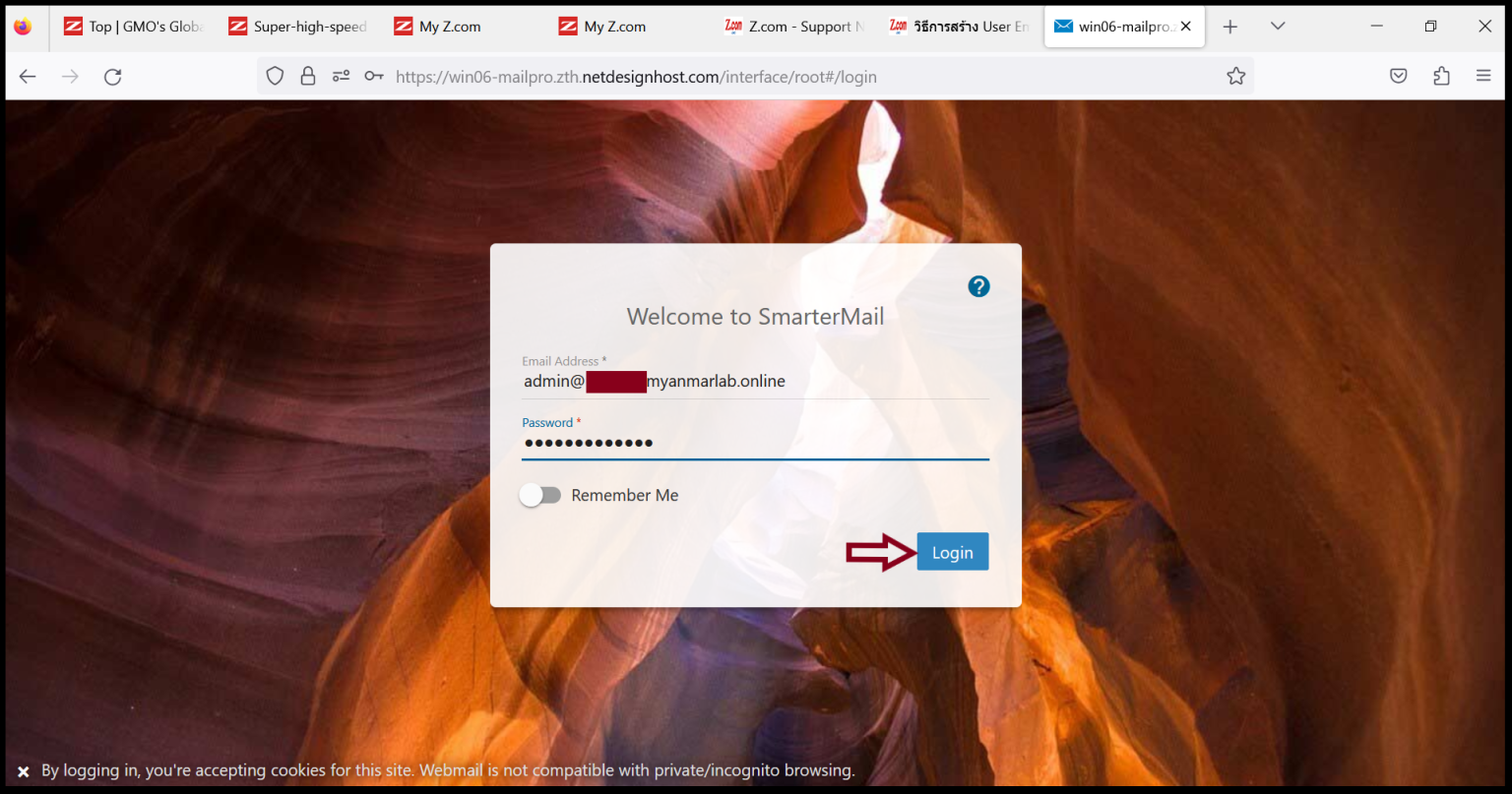
Step1. Login to the SmarterMail
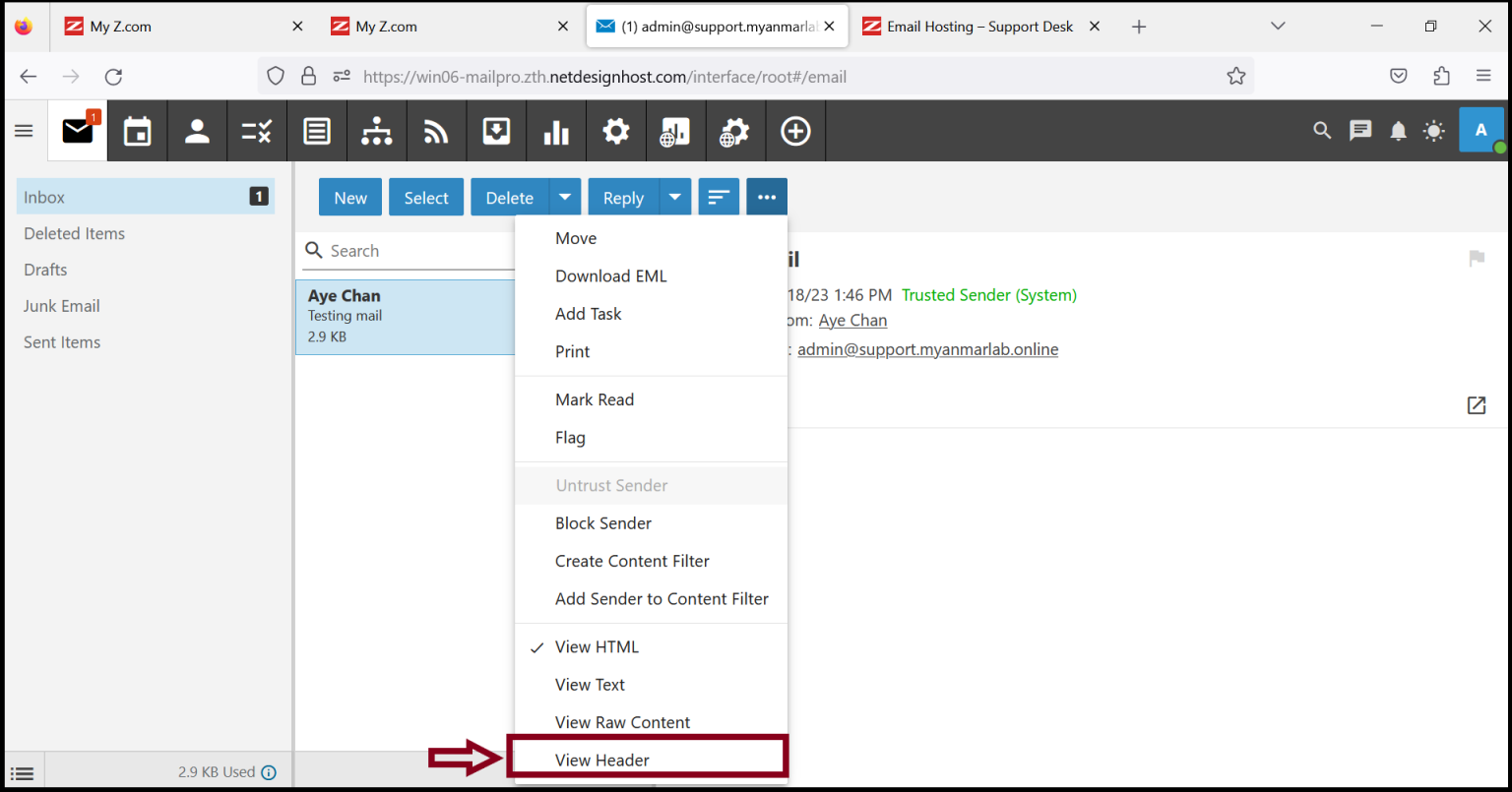
Step2. Choose an email message and Click “Actions” (three-dot) and click “View Header“
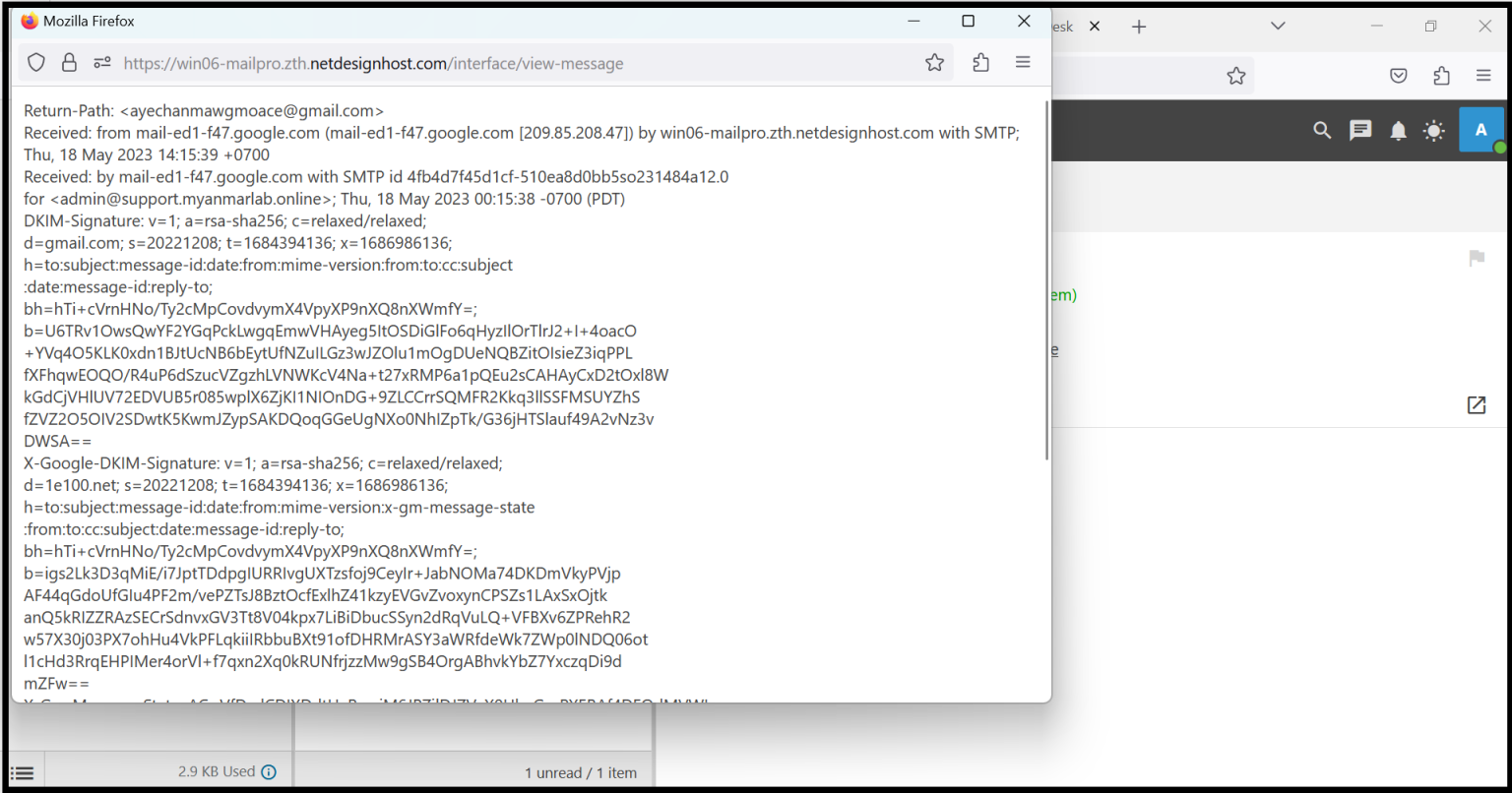
And Copy the “Internet Header“
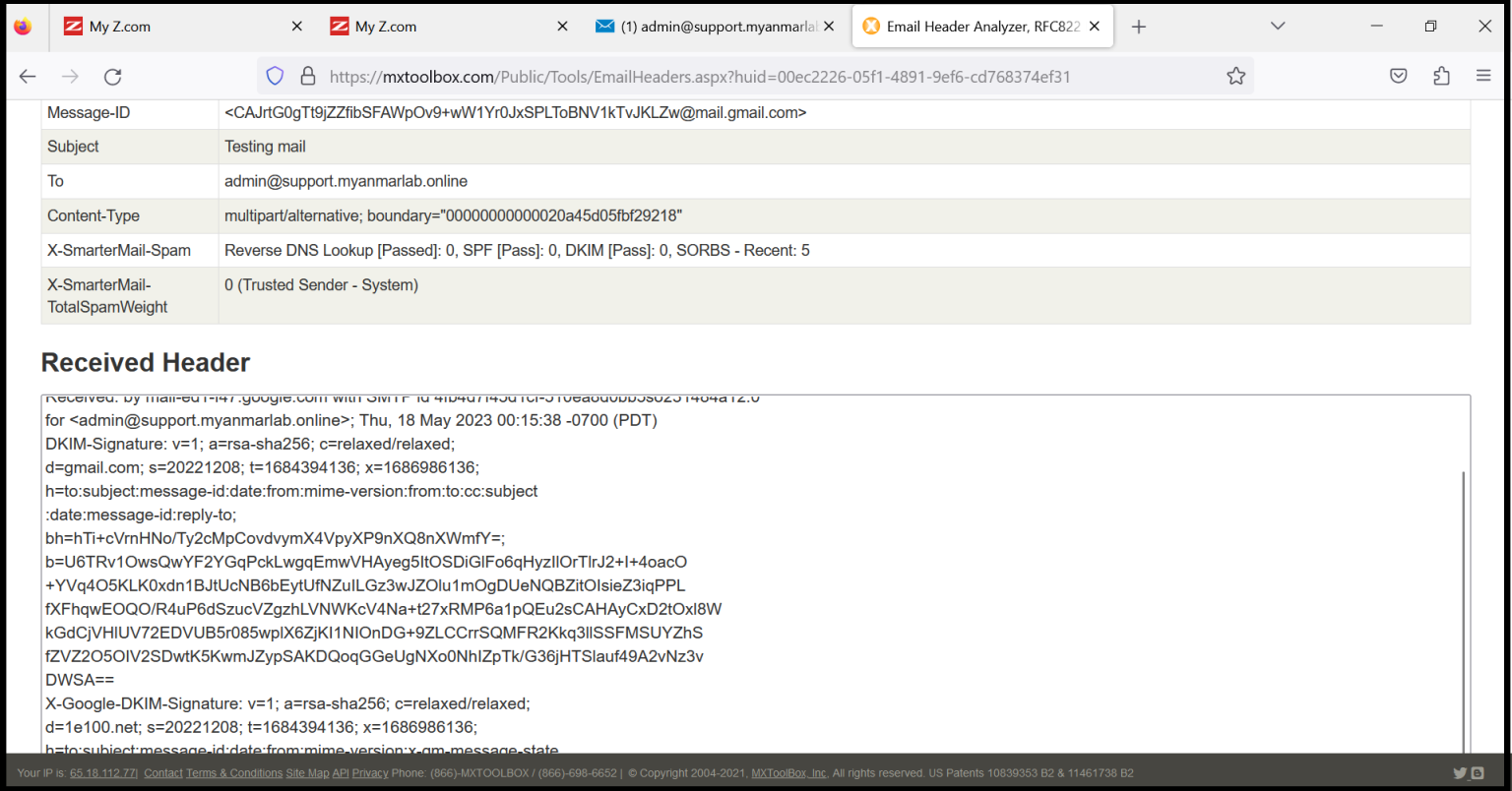
Step3. We can analyze email headers from the website. We can see and classify whether the email is spam or not.
URL: https://mxtoolbox.com/ (sample site)
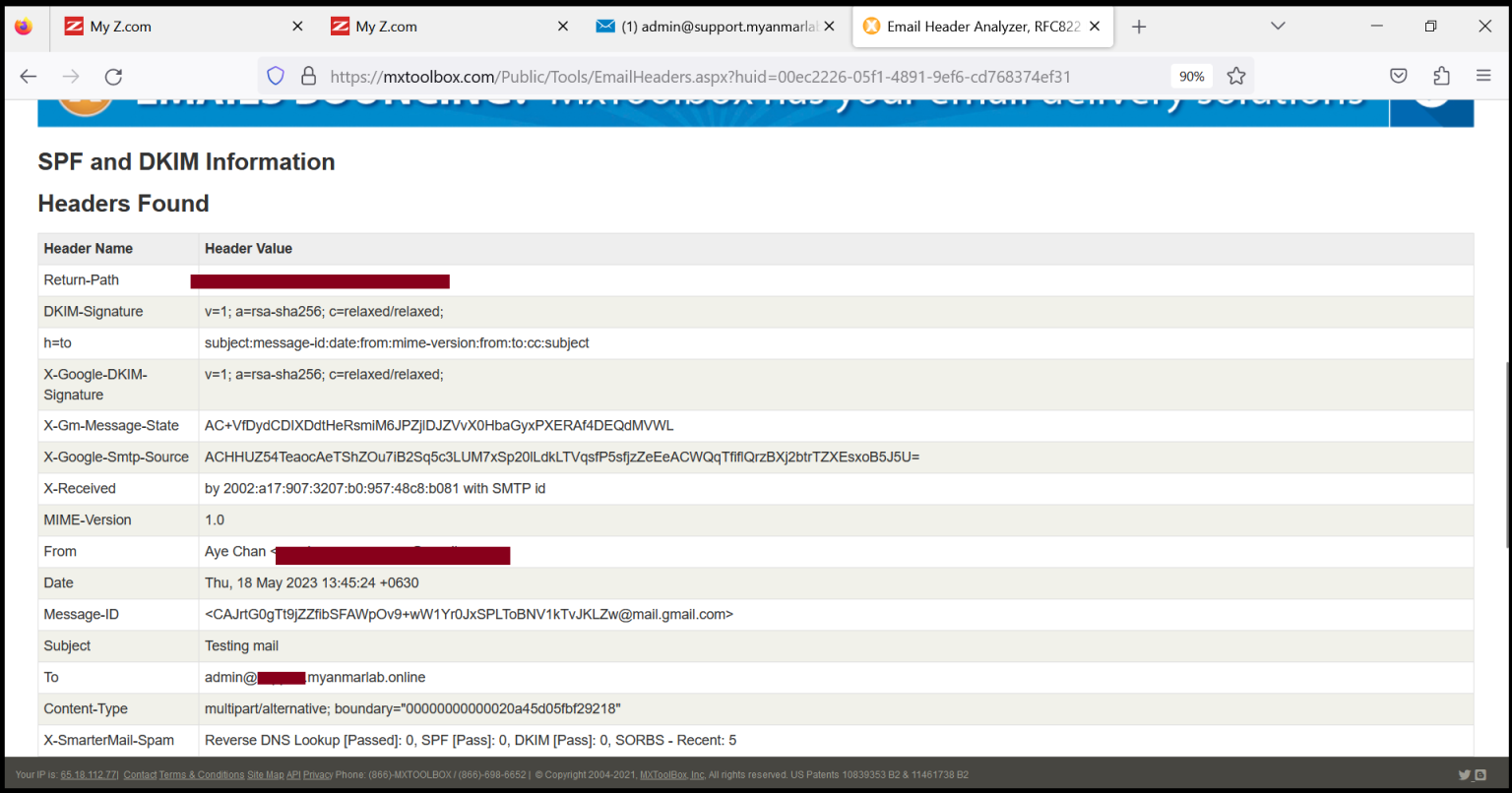
Now you can check the information details of an email.
Thank you!!!
Was this article helpful?
That’s Great!
Thank you for your feedback
Sorry! We couldn't be helpful
Thank you for your feedback
Feedback sent
We appreciate your effort and will try to fix the article