How to Create Single Account and Multiple Email Account In Email Hosting ?
Z Account login link: https://hosting.z.com/mm/signin/
Firstly, log in to your Web Mail Login.
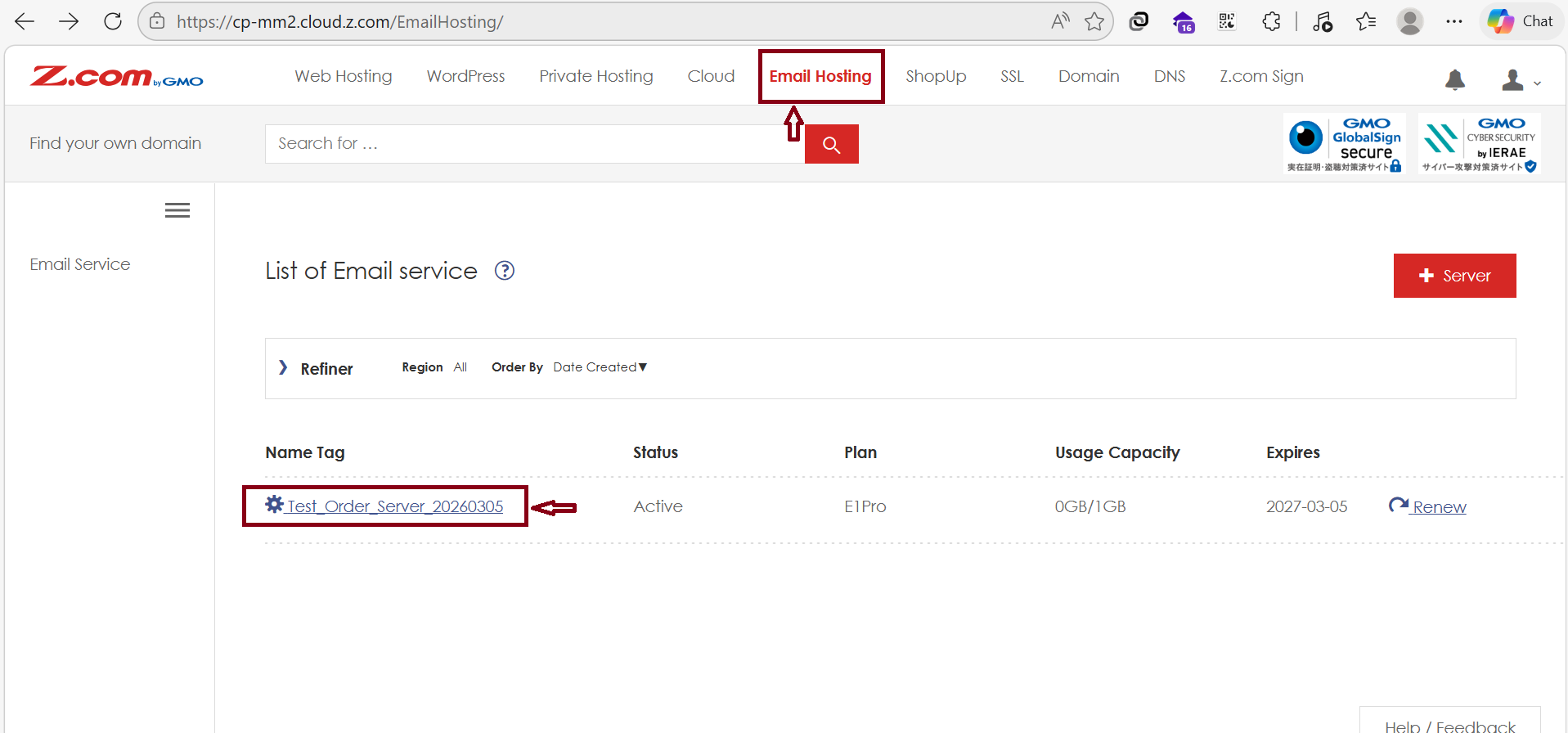
- Click the “Email Hosting” Menu
- Click the "Email server" shown under the Name Tag section.
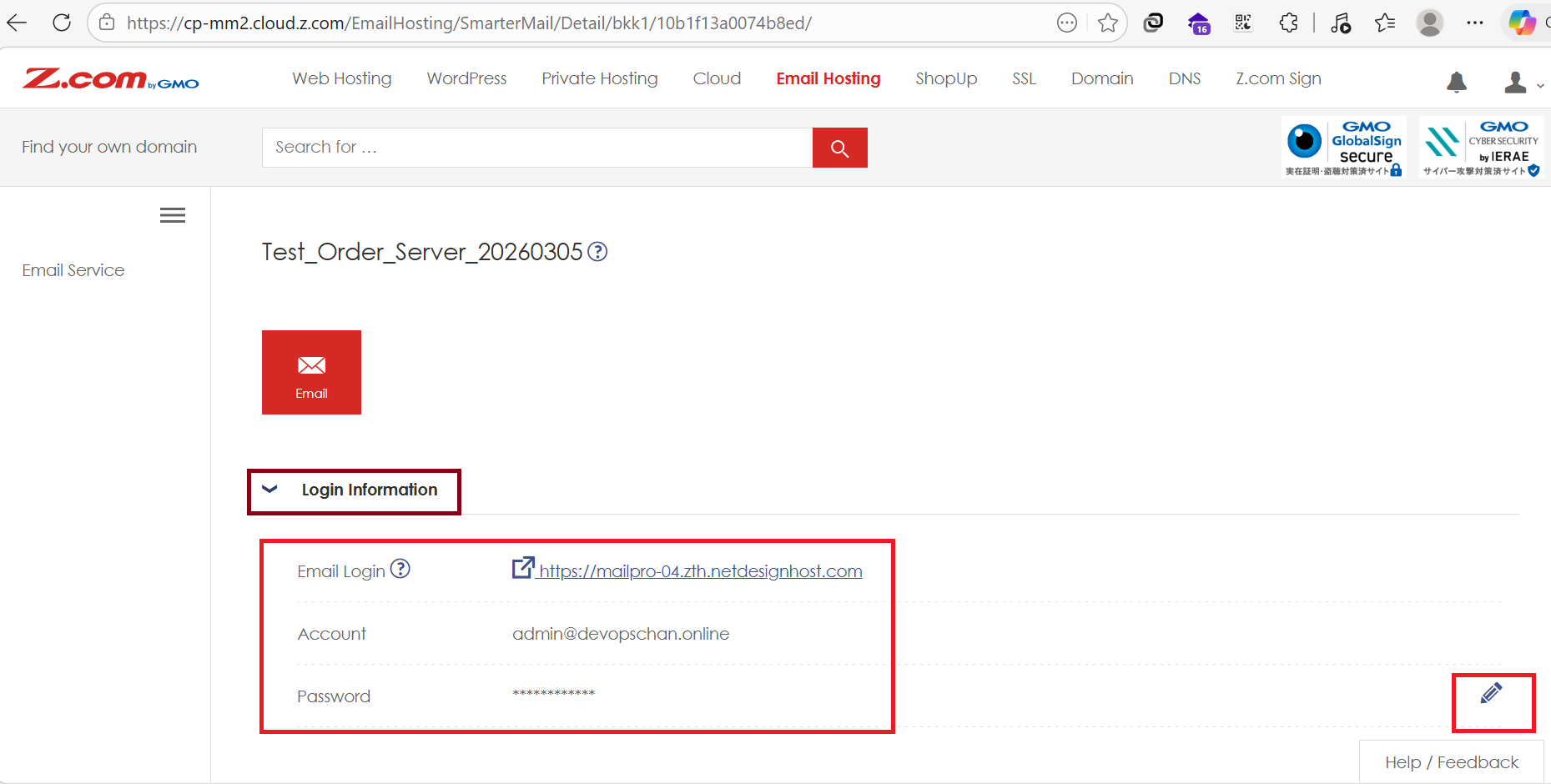
Check your Login Information for the Email Login link and Admin Account to enter the Admin panel.
Click the Pencil Icon to reset your password if you forget it.
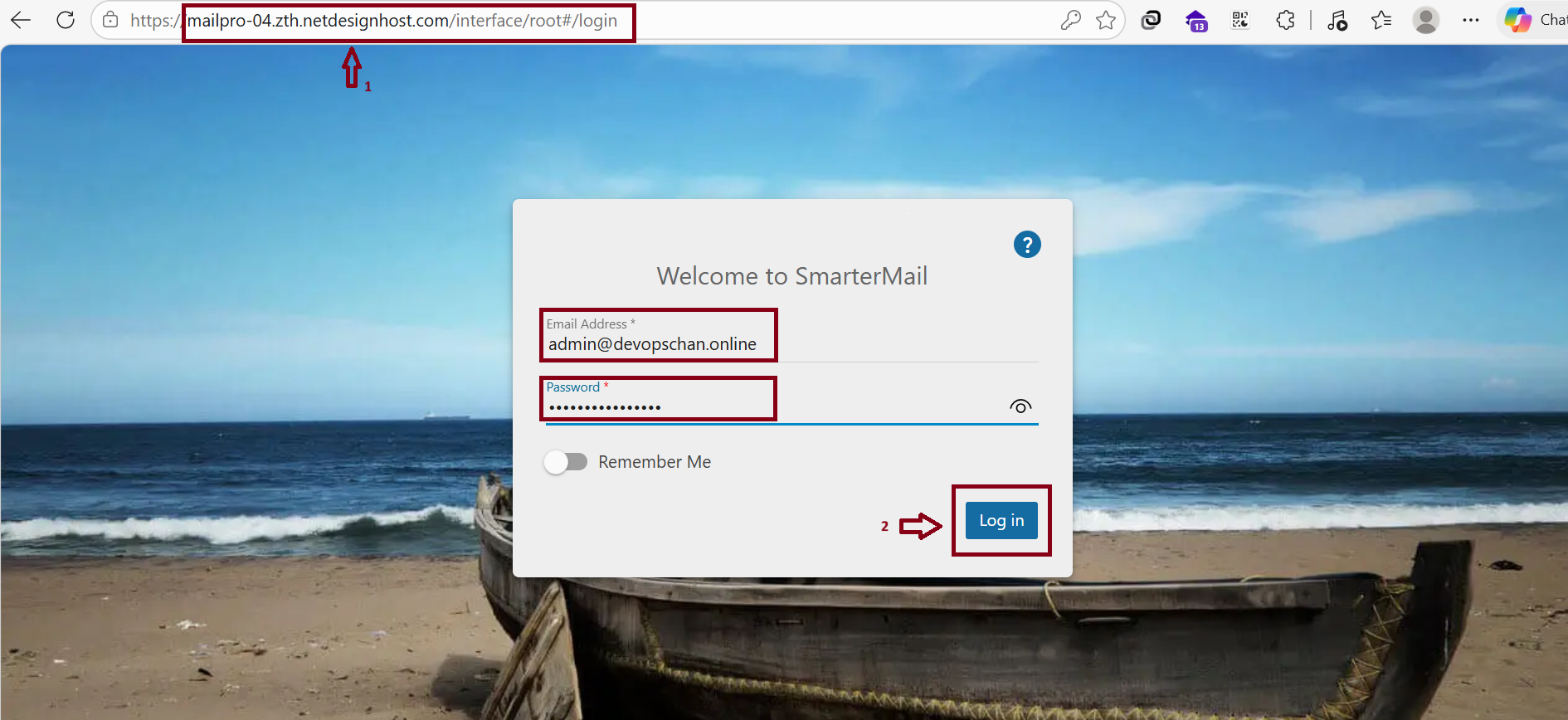
Use a web browser and enter these credentials to log in to your SmarterMail dashboard.
Note: The Webmail Login URL may change depending on the specific server being used.
1.For Single Account Creation
To create a new email account through the Admin account, follow these steps:
- Click More.
- Click Domain Settings when it appears.
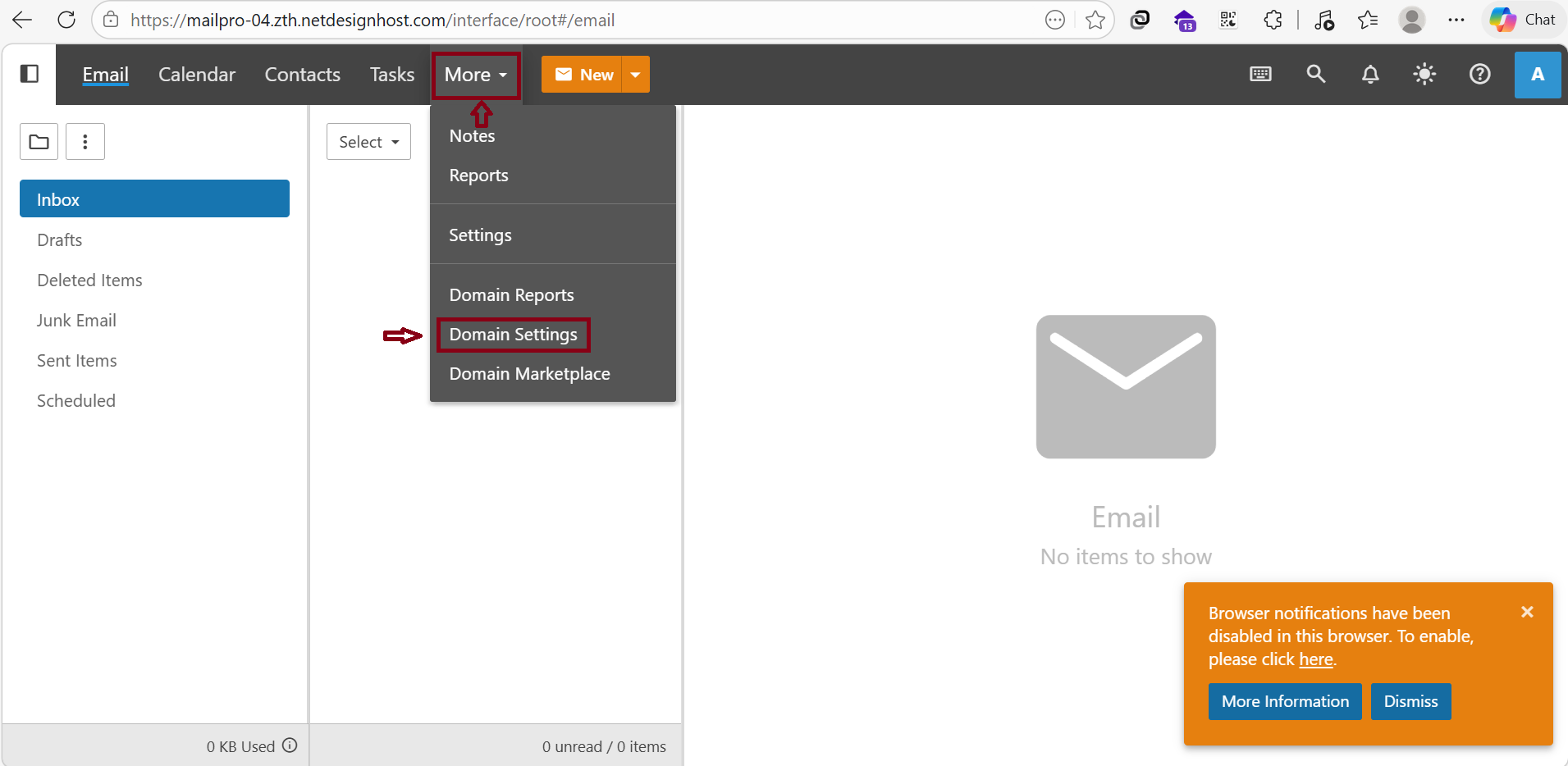
After entering the Domain Settings,
Follow the steps below to create a new account:
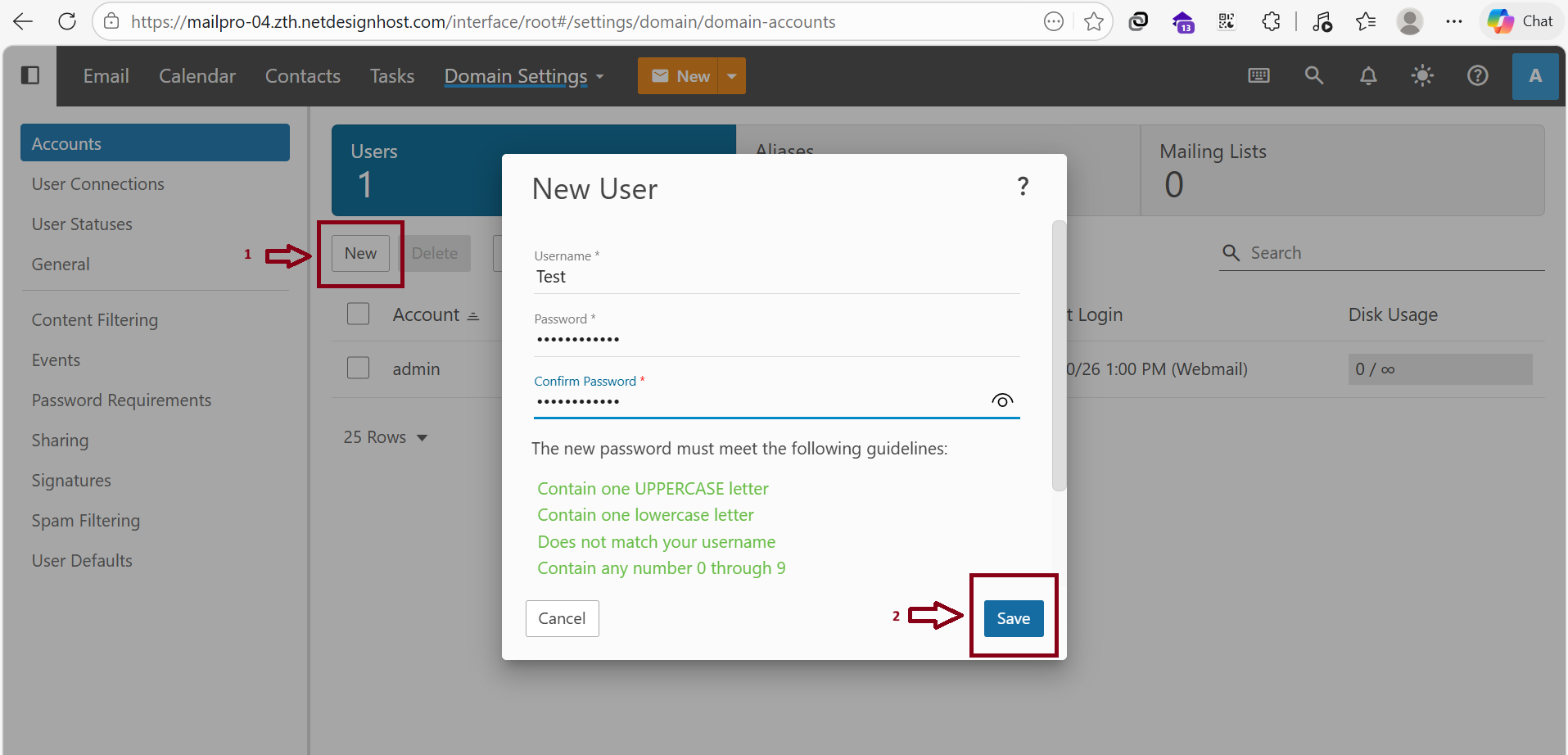
Click “New”
When the " New User window" appears:
Enter Test in the Username field (for example: Test@devopschan.online).
Set the Password for the (Test@devopschan.online) account.
After completing all fields, click “Save”
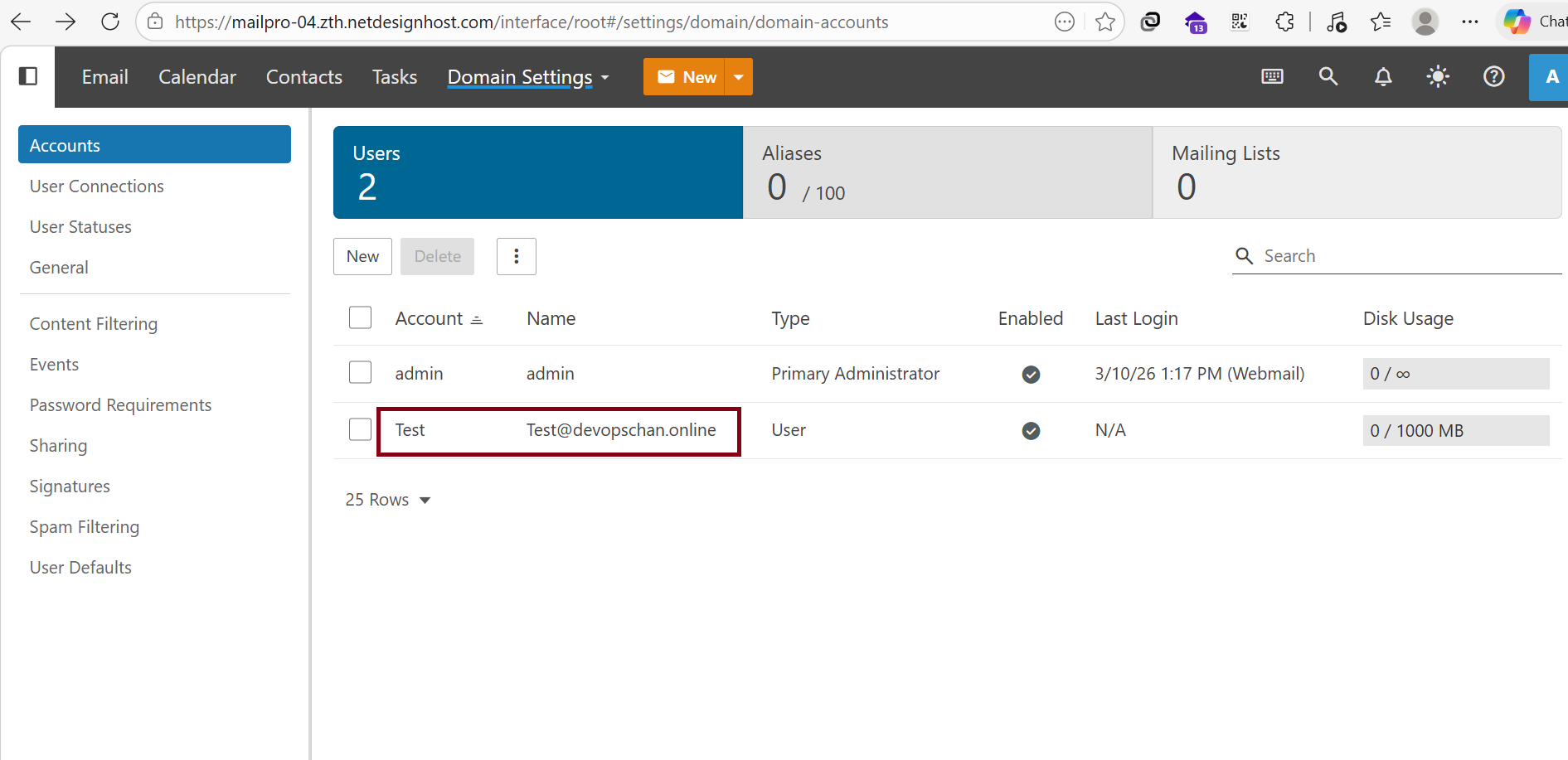
Finally, this is the result of Single Account Creation.
(Accounts can be created one by one in this format.)
2.For Multiple Account Creation ,
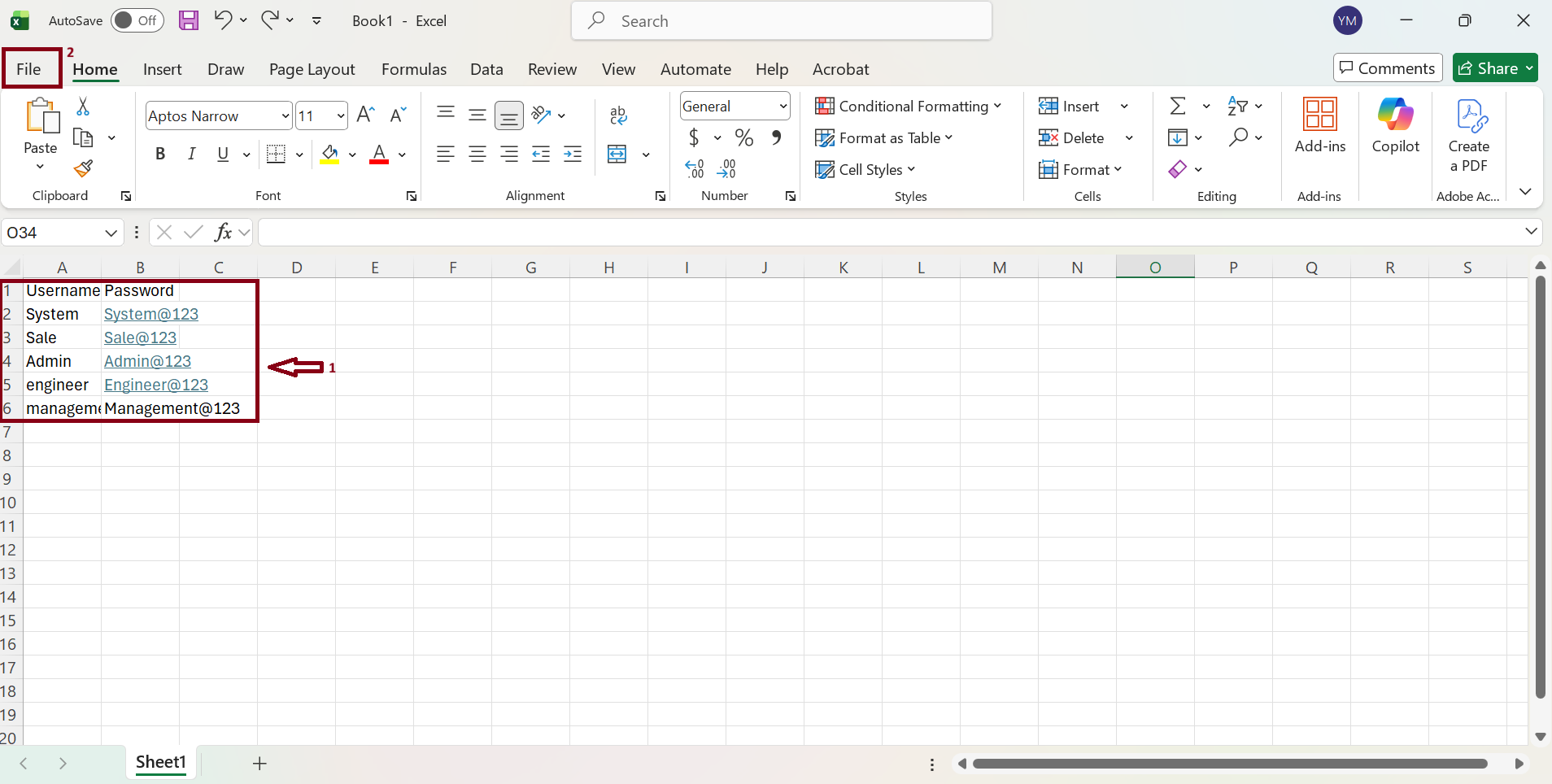
Please create an Excel file first on your local PC. In this file, please add email list that you want to create accounts.
- List the Username and Password for the accounts you want to create in the Excel sheet.
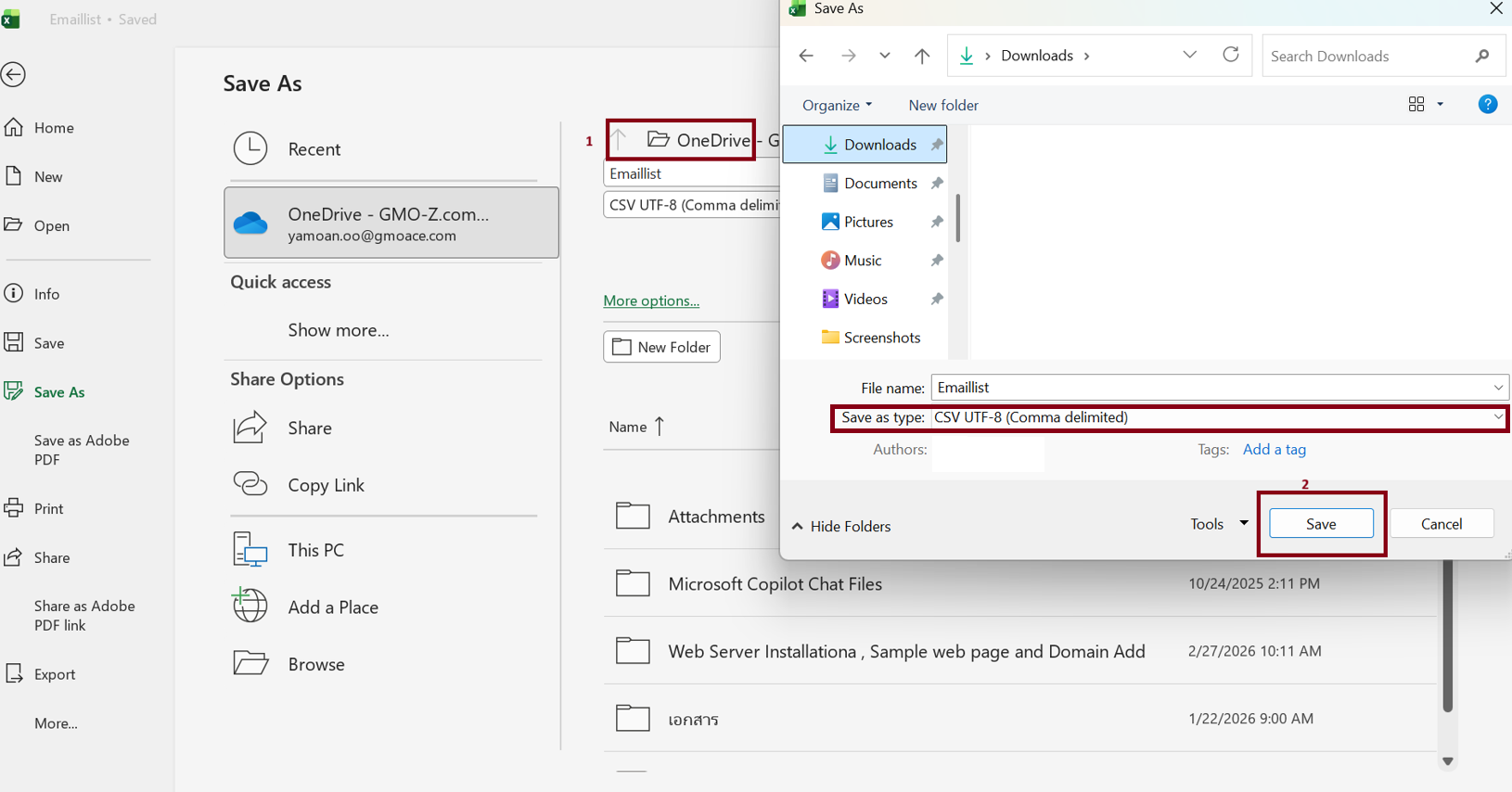
- Click the File tab to open the save options.
Saving File as CSV
- Select " Save As " from the left-hand menu.
- Select " CSV file(*.csv) "from the dropdown list.
- Enter your File Name and choose your destination folder.
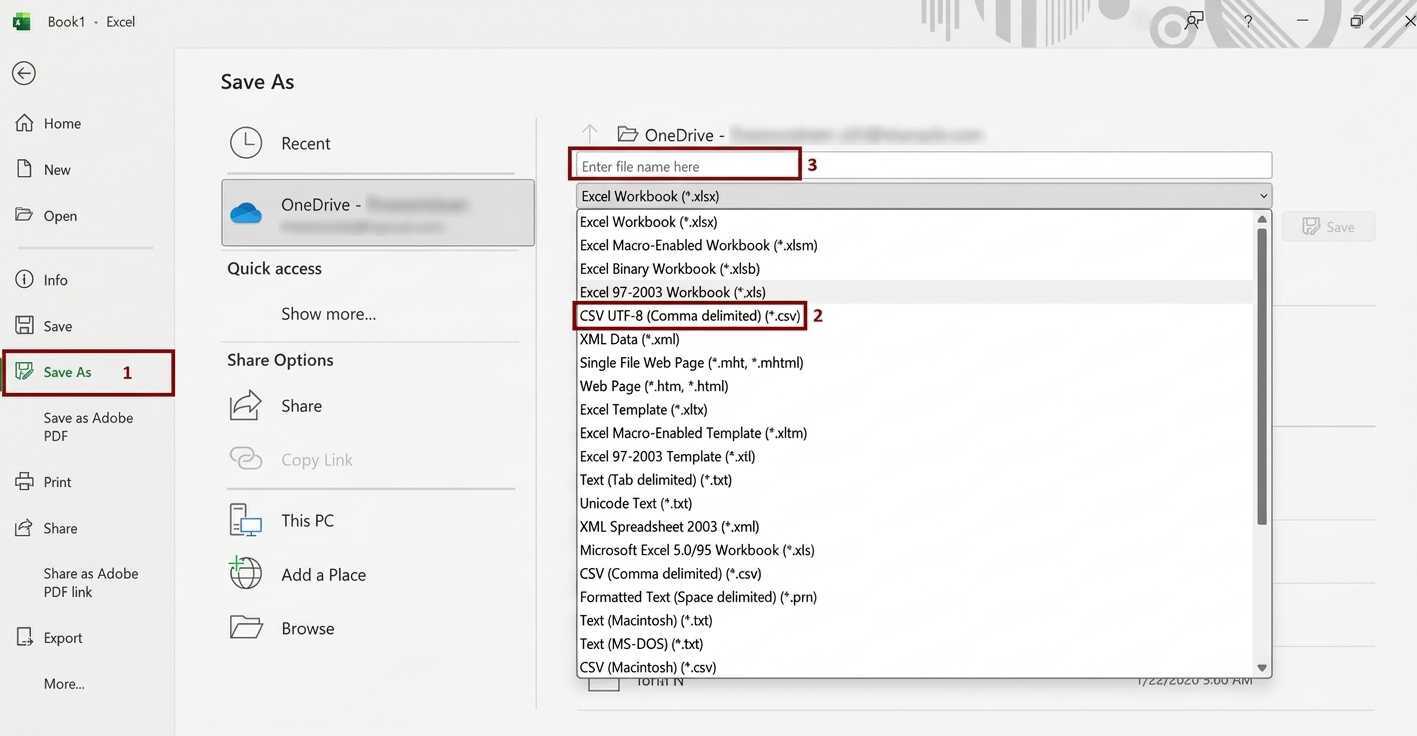
Save the Excel file in (.csv) format.
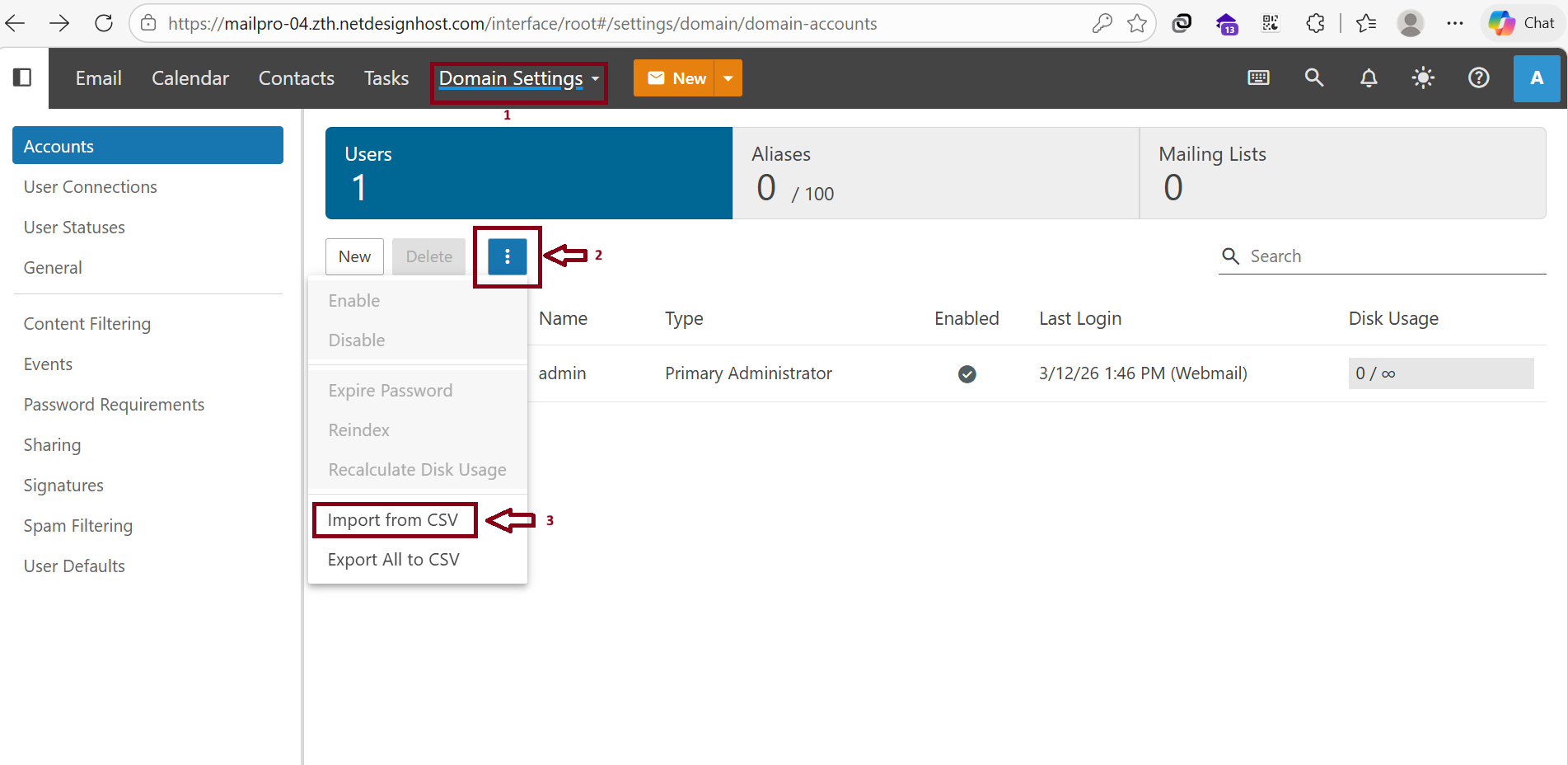
Go to “ Domain Setting ” and Click “3 dots”. Now we can import CSV files for multiple email account creation processes so Click “Import from CSV“
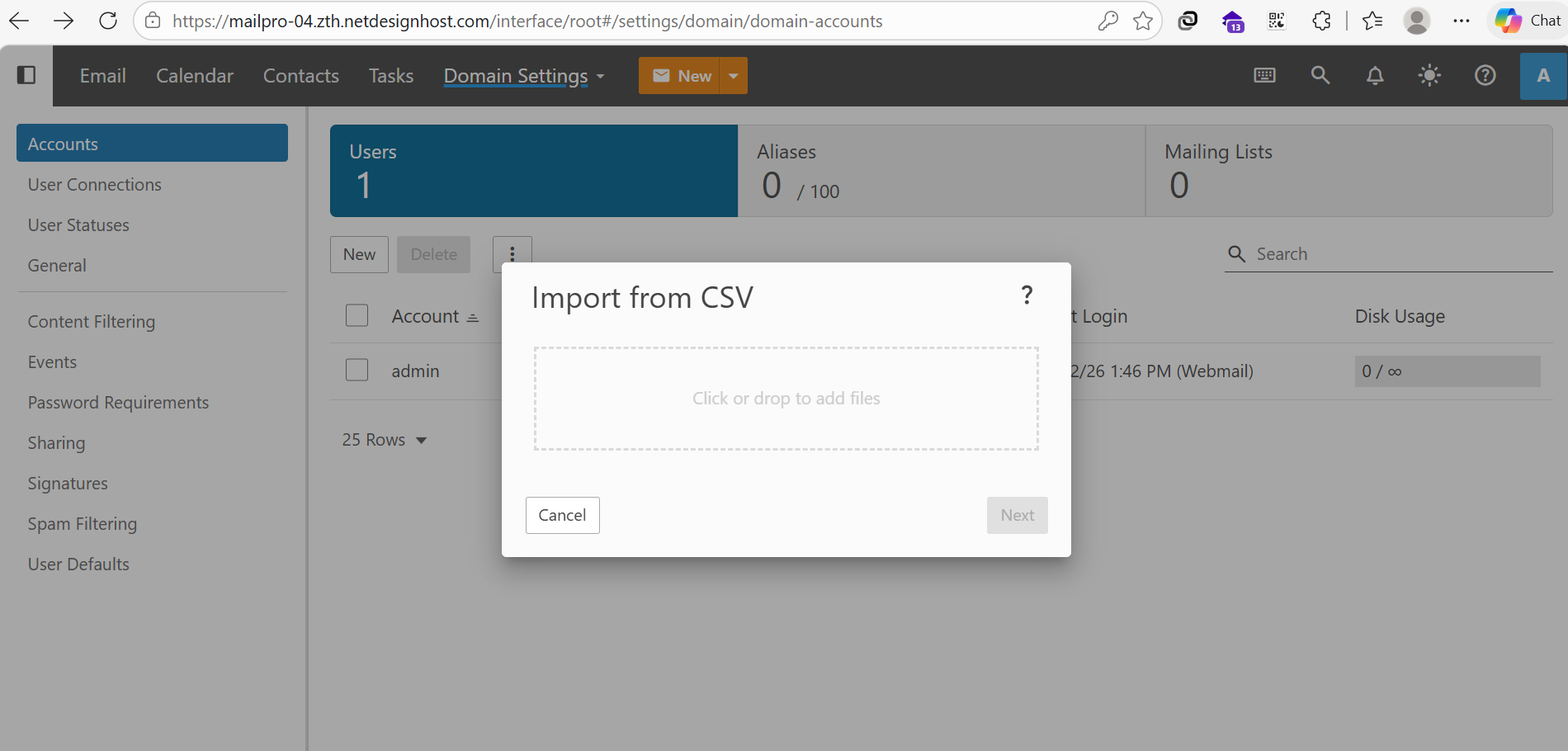
Import CSV files from your local PC to the server.
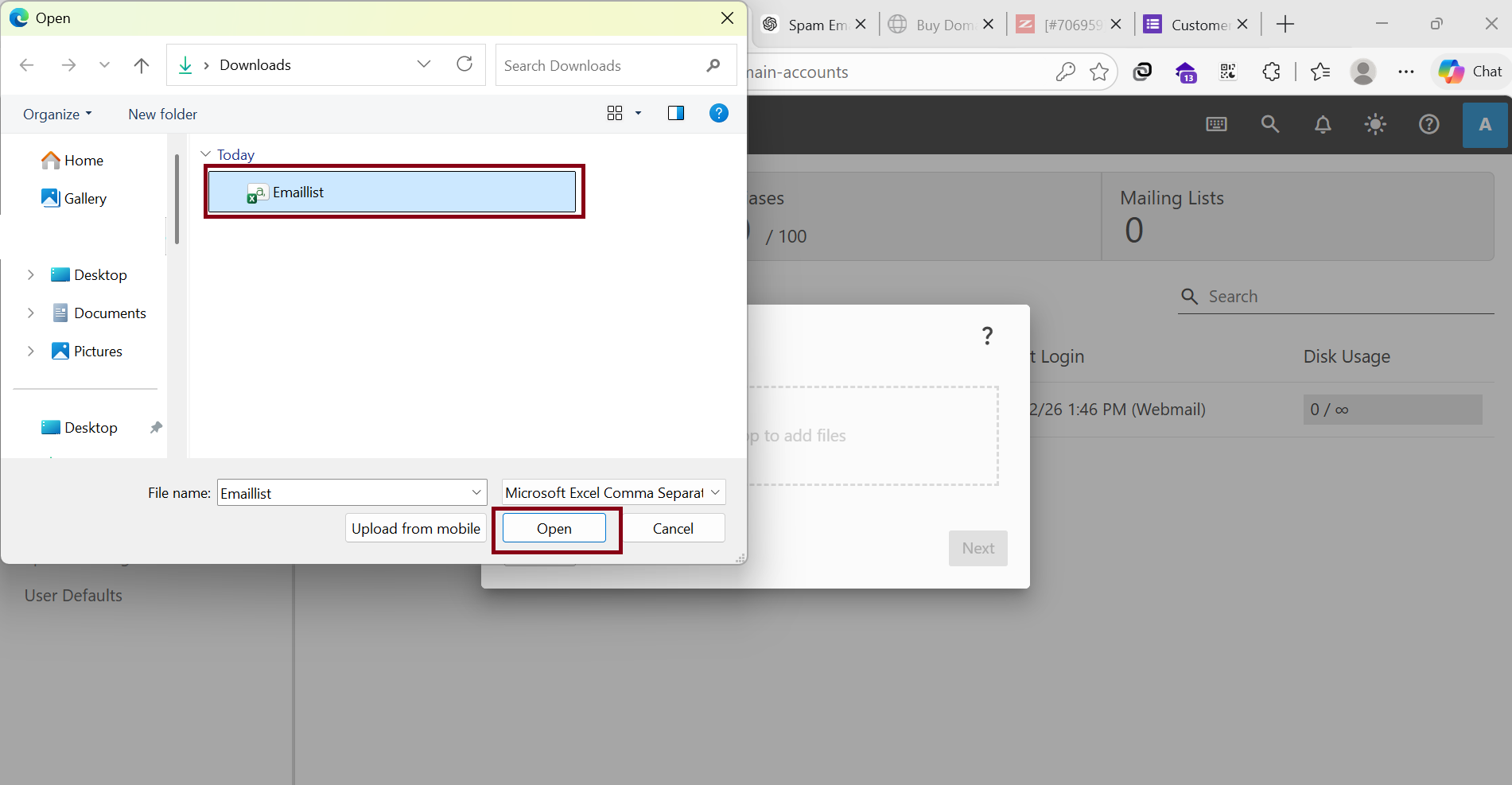
Choose your CSV file to create multiple emails and Click “Open“
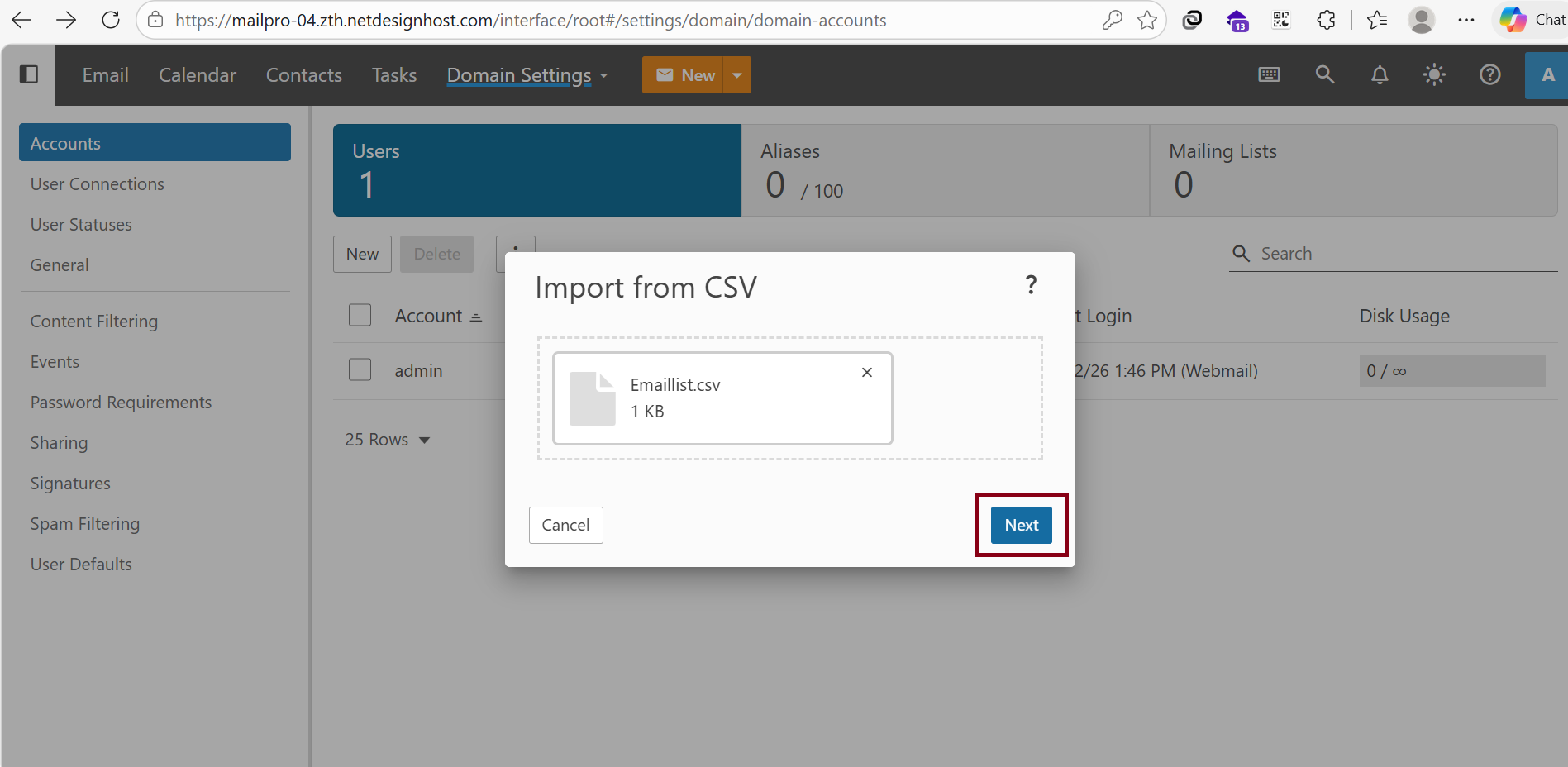
And then, Click “Next“
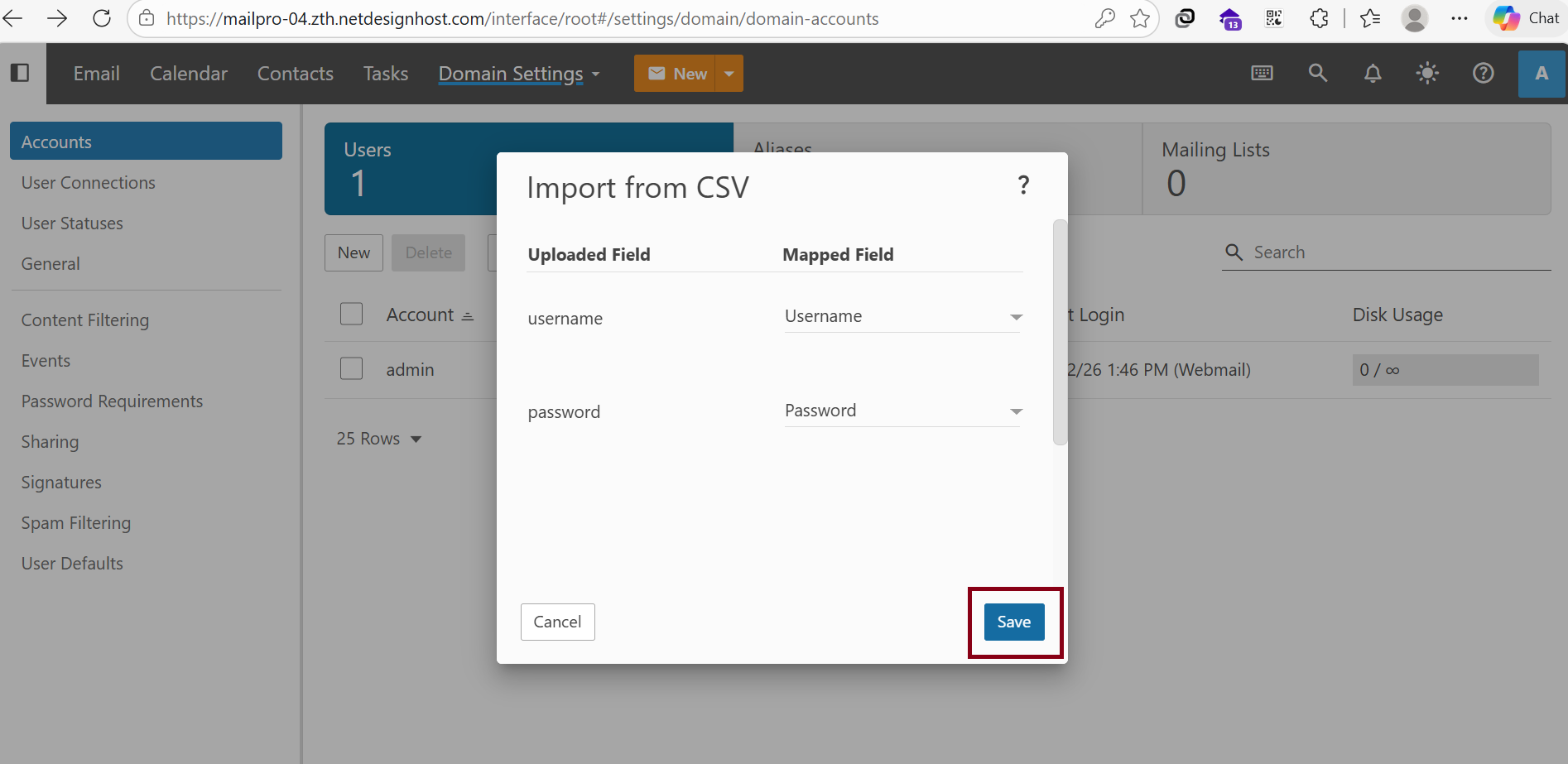
Click “Save“
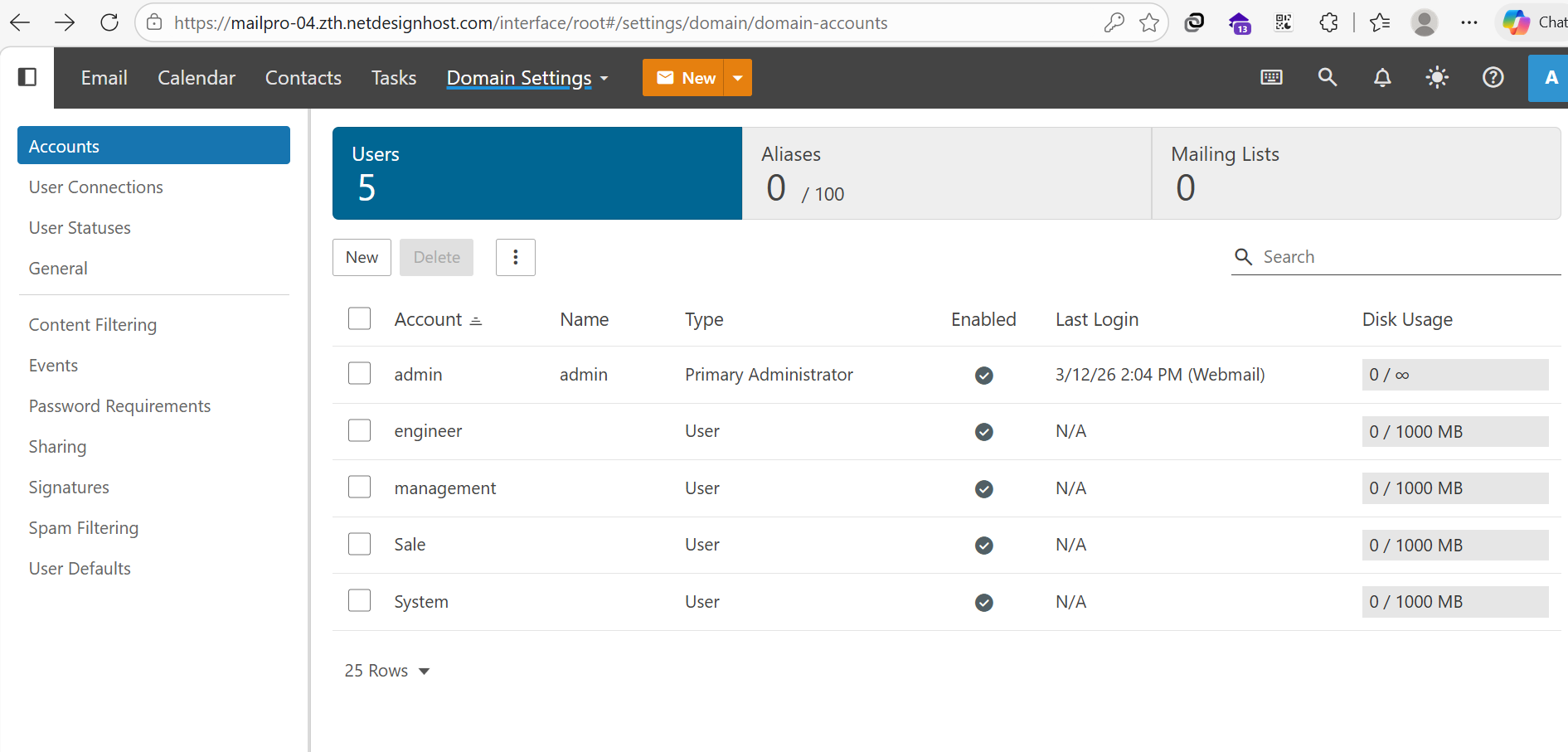
When it is finished, the system will automatically create multiple email user accounts on the server.
Thank You For Watching !!!
Was this article helpful?
That’s Great!
Thank you for your feedback
Sorry! We couldn't be helpful
Thank you for your feedback
Feedback sent
We appreciate your effort and will try to fix the article