How to create a Support Ticket to Z.com ?
For any technical issues, you can submit a ticket through “Submit Ticket.” , please search for helpdesk.gmoace.com in your browser.
The Z.com portal page will appear.
Then, click “Submit a ticket ”
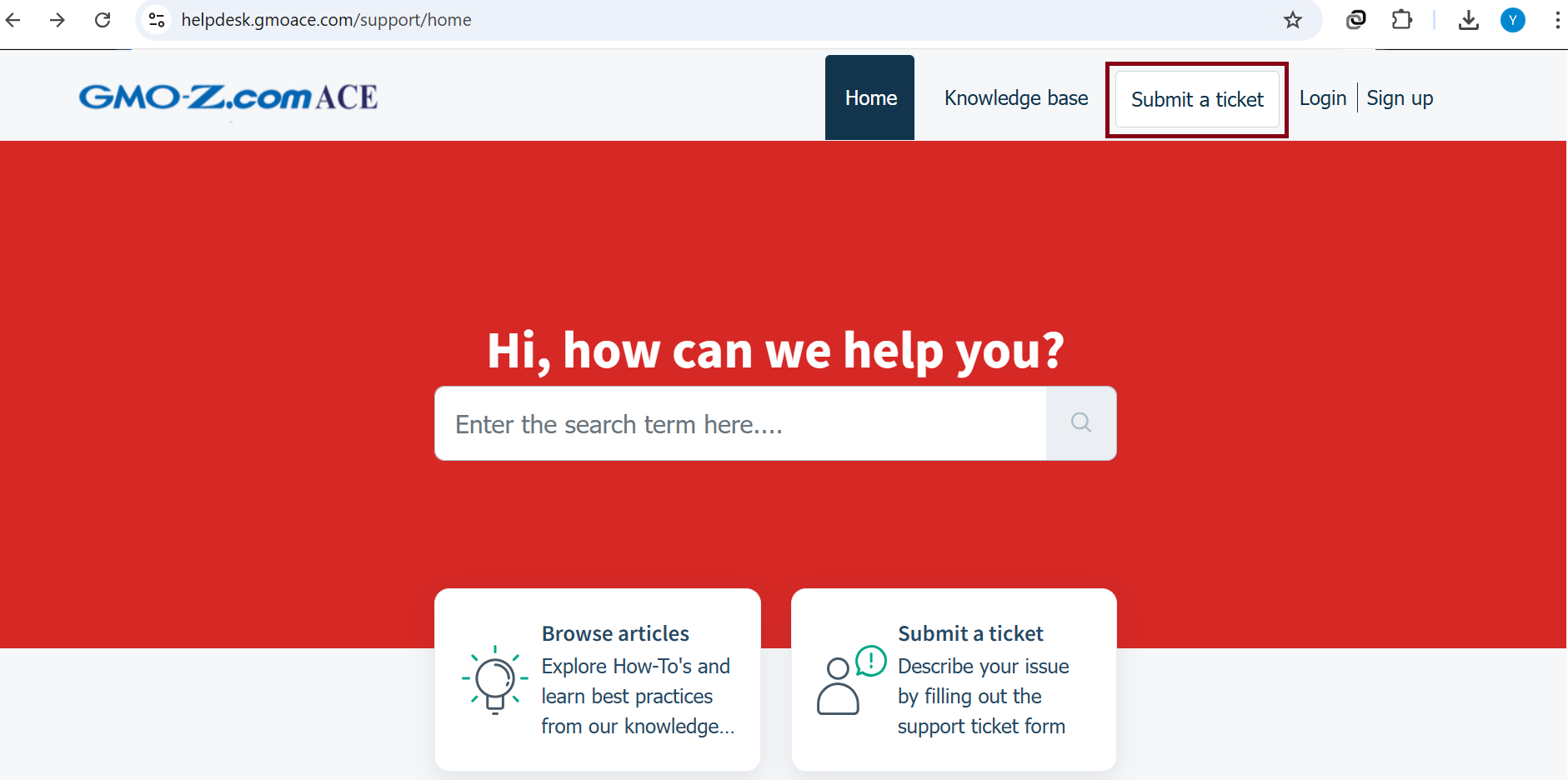
When you click “Submit a ticket,” a form will appear. Please fill in the following information:
- Category: Select the department for the service you want support with.
- Services: Choose the service from the dropdown menu.
- Email: Enter your available email address.
- Z.com ID: Enter the Z.com ID of the service currently having the issue.
- Subject: Enter the title of the current issue or inquiry.
- Description: Describe the current issue or the information you would like to know.
You can also attach screenshots or images in the Attachment section.
After that, click “Submit ”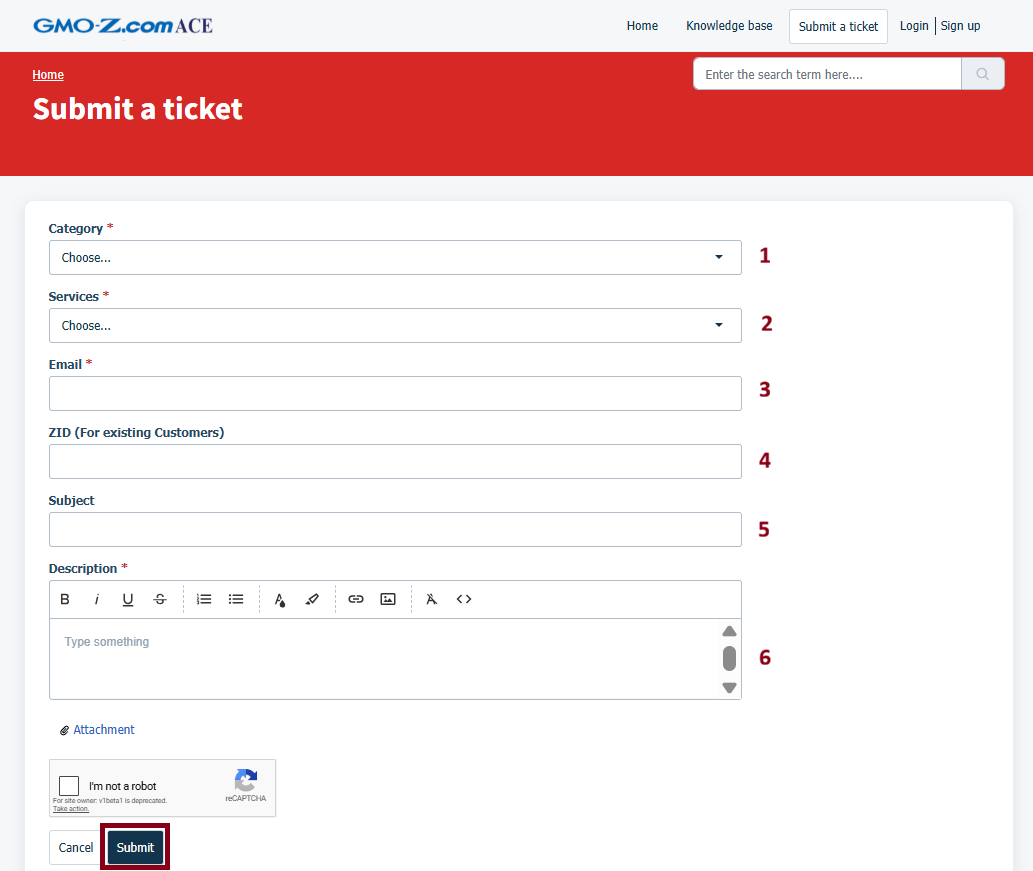
Thank You !!!
Was this article helpful?
That’s Great!
Thank you for your feedback
Sorry! We couldn't be helpful
Thank you for your feedback
Feedback sent
We appreciate your effort and will try to fix the article