How to Access the Terminal over SSH in Web Hosting Pro Plan (cPanel) ?
Step1. Login to the Z.com account with Register email address. https://cloud.z.com/mm/signin
Step2. Login to the cPanel dashboard under " Web Hosting " Tab.
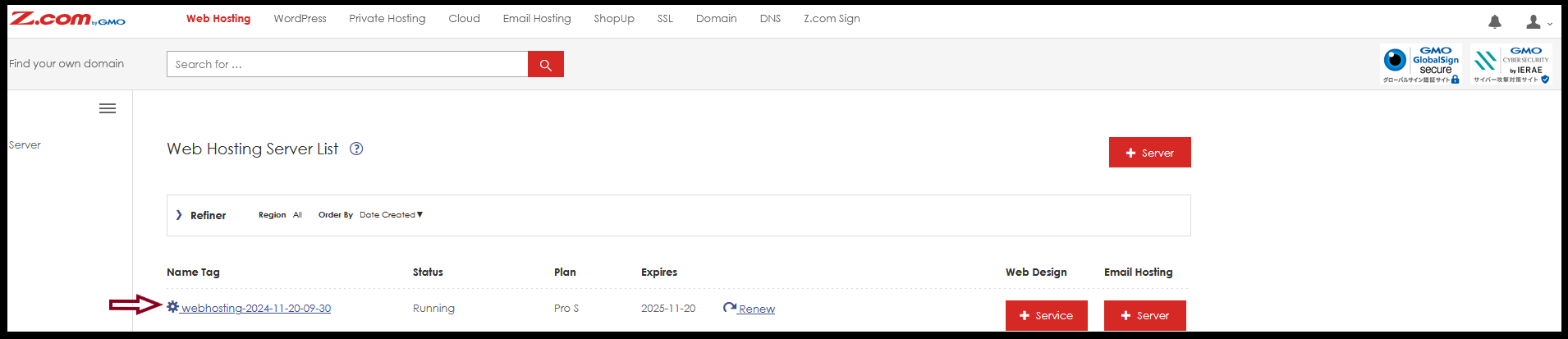
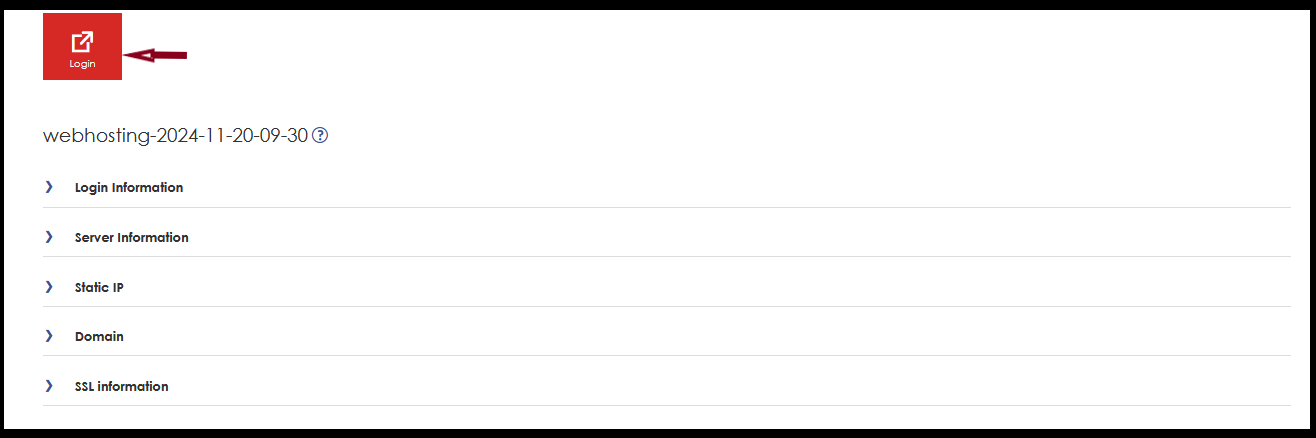
Click Login .
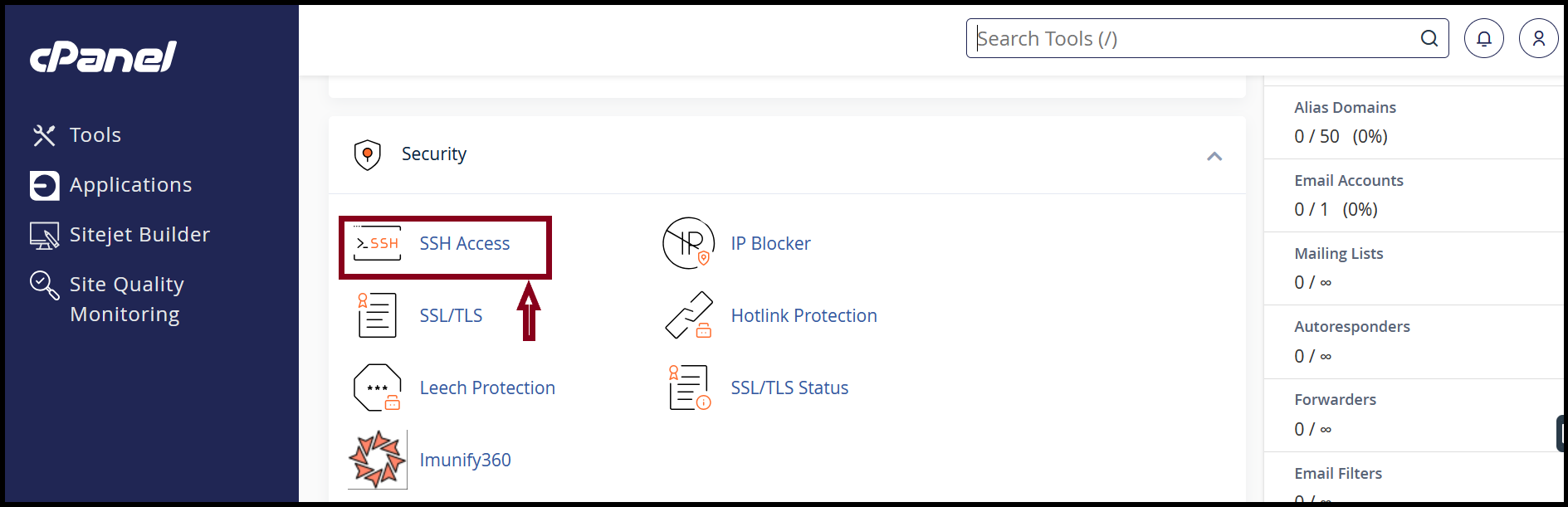
Step 3.Click “ SSH Access ” Under Security Title.
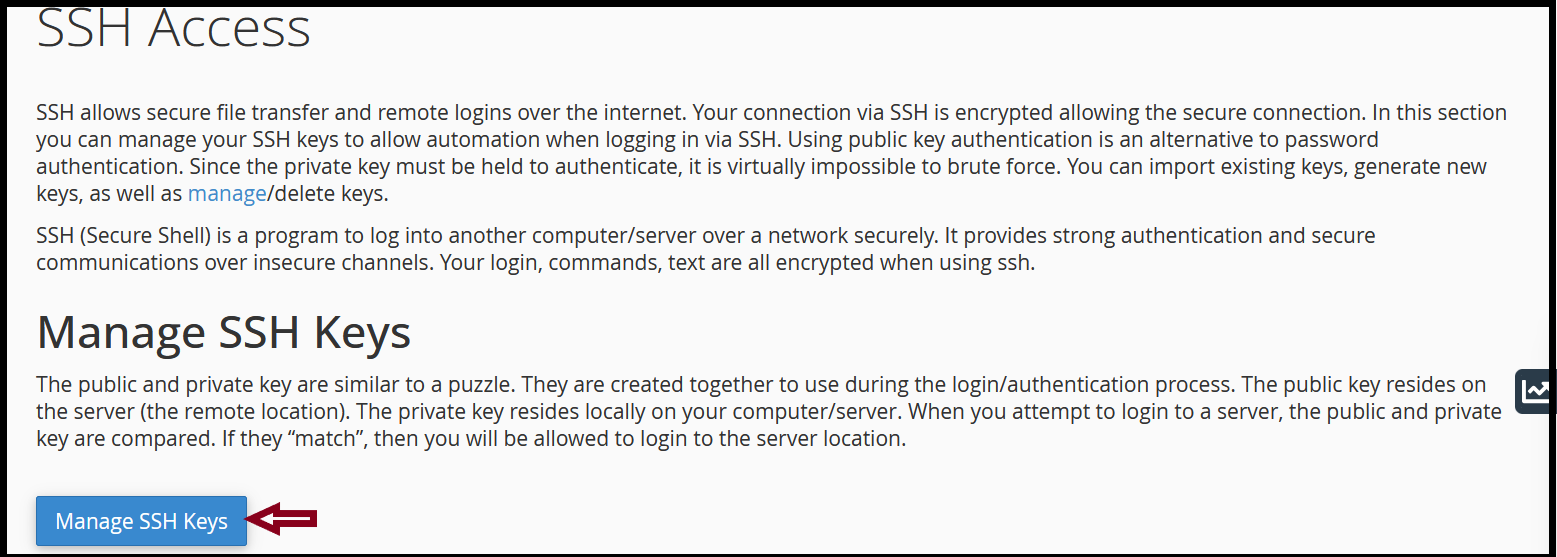
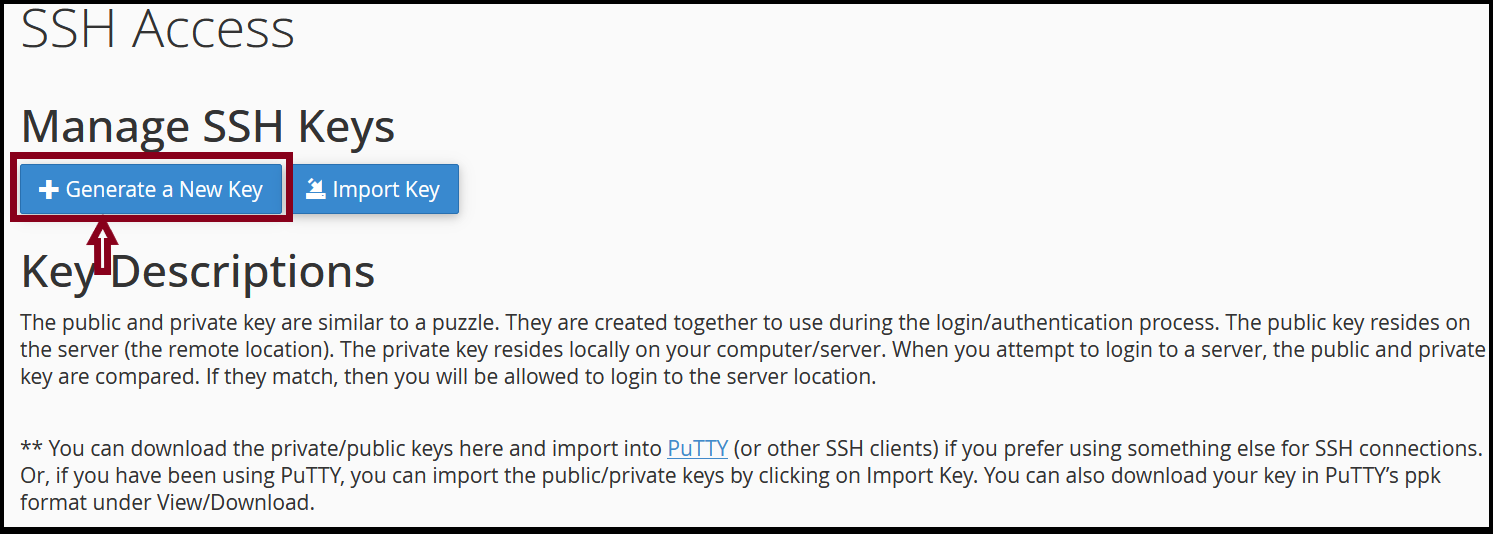
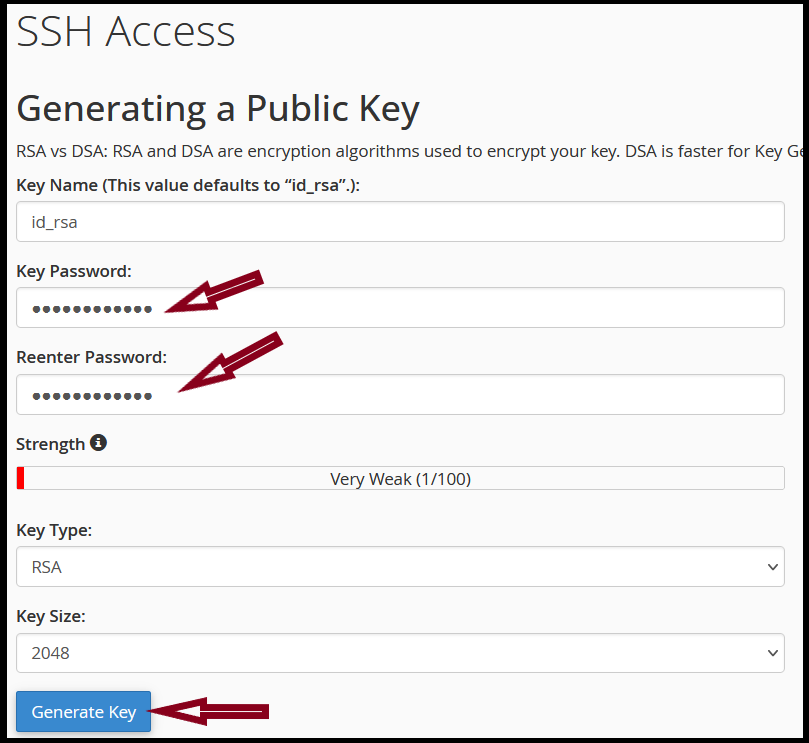
Step4. Click “ Manage SSH Keys ” and Generate key. Then we need to give key password. Then “Generate”.
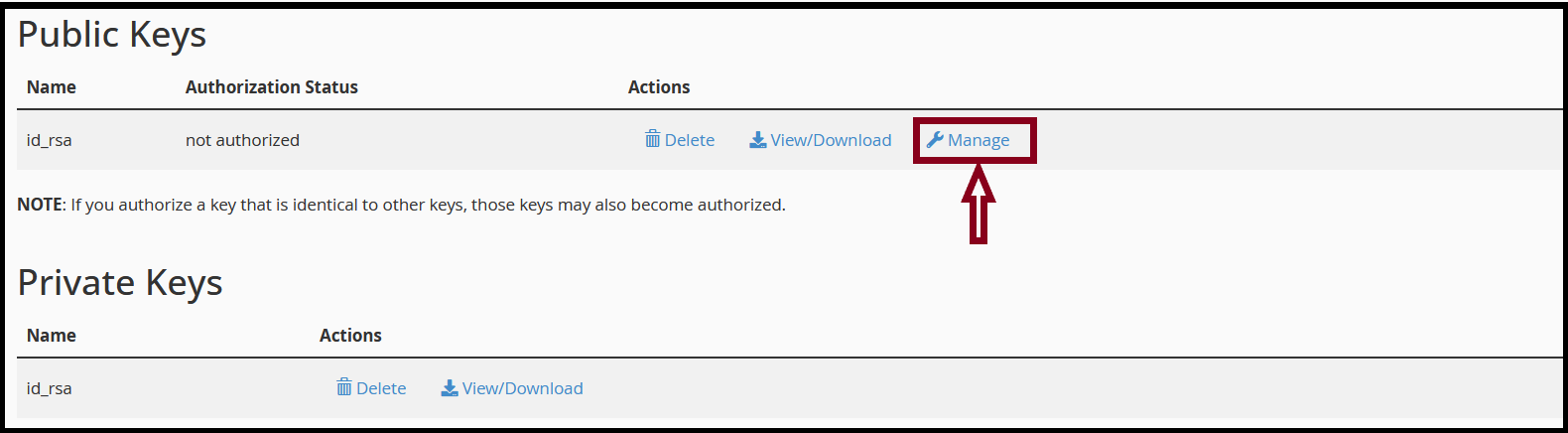
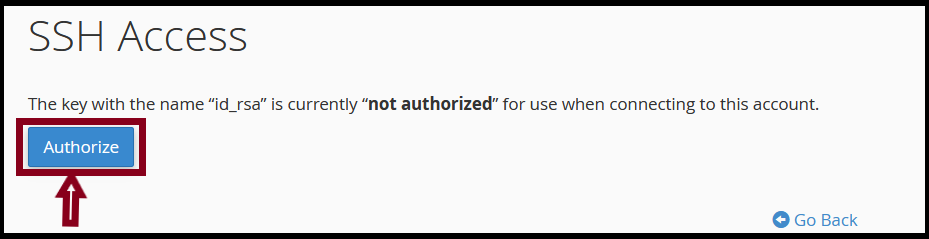
Step5. Click “Manage” and Give “Authorize”.
Click “View/Download” to download PPK file. In the passphrase section, we need to write password that
we assign in Step4.
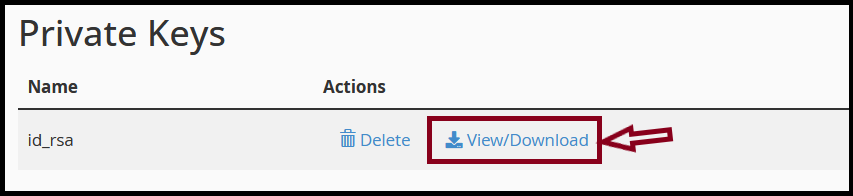
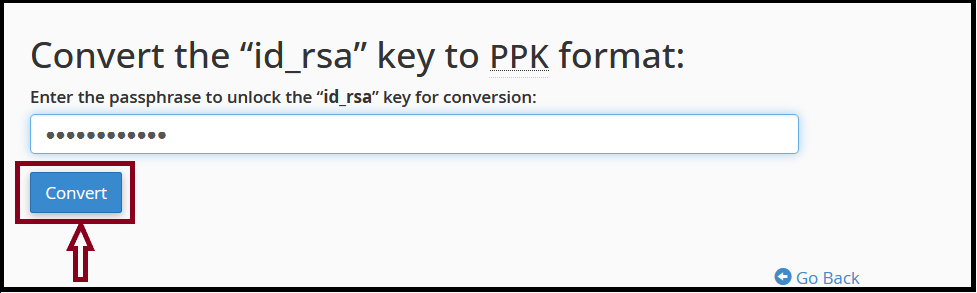
Download PPK key.
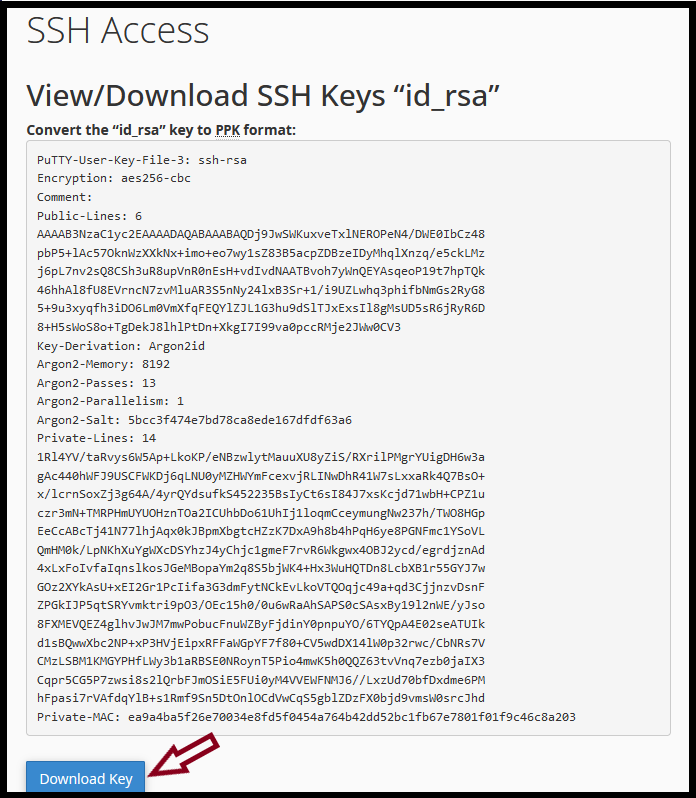
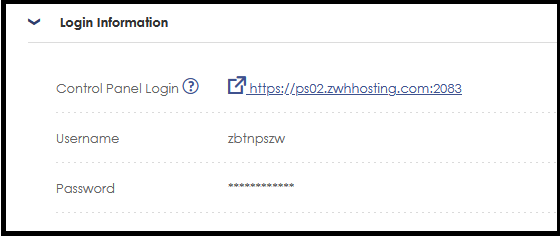
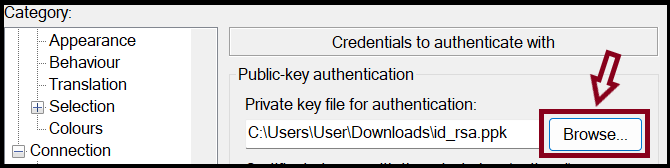
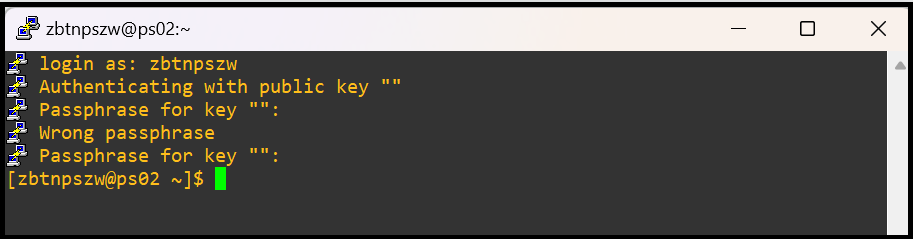
Step 6. Now you can try SSH connection to the server via " PuTTY ” app. For the server information, please check the information in your Z.com account.
In Sample
- Hostname or IP- ps02.zwhhosting.com
- Username - zbtnpszw,
- Password - Passphrase key pwd
- Port - 9922
Thank you!!!
Was this article helpful?
That’s Great!
Thank you for your feedback
Sorry! We couldn't be helpful
Thank you for your feedback
Feedback sent
We appreciate your effort and will try to fix the article