How to Install OwnCloud Application on Webhosting (cPanel)?
Step1. Login to z.com account, https://cloud.z.com/mm/signin/
Step2. Click the "Web Hosting" Menu
Step3. Select your Webhosting server Under Web Hosting Server List
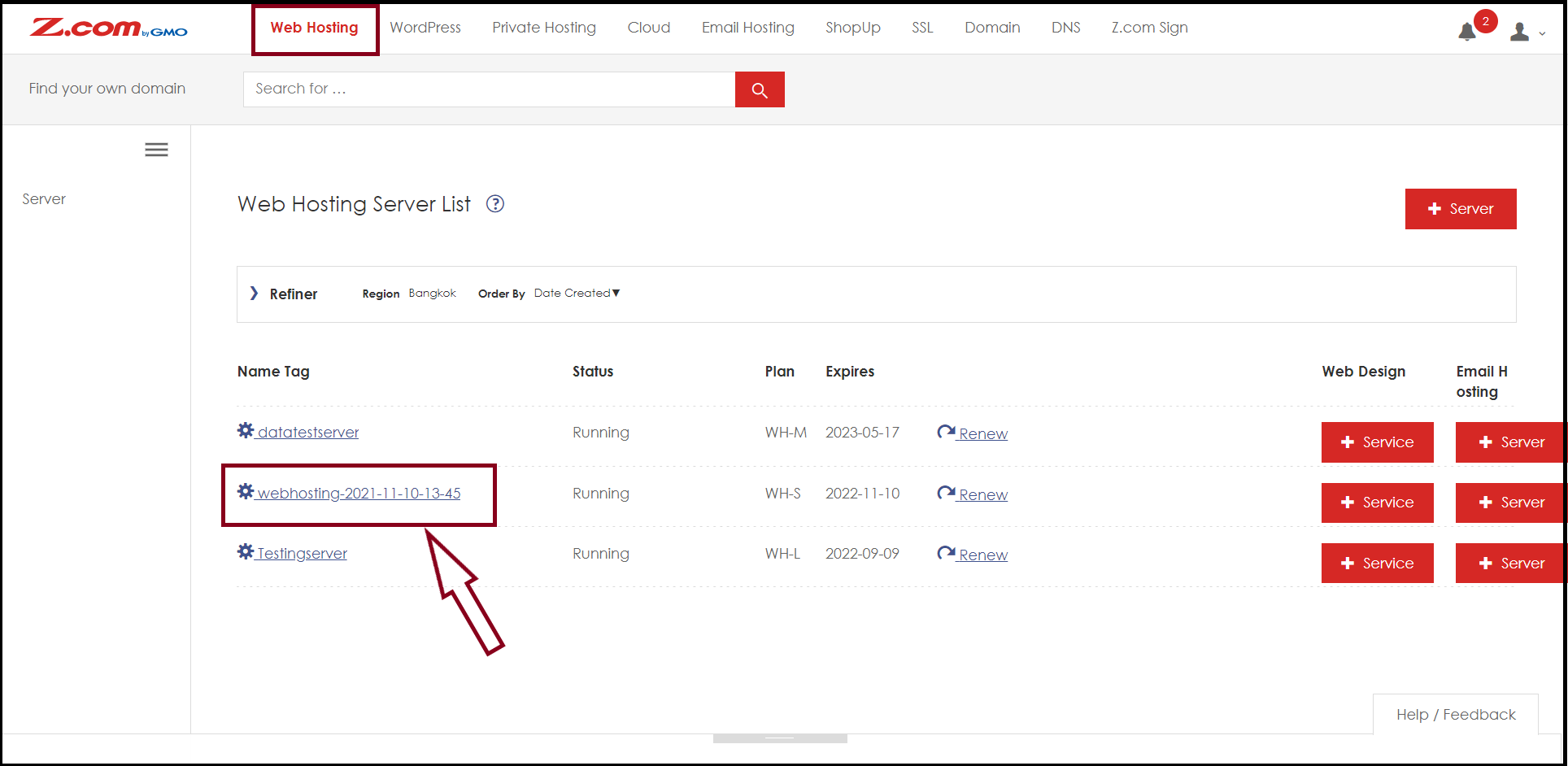
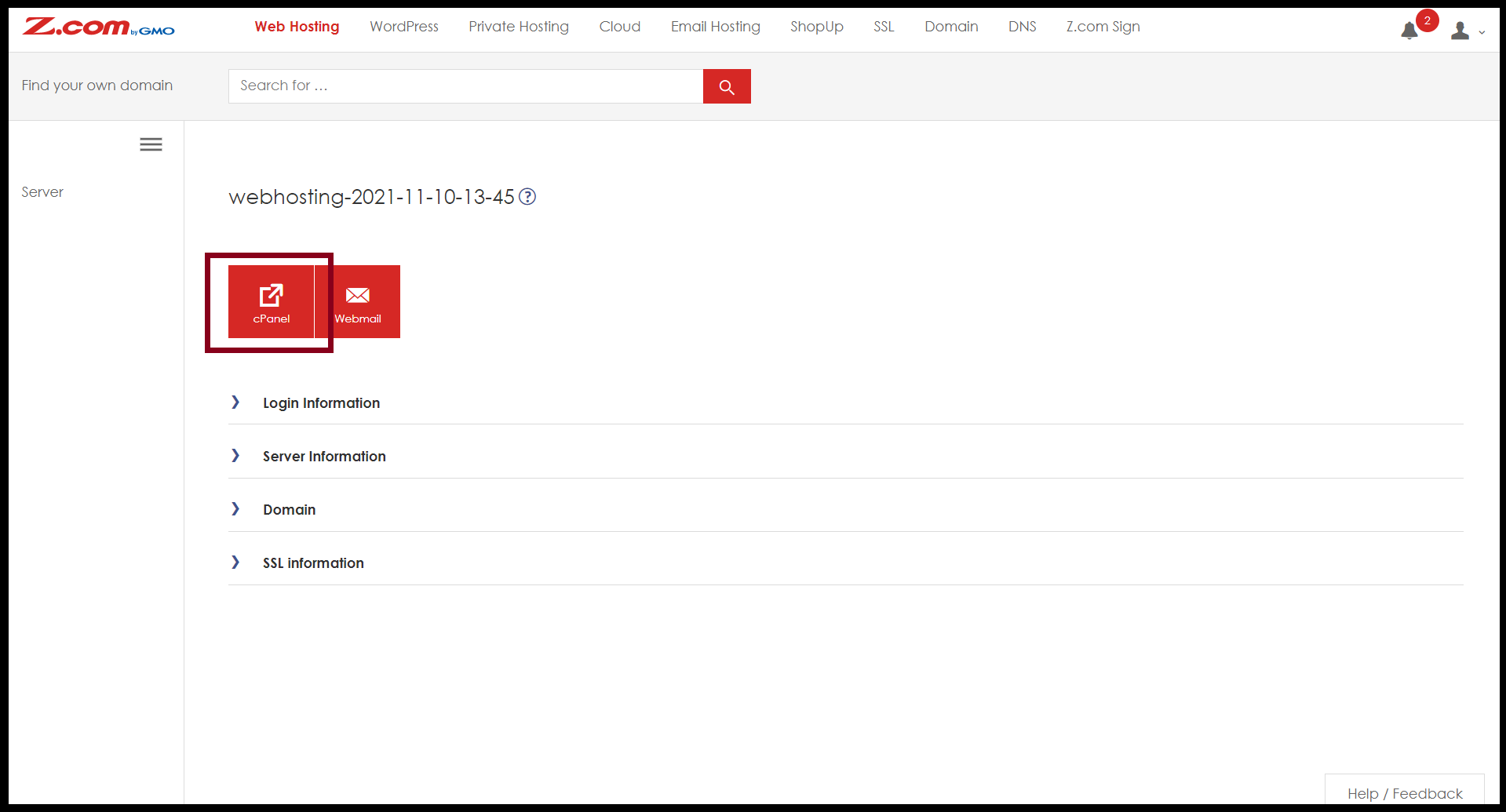
Step4. Enter to the "cPanel"
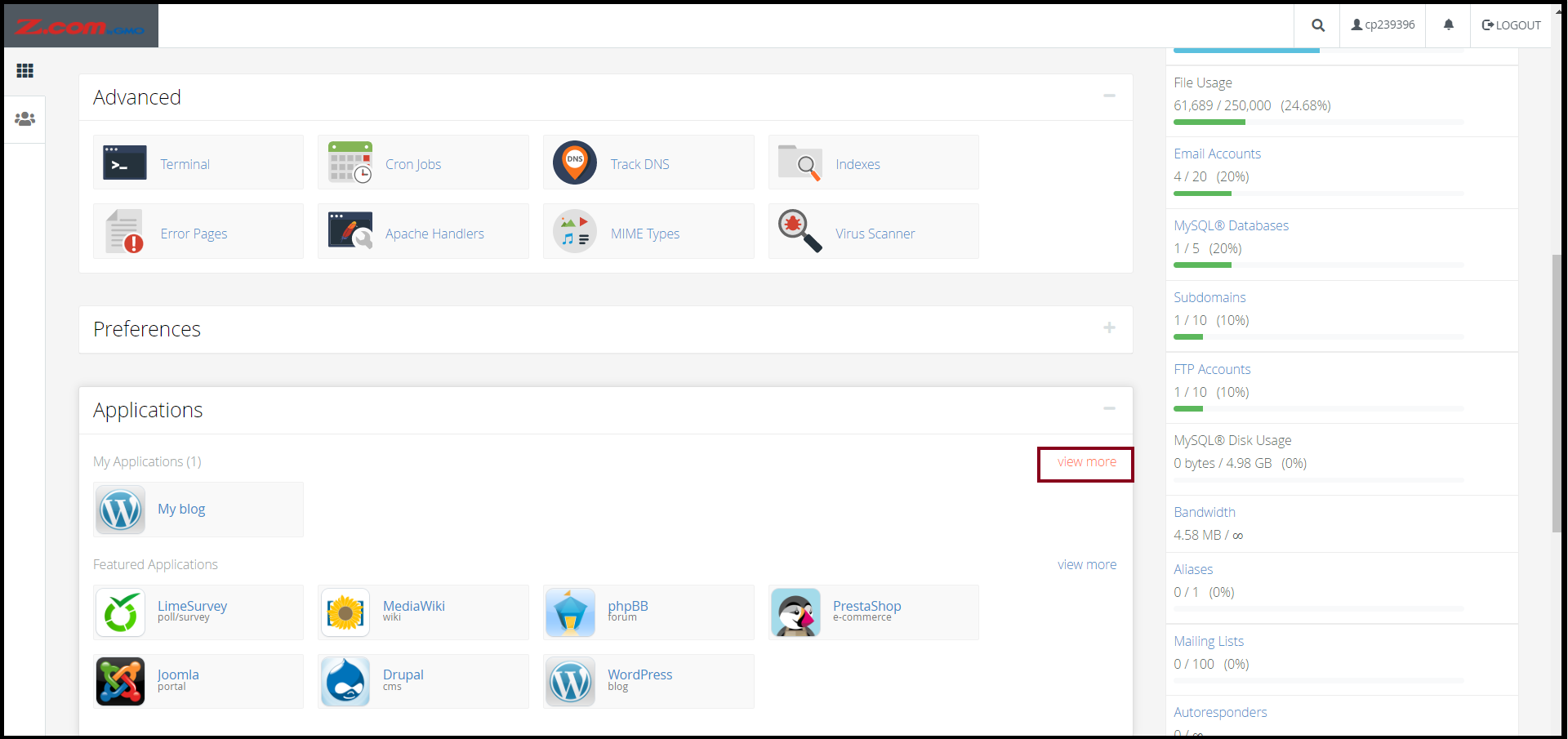
Step5. Go to the Applications Section, And Click "View More"
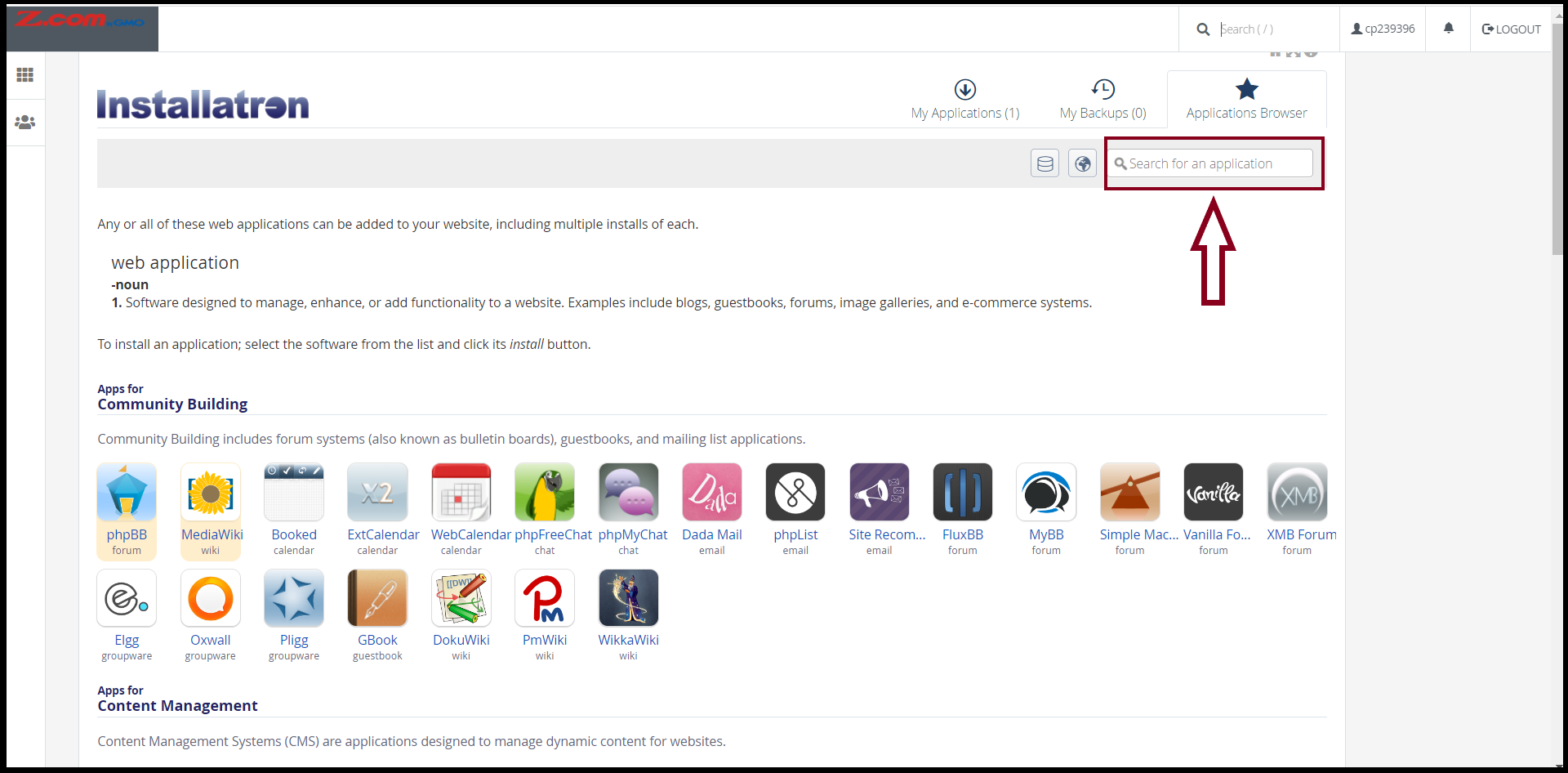
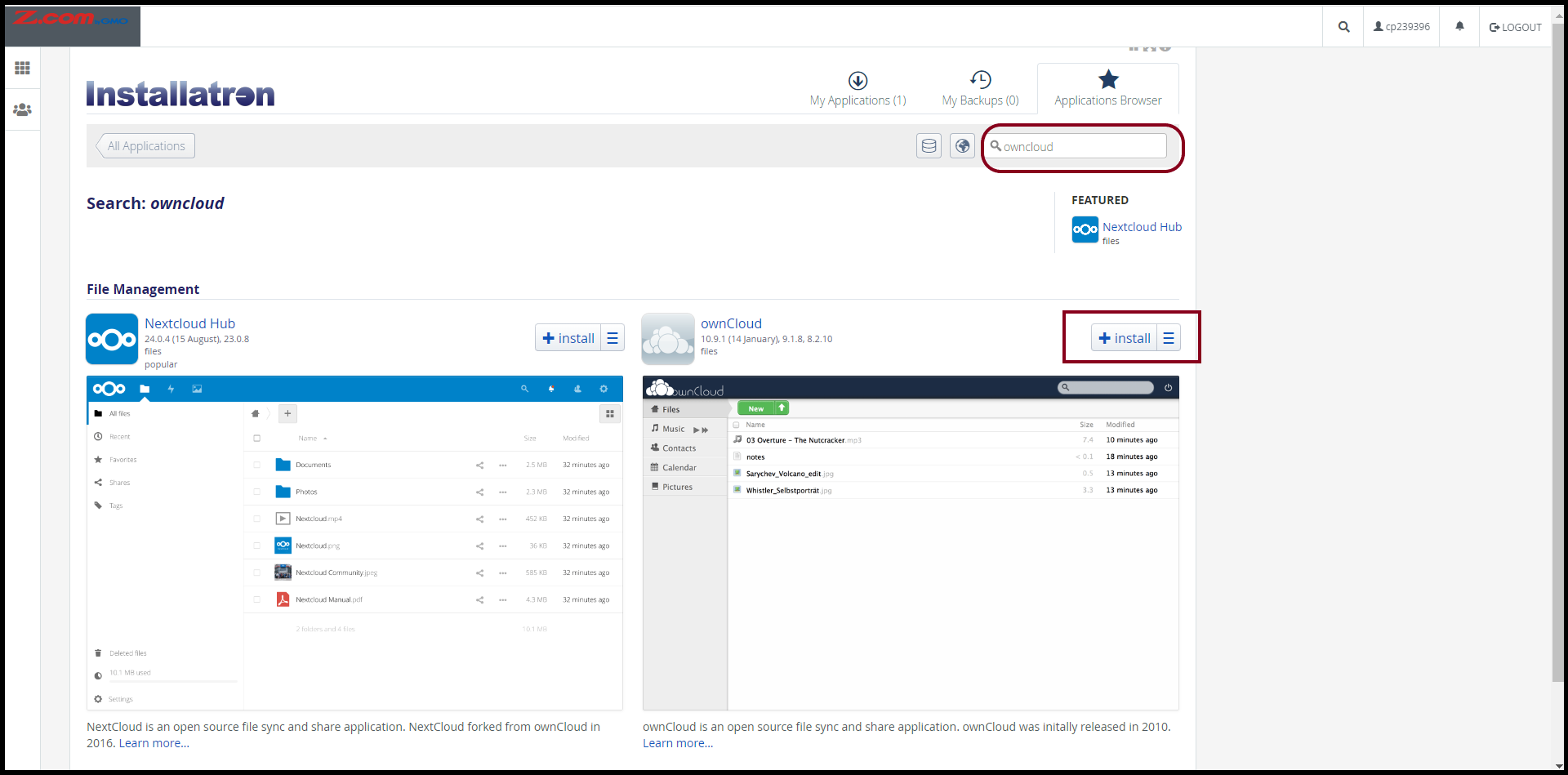
Step6. Search the "ownCloud" Application from "Search for an application" as follows.
Step7. Now you can install the ownCloud Application and Click "+Install"
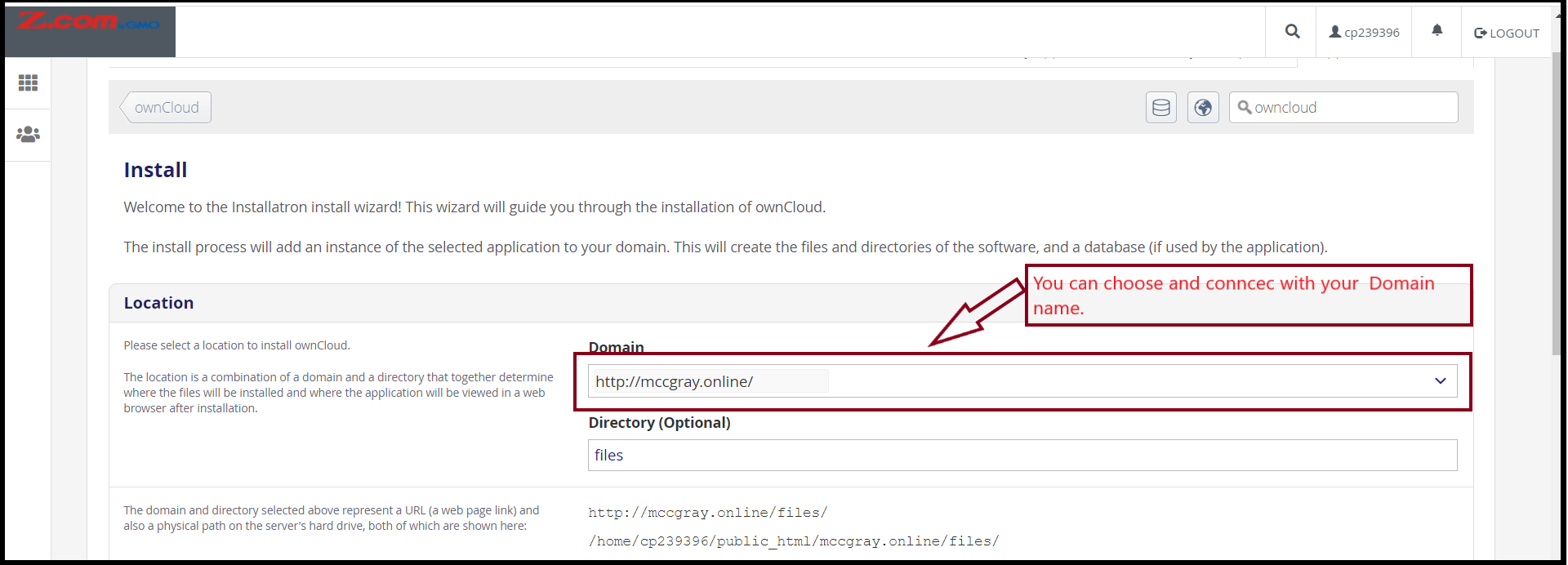
To install the ownCloud Application, please select a domain and a directory as follows.
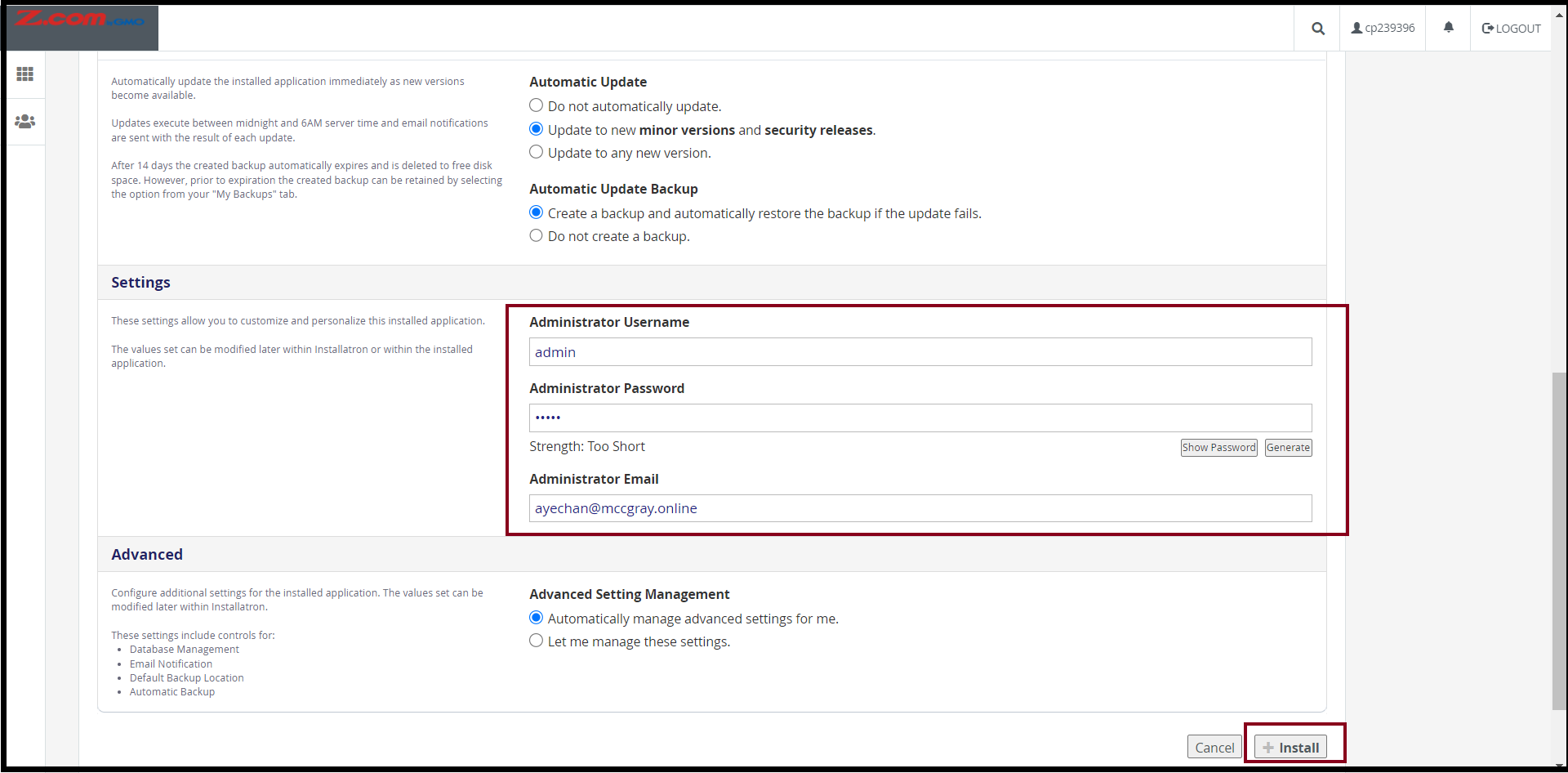
And then, Setup an Administrator Username, Password, and Email to access the ownCloud
After that, click "+Install"
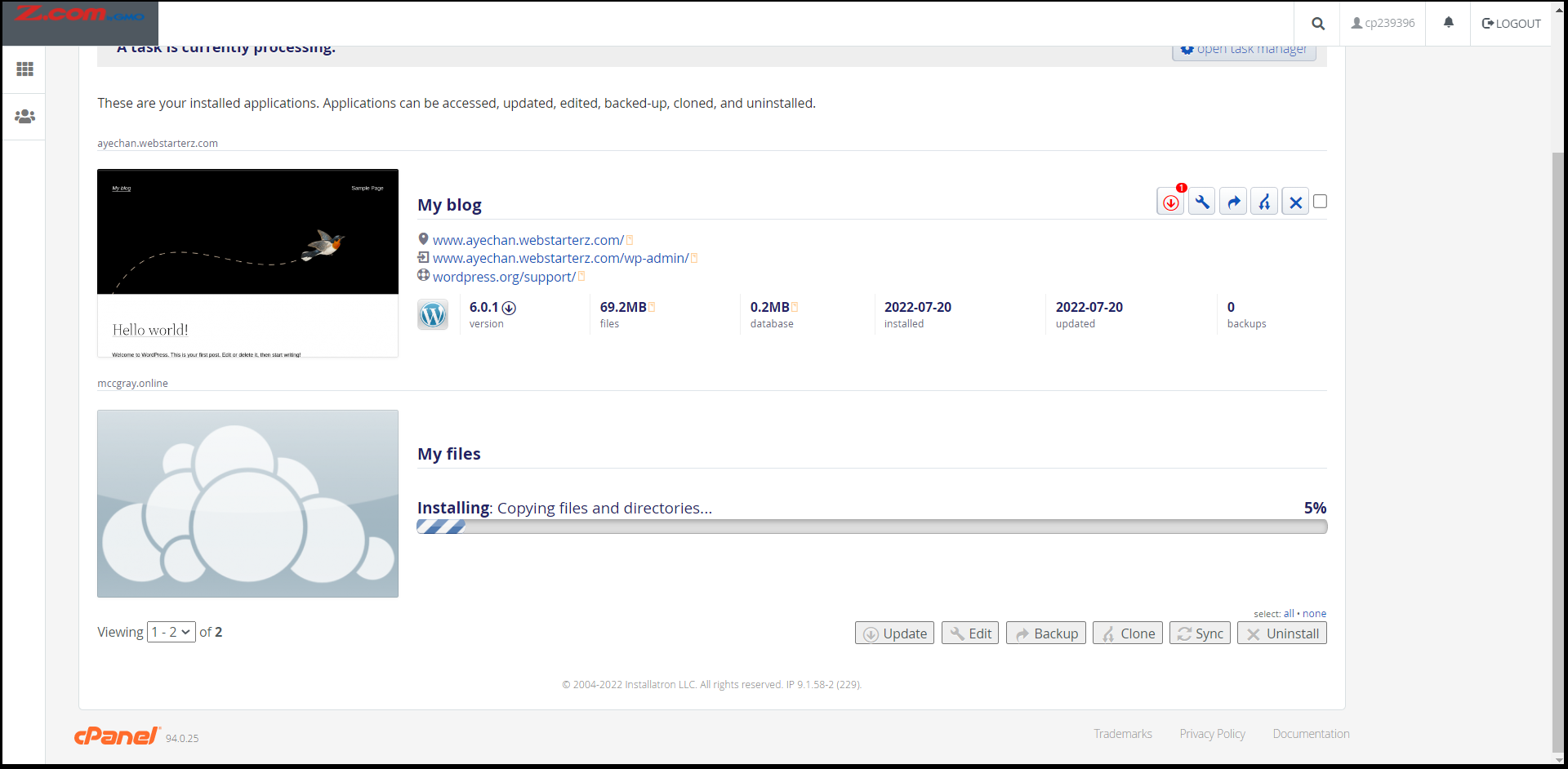
Now the application is installed for a few minutes.
The ownCloud Application is installed completely, please note and save the URL to login as follows.
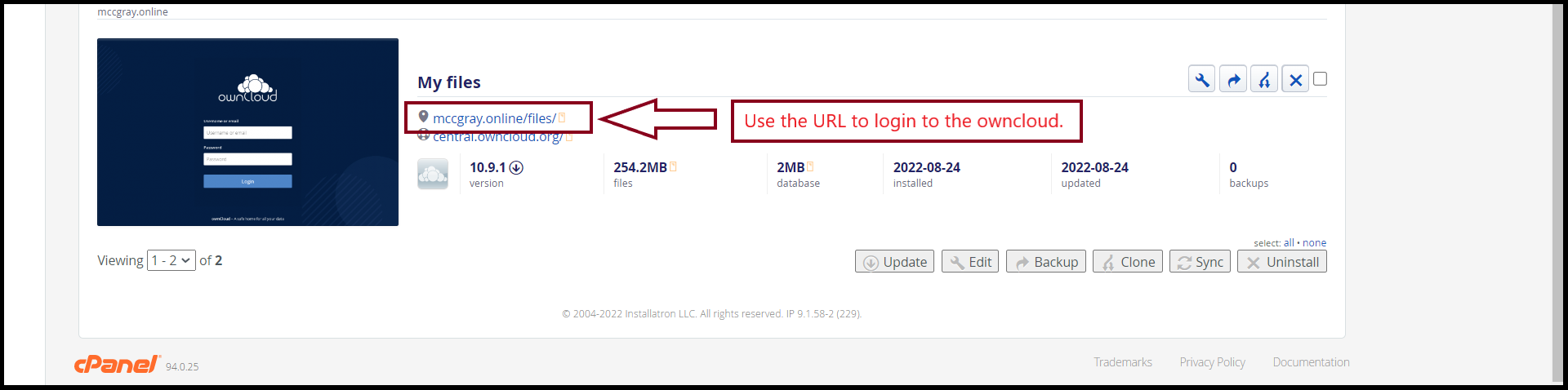
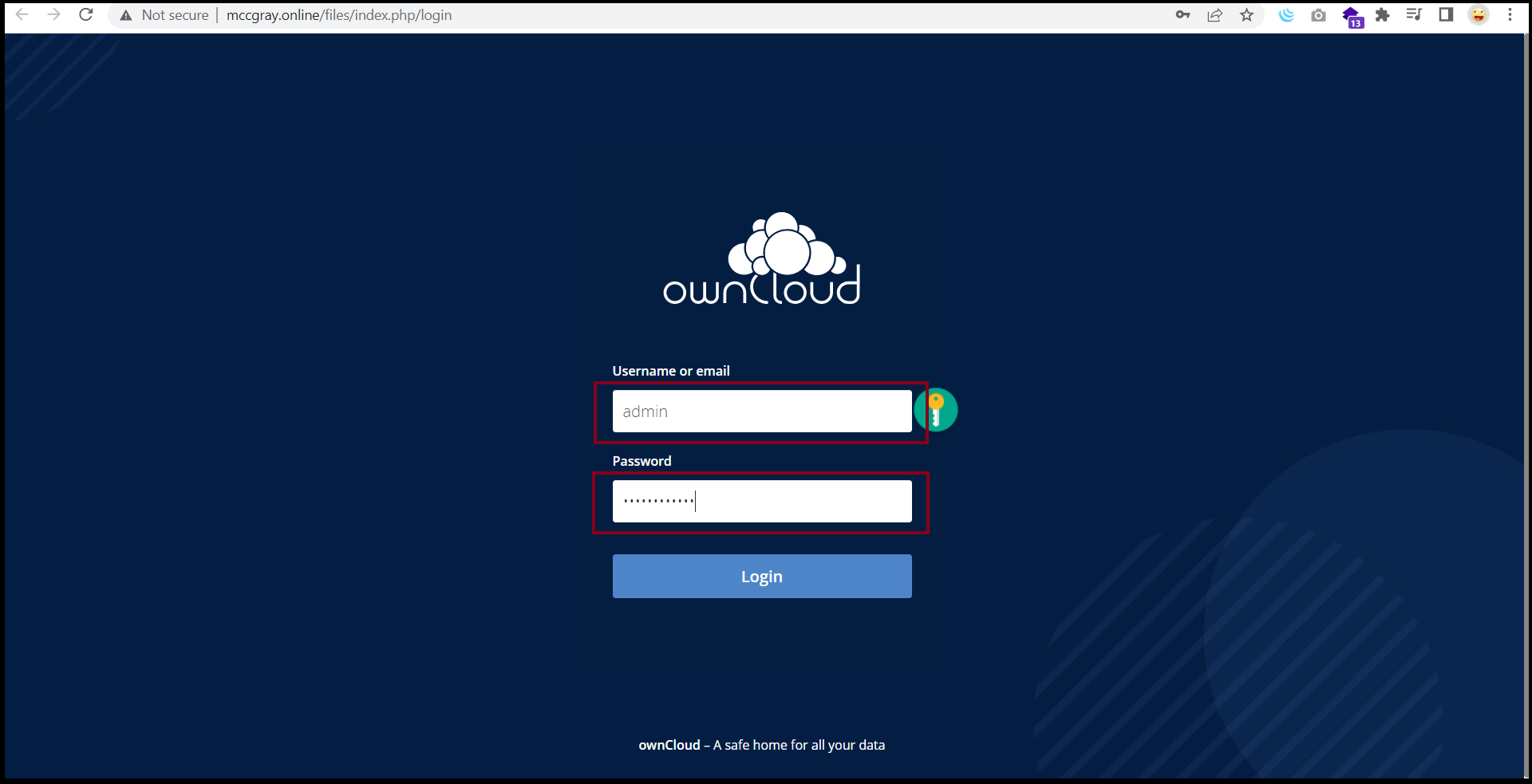
To log in to the ownCloud application, you can log in to the ownCloud with some browser.
Now you can use the ownCloud application to share and save the files or documents.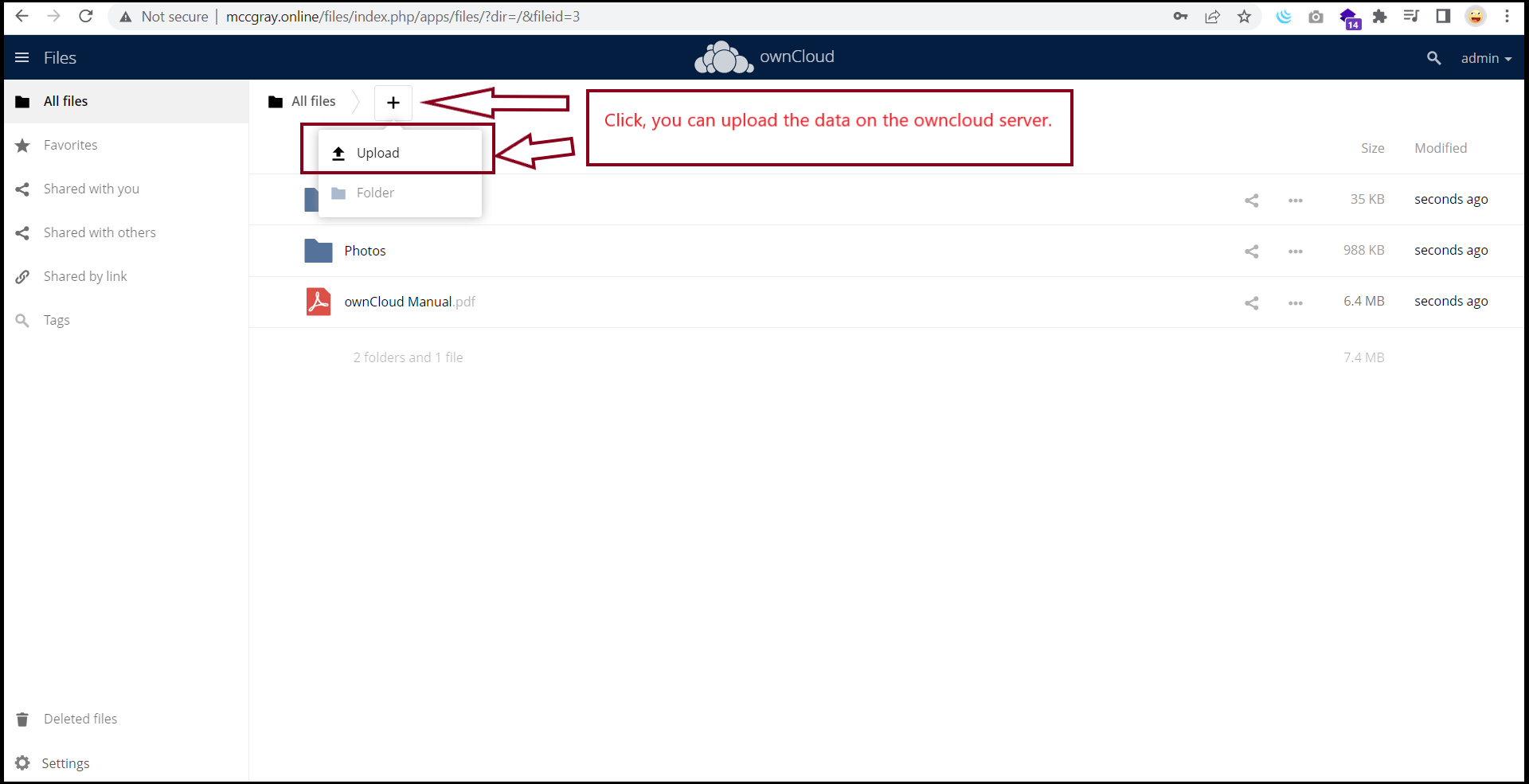
Thank you.
Was this article helpful?
That’s Great!
Thank you for your feedback
Sorry! We couldn't be helpful
Thank you for your feedback
Feedback sent
We appreciate your effort and will try to fix the article