How to Back Up Your Application on Private Hosting (cPanel)?
Step 1. Go to Your Application.
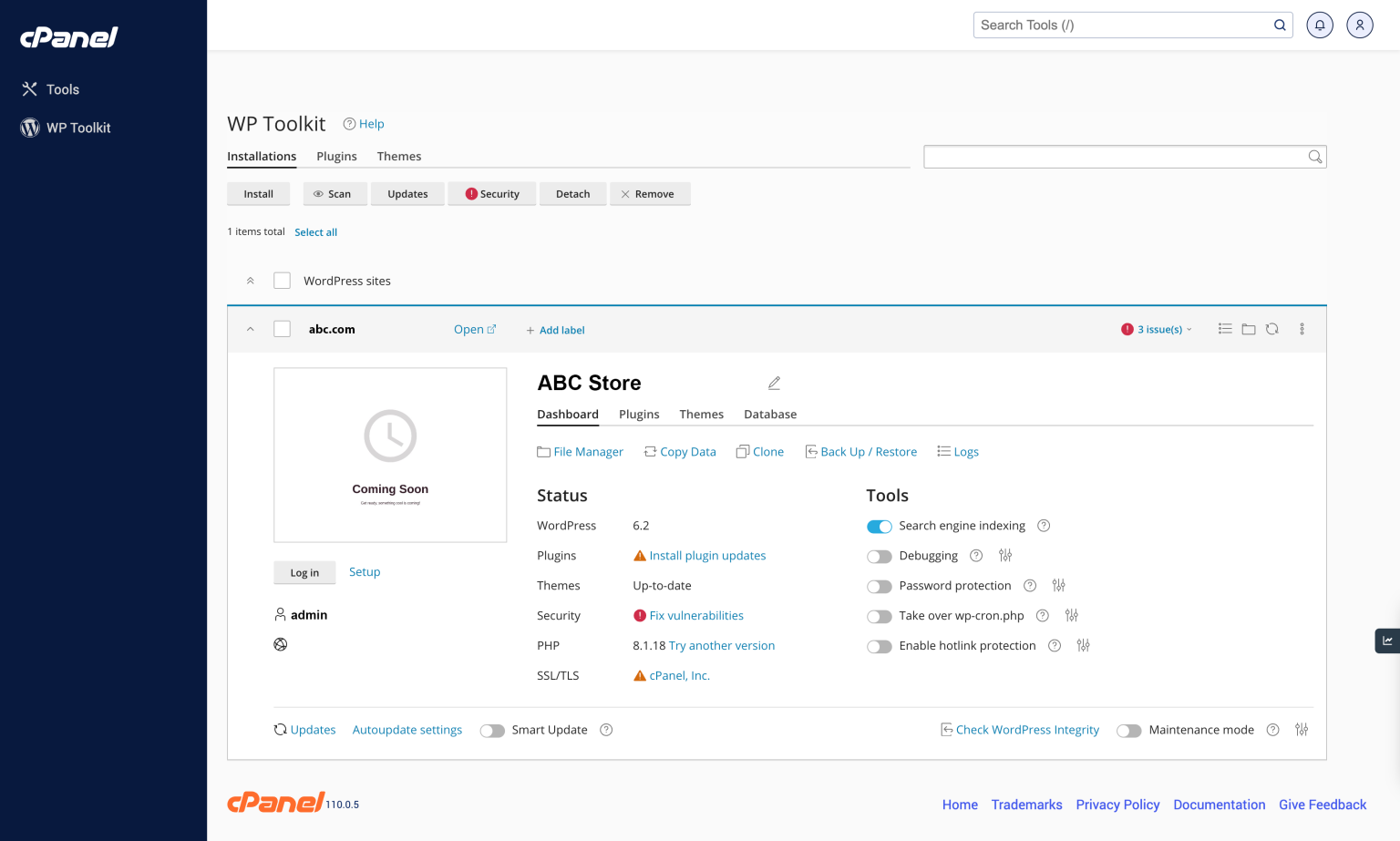
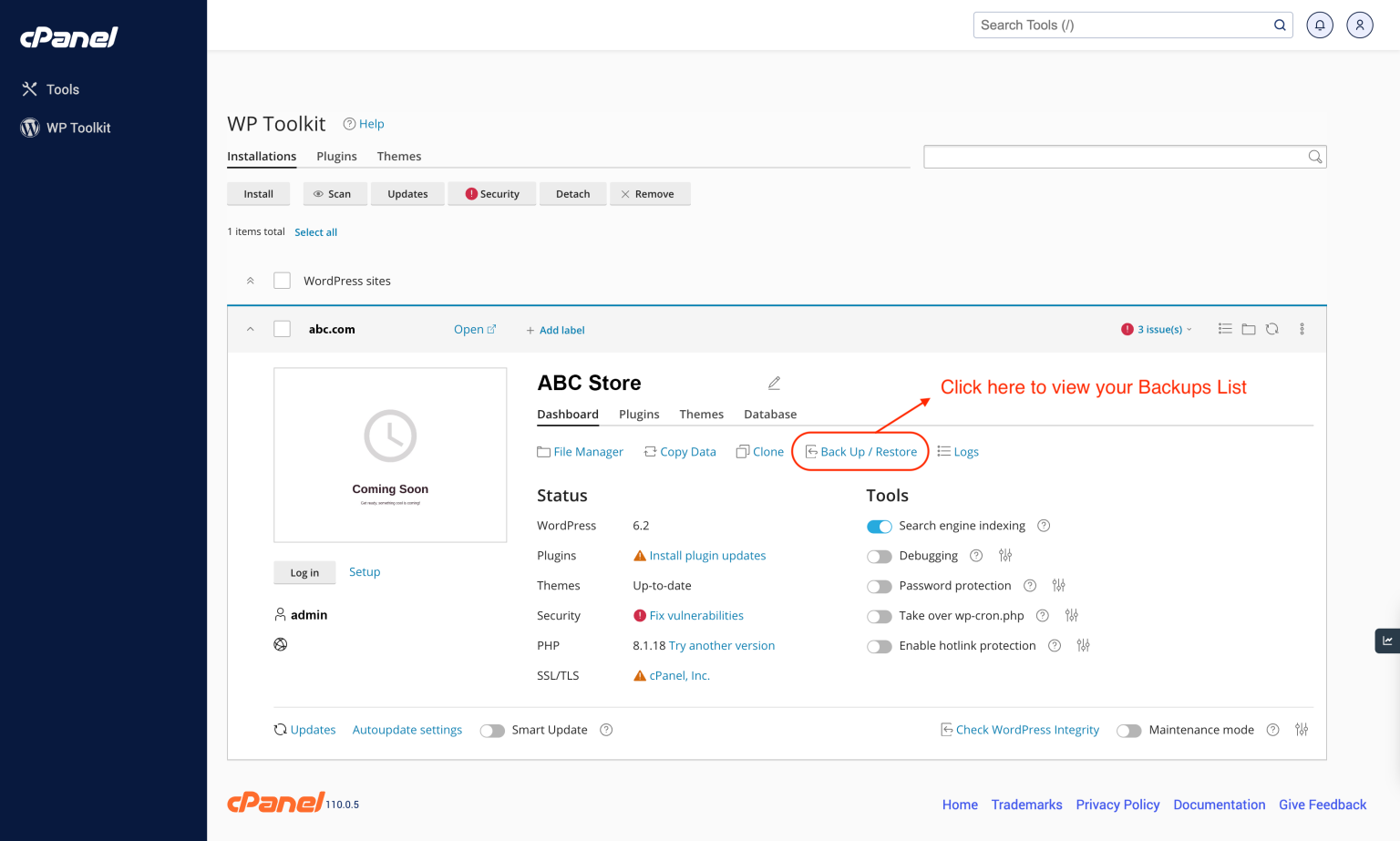
Step 2. Click “Back Up/Restore” link to views your Backups List
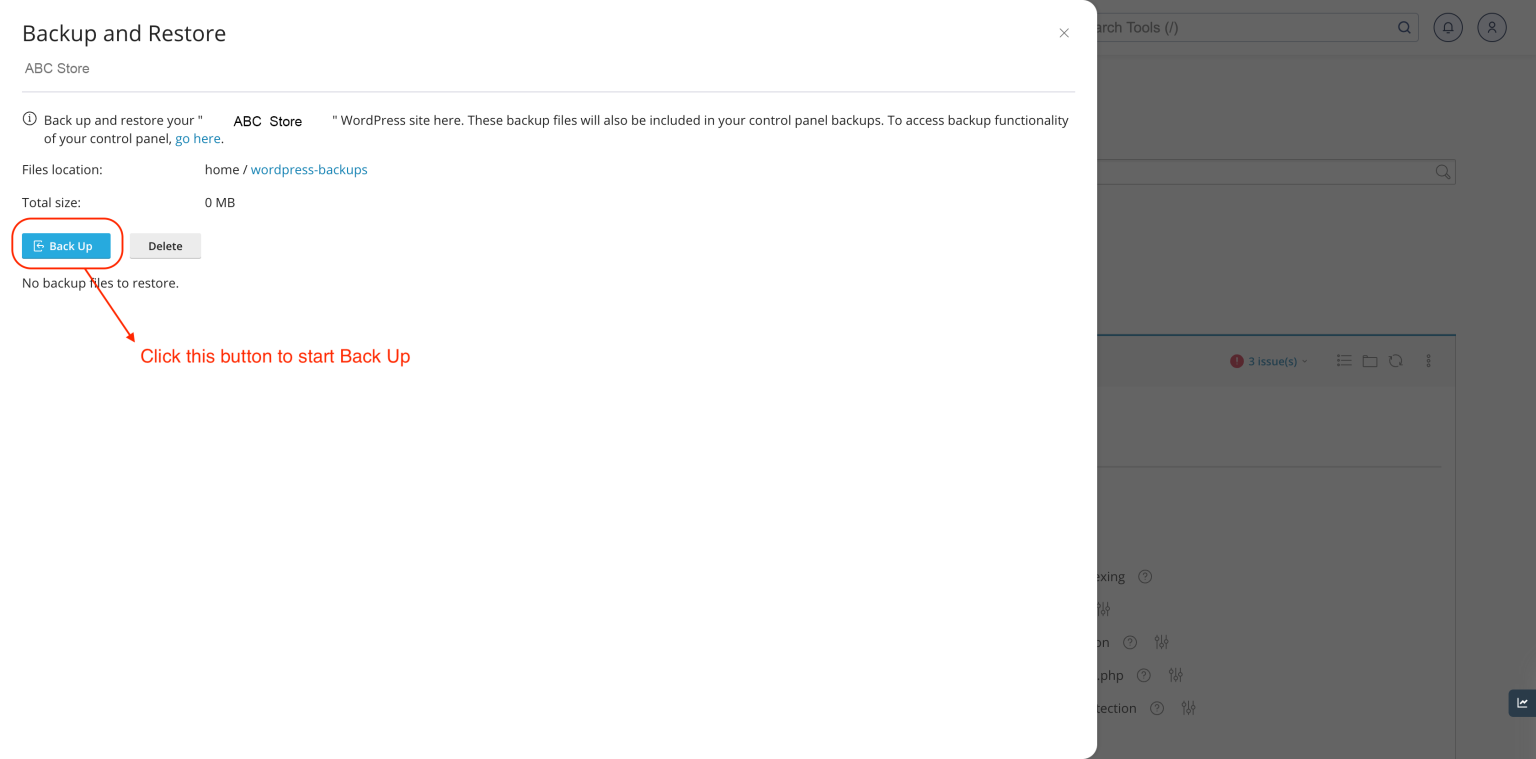
 Step 3. Click here to start your Back Up
 Step 4. After your Back Up process is finished, you can see the backup file.
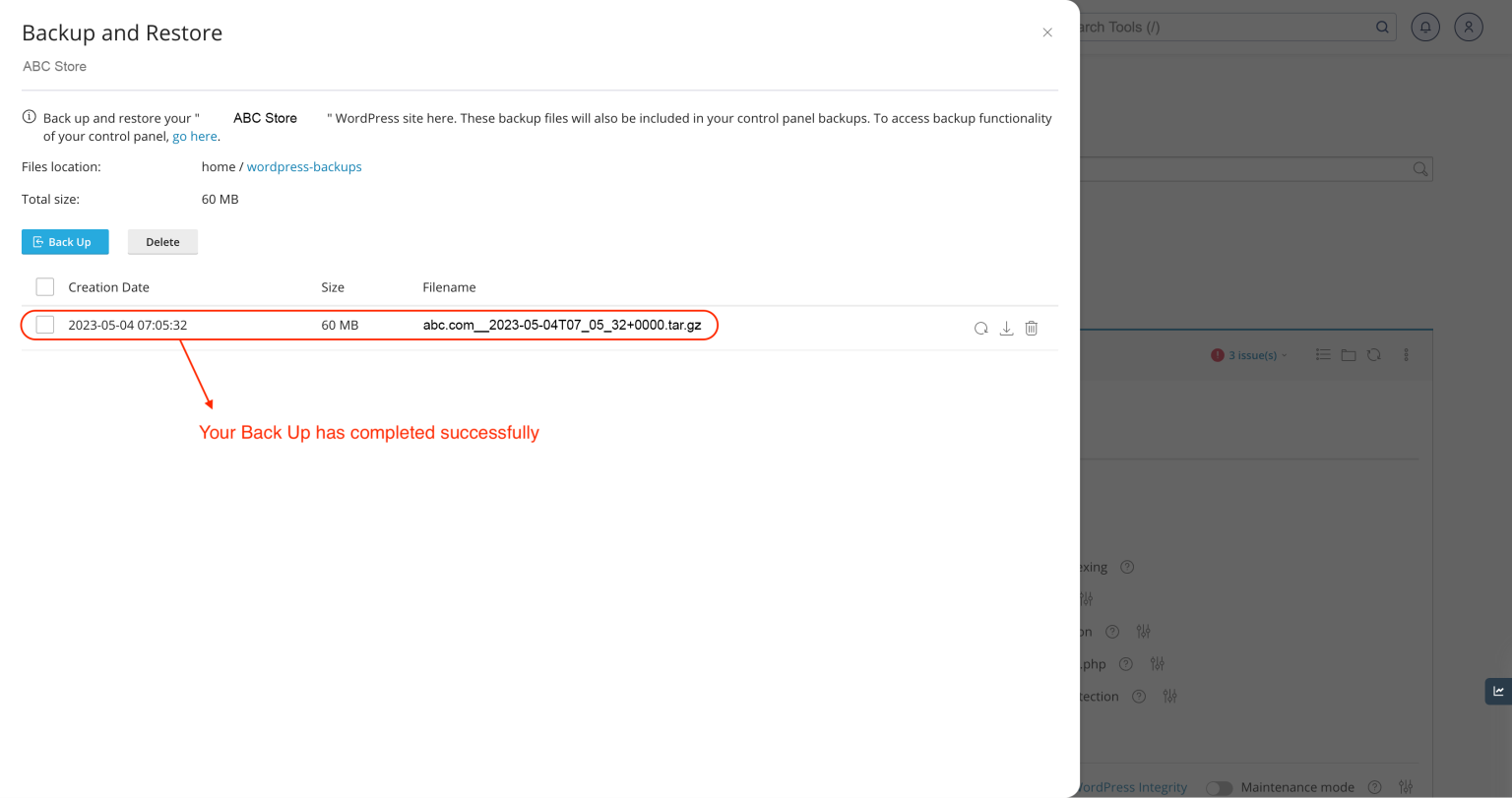
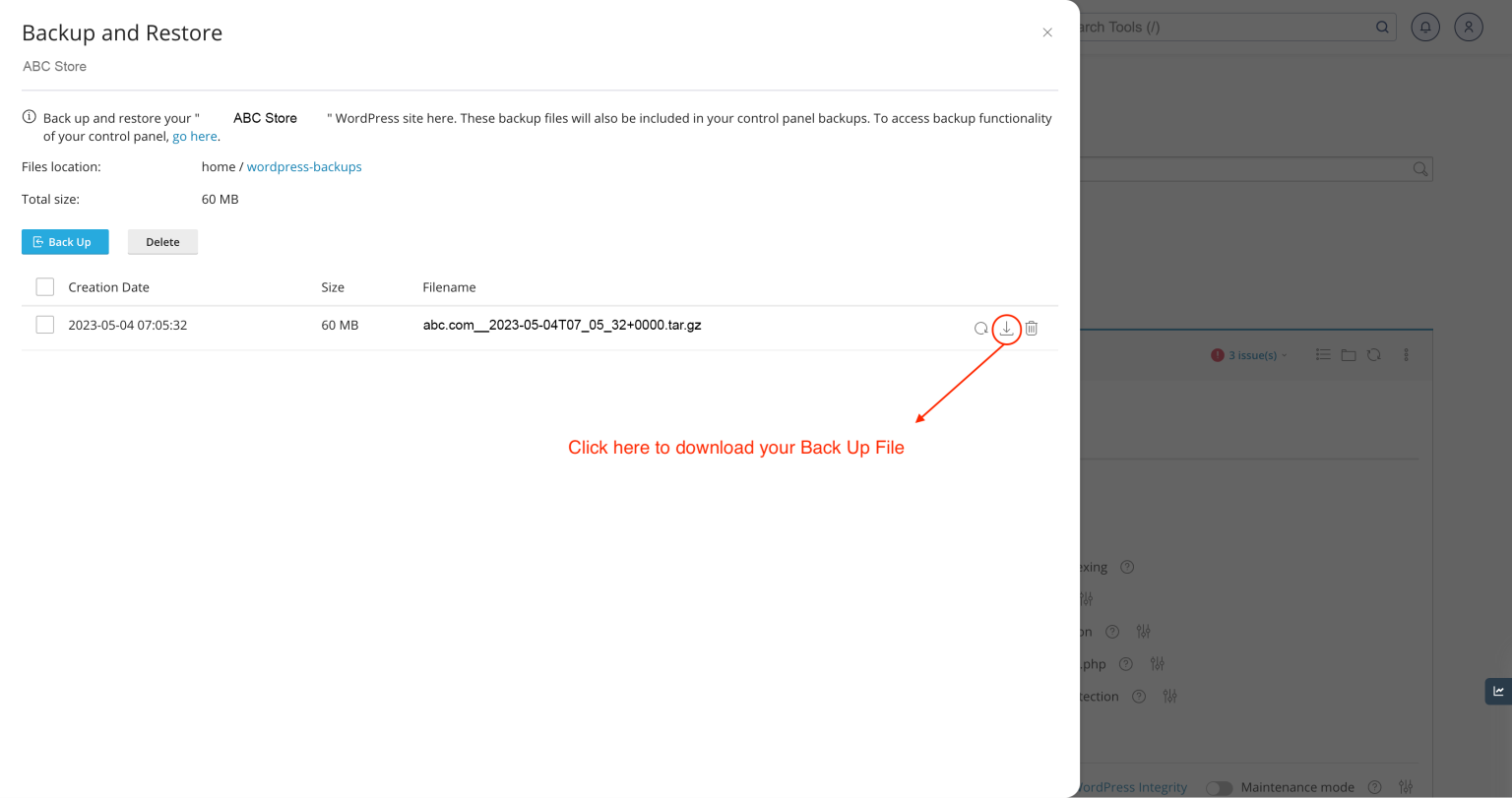
Step 5. You can download your Back up file.
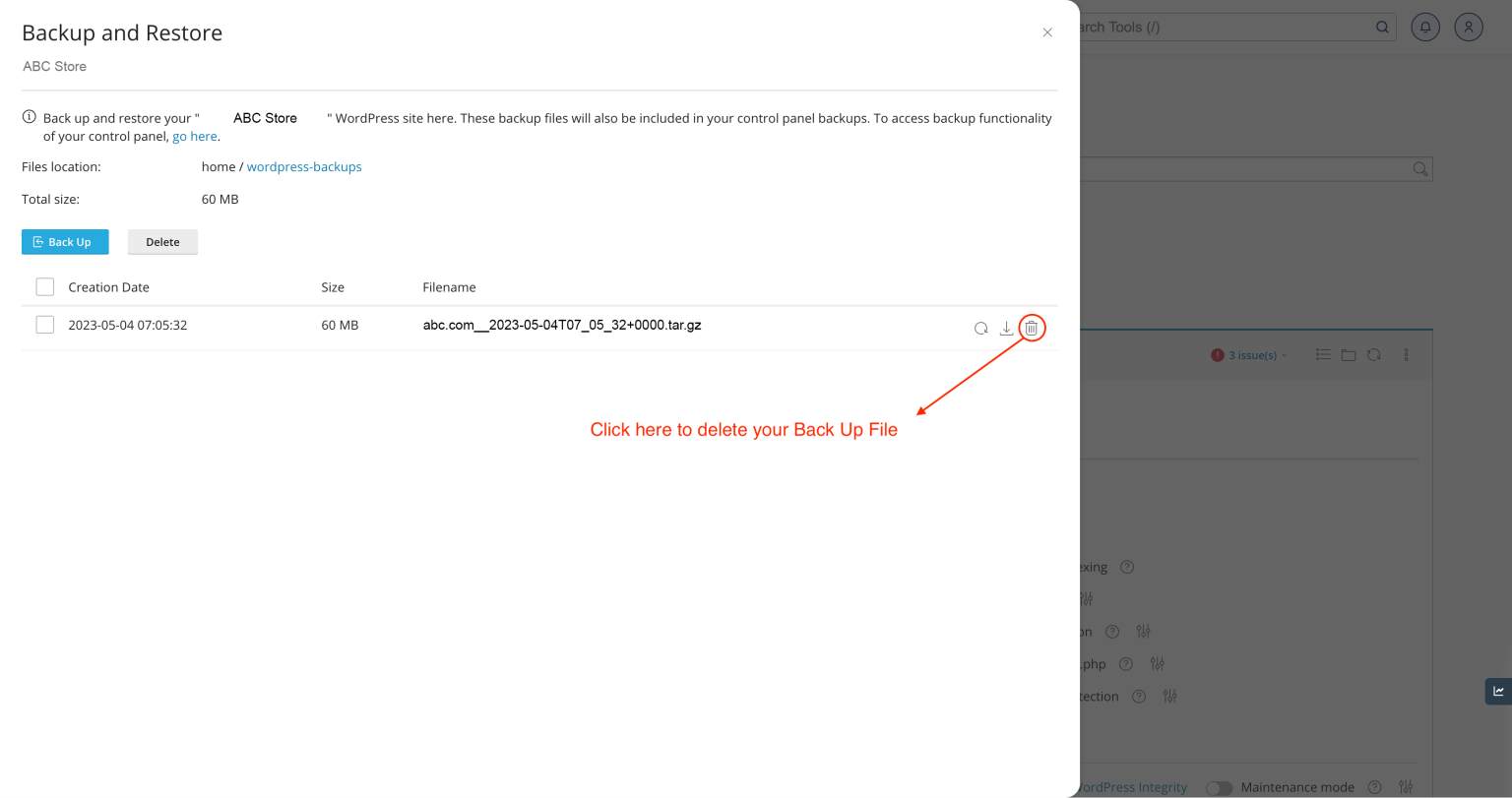
Step 6. You can delete your Back Up file.
THANK YOU!!!
Was this article helpful?
That’s Great!
Thank you for your feedback
Sorry! We couldn't be helpful
Thank you for your feedback
Feedback sent
We appreciate your effort and will try to fix the article