How to Assign Additional IP in Private hosting MM4?
Step1. Login to z.com account, https://hosting.z.com/mm/signin/ 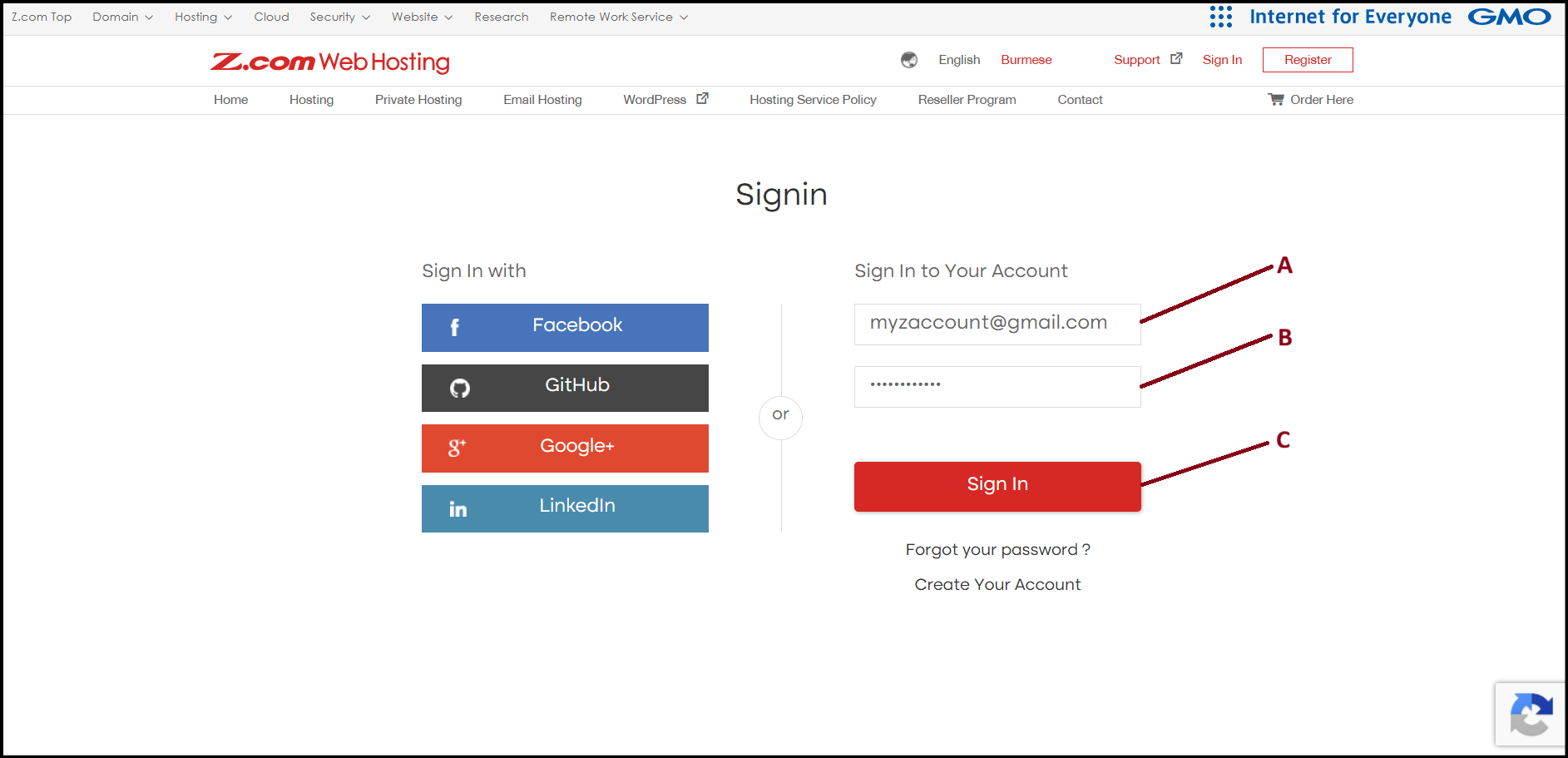
Step2. Go to the "Private Hosting" tab under MM4. And click the server below of NameTag. 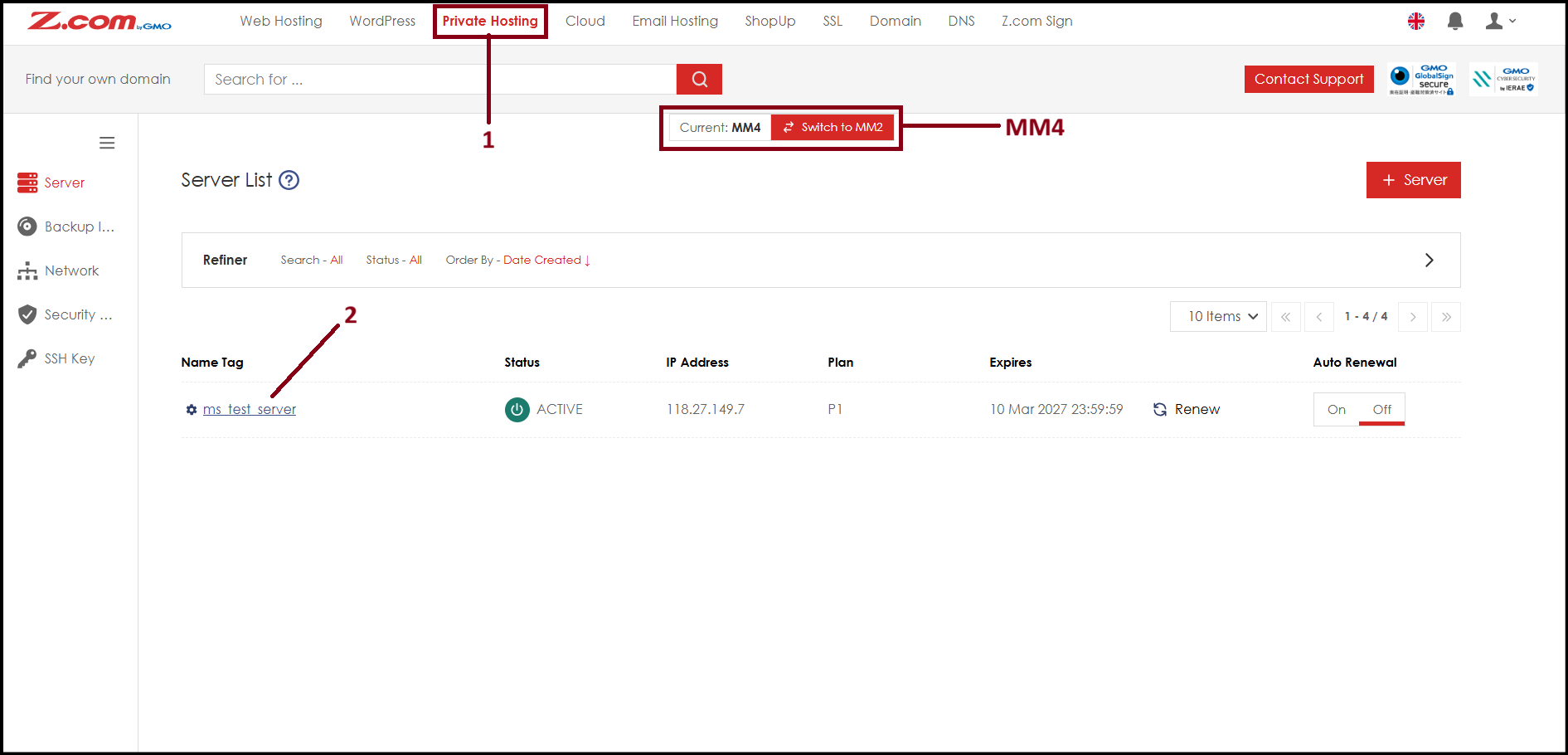
Step3. To assign the additional IP address to Private Hosting server interface, the server need to shutdown. To do so, click "Shutdown" then click "Network Information".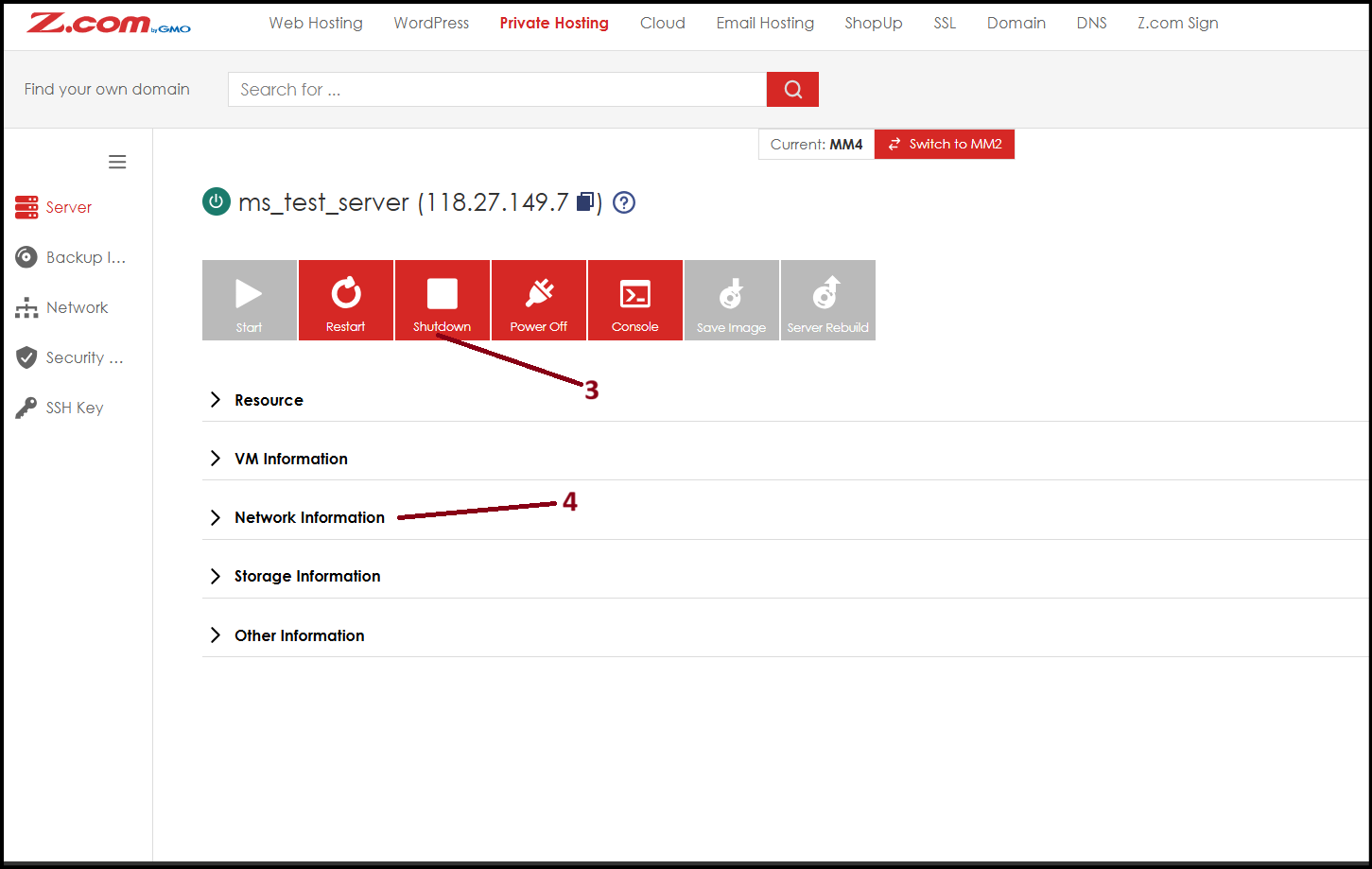
Step4. Scroll down to "AccessPoint2", select additional IP address from "Connect IP" and select "ALL" from "Security Group". After that click "Save". 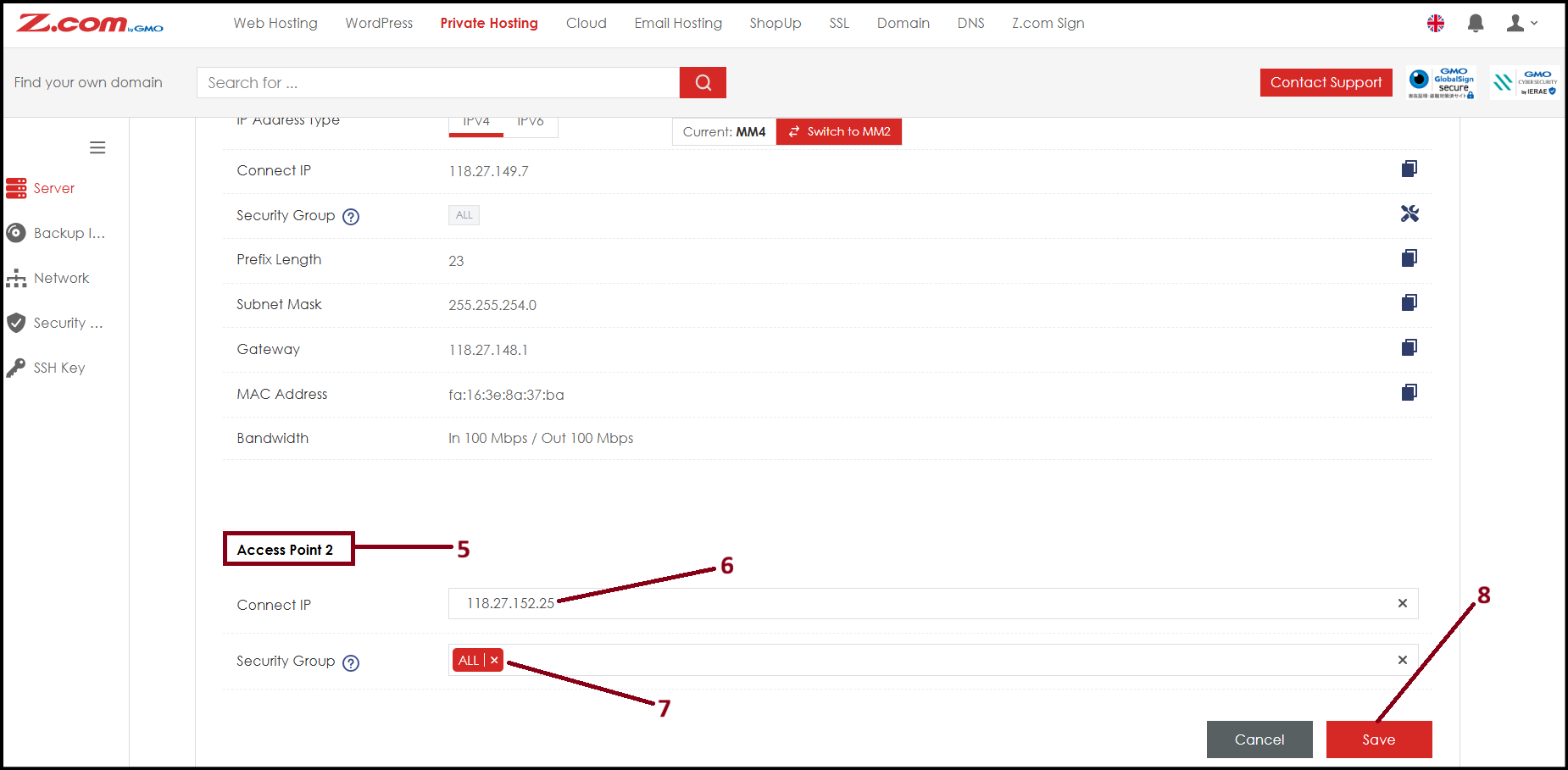
Step5. Now the additional IP address is assigned to "AccessPoint2" private hosting server interface. Now you can start the server again. To use in server, you need to configure additional IP inside the server also. The configuration process may vary depending on the server OS. 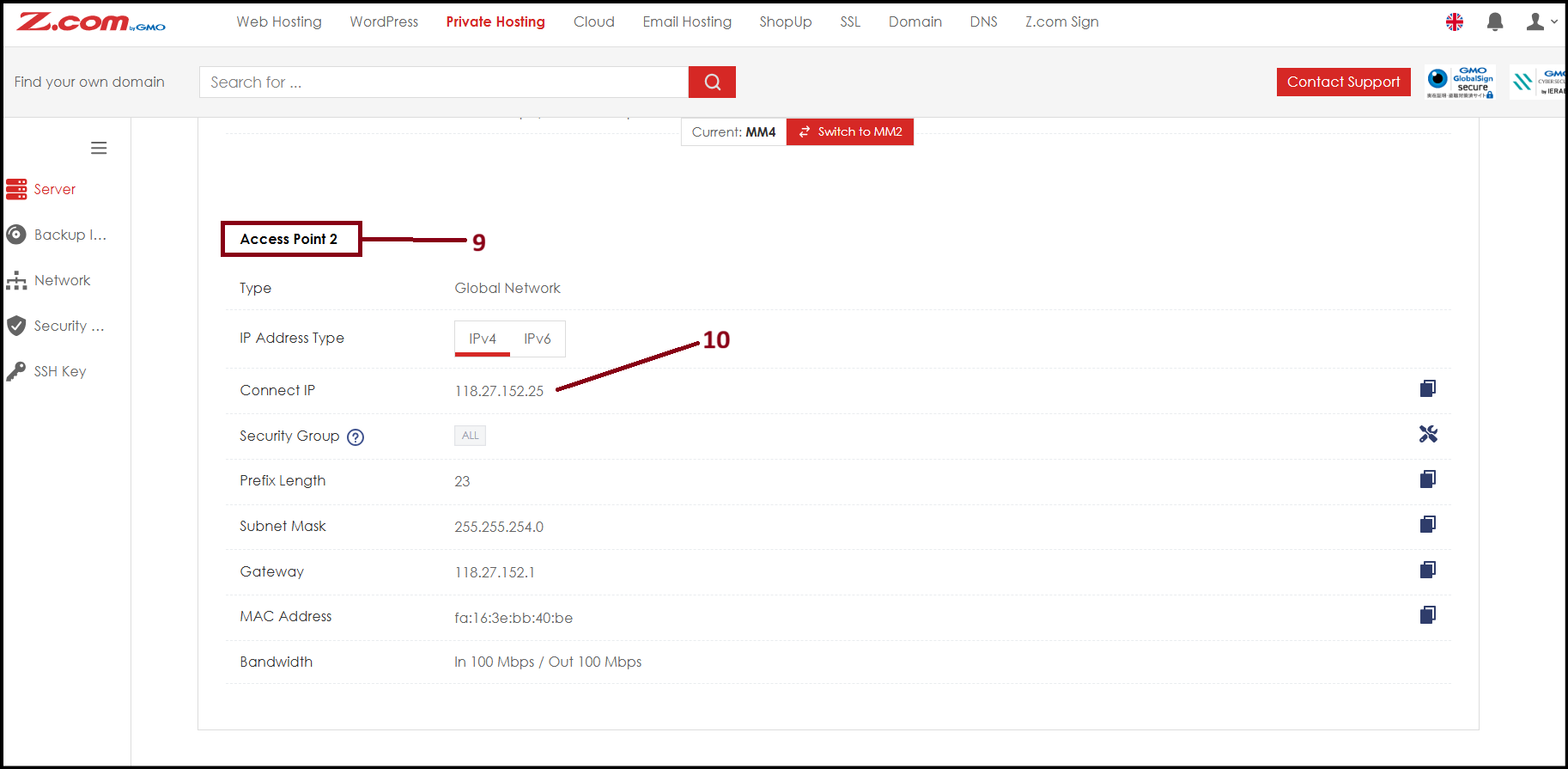
Thank You!
Was this article helpful?
That’s Great!
Thank you for your feedback
Sorry! We couldn't be helpful
Thank you for your feedback
Feedback sent
We appreciate your effort and will try to fix the article