How to order Private Hosting server with Plesk Panel?
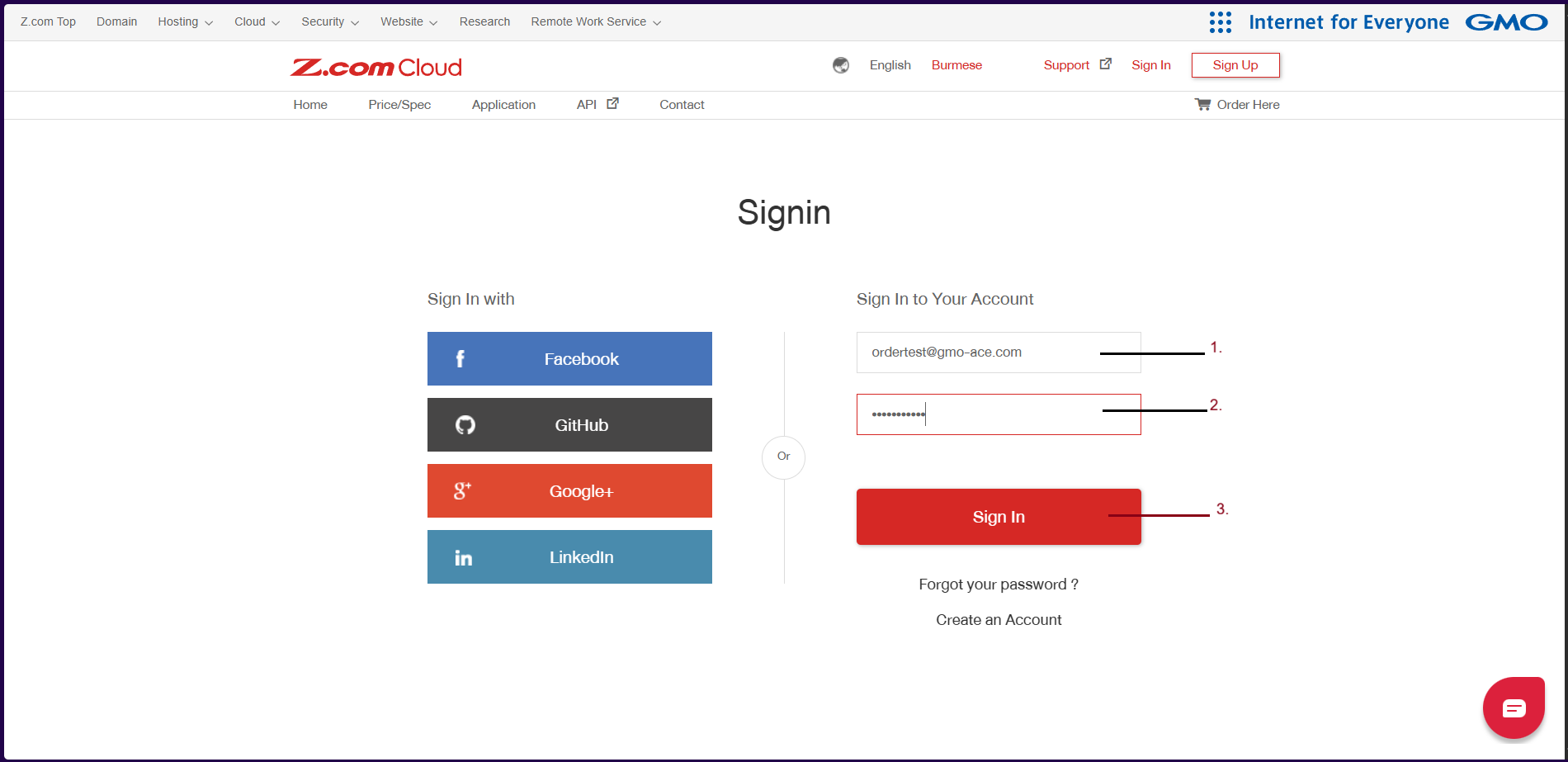
Step1. Login to z.com account, https://cloud.z.com/mm/signin/
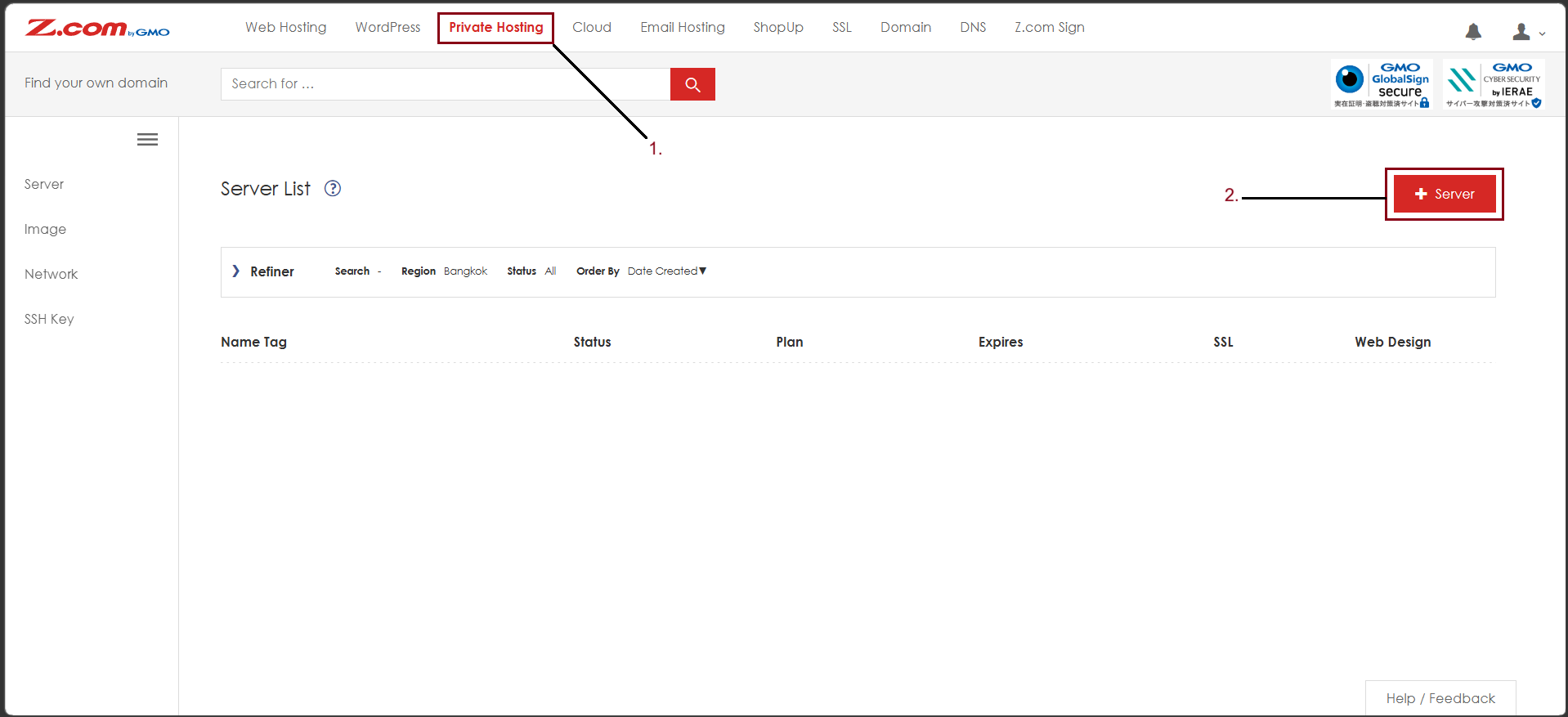
Step2. Go to the "Private Hosting" Tab. And click "+Server".
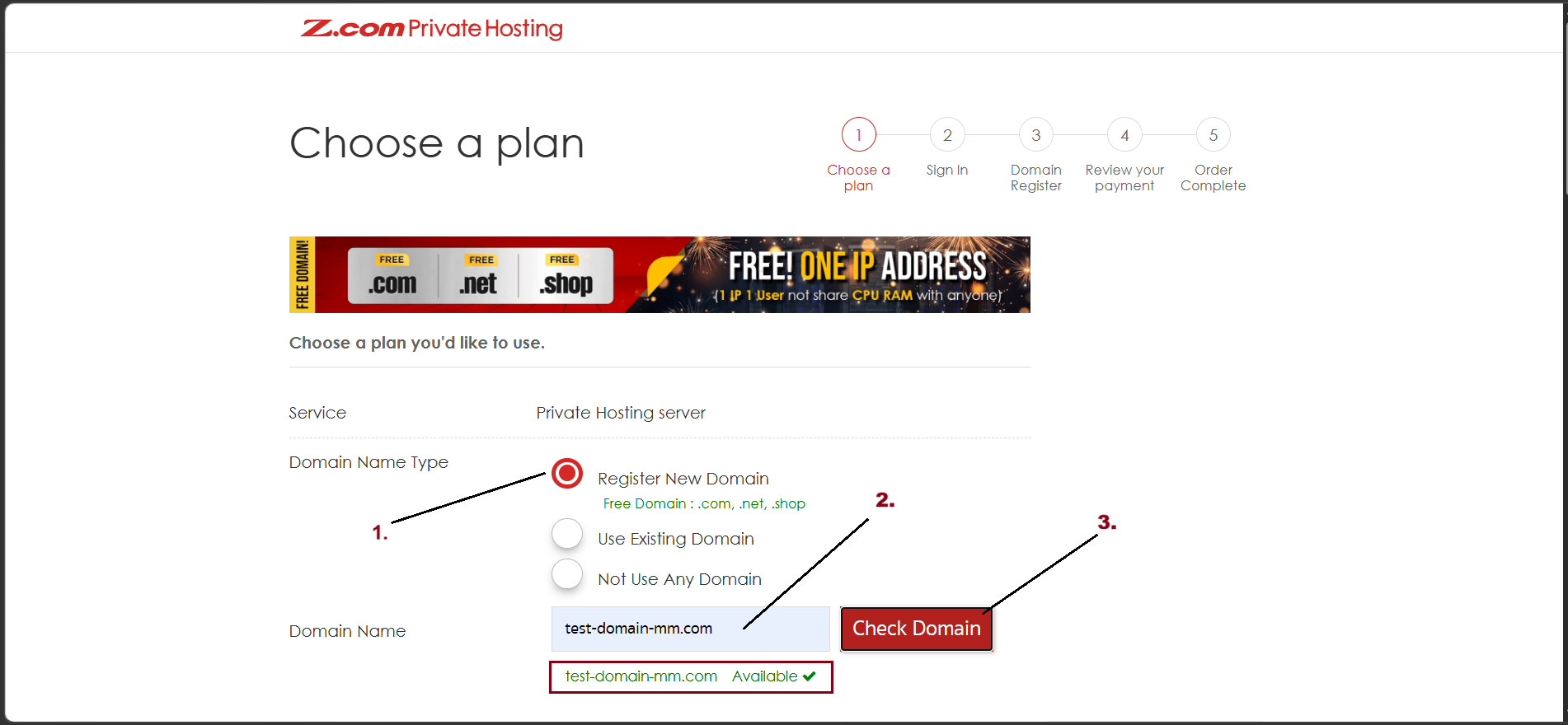
Step3. Firstly, you can choose a plan that you want to order as follows.
- Choose Domain Name Type
- Register New Domain
- Use Existing Domain
- Not Use Any Domain
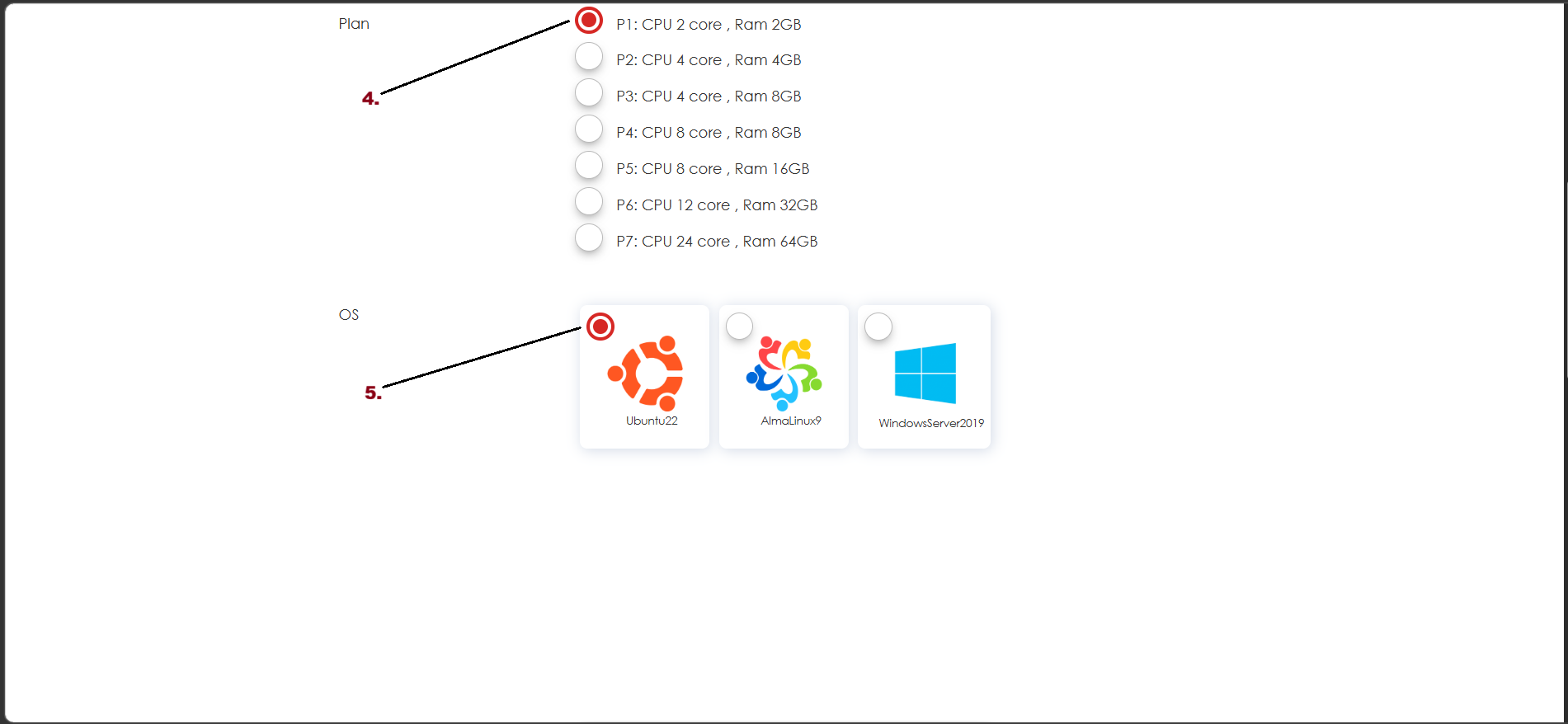
- Choose Plan
- OS
- Control Panel
- Contract Period
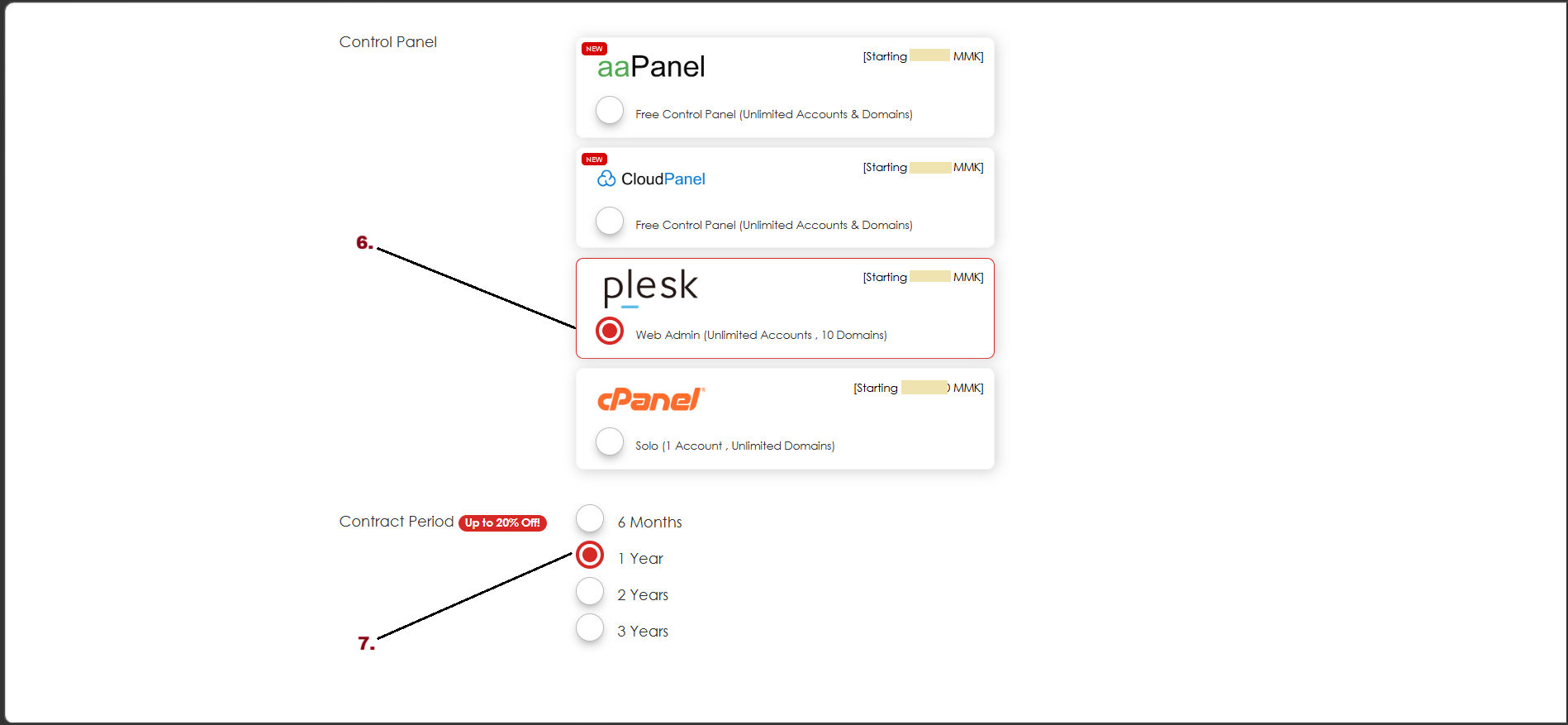
- Web Space
- IP Address
- Email Space (1GB SSD Storage)
- Auto Backup (Optional Service with additional charges)
- Check the total amount on your order from the right side
And then, Click "Next"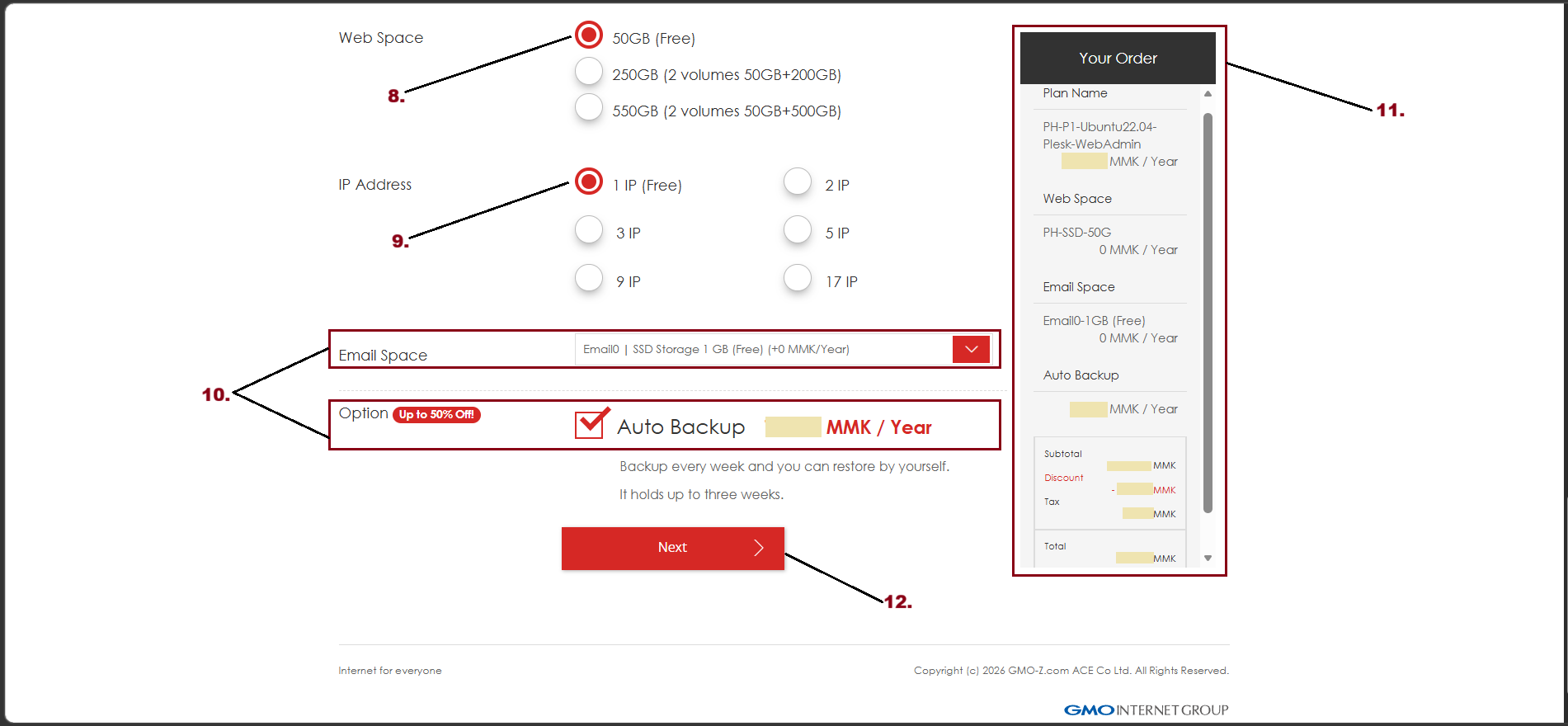
Step4. Review your payment
You can choose the Payment method as follows
- Payment Method
- KBZ Pay
- Bank Transfer
- Check Your Order
And then, click "Order"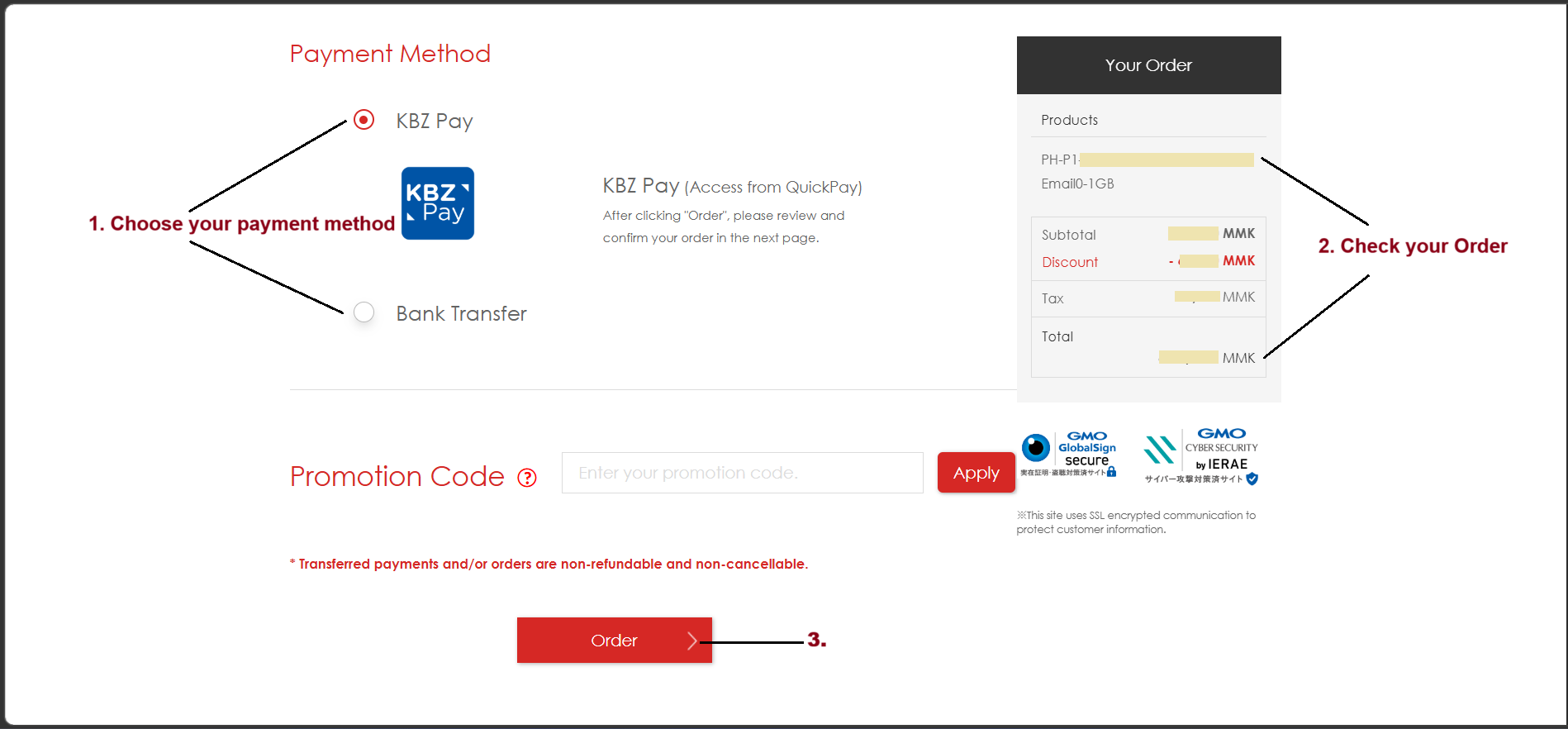
And then click "Complete"
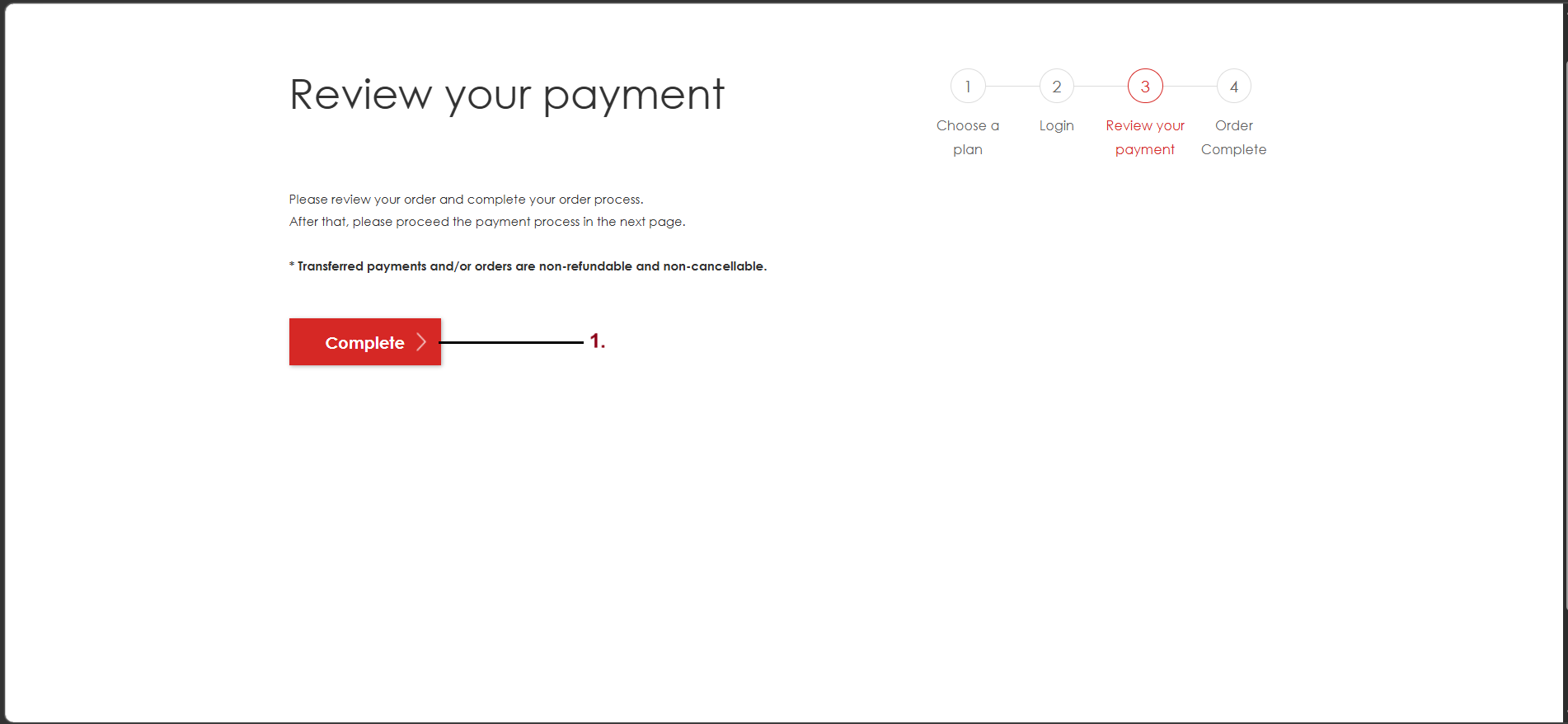
After completing your order, you can check Bank Account Information.
To Check "Payment Method", click here.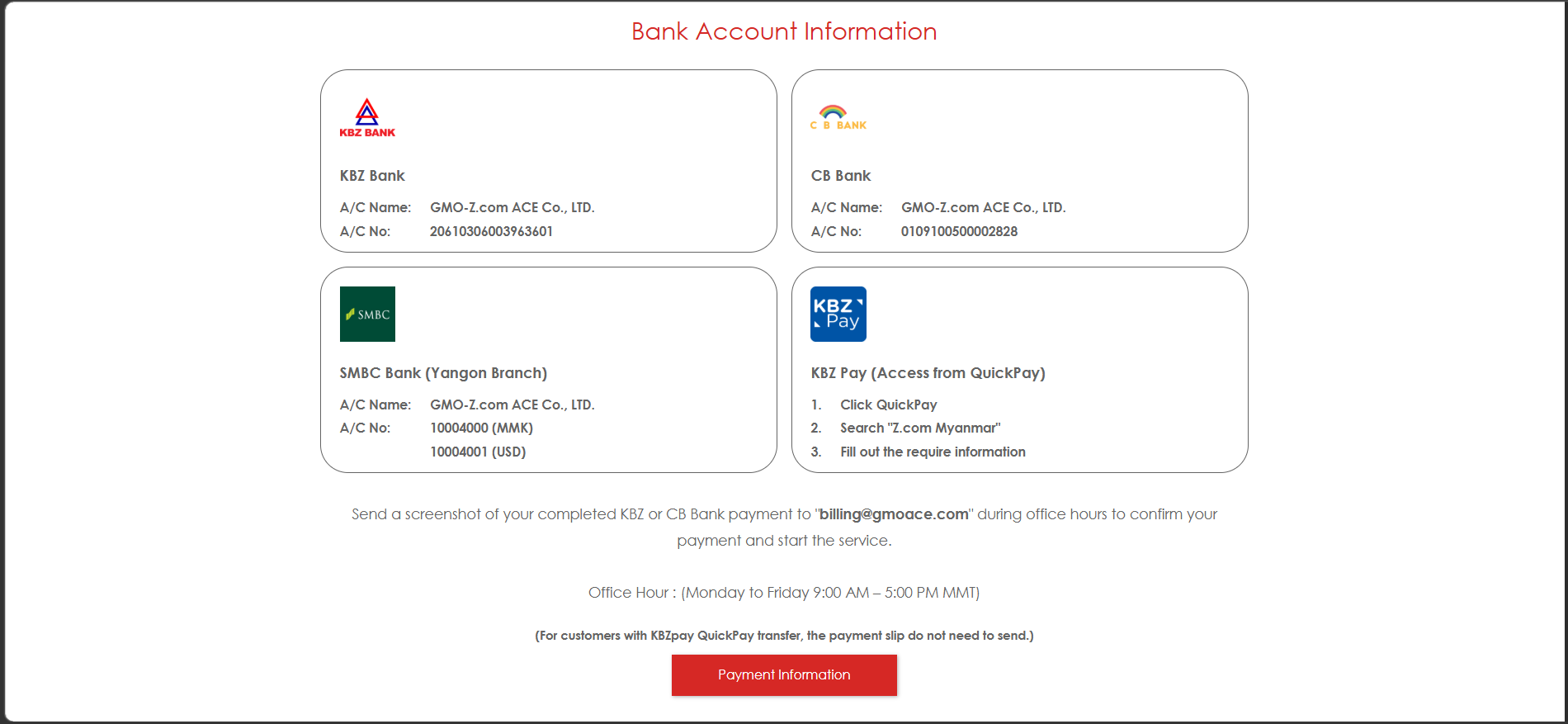
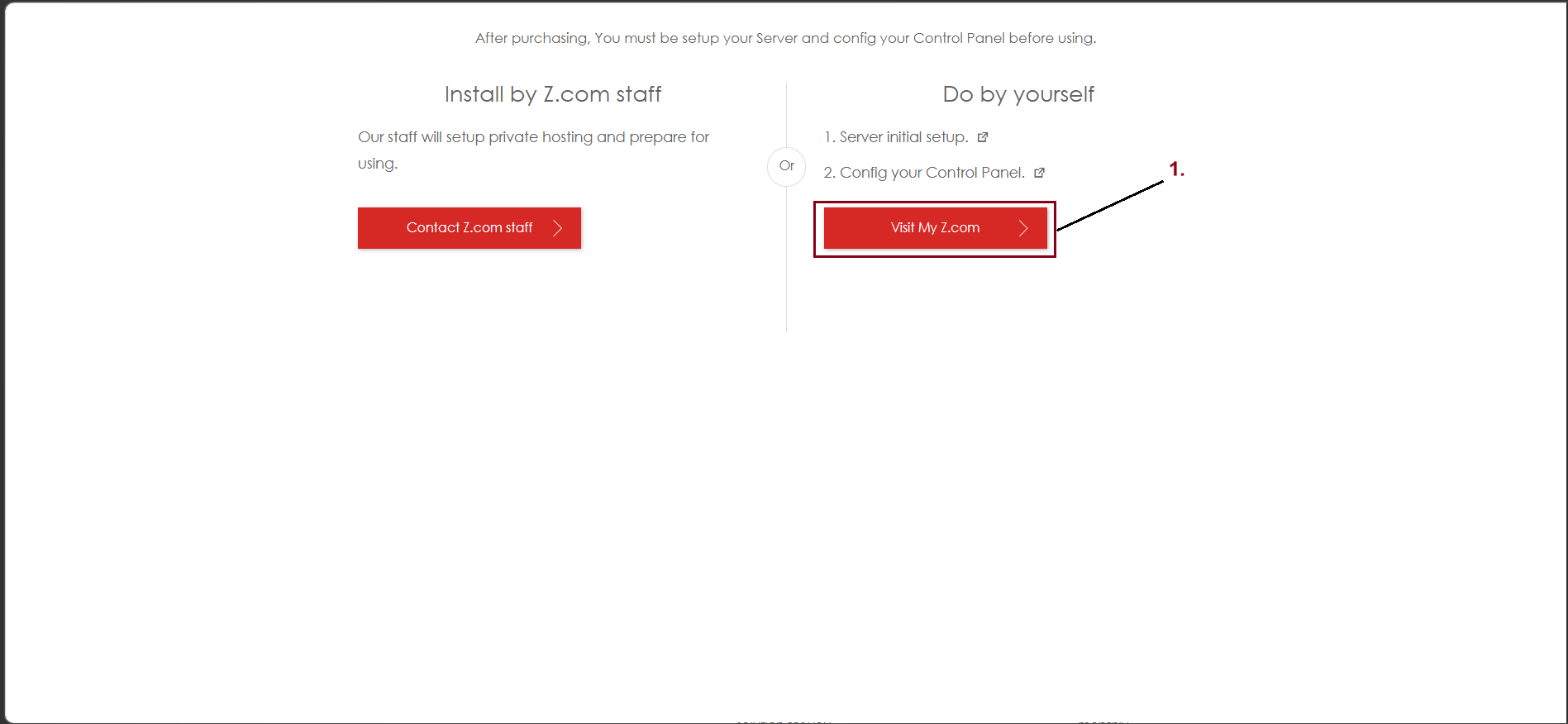
To check your order in your Z.com Account, click "Visit My Z.com"
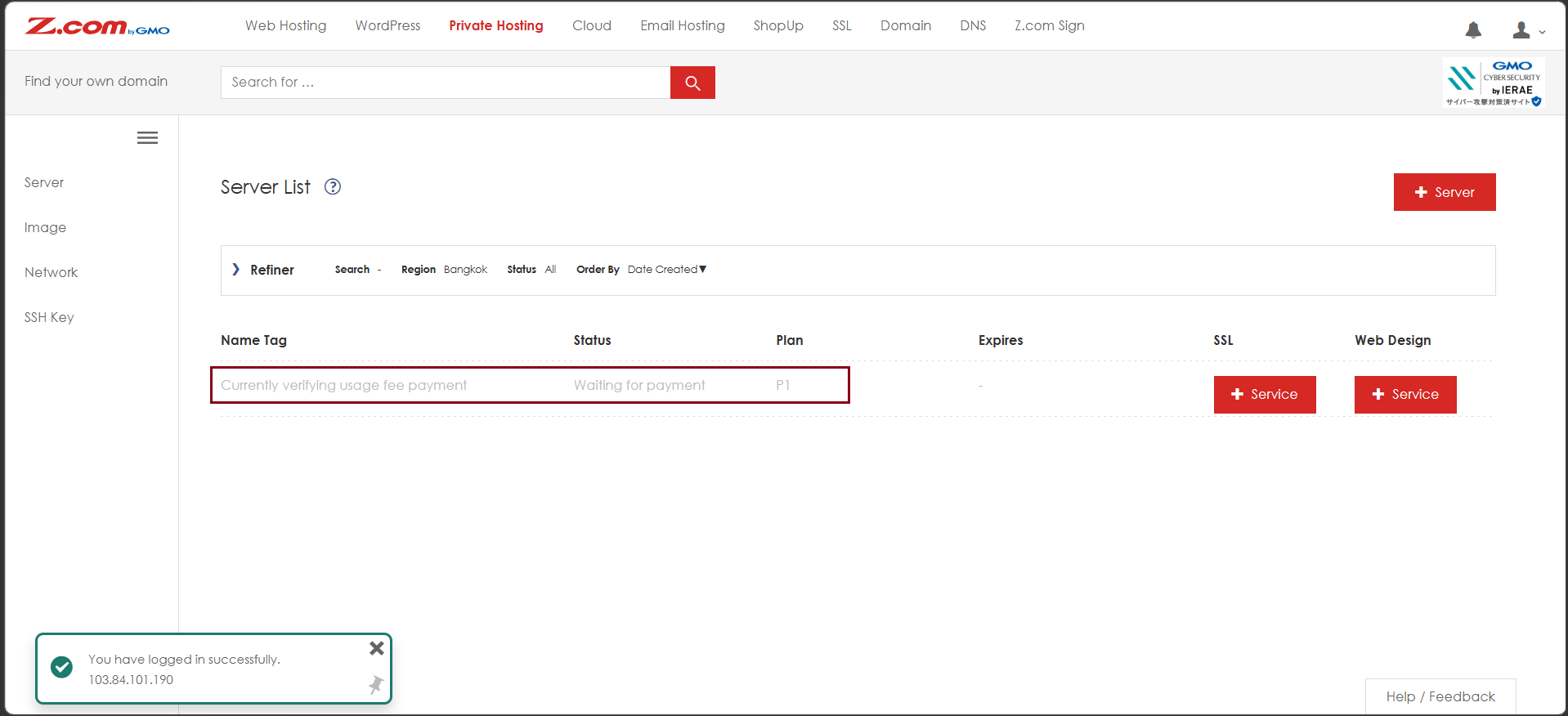
Now, the private hosting order is placed in you Z.com Account.
THANK YOU!!!
Was this article helpful?
That’s Great!
Thank you for your feedback
Sorry! We couldn't be helpful
Thank you for your feedback
Feedback sent
We appreciate your effort and will try to fix the article