How to Generate a Certificate Signing Request on Windows Server 2019?
Step(1) Open Server Manager and click Tools, start “Internet Information Service (IIS)Manager”.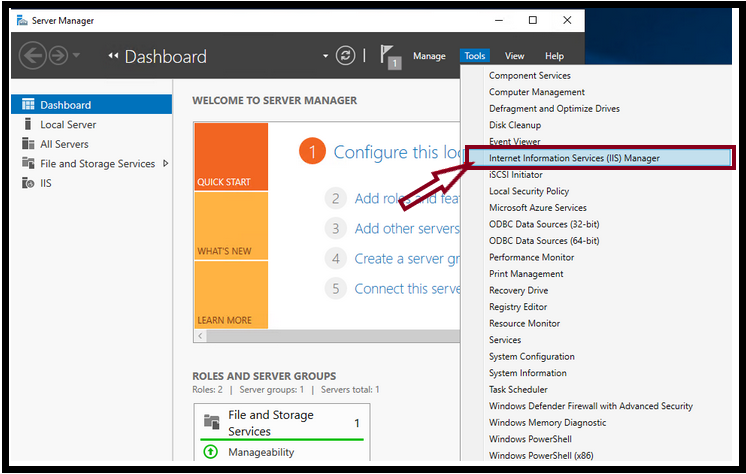
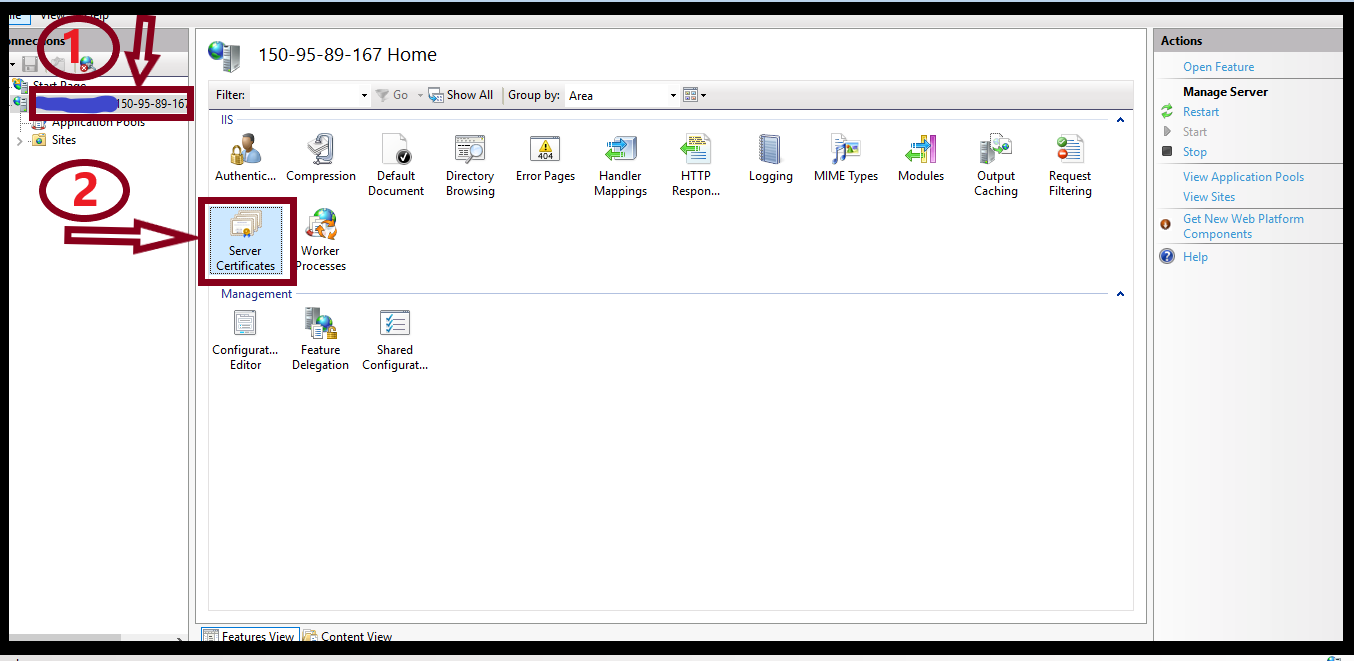
Step(2) Select Server on the left side of the window and click “Server Certificates”.
Step(3) Click “Create Certificate Request” on the right side of the window and the “Request Certificate” box will be opened. Fill out the “Distinguished Name Properties” form with the following instruction.
Common Name: www.asm.com
Organization: Z.com
Organization Unit: IT
City/Locality: Yangon
State/province: Yangon
Country/region: MM
Step(4) And then, Click “Next“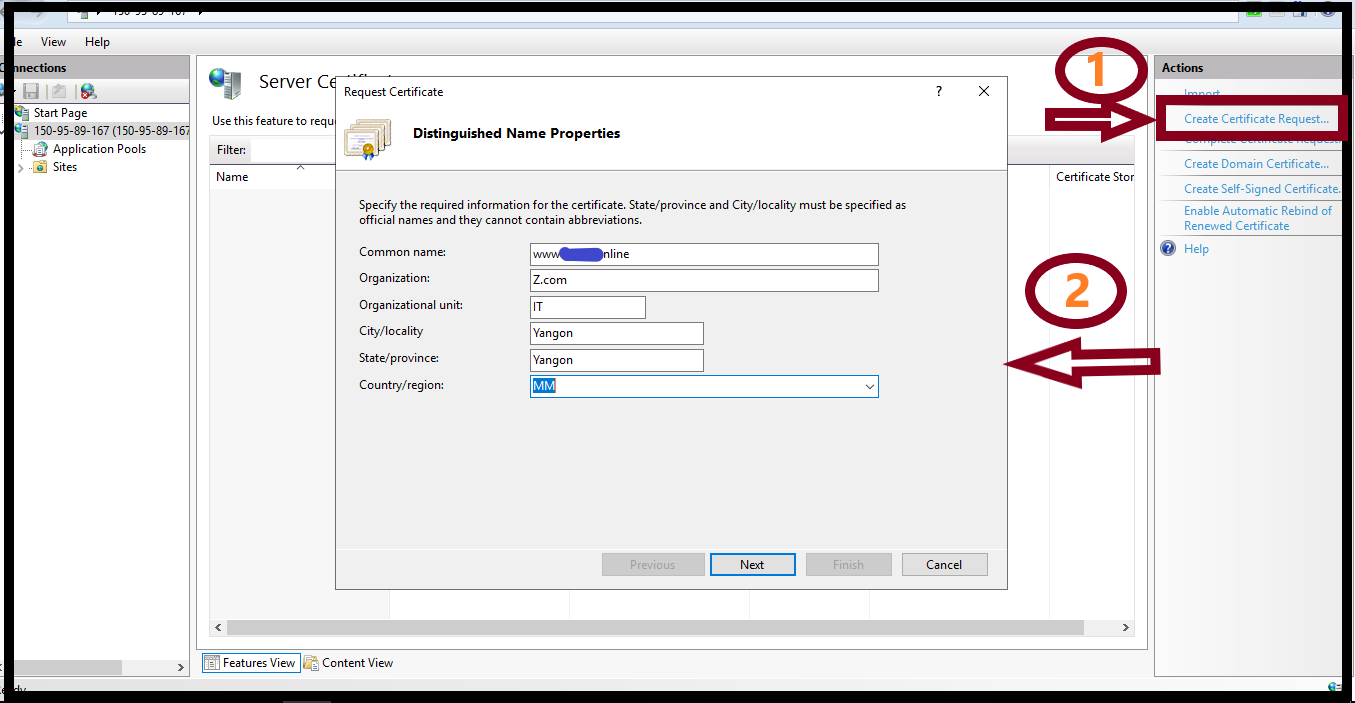
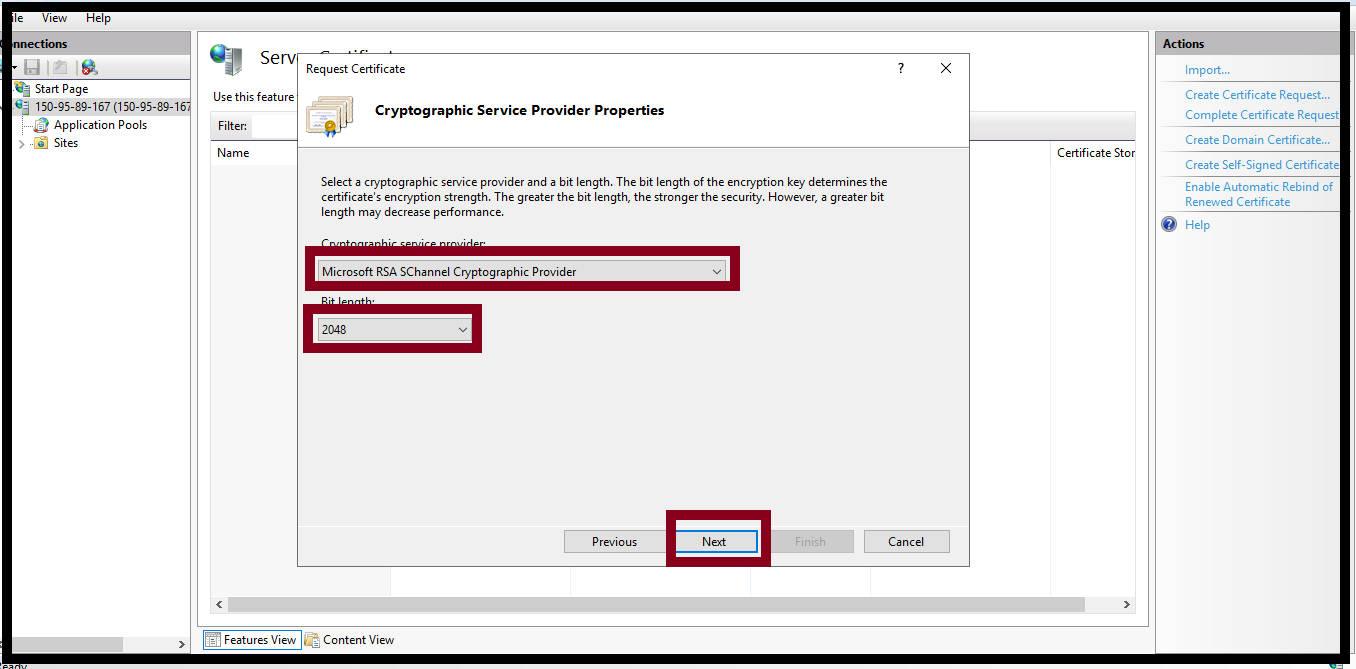
Step(6) Select “Microsoft RSA SChannel Cryptographic Provider” and “2048” bit length.
Step(7) Click Next.
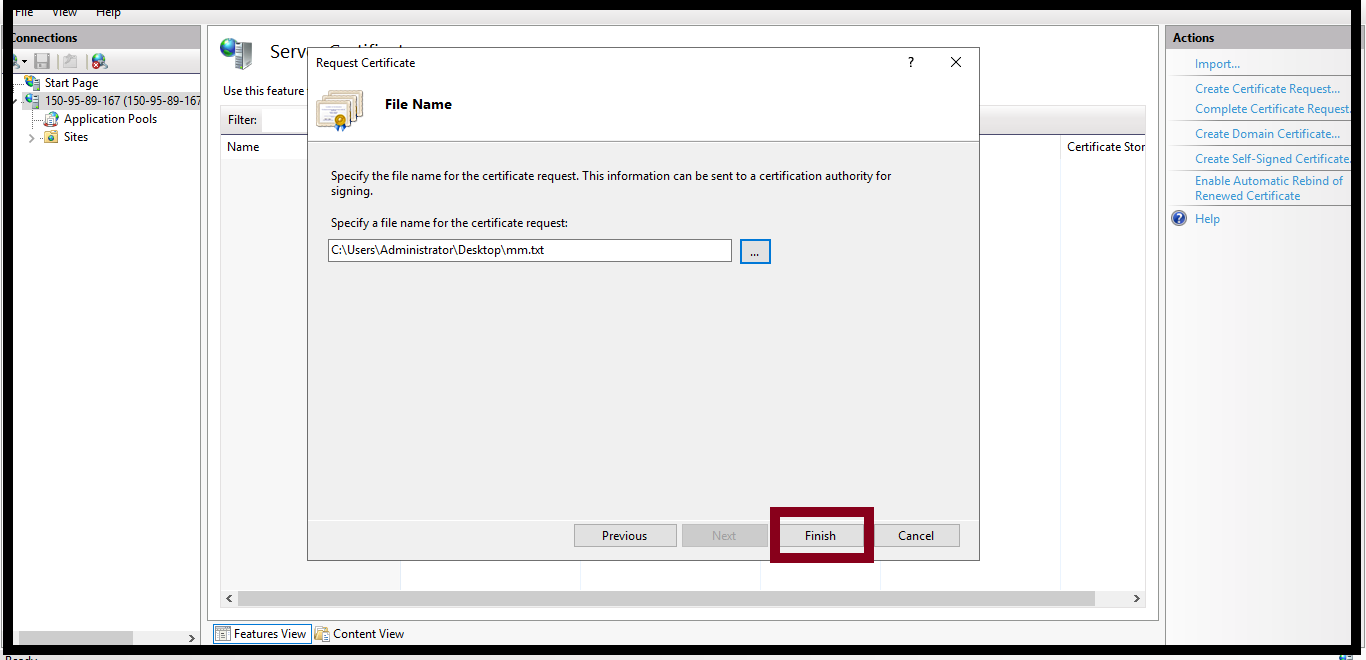
Step(8) Create a file name and click “Finish”
THANK YOU!!!
Was this article helpful?
That’s Great!
Thank you for your feedback
Sorry! We couldn't be helpful
Thank you for your feedback
Feedback sent
We appreciate your effort and will try to fix the article