How to install SSL on Private Hosting (Plesk Server)?
To install the SSL certificate in the Plesk server, please follow the below instruction.
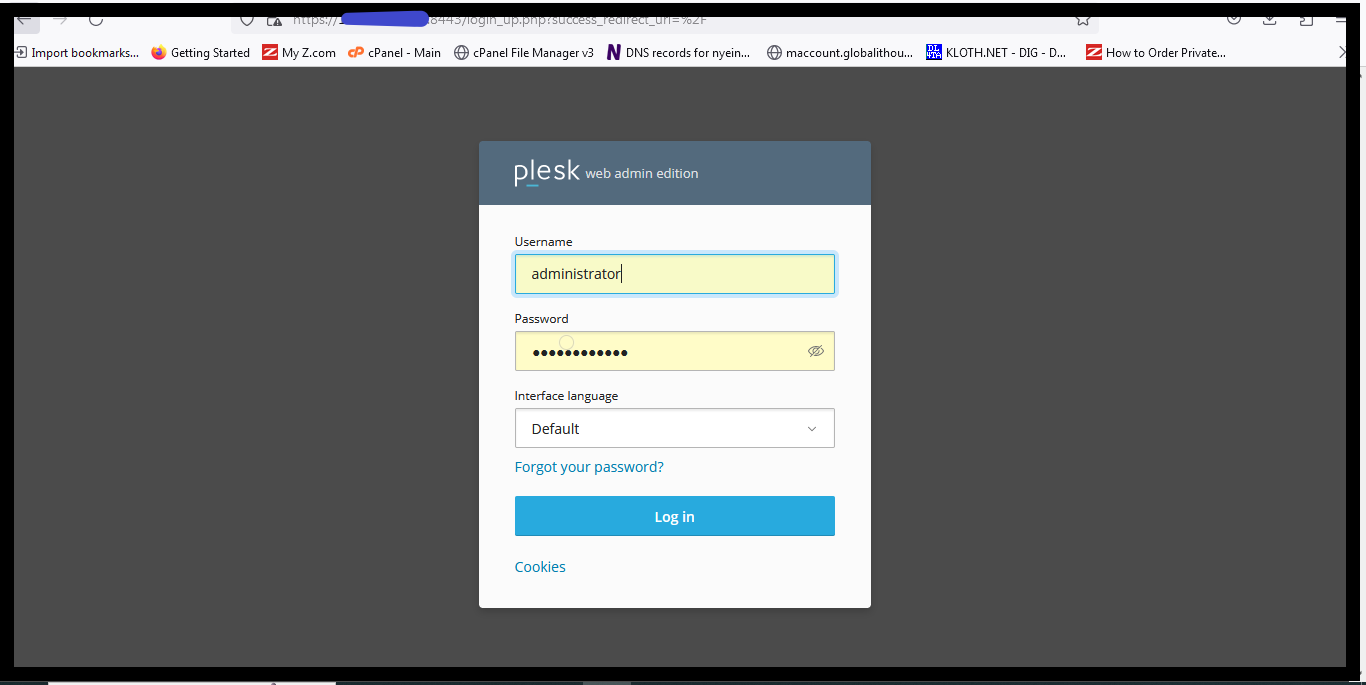
1. Login to the Plesk Server.
The username is predefined like admin or administrator; the password is the one which you enter during server initial setup.
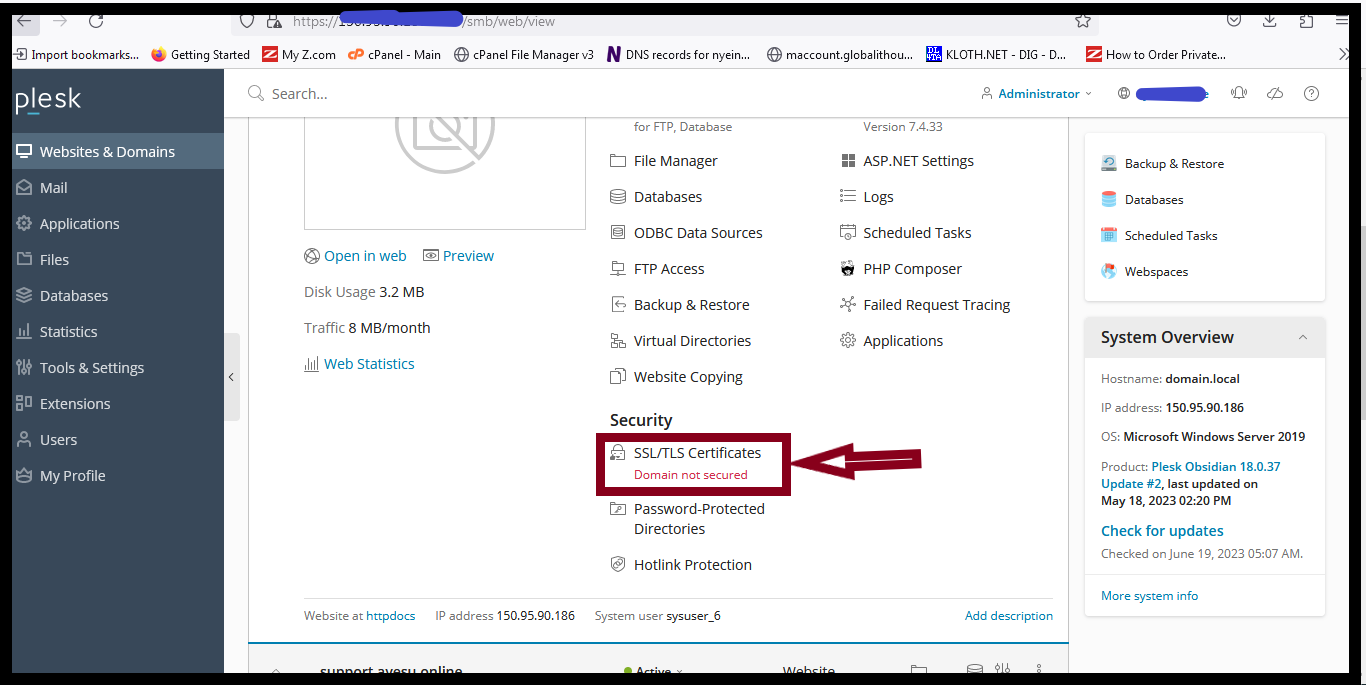
2. Select Websites & Domains, and Click SSL/TLS Certificates.
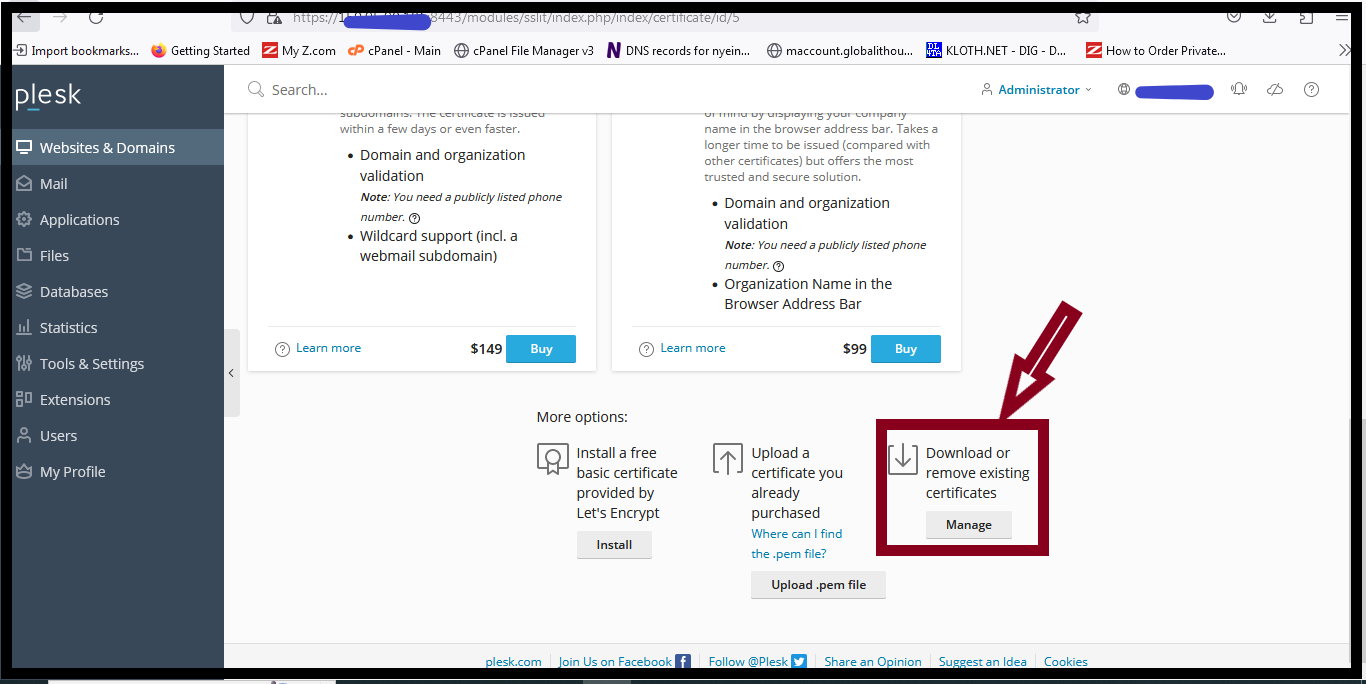
3. And then click Manage.
4. Click Add SSL/TLS certificate.
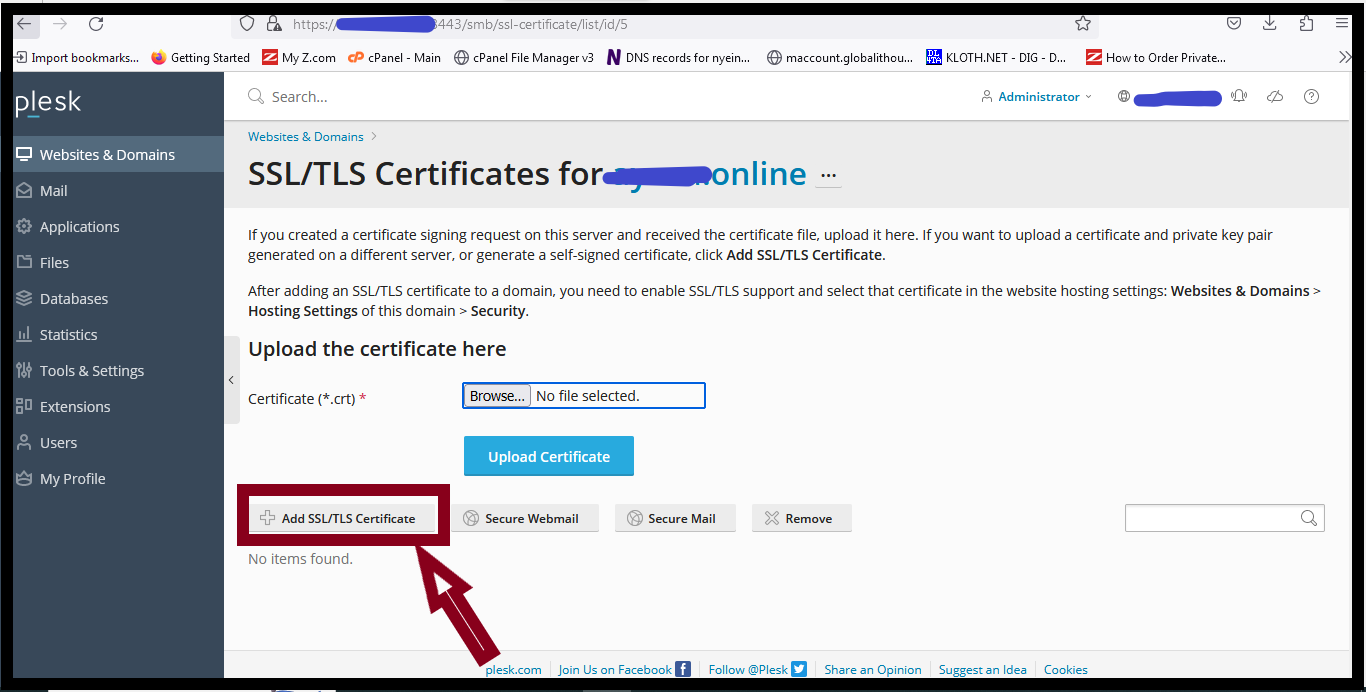
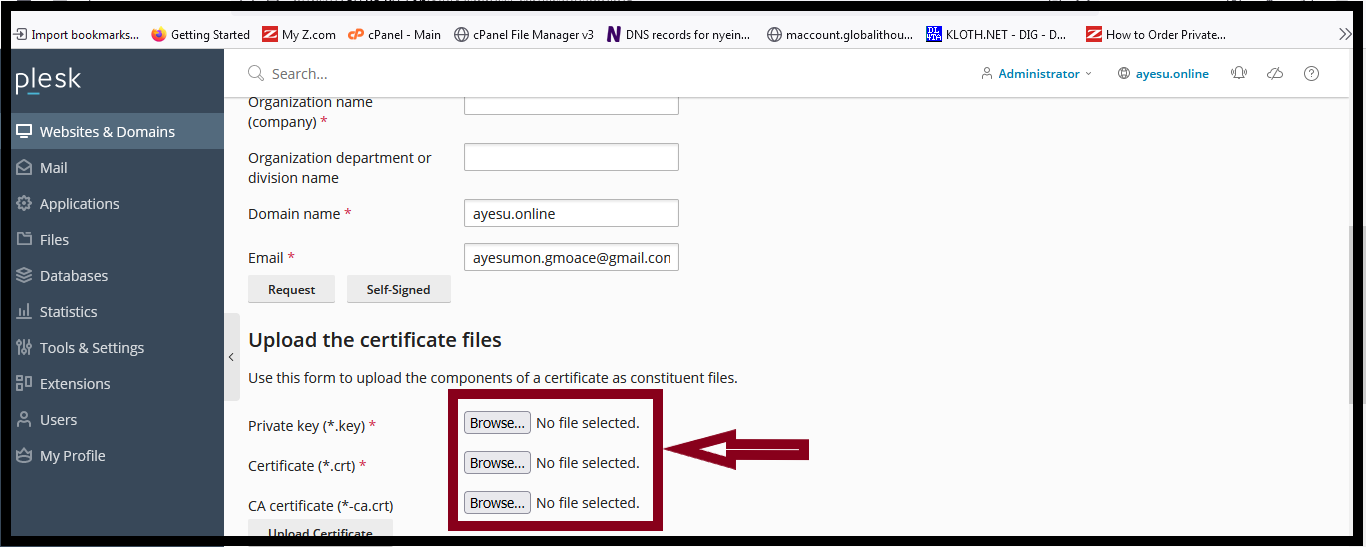
5. You can use the two options to upload your Certificate files.
Option one: Upload the certificate files
In this option, you can browse the keys that you saved Private Key, Certificate (Your Server Certificate), and CA Certificate (Intermediate Certificate).
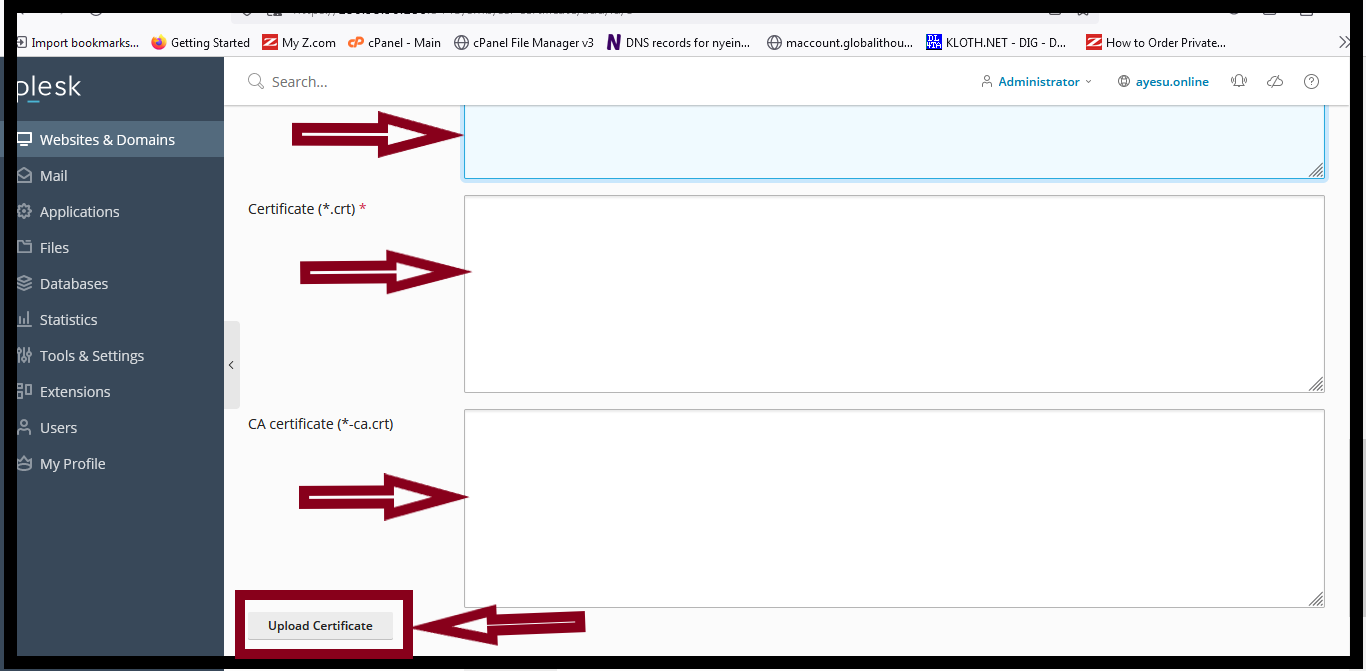
Option two: Upload the certificate as text.
In this option, copy the key that you saved and paste into the blank text boxes, Private Key, Certificate (Your Server Certificate), and CA Certificate (Intermediate Certificates). And then click upload certificate.
Thank you.!!!
Was this article helpful?
That’s Great!
Thank you for your feedback
Sorry! We couldn't be helpful
Thank you for your feedback
Feedback sent
We appreciate your effort and will try to fix the article