How To Install The SSL Certificates on cPanel(WHM)New?
Step(1). Login to the cPanel.
Login URL: https://123.456.78.9:2083 (You can check the cPanel login URL in the Web Hosting Login Information.)
Username : *******
Password : *******
And then click " Log in " 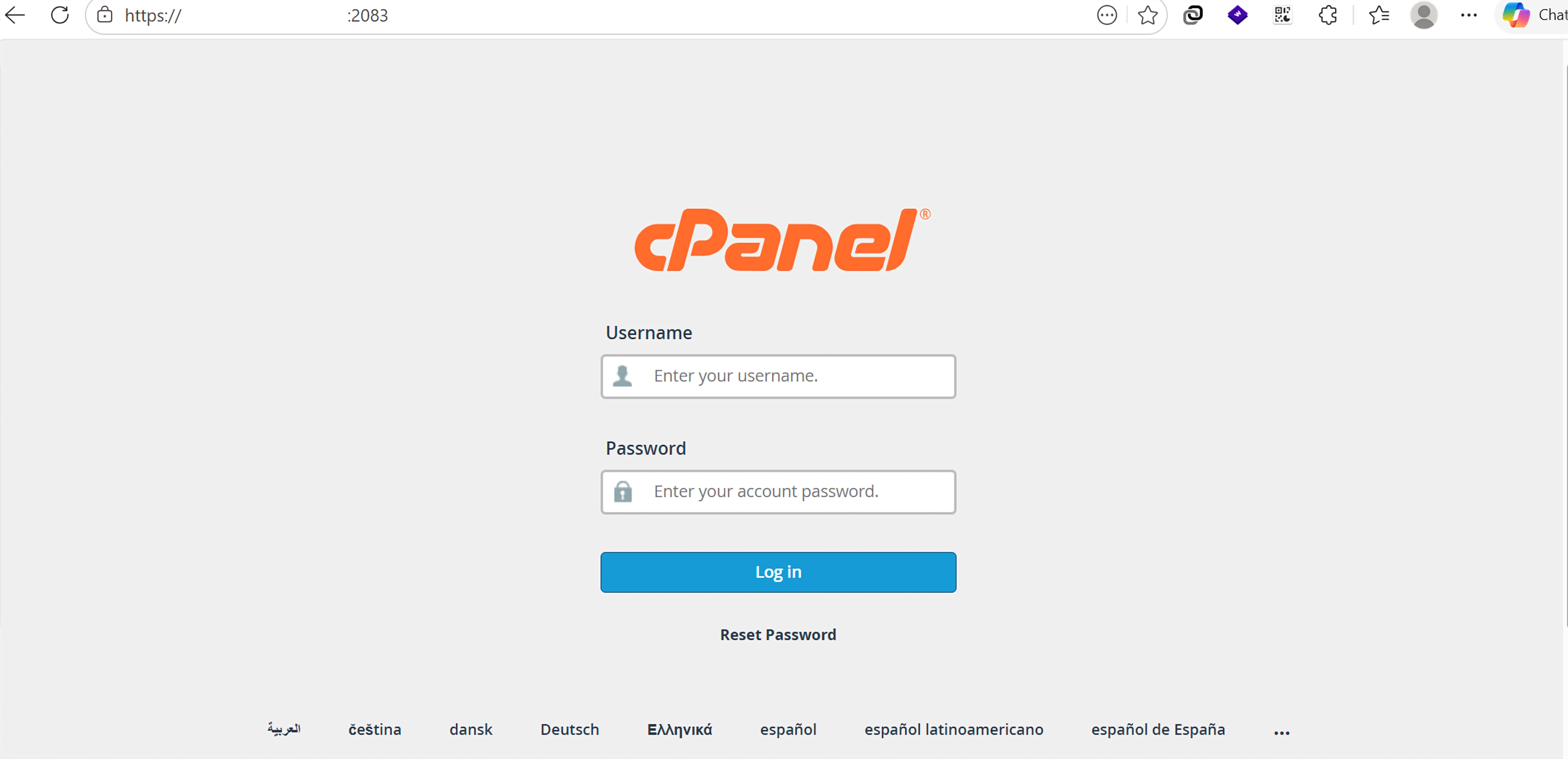
Step(2). Select “SSL/TLS Certificates” under the “Security” section to generate a CSR. 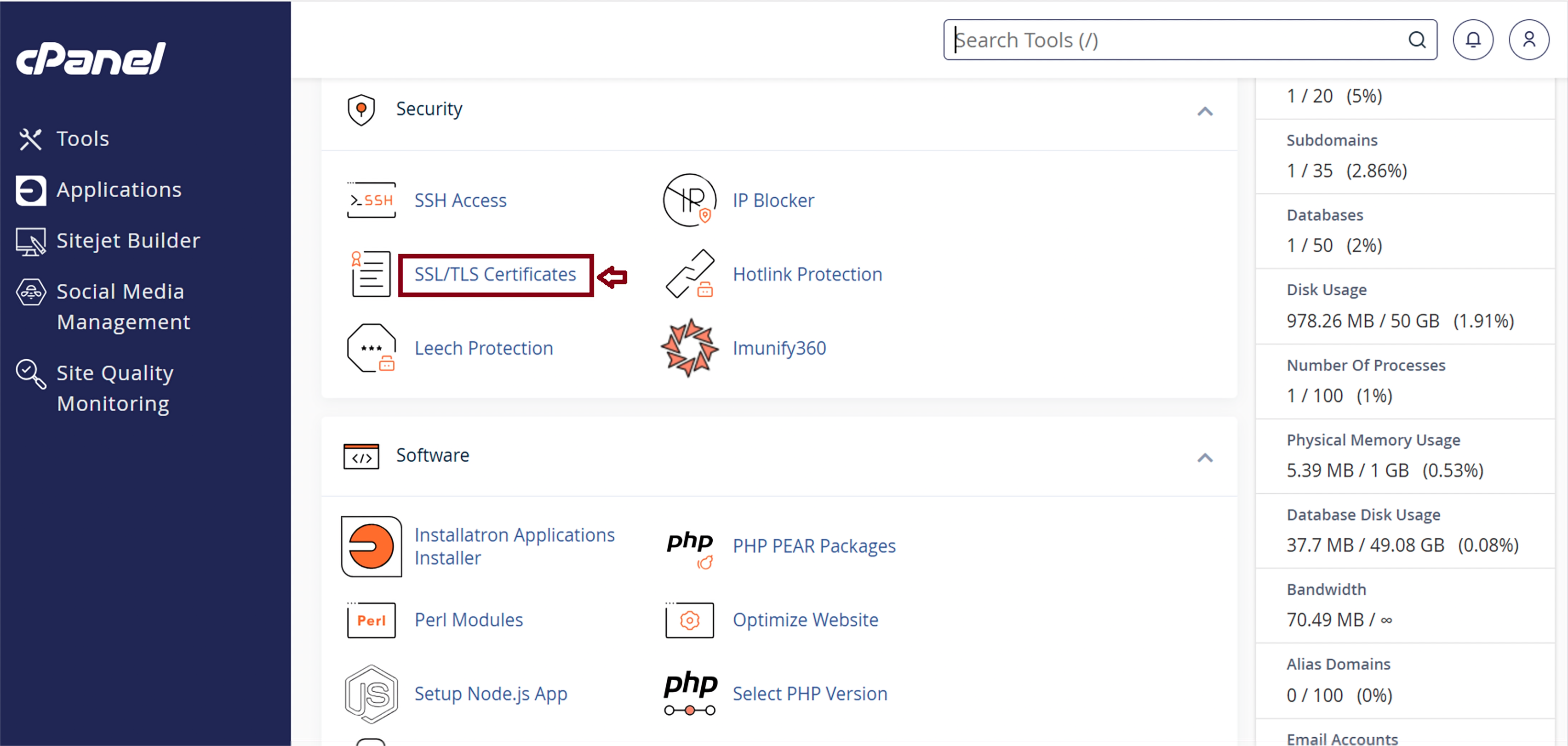
Click " Installation "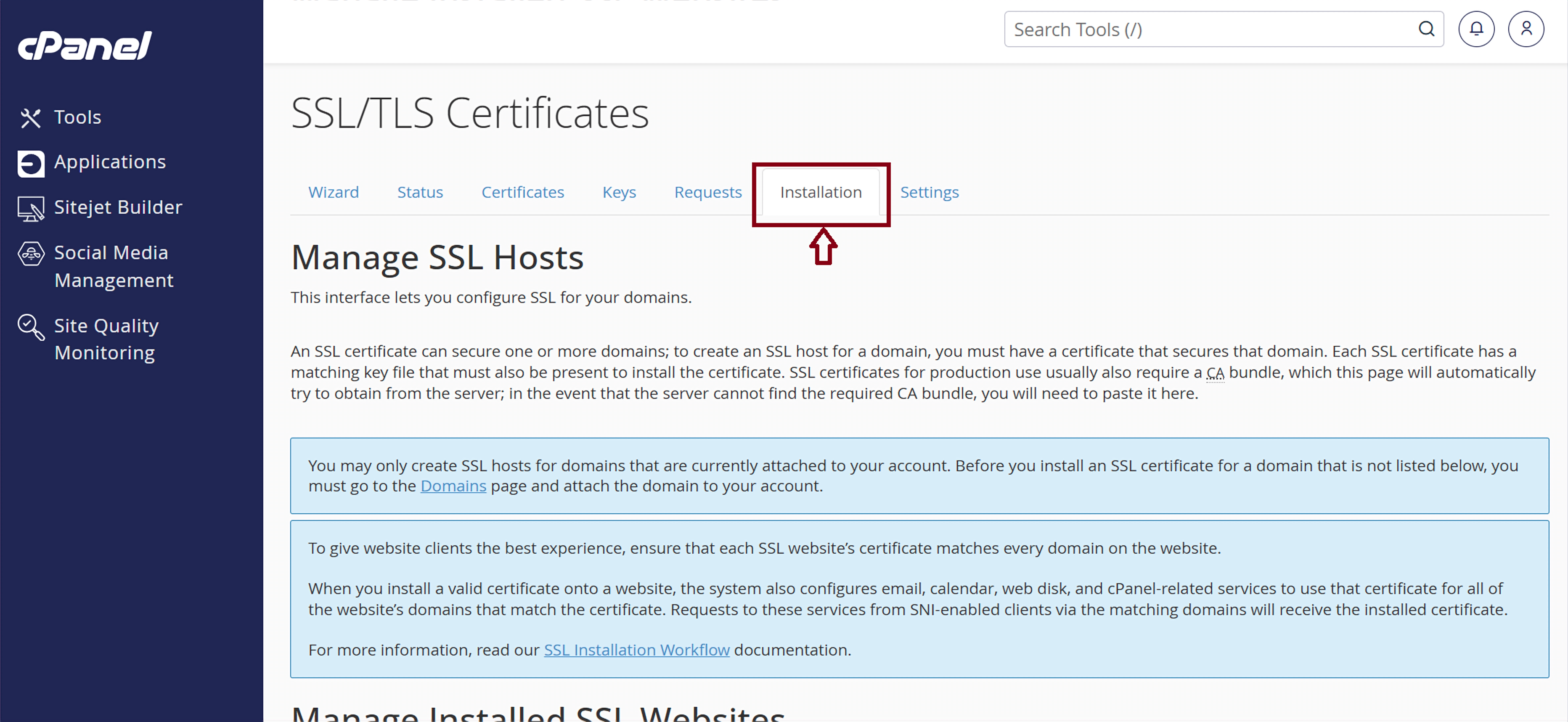
Step(3). To install SSL Certificates , choose the correct domain name from cPanel.
For the Domain : Please select (+Subdomains: mail, www) .
For Certificates (CRT) : Please Fill PEM File 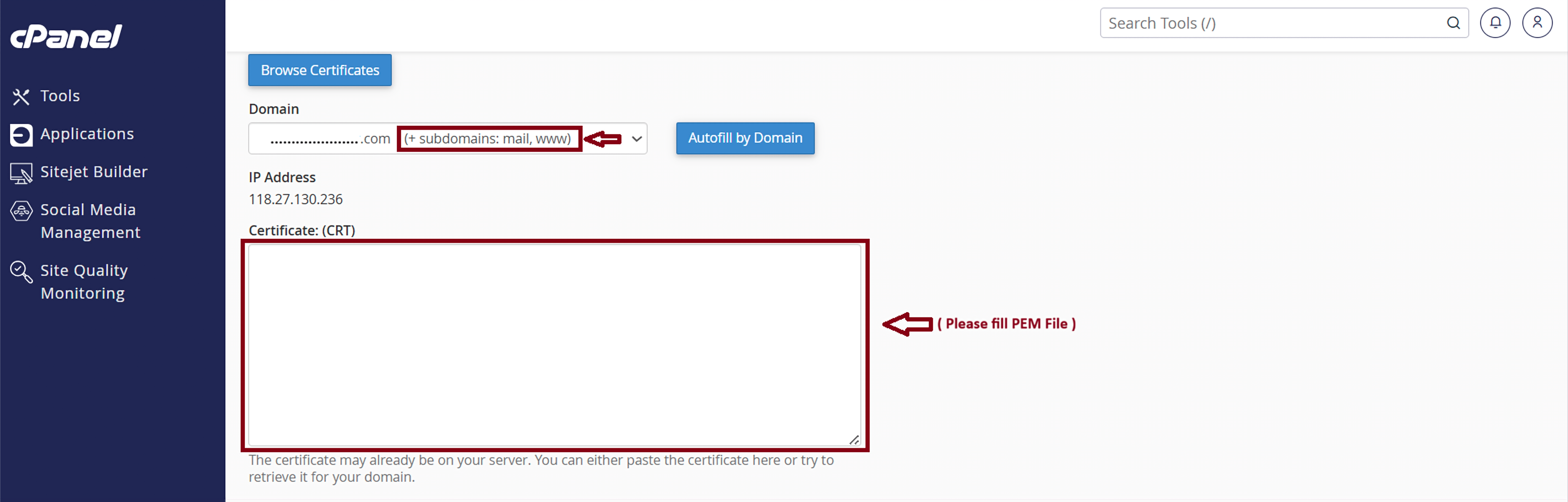
Please paste “Private Key(KEY)”
For Certificate Authority Bundle : ( CABUNDLE ) : Please fill ICA File
And then Click “Install Certificate“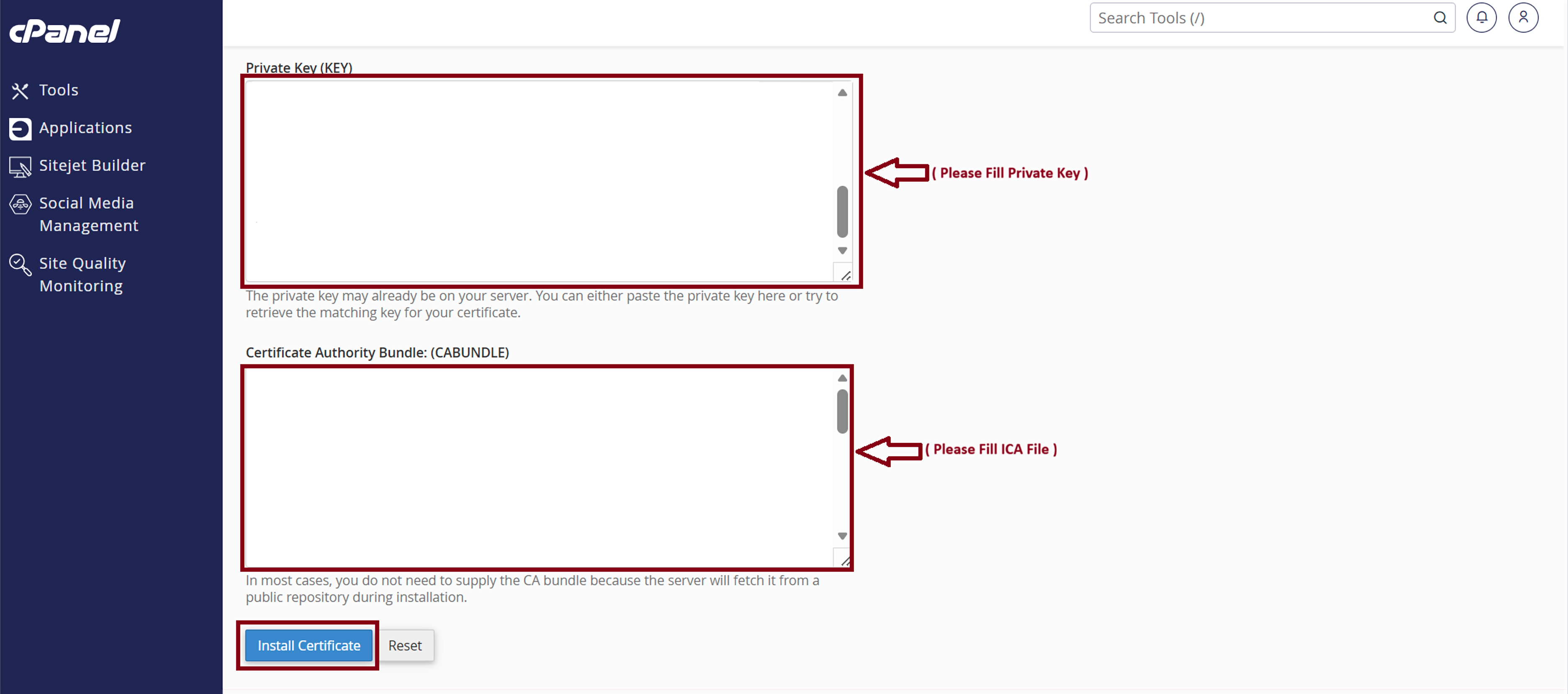
Finally, you completed the SSL Certificates Installation Process.
Pease click " OK " 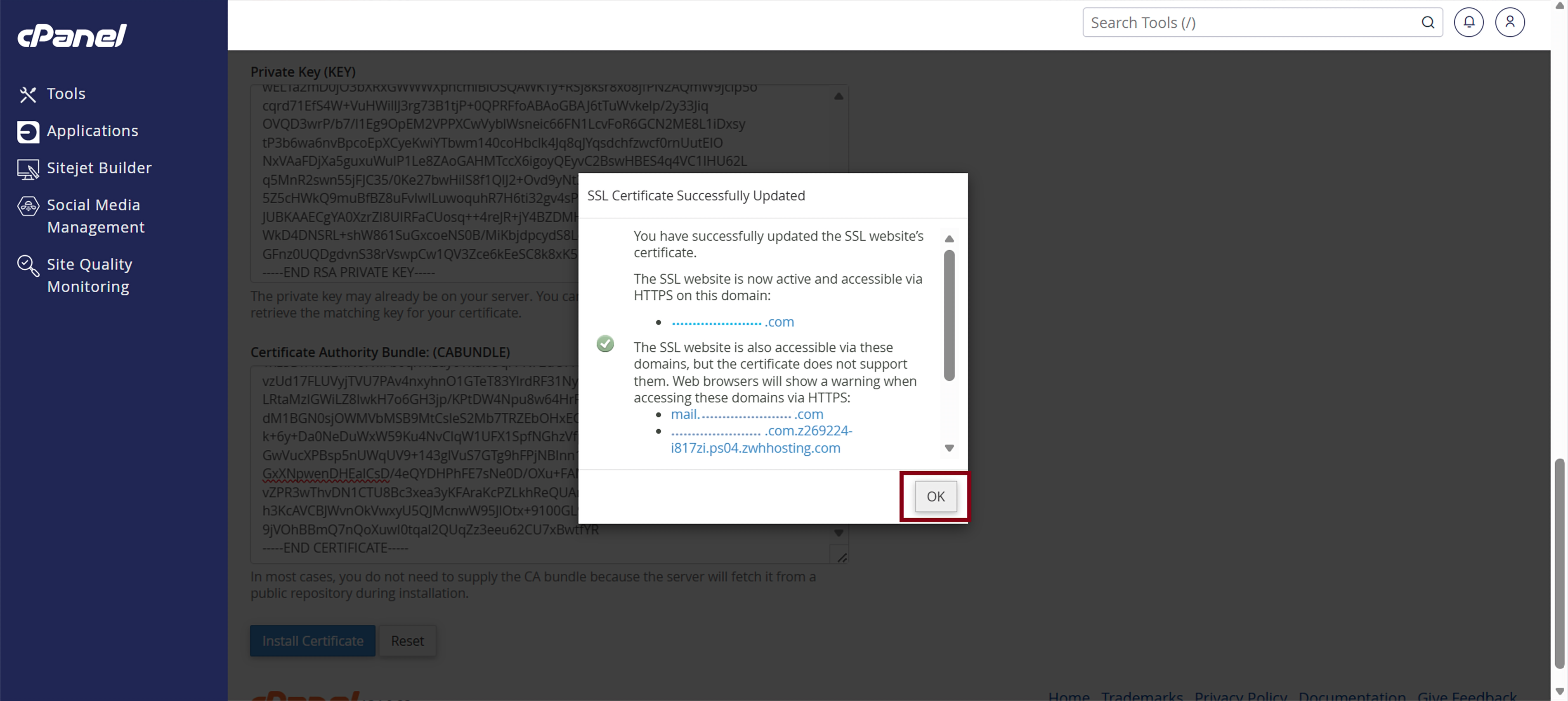
You can check your SSL certificate details by clicking “Certificate Details.” 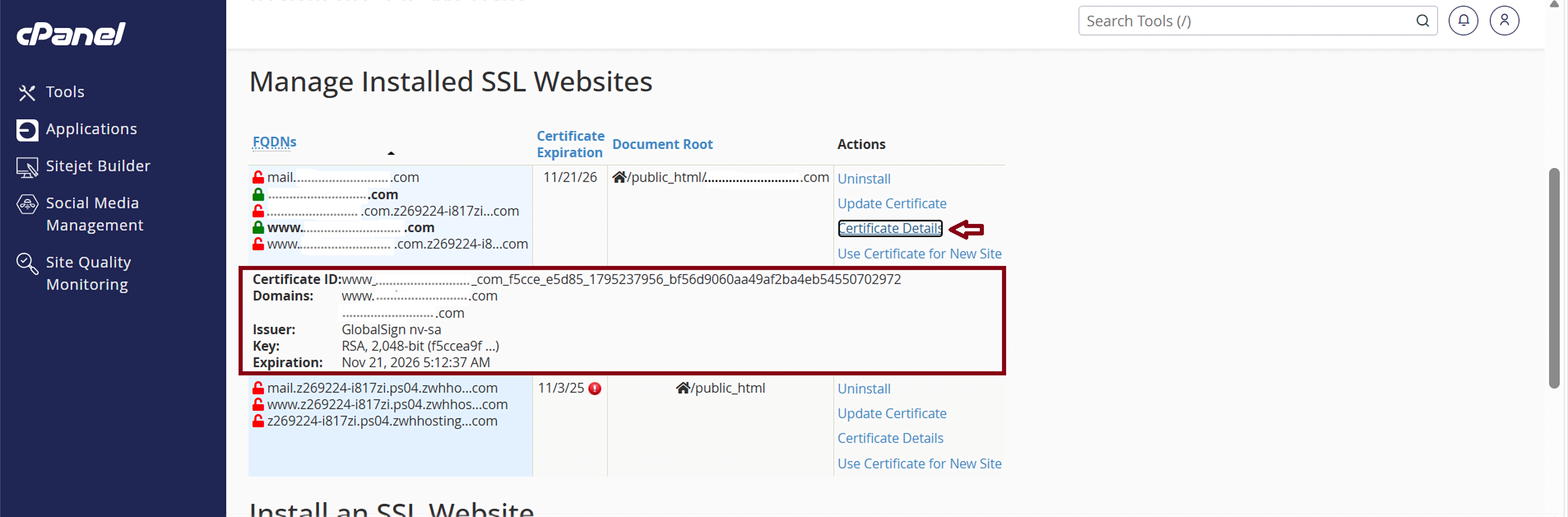
Thank You !!!
Was this article helpful?
That’s Great!
Thank you for your feedback
Sorry! We couldn't be helpful
Thank you for your feedback
Feedback sent
We appreciate your effort and will try to fix the article