How to Create Multiple Email Accounts in Email Hosting Pro?
Step1. Please create an Excel file first on your local PC. In this file, please add email list that you want to create accounts.
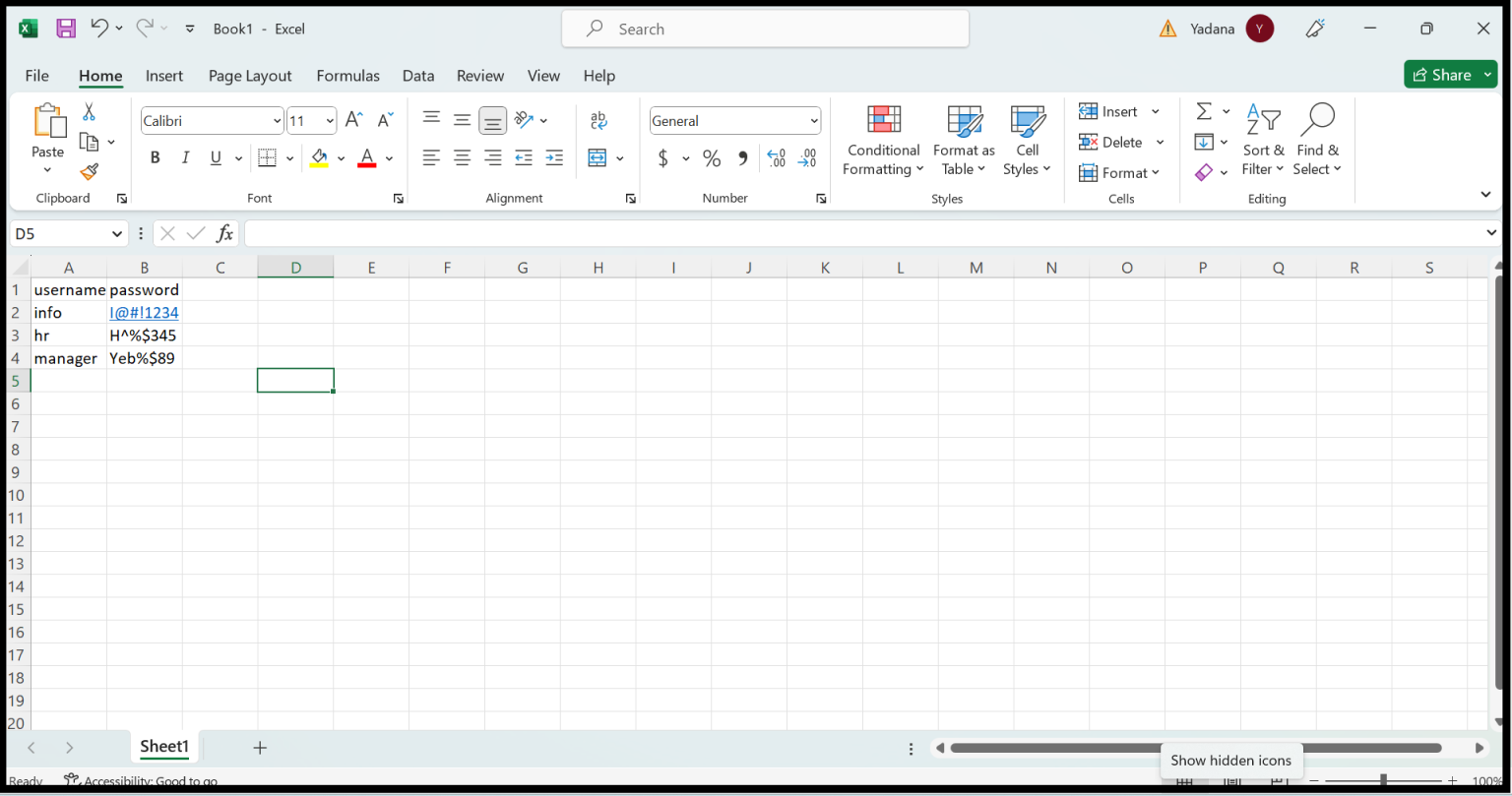
Step2. Save the Excel file in (.csv) format.
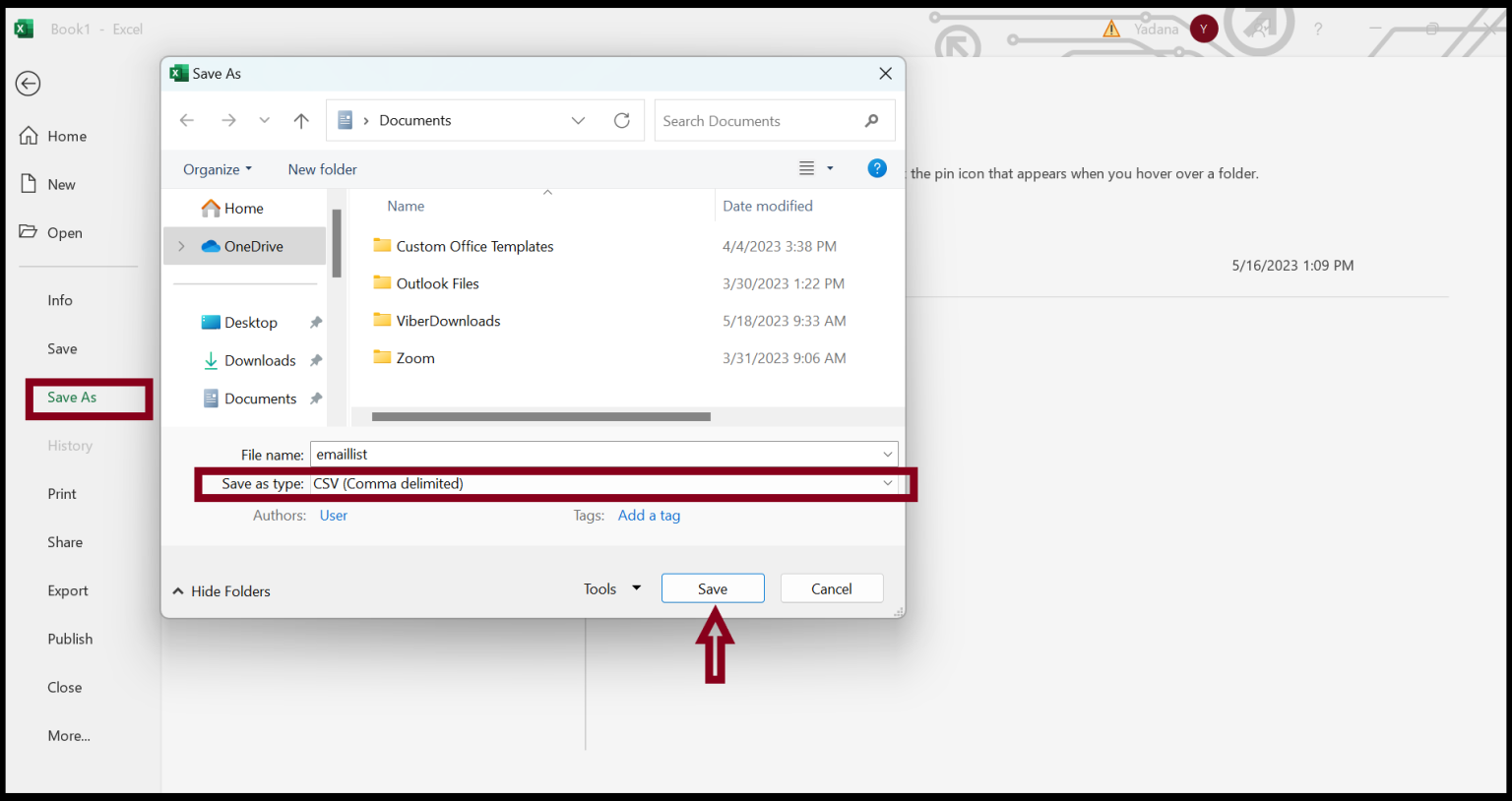
After saving the Excel file in .csv format, you can create multiple email accounts on email hosting.
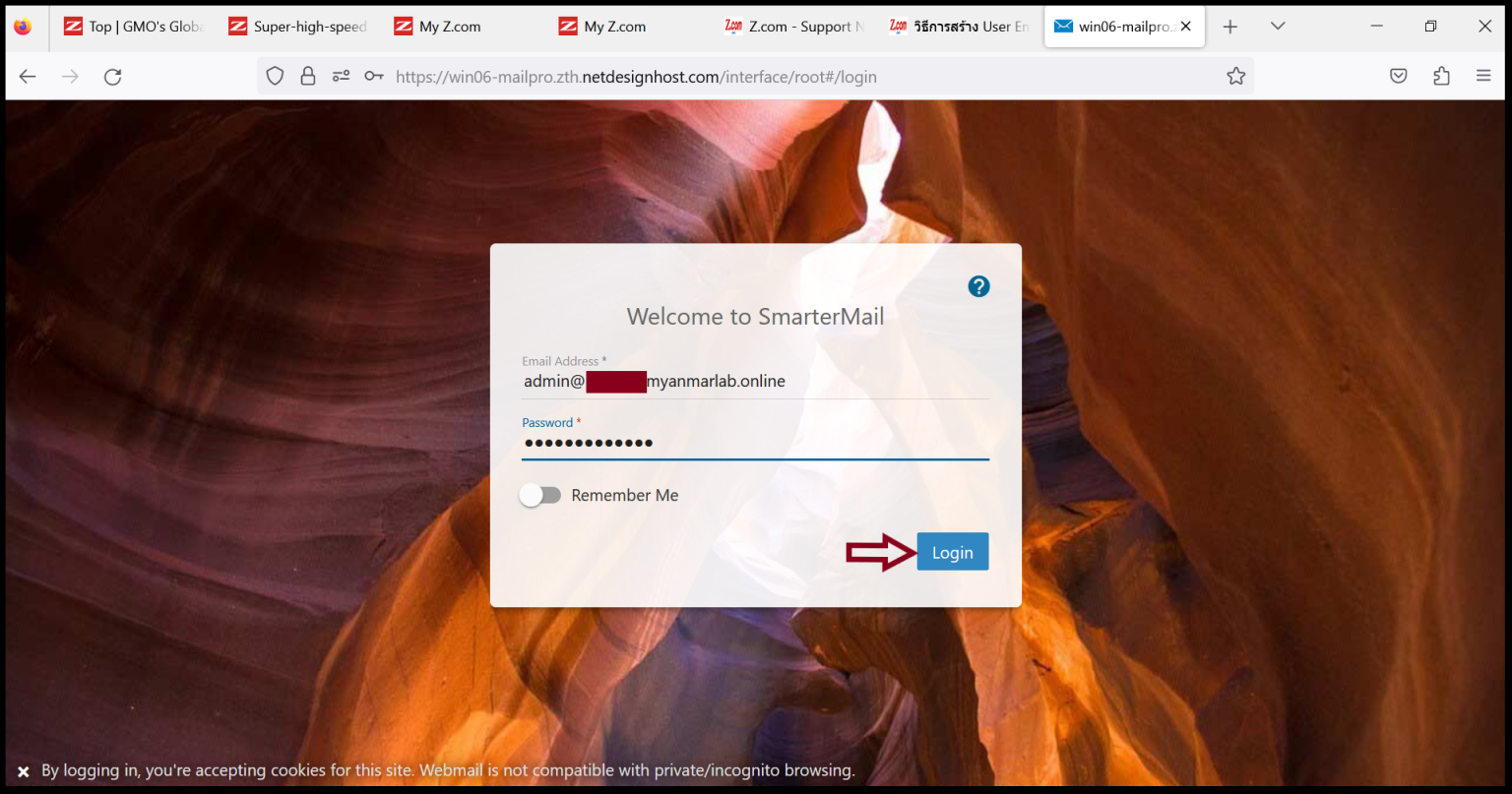
Step3. Login to the Email server with an admin account.
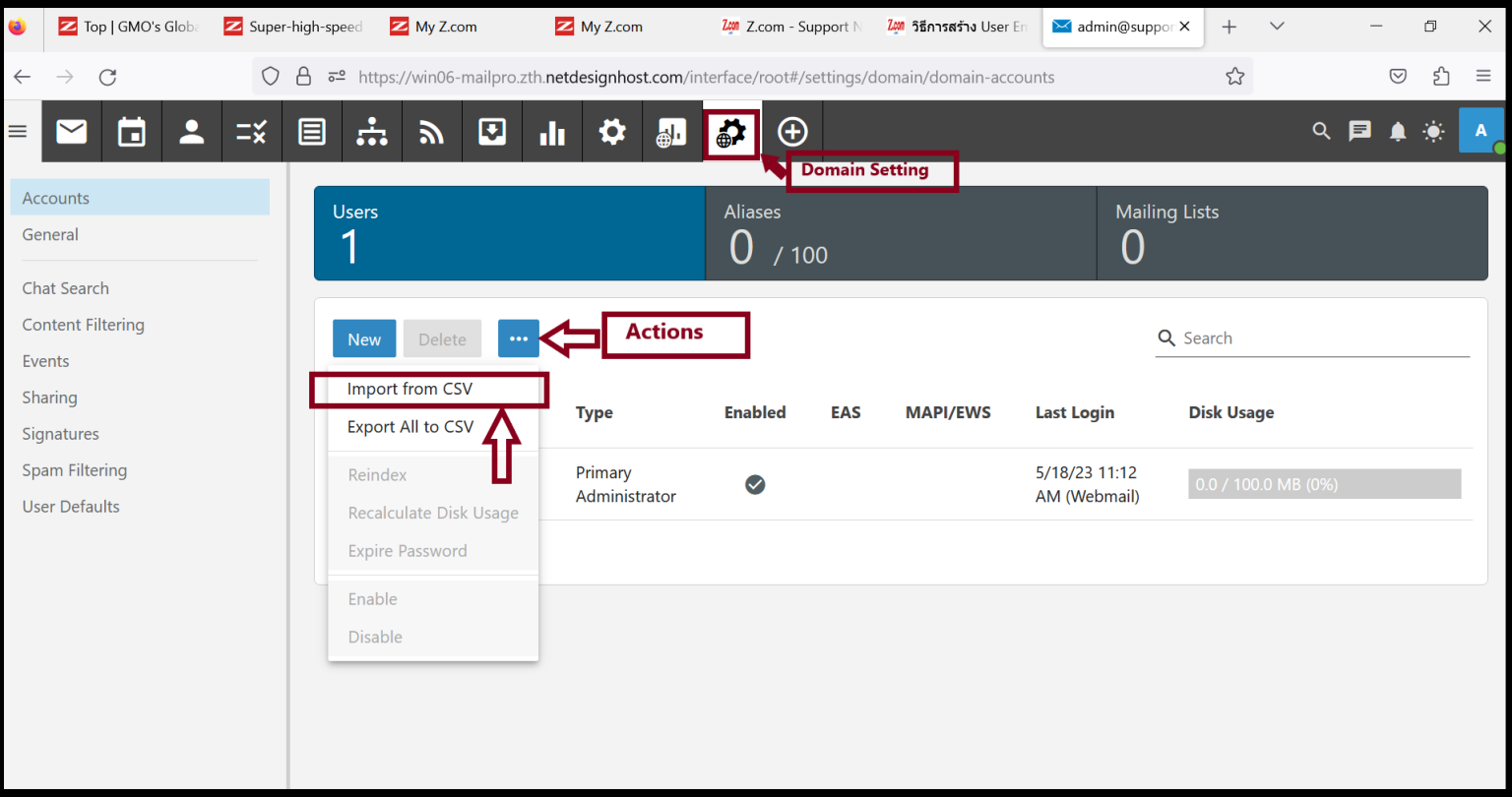
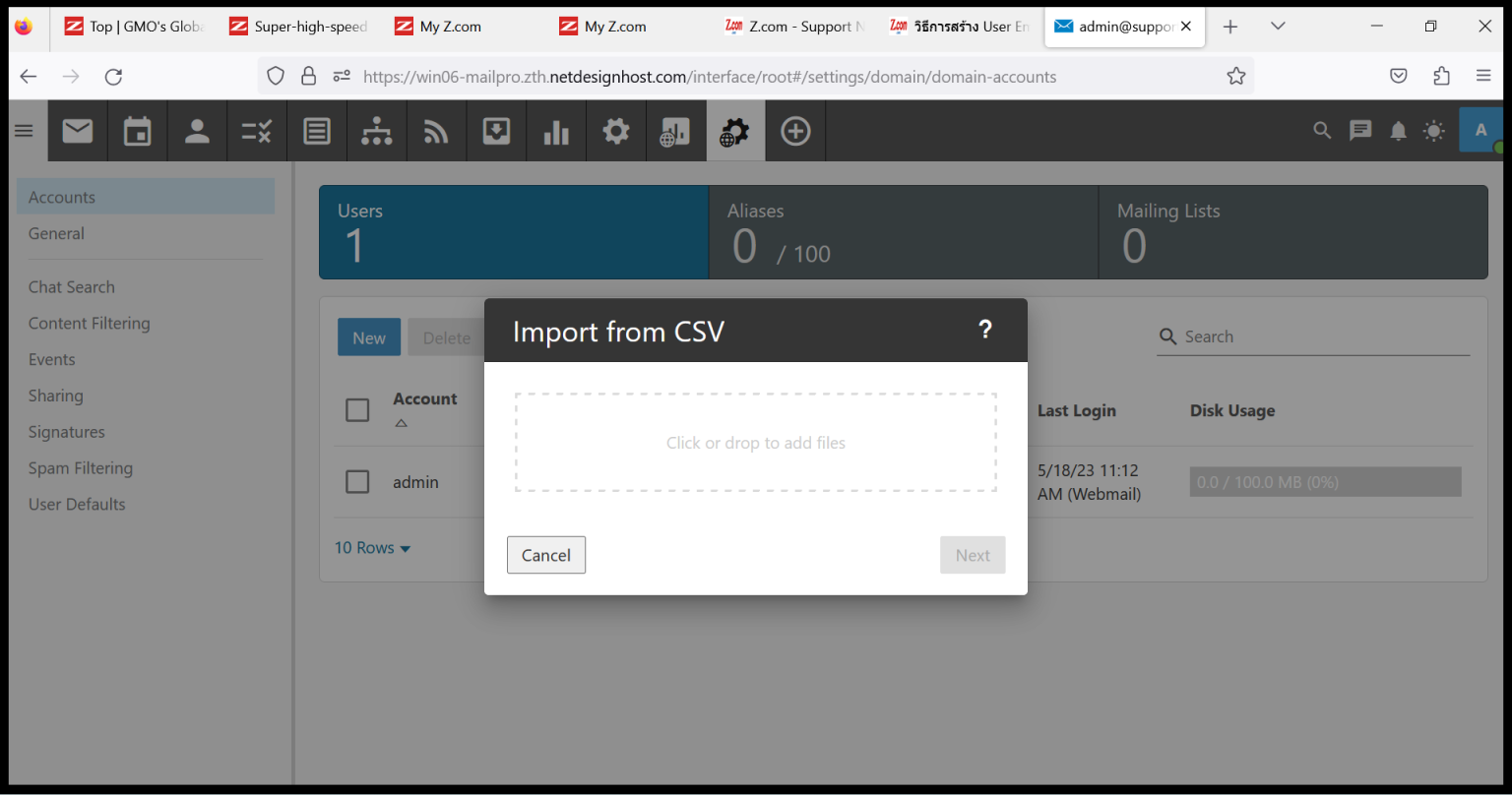
Step4. Go to “Domain Setting” and Click “Actions”. Now we can import CSV files for multiple email account creation processes so Click “Import from CSV“
Import CSV files from your local PC to the server.
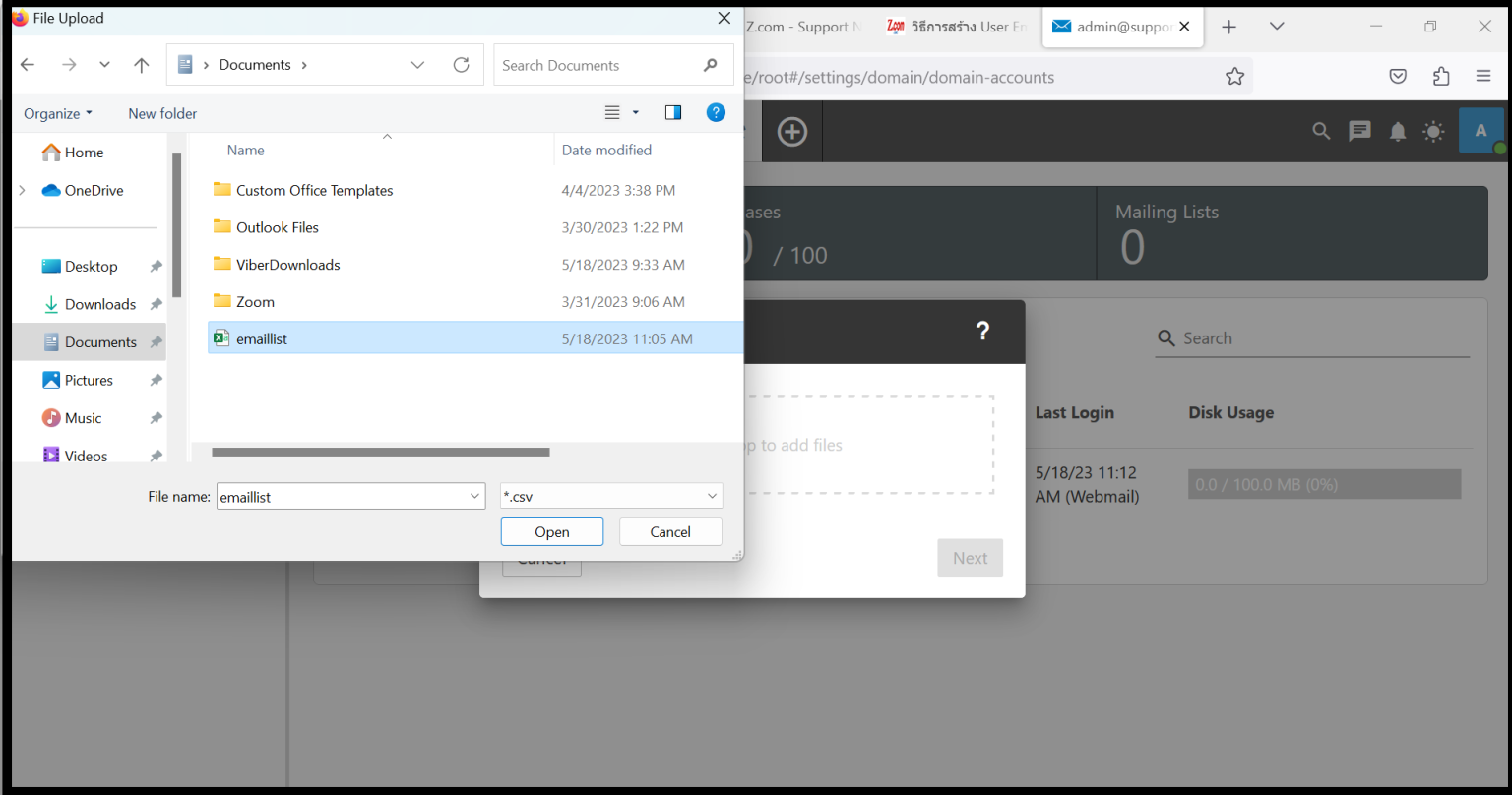
Choose your CSV file to create multiple emails and Click “Open“
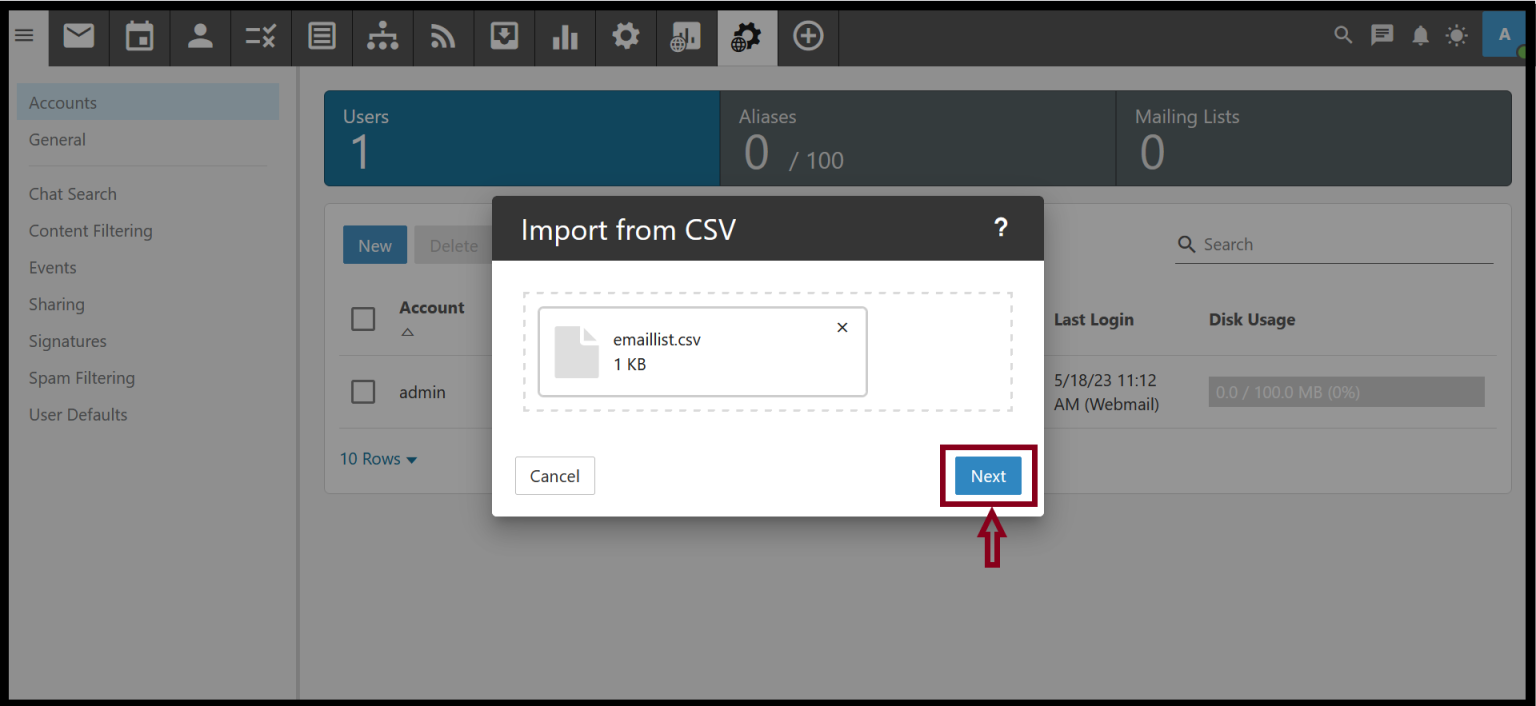
And then, Click “Next“
Click “Save“
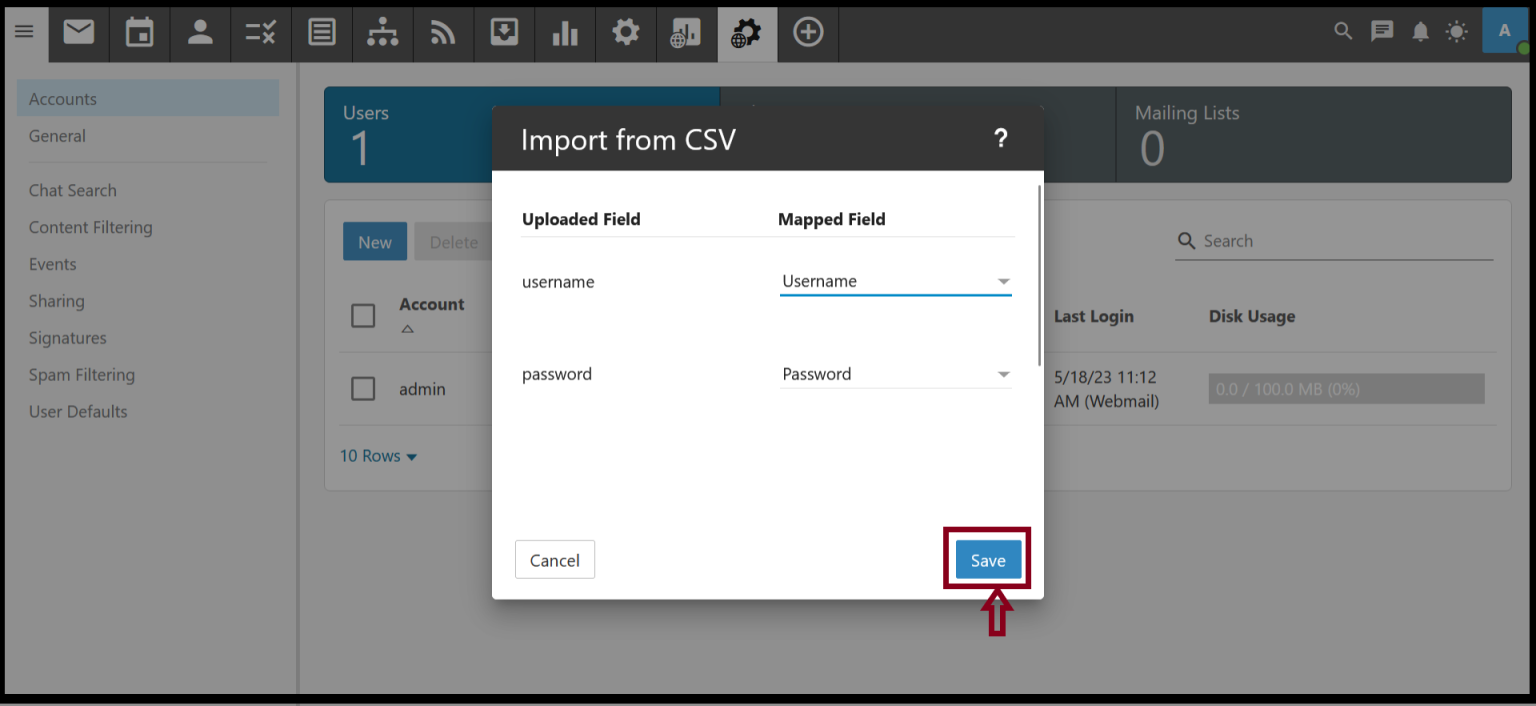
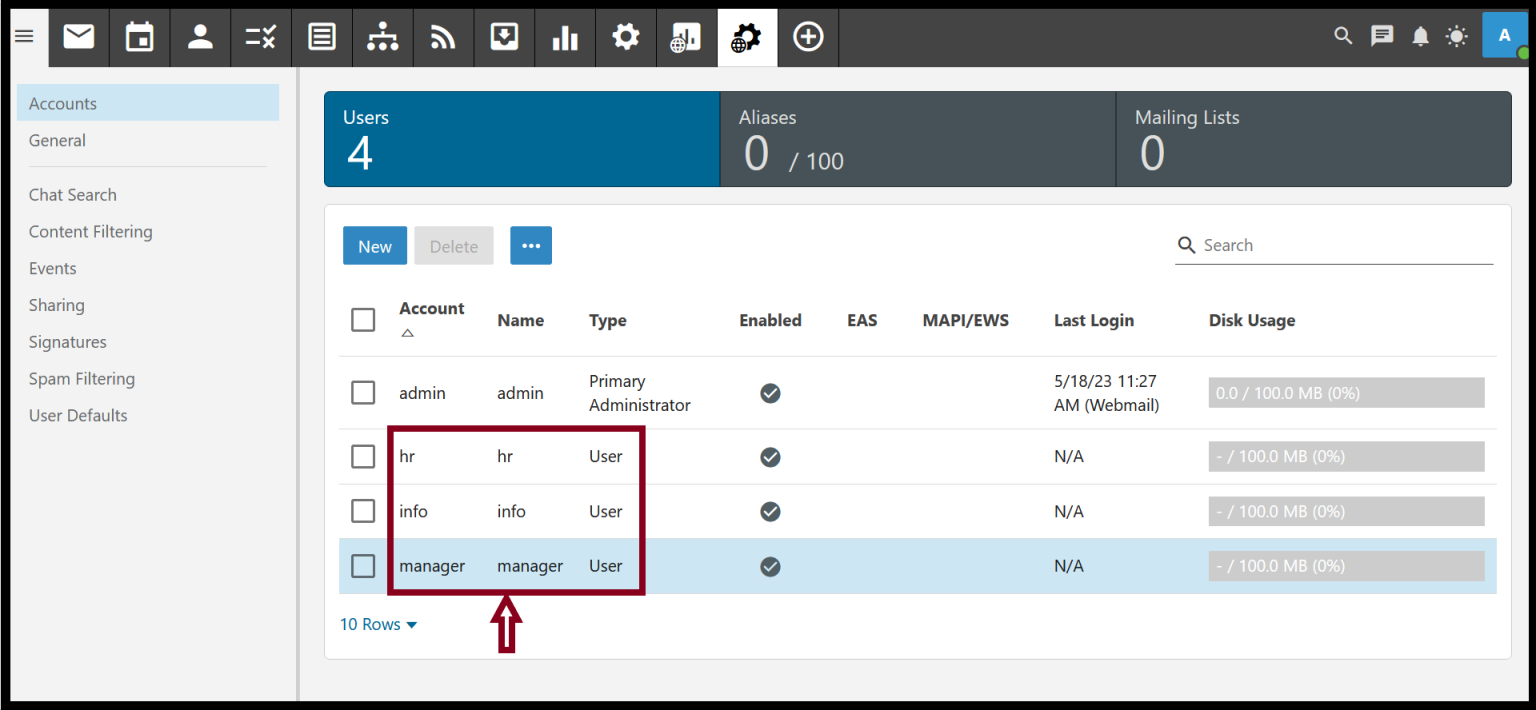
When it is finished, the system will automatically create multiple email user accounts on the server.
Thank you!!
Was this article helpful?
That’s Great!
Thank you for your feedback
Sorry! We couldn't be helpful
Thank you for your feedback
Feedback sent
We appreciate your effort and will try to fix the article