How To Install The SSL Certificates on cPanel(WHM)?
Step(1). Login to the cPanel
Login URL: https://123.45.67.89:2083
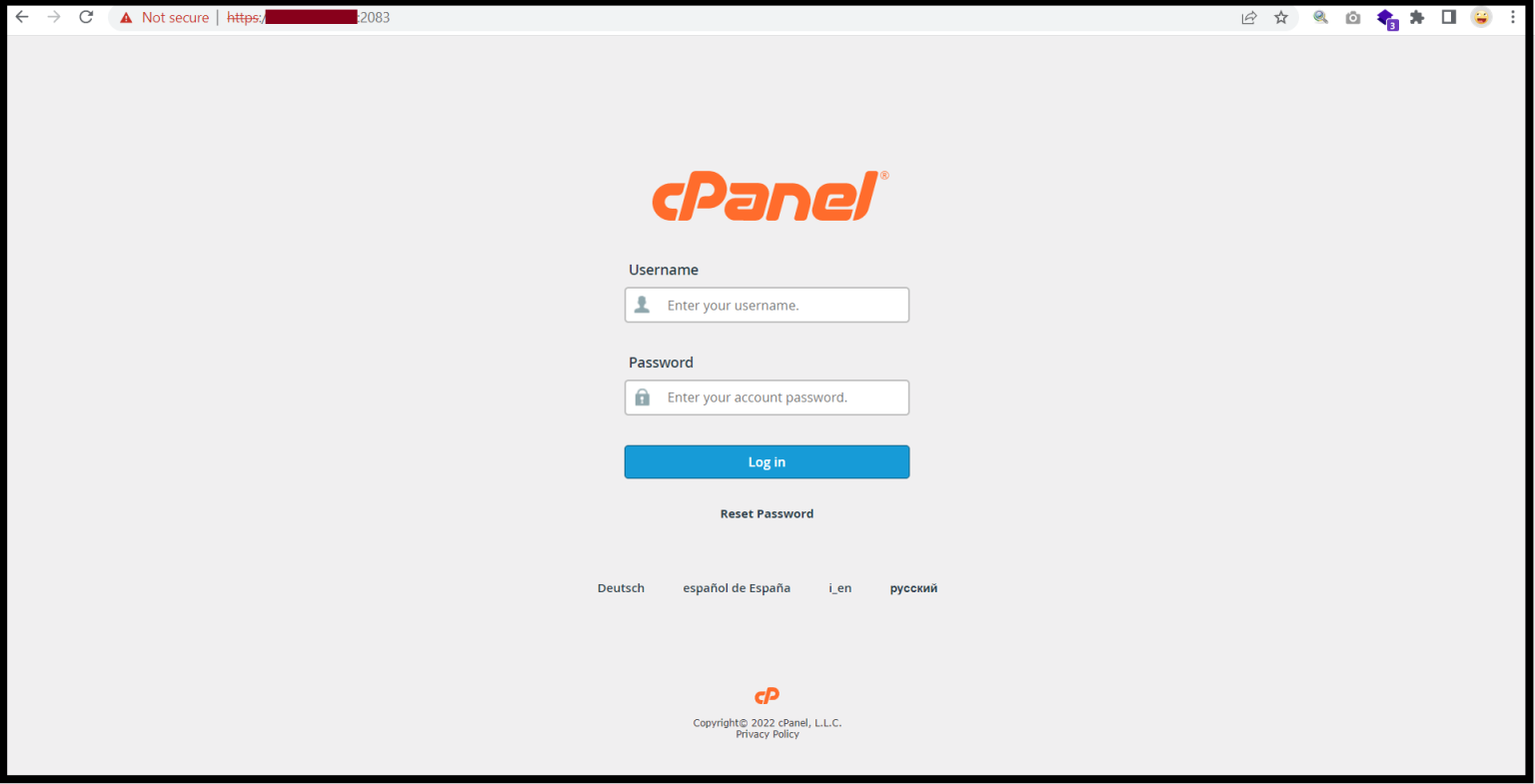
And then Go to the “SECURITY”
Step(2). Select “SSL/TLS” to install SSL Certificates
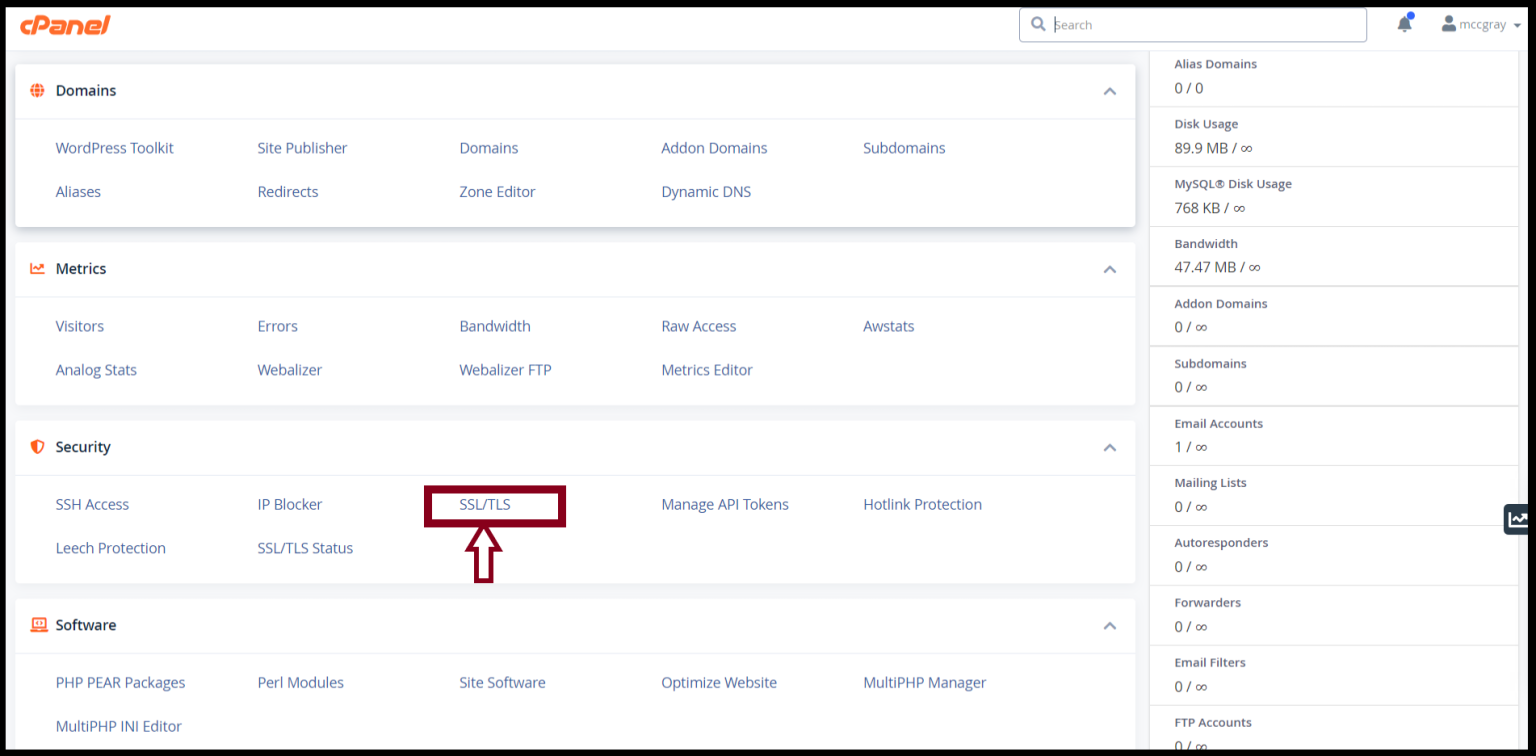
Step(3). To install SSL Certificates, Go to “Manage SSL sites” under INSTALL AND MANAGE SSL FOR YOUR SITE (HTTPS)

Step(4). Paste Certificates (CRT)
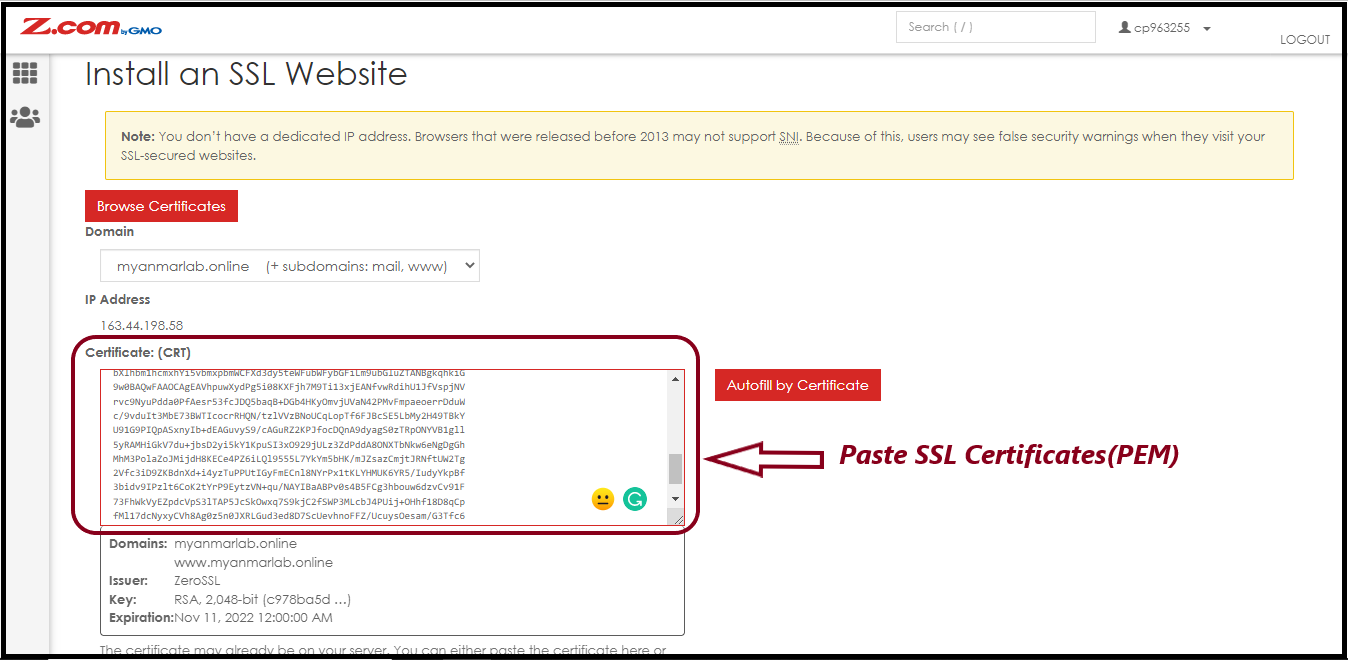
And then Paste “Private Key(KEY)” and “CA BUNDLE” as follows
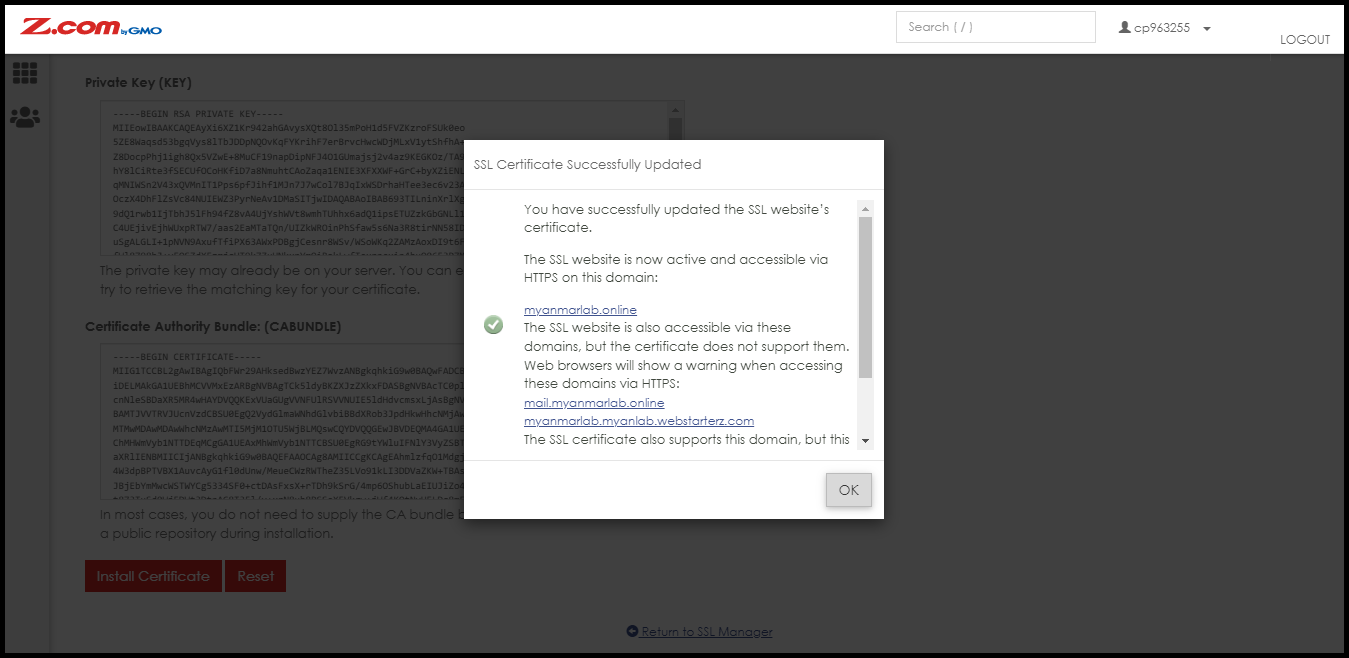
Click “Install Certificate“

Finally, you completed the SSL Certificates Installation Process.
THANK YOU!!!
Was this article helpful?
That’s Great!
Thank you for your feedback
Sorry! We couldn't be helpful
Thank you for your feedback
Feedback sent
We appreciate your effort and will try to fix the article