How To Create a Database on cPanel (Web Hosting)?
Step1. Login to z.com account, https://cloud.z.com/mm/signin/
Step2. Click the “Web Hosting” Menu
Step3. Select your Webhosting server Under Web Hosting Server List
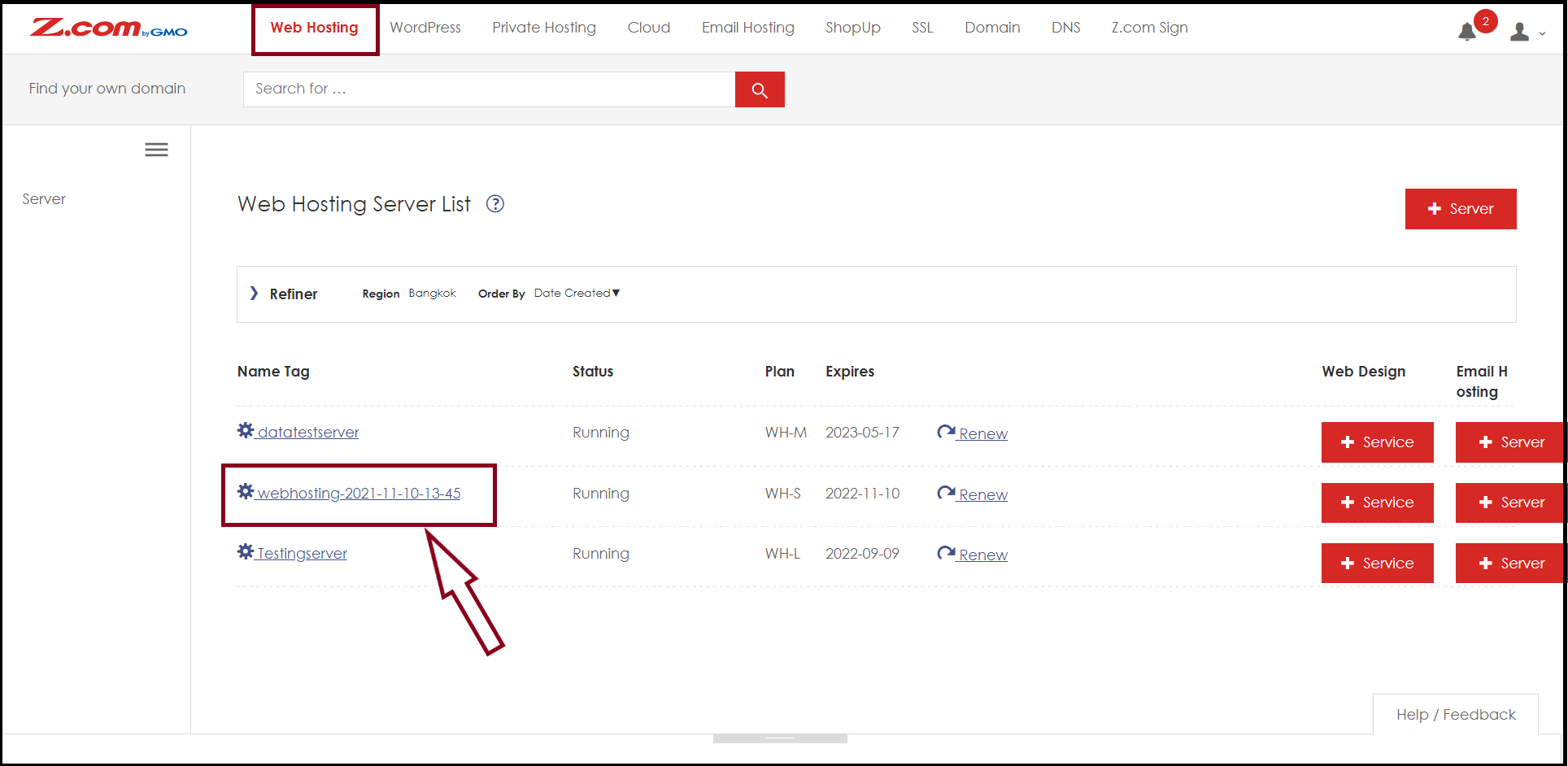
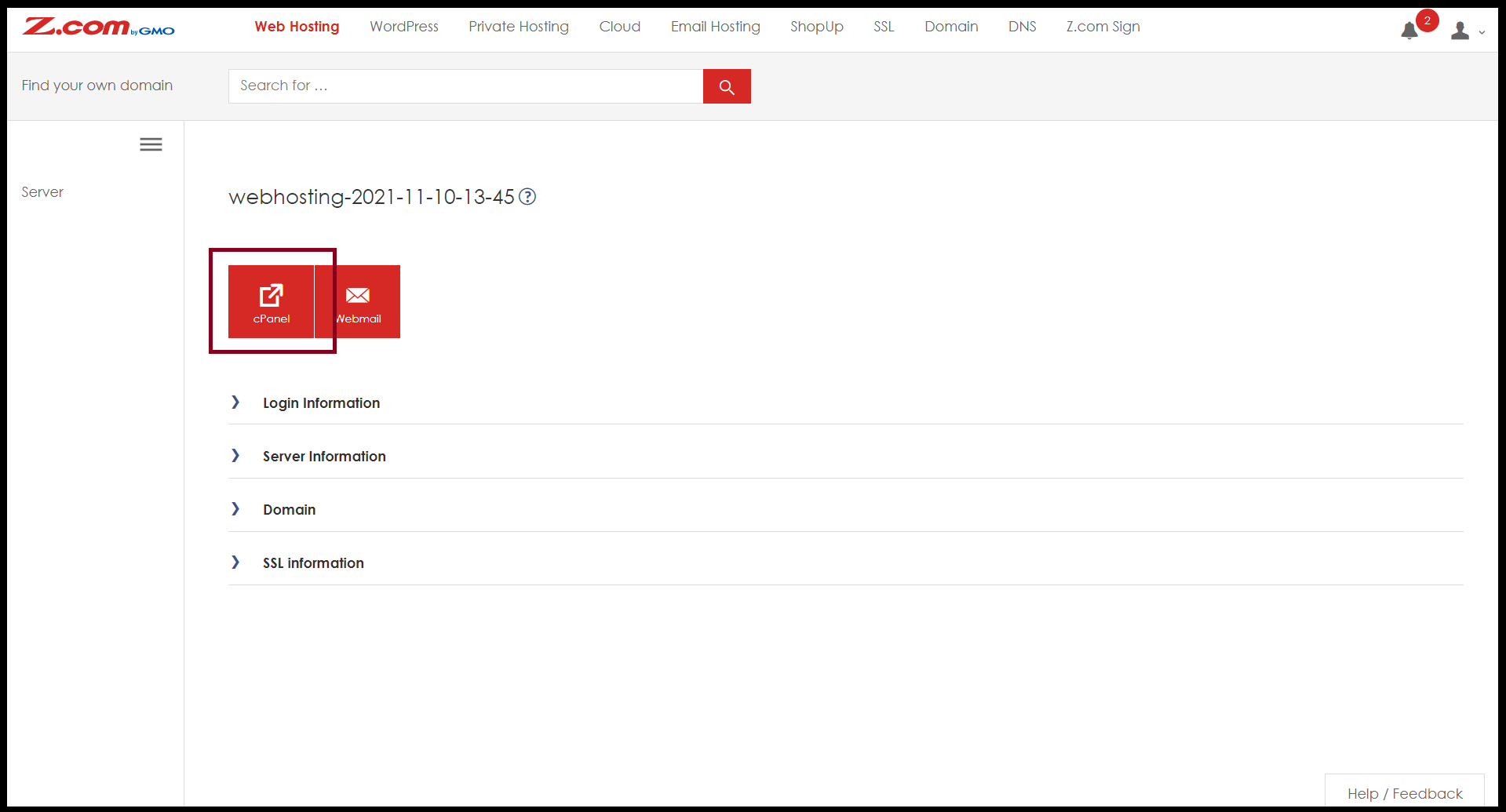
Step4. Enter to the "cPanel"
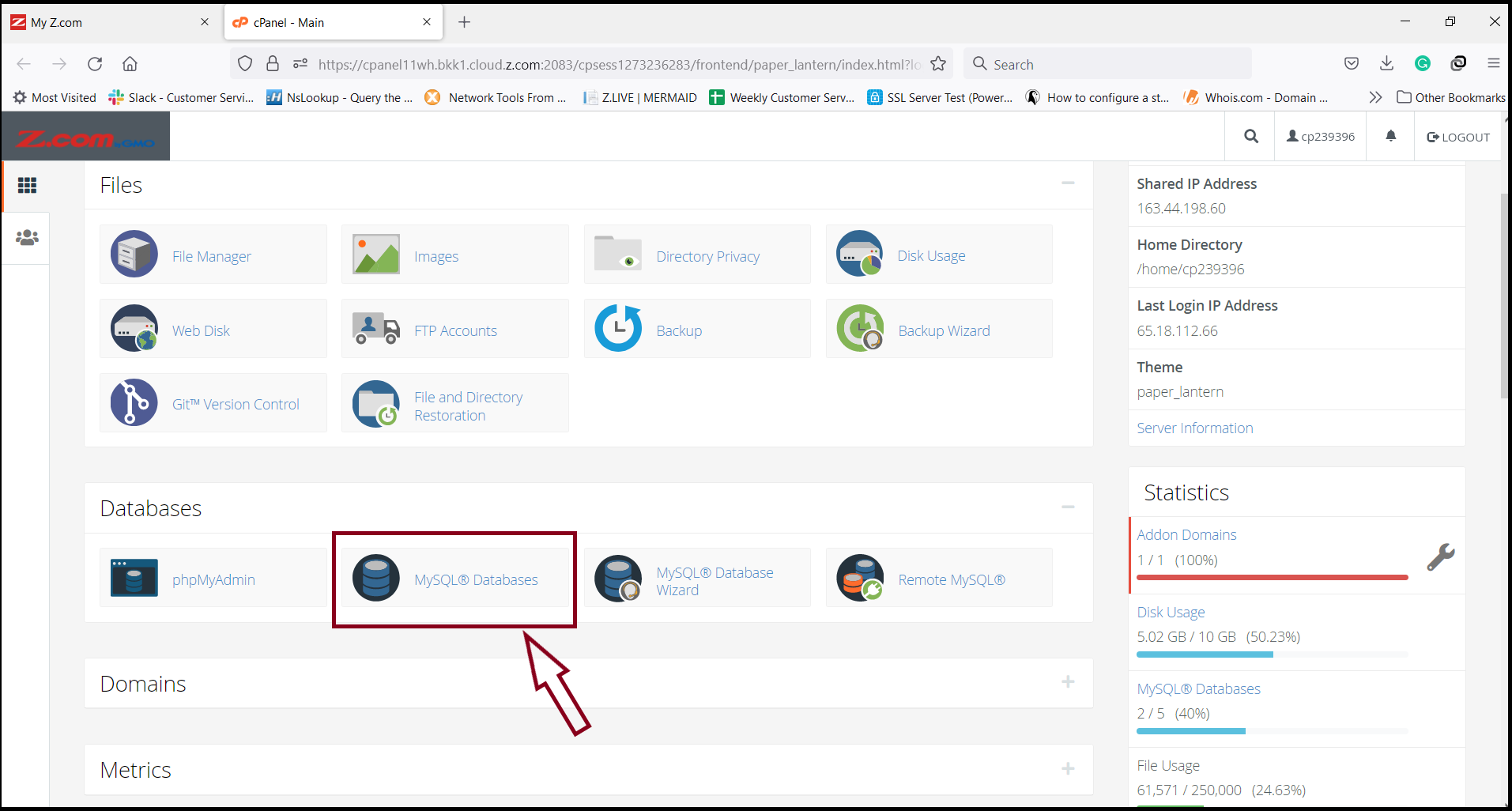
Step5. Select Menu "MYSQL @ Databases"
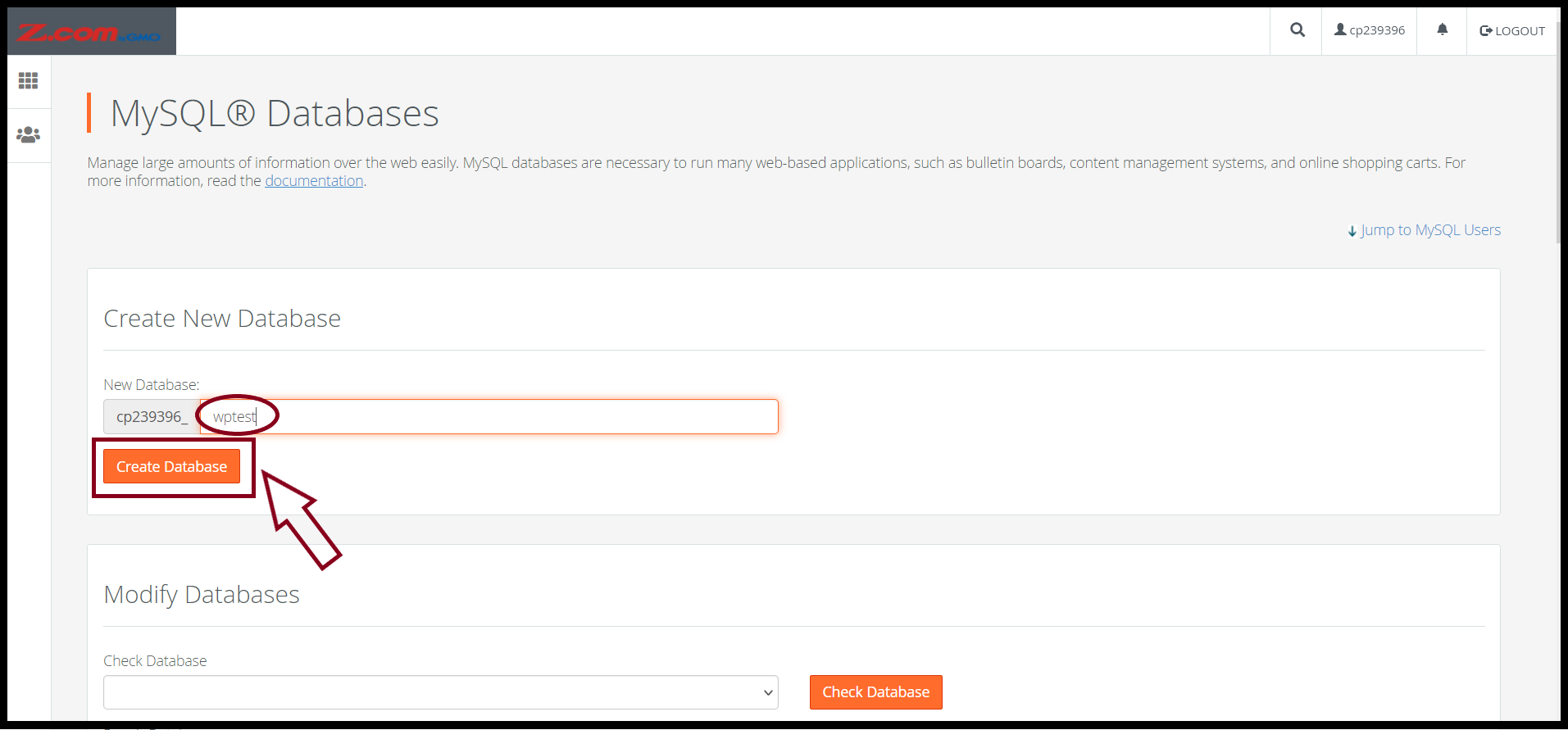
Step6. Create New Database and New User
Step6.1. Create New Database
- Enter the database name that you want to create a database
- Click "Create Database"
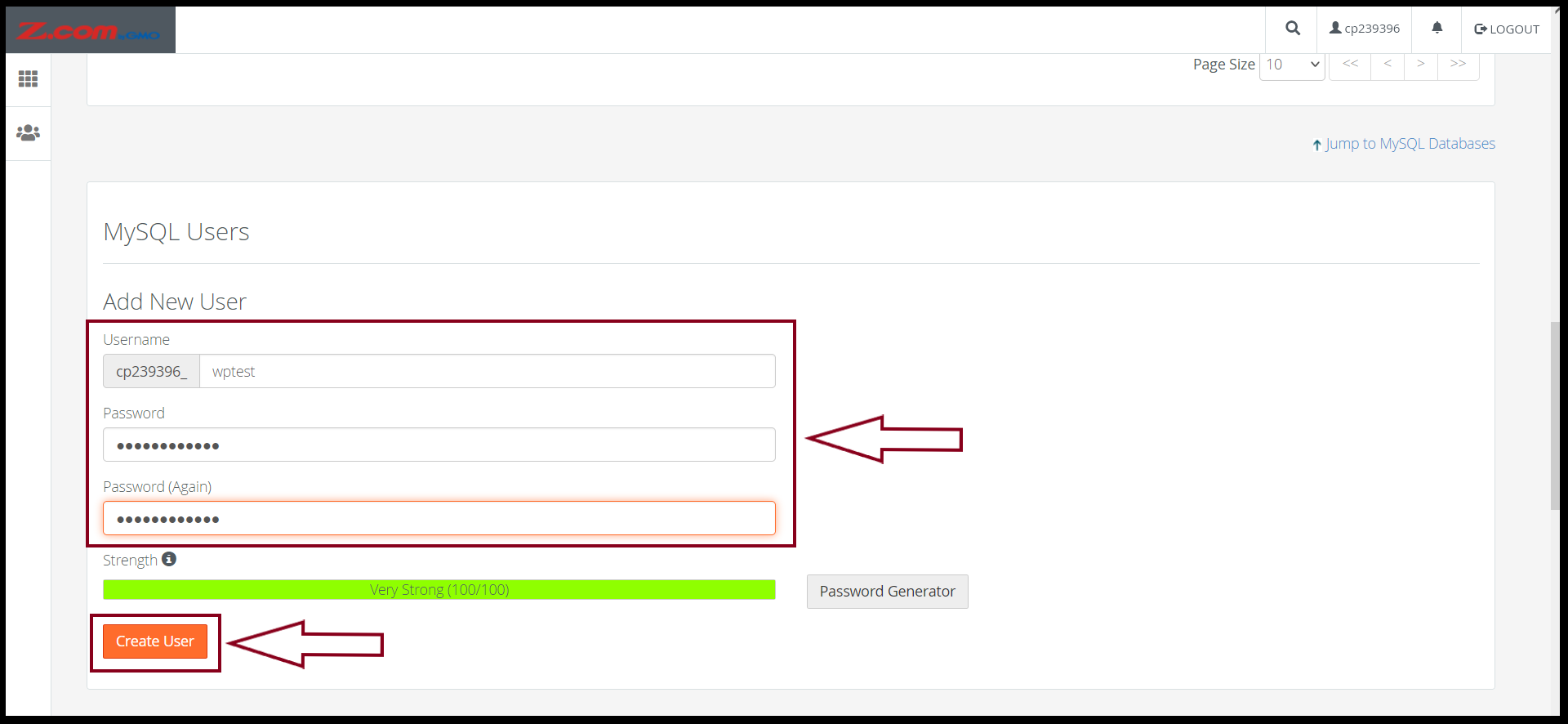
Step6.2. Create New User
- Enter the username that you want to create a user
- Click "Create User"
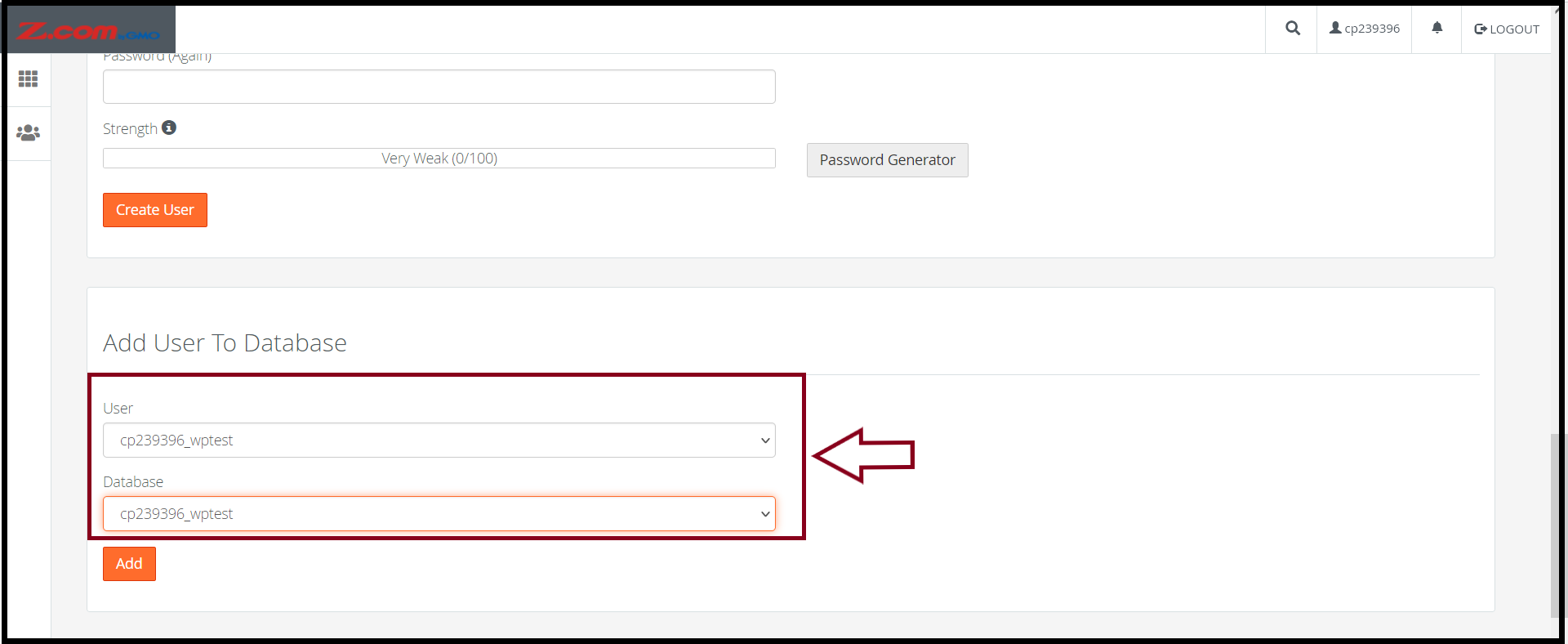
Step7. Add User to Database
Let the customer select the desired Database and User so that the User can access the created Database.- Click "Add"
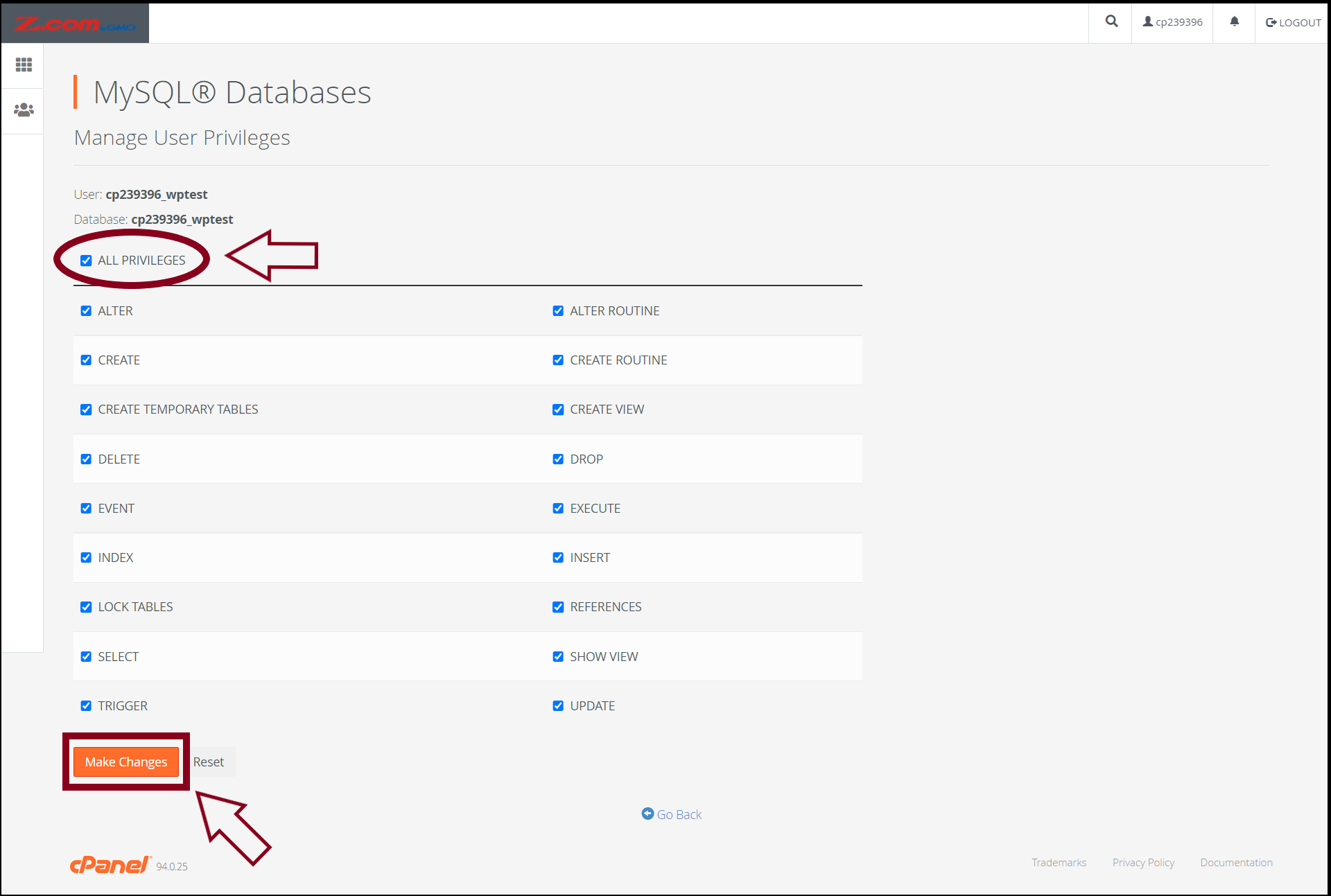
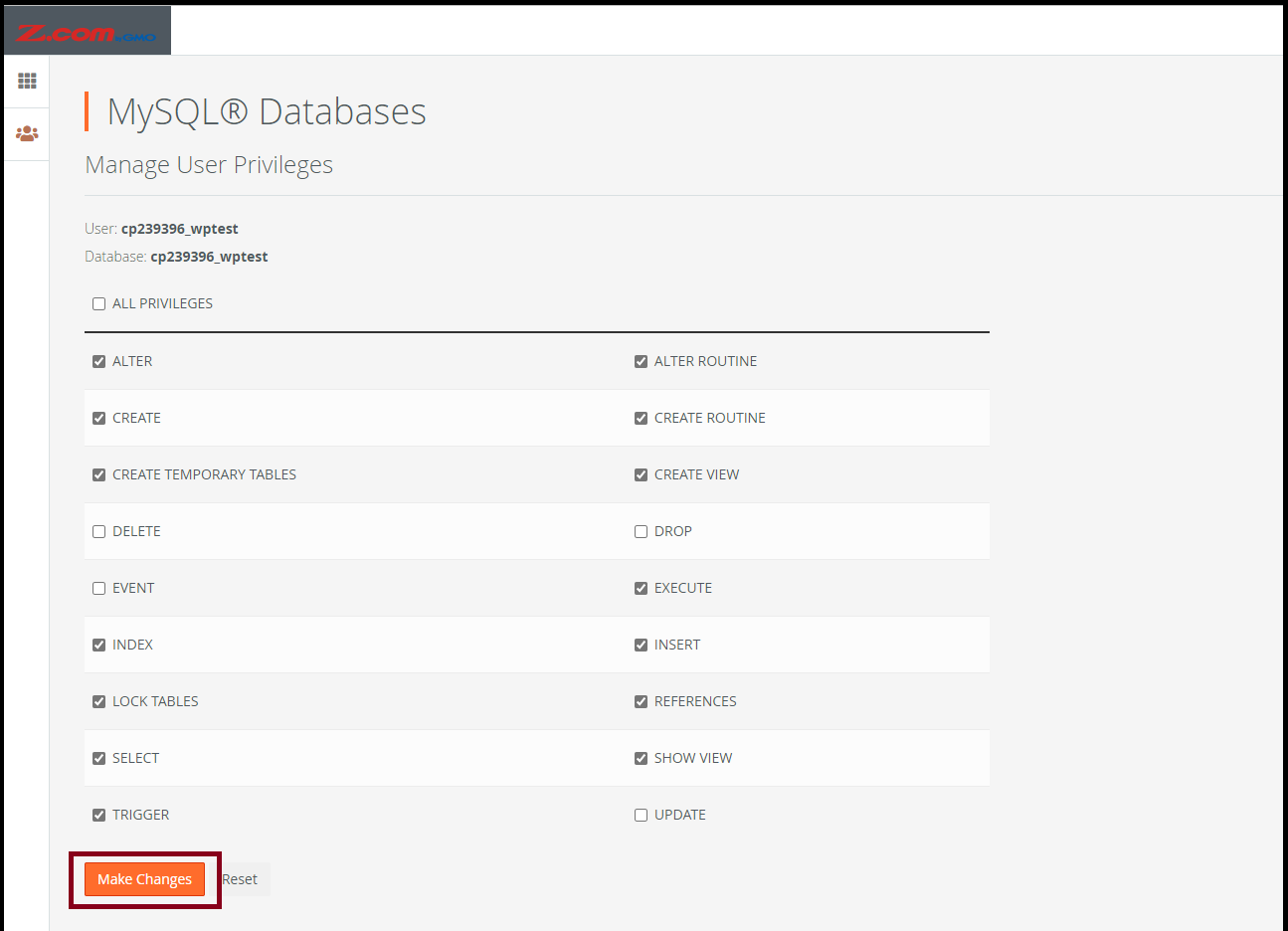
Step8. Give Permission to The User
This is to give permissions to the user so that they can use the database according to the permissions given to them.
*It is recommended to select All PRIVILEGES to grant all privileges to the user to manage the database.
- Click "Make Changes"
If you want to edit the permissions already given, you can click edit from a user under the Privileged Users section.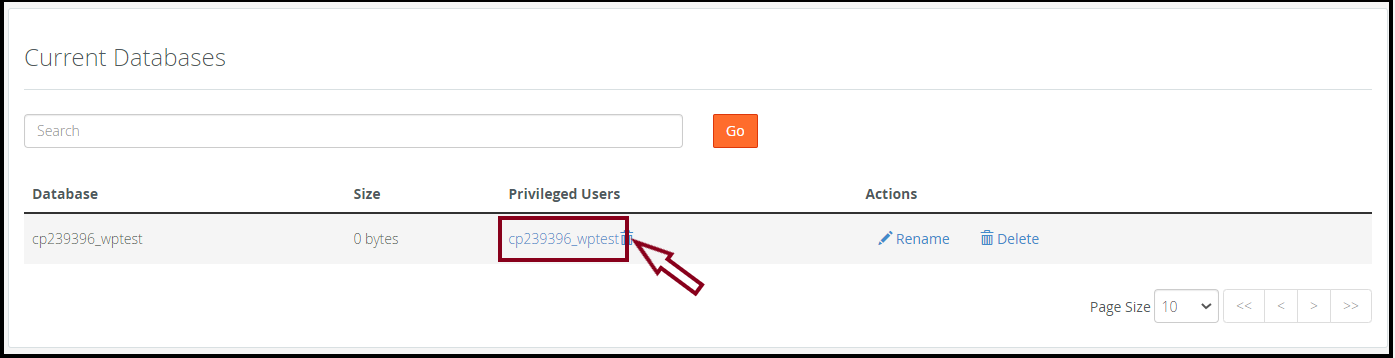
Click "Make Changes"
Thank you!!!
Was this article helpful?
That’s Great!
Thank you for your feedback
Sorry! We couldn't be helpful
Thank you for your feedback
Feedback sent
We appreciate your effort and will try to fix the article