How To Change PHP Version on cPanel (Web Hosting)?
Step1. Login to z.com account, https://cloud.z.com/mm/signin/
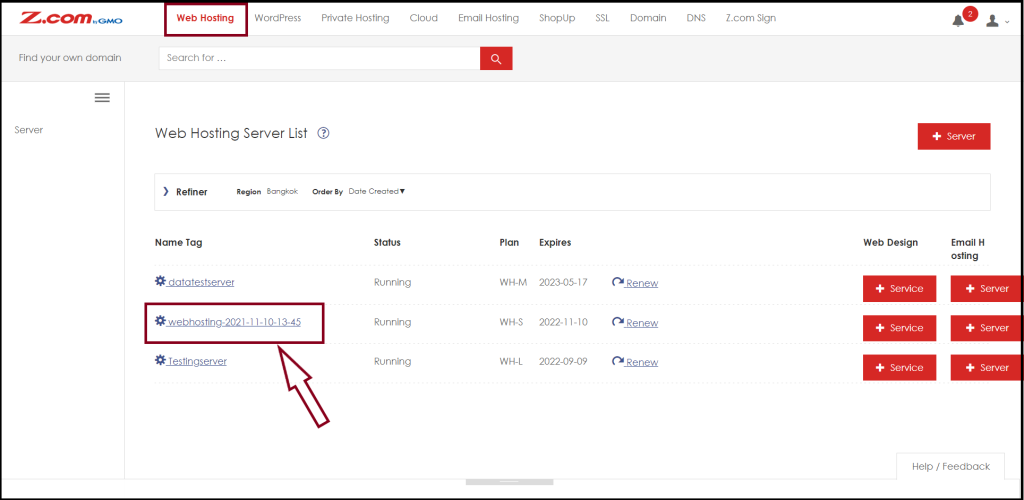
Step2. Click the "Web Hosting" Menu
Step3. Select your Webhosting server Under Web Hosting Server List
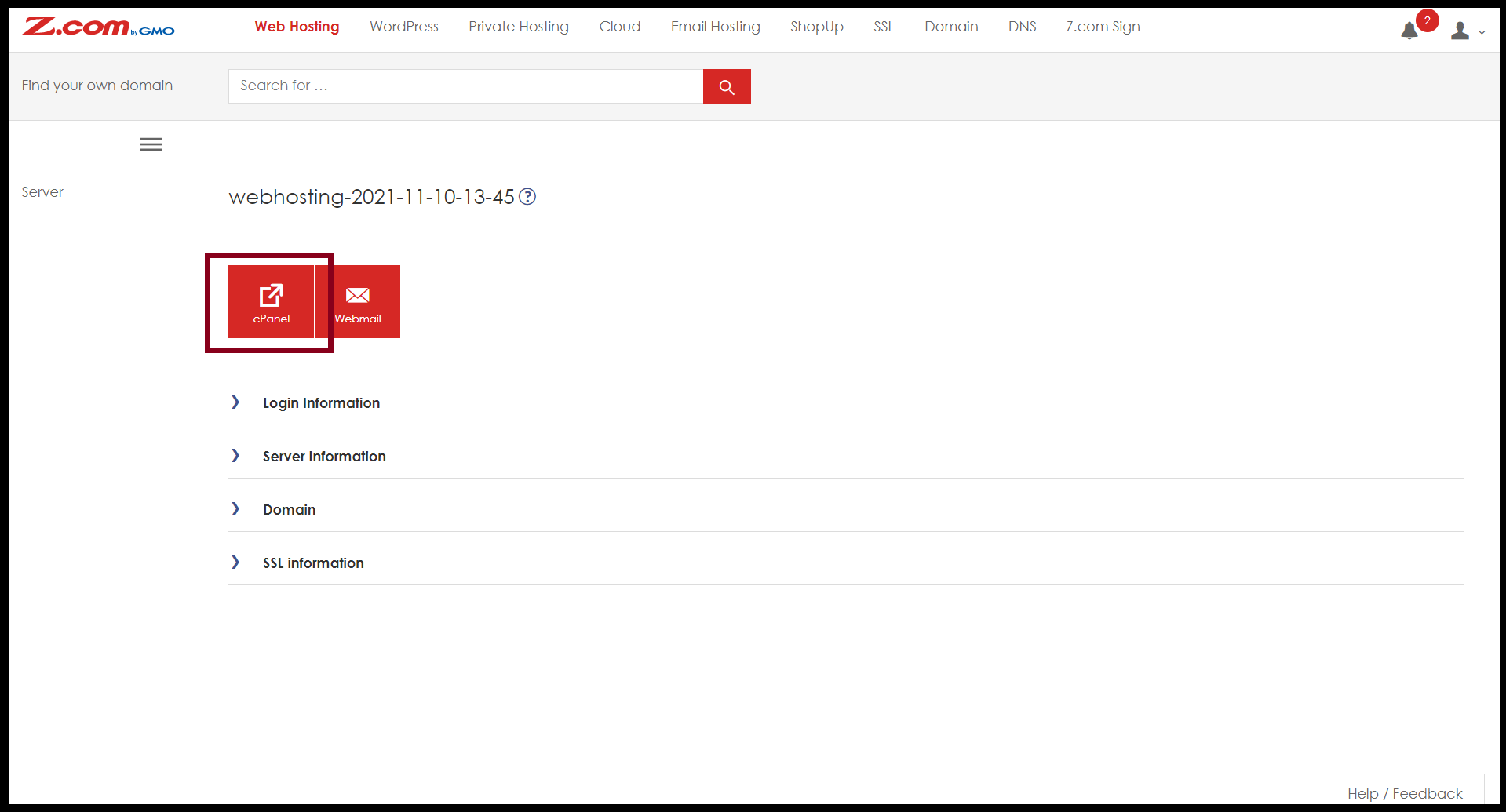
Step4. Enter the "cPanel"
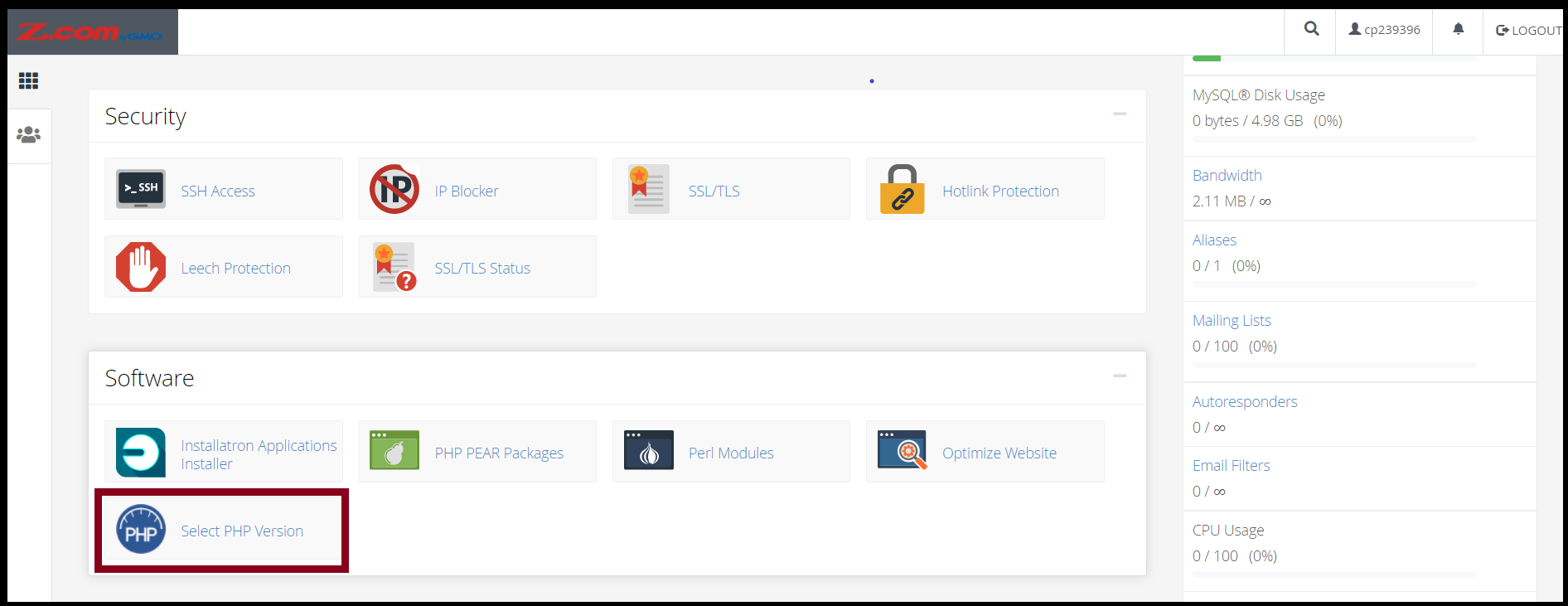
And then Go to the "Software"
Step5. Click "Select the PHP version"
Step6. You can adjust the PHP version below the instruction.
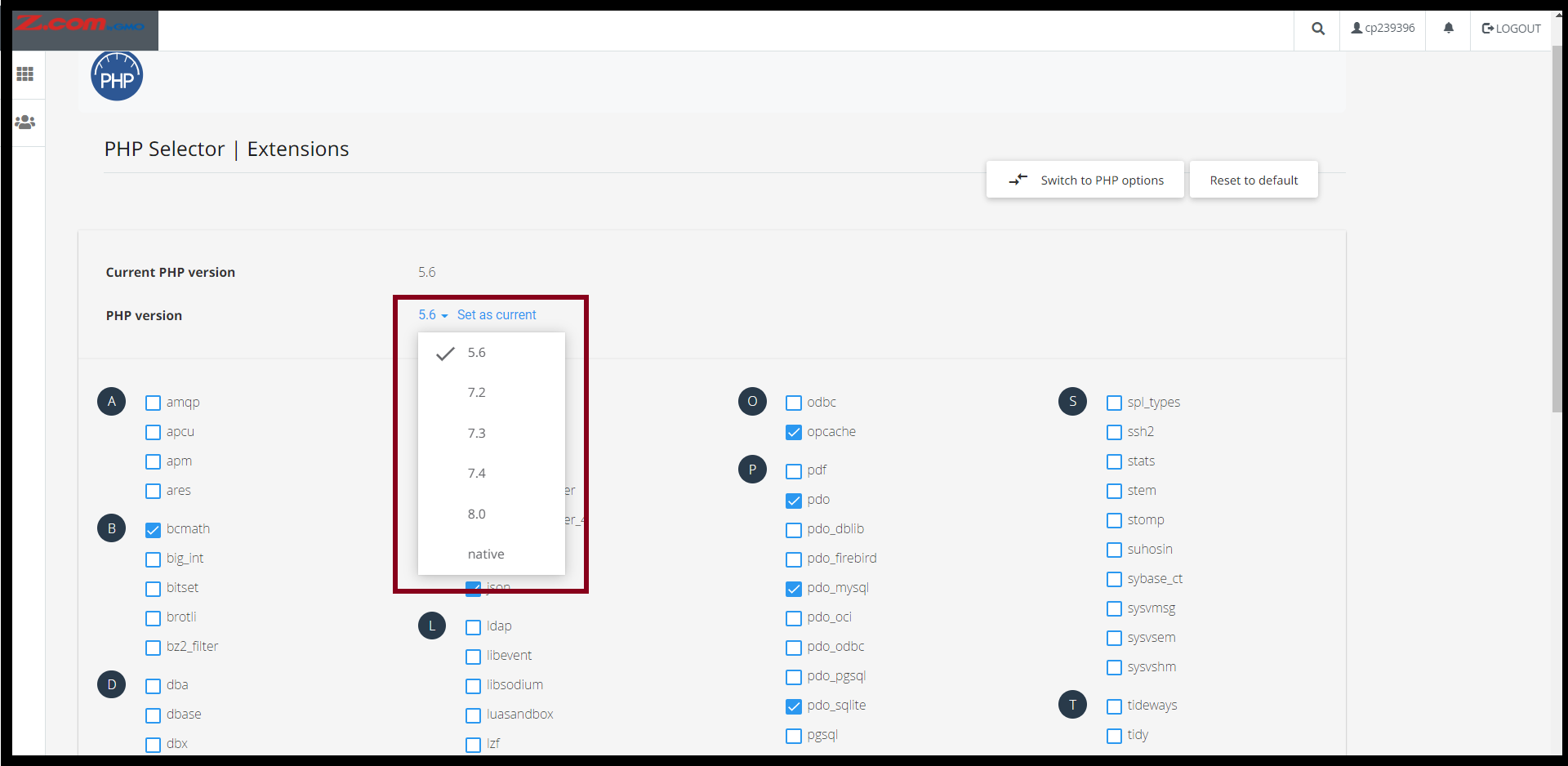
After you finished changing the desired PHP Version, click "Set as current". And you can enable/disable the PHP extension also on the same page.
Step7. After that, you can also change and update some PHP options.
So, click "Switch to PHP option"
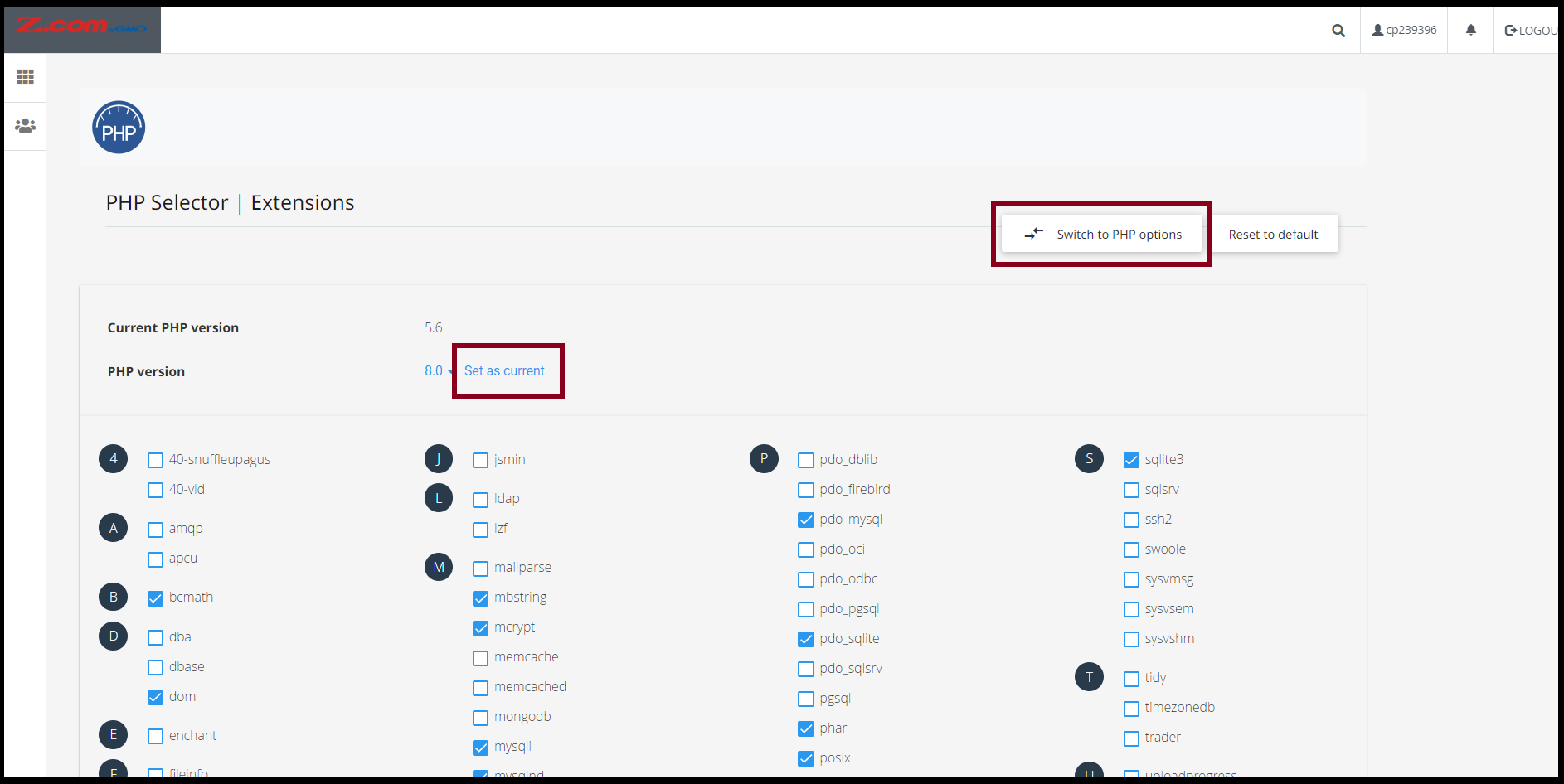
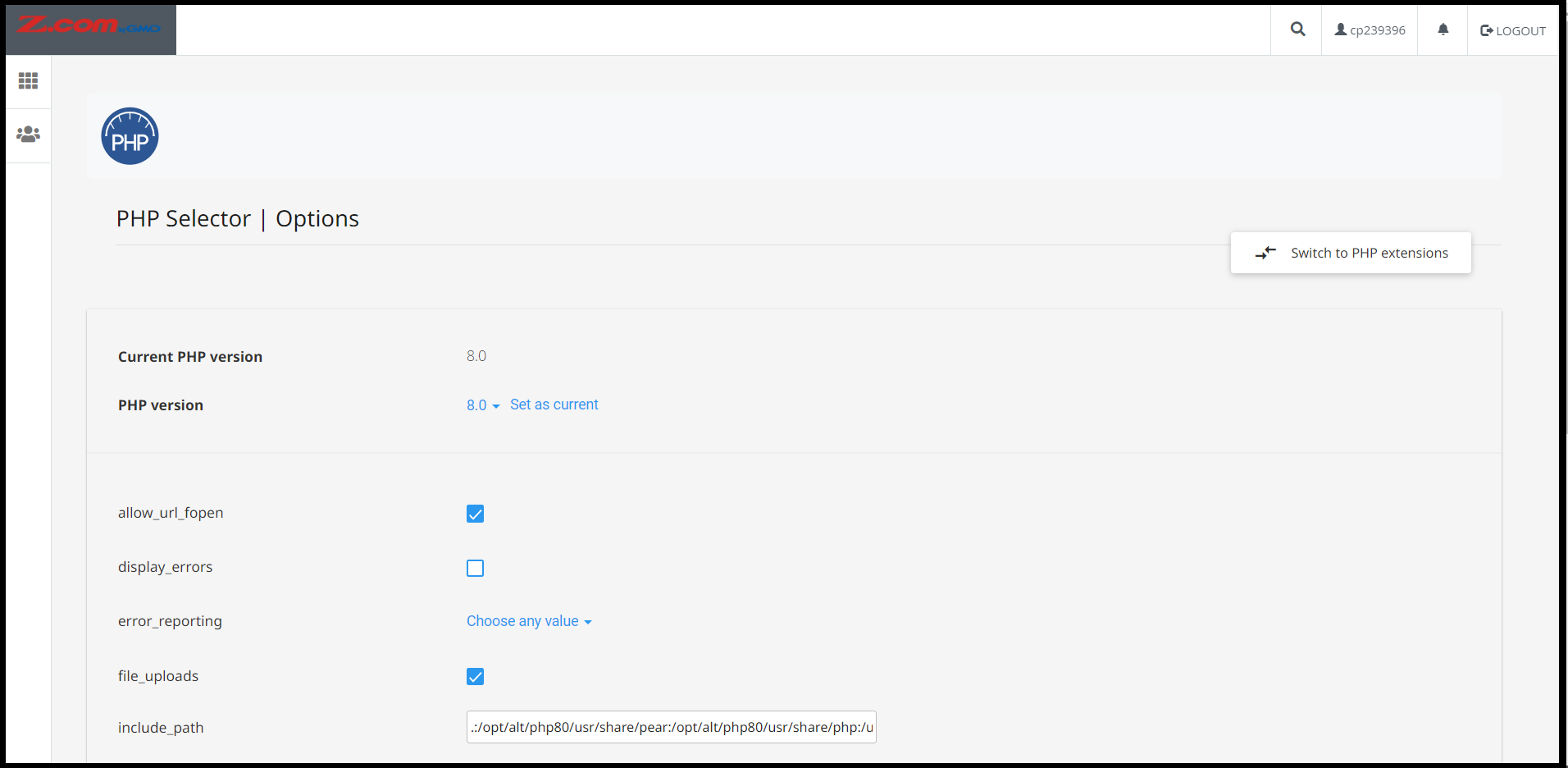
And you can adjust PHP options such as upload_max_filesize, post_max_size, etc.
Thank you!!!
Was this article helpful?
That’s Great!
Thank you for your feedback
Sorry! We couldn't be helpful
Thank you for your feedback
Feedback sent
We appreciate your effort and will try to fix the article