How To Update The WordPress Plugin Manually?
WordPress is the CMS that can use the WordPress Plugin usually. So, the WordPress plugin is needed to update your WordPress site. If didn’t update the plugin, an unexpected error will have happened on the website.
So, let’s started to update the plugin manually.
Step1. Firstly, log in to your WordPress Dashboard.
Step2. Click "Installed Plugins" to check Plugin Update
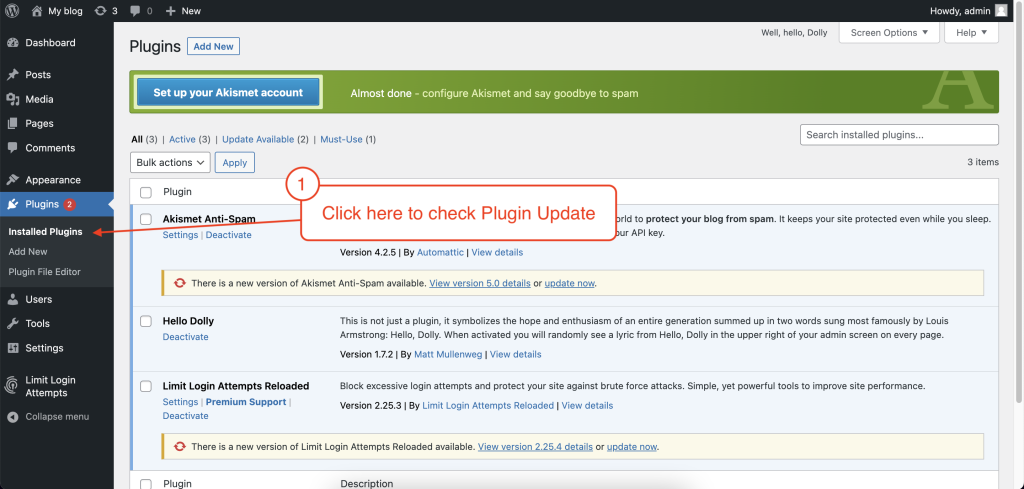
And then you can find out the plugin that needs to update.
So, please click "Update Now"
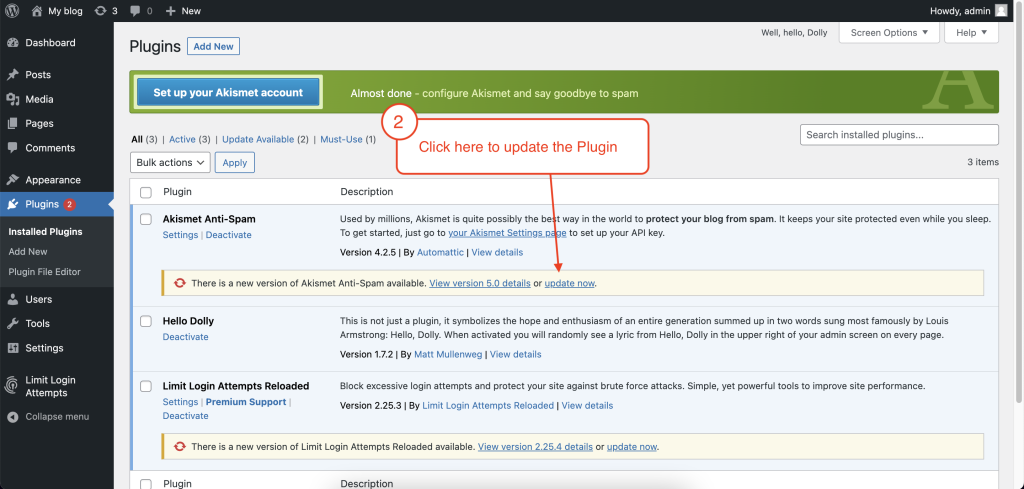
After waiting a few minutes, the Plugin is updated completely.
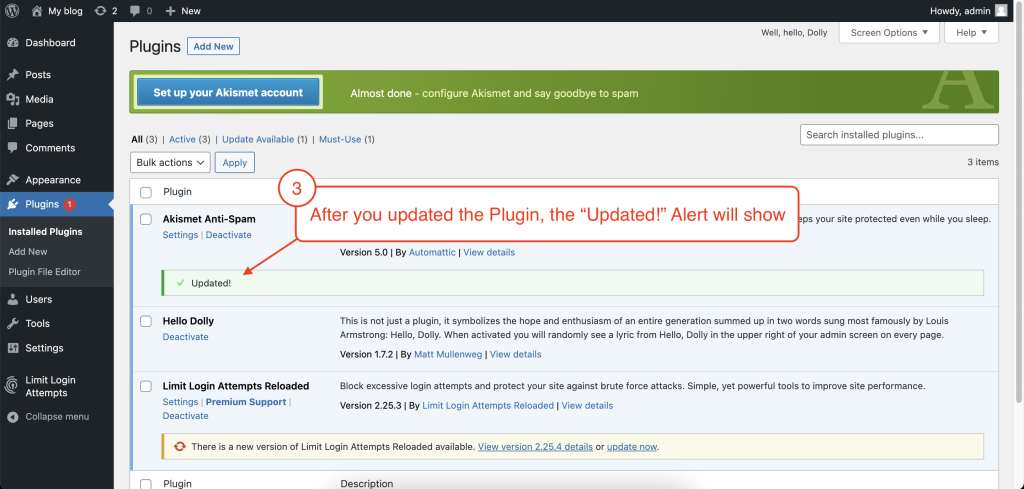
Thank you.
Was this article helpful?
That’s Great!
Thank you for your feedback
Sorry! We couldn't be helpful
Thank you for your feedback
Feedback sent
We appreciate your effort and will try to fix the article