How to setup Auto Backup Service in Private Hosting MM4?
Step1. Login to z.com account, https://hosting.z.com/mm/signin/ 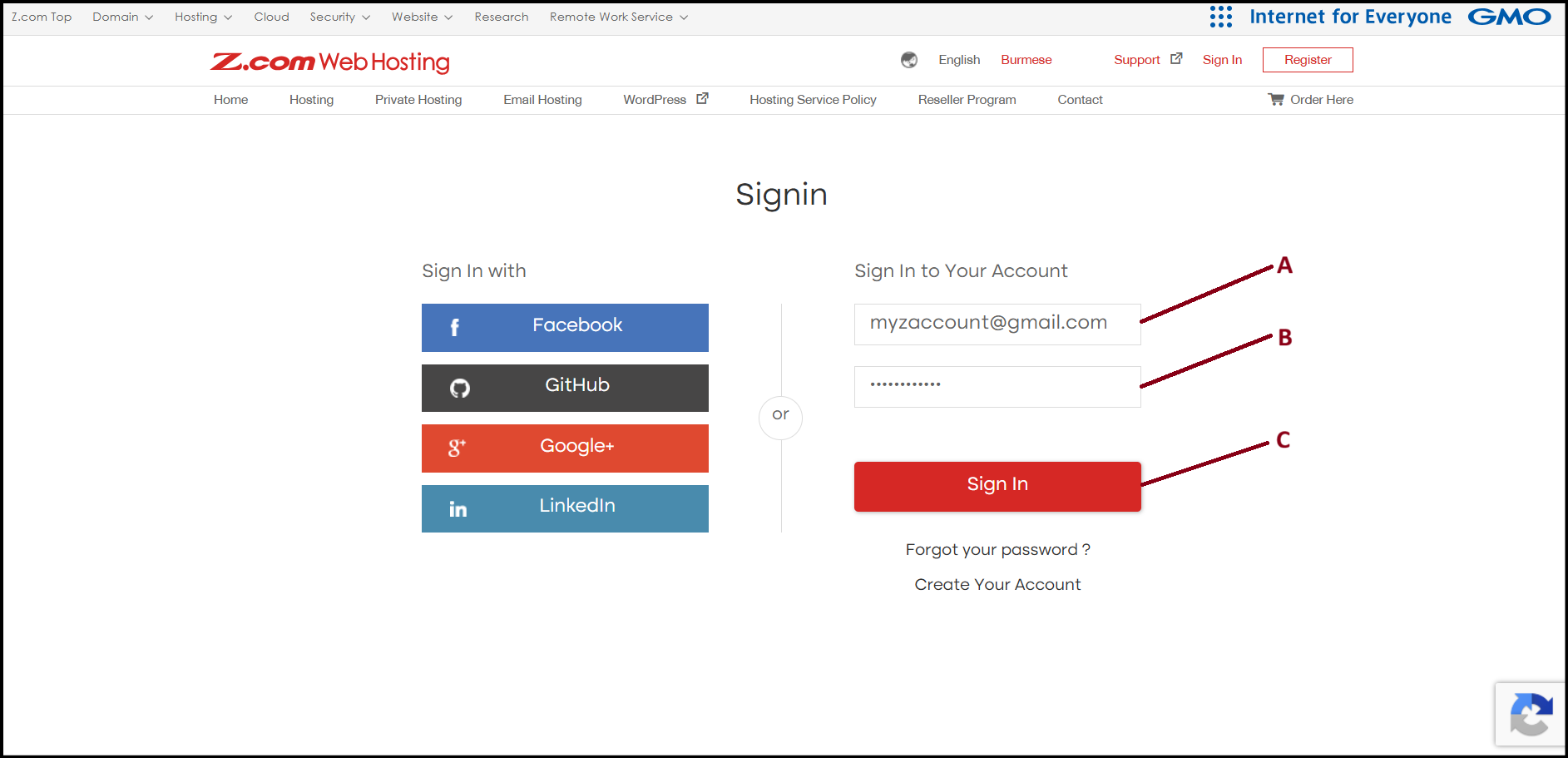
Step2. Please click the server below of NameTag. 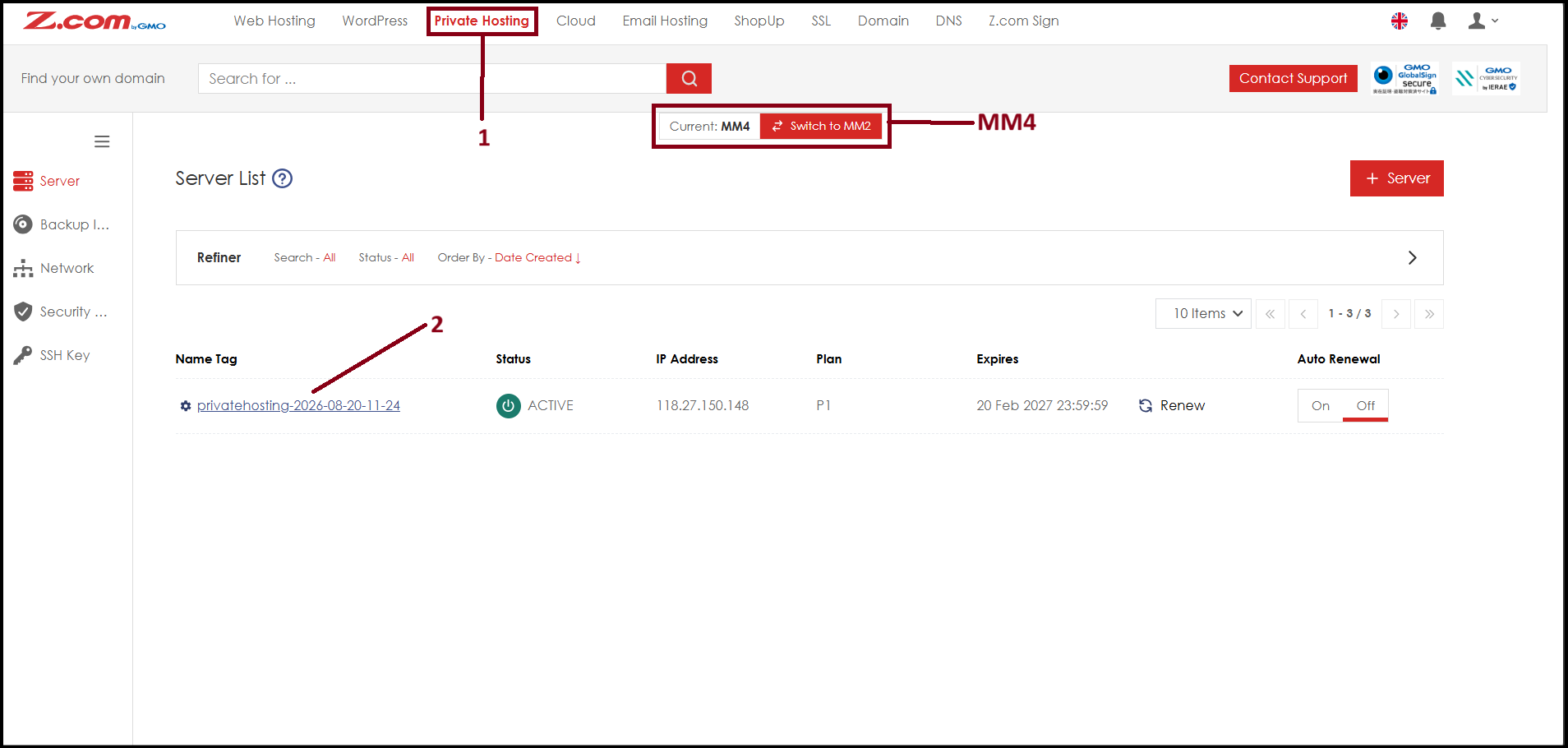
Step3. Here you will see server related informations. Please click "Storage Information". 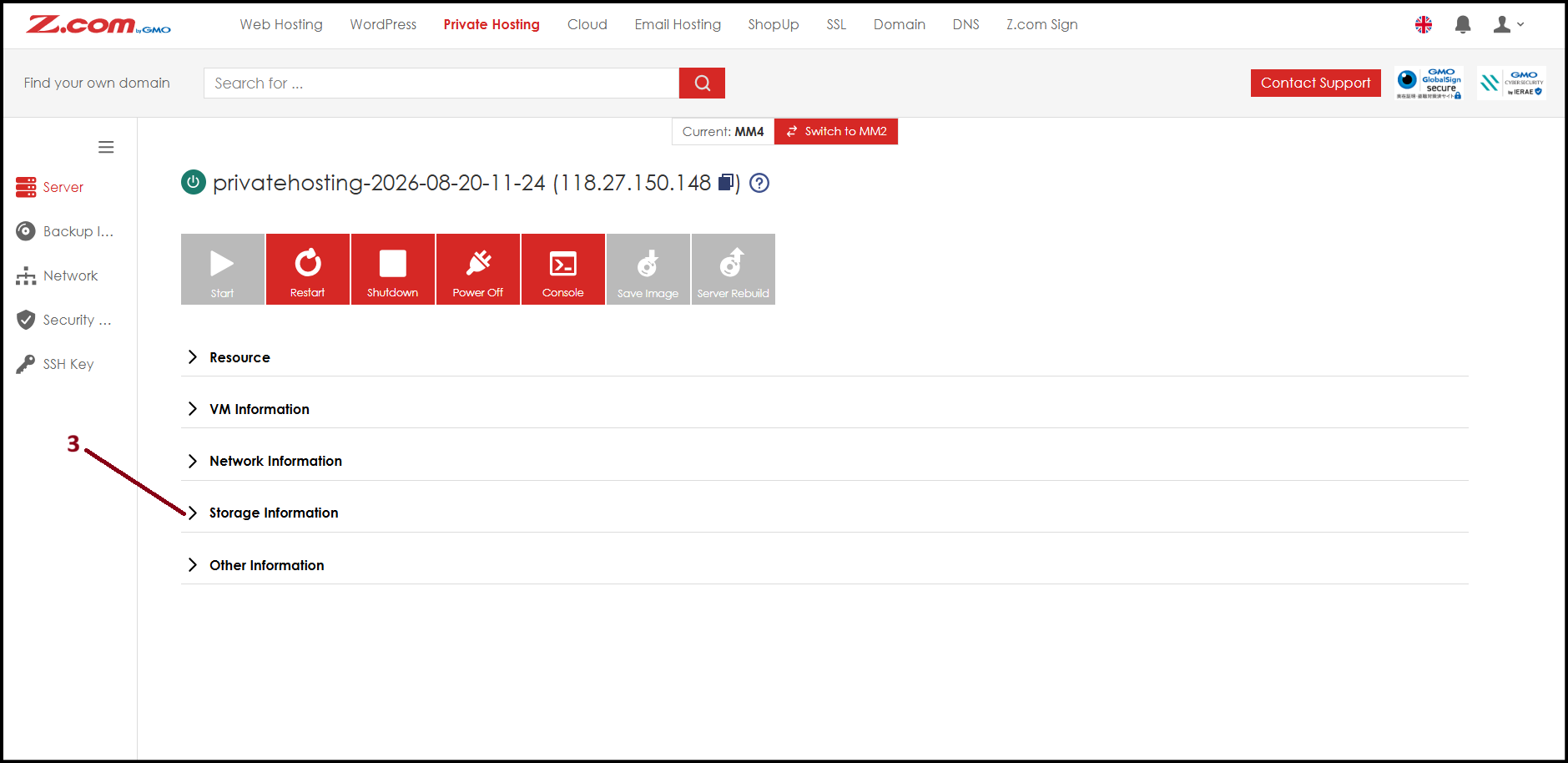
Step4. Click gear icon to setup Auto-Backup.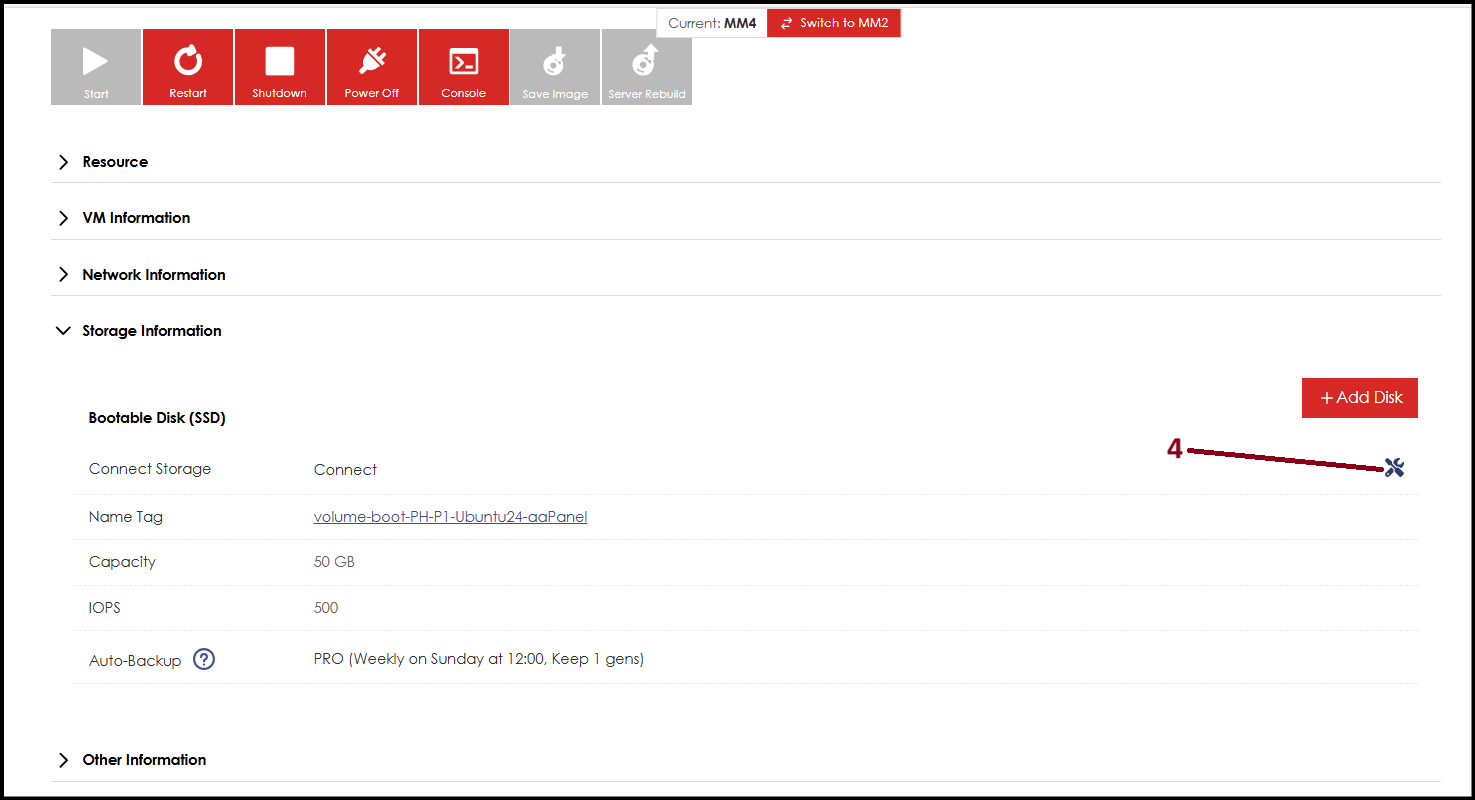
Step5. Now you can customize the Auto-Backup as your requirement then click "Save".
For "no. 5 Frequency" you can choose between "Daily, Weekly, or Monthly" with your desire backup day.
**Please note that changing "Number Of Generation" will result in extra charges.**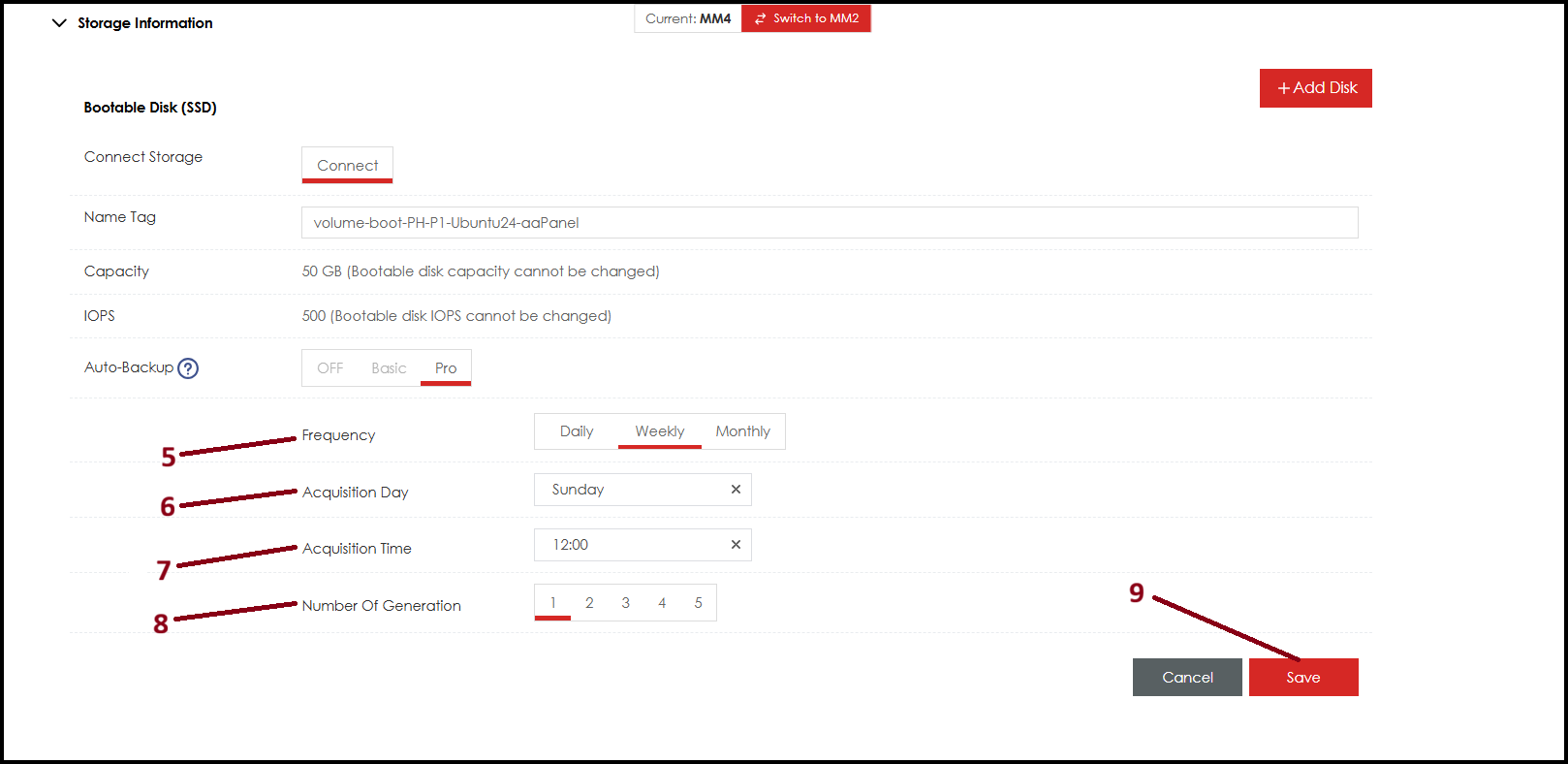
Thank You!
Was this article helpful?
That’s Great!
Thank you for your feedback
Sorry! We couldn't be helpful
Thank you for your feedback
Feedback sent
We appreciate your effort and will try to fix the article