How To Order a CloudVPS?
- Z.com Cloud VPS is a flexible and scalable cloud hosting service that provides virtual private servers (VPS) designed to meet diverse business and technical needs.
- Built on OpenStack technology, it delivers reliable cloud infrastructure with customizable resources, allowing users to tailor CPU, RAM, Storage and additional services according to their requirements.
- We recommend to deposit for server payment before you order a CloudVPS server
Step1. Login to z.com account, https://cloud.z.com/mm/signin/
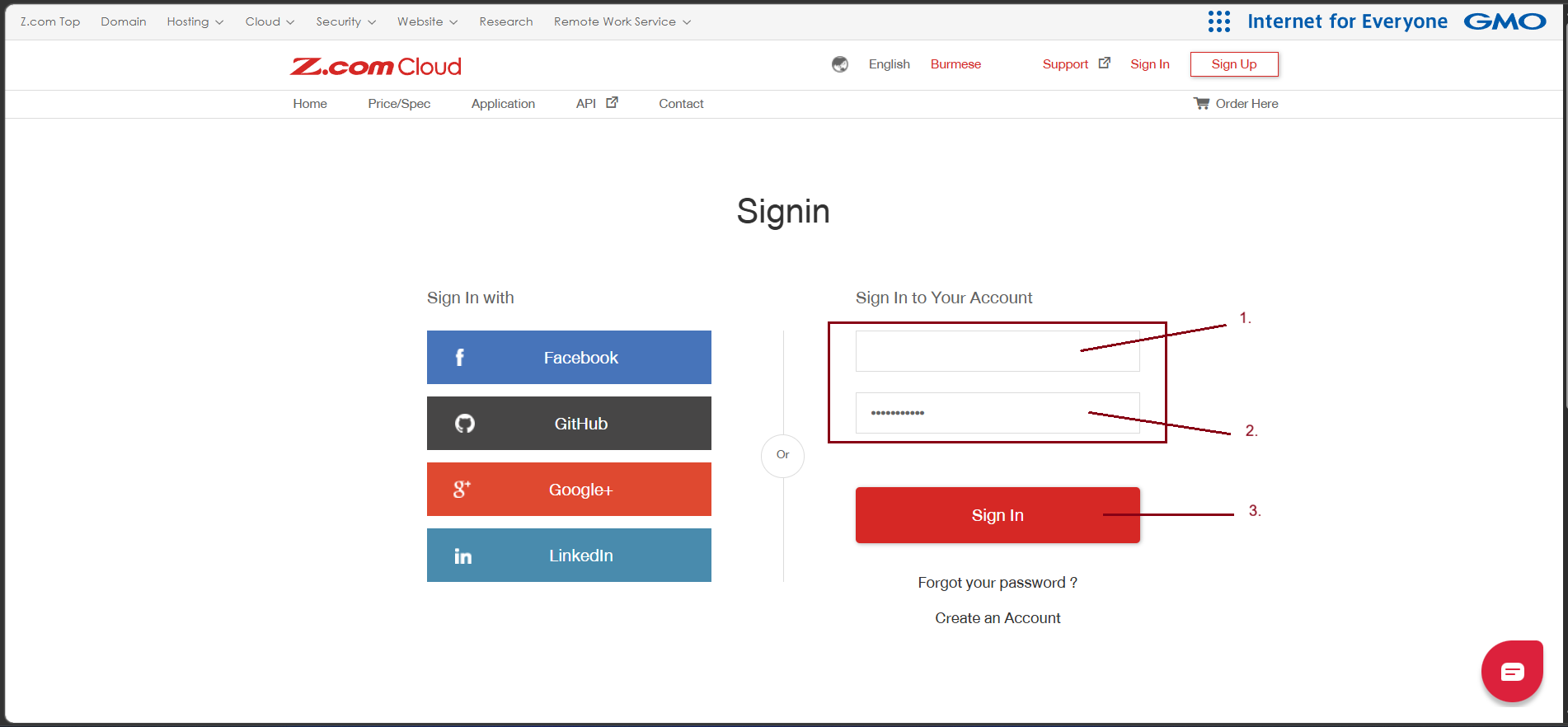
Step2. Click the "Cloud" Menu
Go to the "+Server"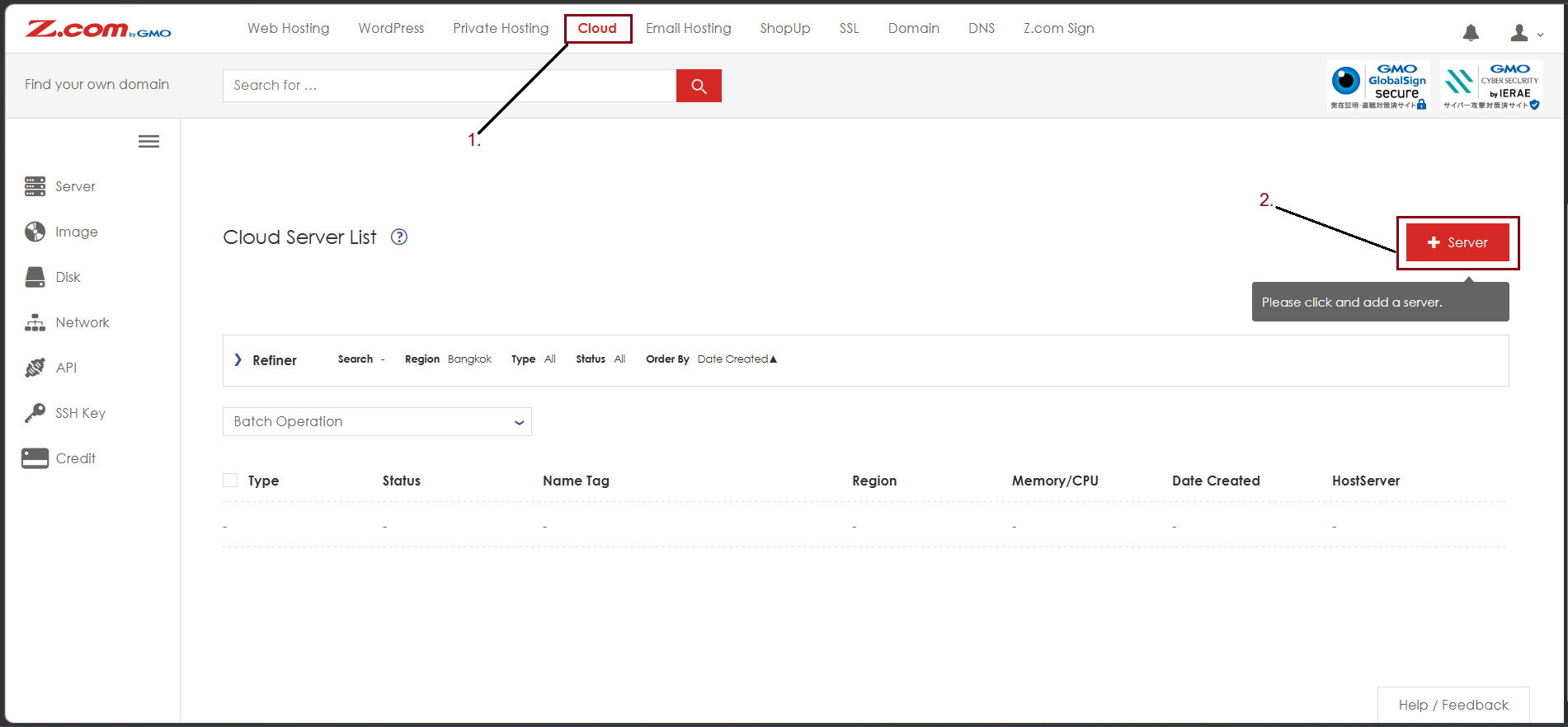
Step3. Choose Your Cloud VPS Hosting Plan.
- Region [Bangkok]
Default Region
- Type [VPS]
- Image [OS]
- OS [Linux/ Windows/ Other]
- You can choose the OS type that you want to prefer to use
- Plan
- You can choose the plan depending on CPU/RAM
- Root Password
- Enter the Password for the Root user
- Name Tag
- You can change the Name Tag of the Server
- Contract [Monthly/ Hourly]
- You can make a contract with the VPS
- You need to deposit a contract amount on your z.com account
- Additional Disk(SSD) [Not Used/ Added Disk/ Add New Disk]
- The VPS server’s storage is at default 50GB SSD.
- So, you can add a new disk such as 200GB or 500GB additionally.
- Extra disk space added separately from the default disk included in each plan.
- Auto-Backup [Enabled/ Disabled]
- Auto-Backup is Weekly backup at a random time, keeping up to 3 generations.
Click "Next"
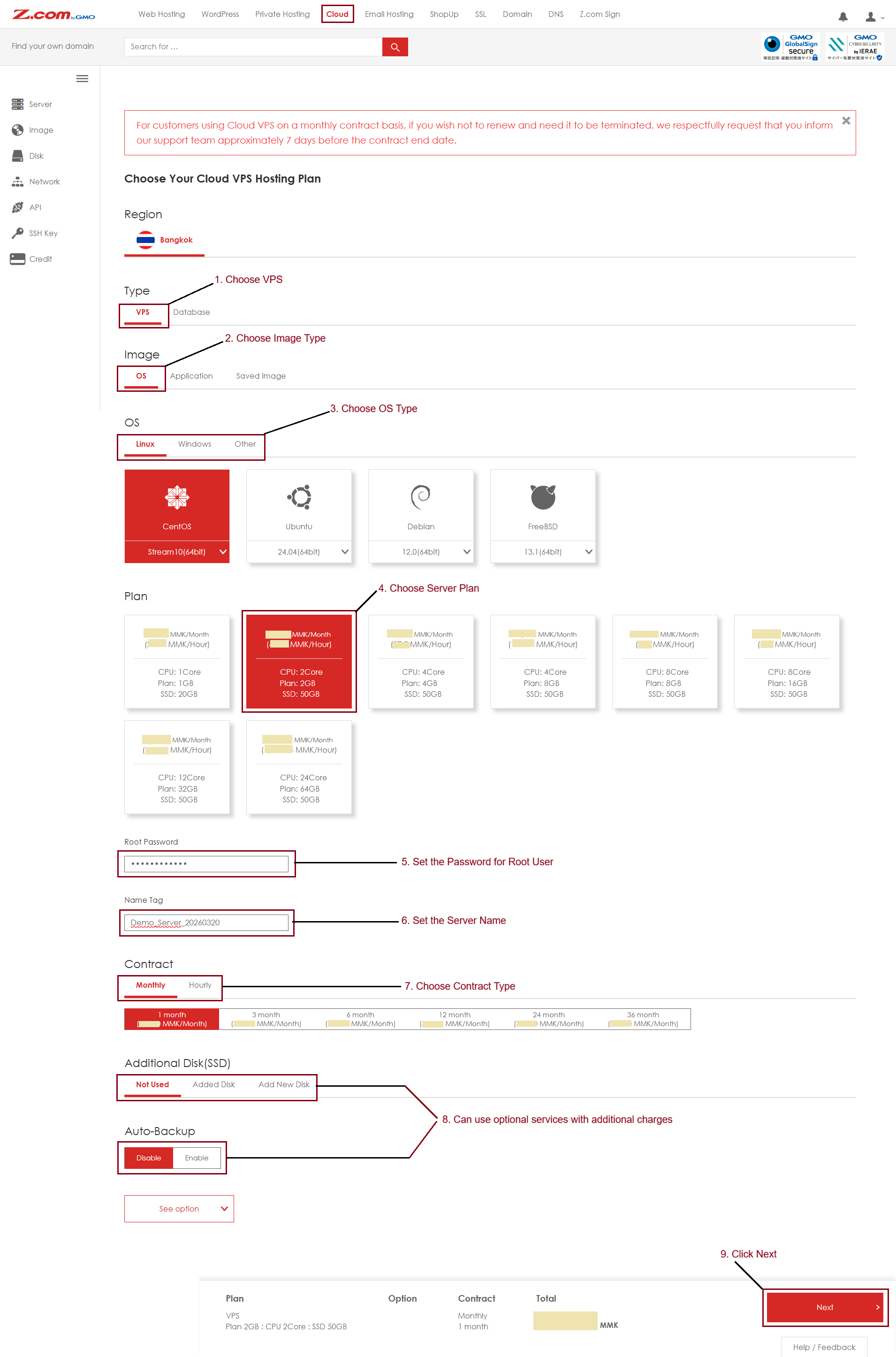
Finally, you got a new Cloud VPS server.
For Payment Method, Click "Here"
THANK YOU!!!
Was this article helpful?
That’s Great!
Thank you for your feedback
Sorry! We couldn't be helpful
Thank you for your feedback
Feedback sent
We appreciate your effort and will try to fix the article