How to renew the Monthly VPS contract?
Step 1. Please Kindly log in to your Z.com account, https://cloud.z.com/mm/signin/
Step 2. Please click on the top menu “Cloud” and click “Credit” on the left-hand side.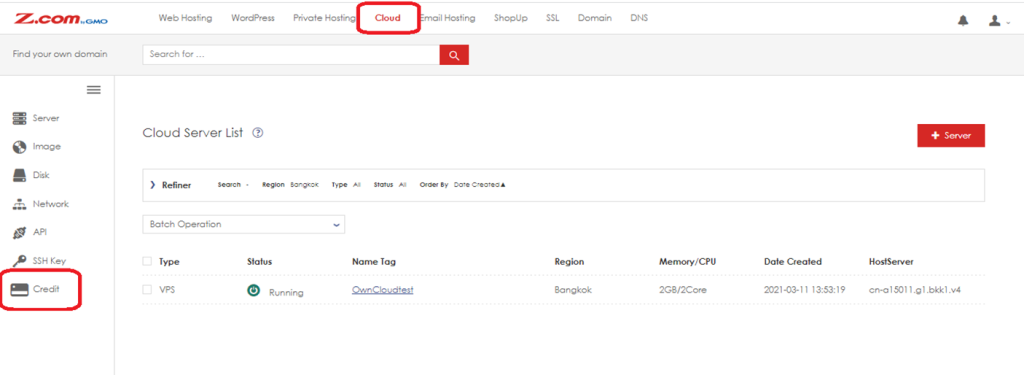
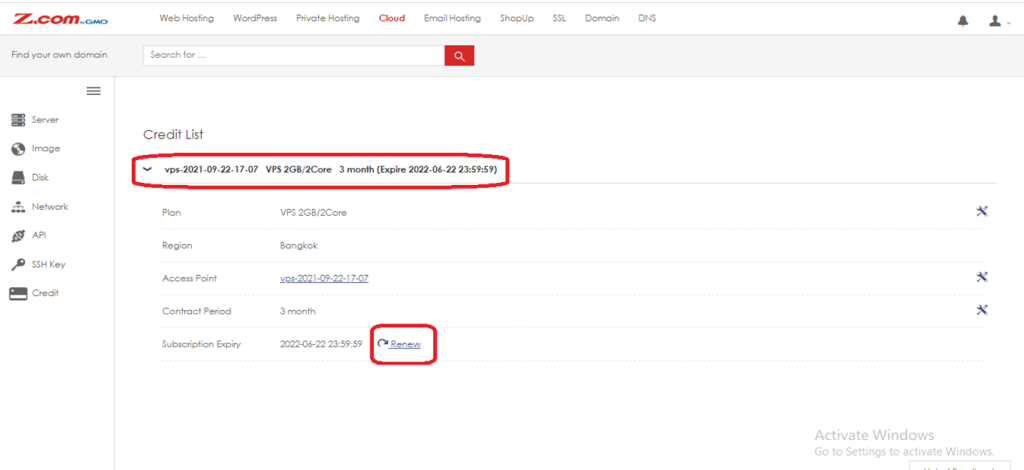
Step 3. Choose the Cloud server (if you have more than one on the server) and click “Renew”.
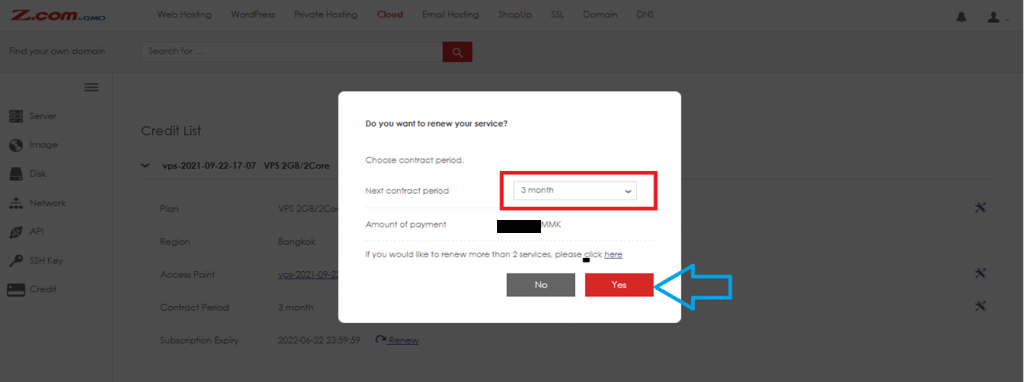
Step 4. Select the desired Contract Period and click “Yes”.
Step 5 >> Next step will show to choose a payment method and click the red button “Set”.
The Monthly Cloud VPS server renewal process was finished.
THANK YOU!!!
Was this article helpful?
That’s Great!
Thank you for your feedback
Sorry! We couldn't be helpful
Thank you for your feedback
Feedback sent
We appreciate your effort and will try to fix the article