Domain Redirection Setting in Z.com
In domain management, URL Forwarding and Frame Forwarding (sometimes called Masked Forwarding) are two different ways to redirect visitors from your domain to another destination.
1. URL Forwarding (Standard Redirect)
How it works:
When someone types your domain (e.g.,mydomain.com), they are redirected to another URL (e.g.,example.com/shop).Key behavior:
The browser’s address bar updates to show the destination URL (
example.com/shop).It’s a straightforward redirect.
Use case:
If you want your visitors to clearly see and bookmark the final destination address.
Common for forwarding extra domains (like
mybrand.net) to your main site (mybrand.com).
2. Frame Forwarding (Masked Forwarding / Domain Masking)
How it works:
Your domain (e.g.,mydomain.com) stays in the browser’s address bar, but it displays the content of another site (e.g.,example.com/shop) inside an HTML frame.Key behavior:
The visitor always sees your domain in the address bar, not the true destination.
Sometimes limits functionality (subpages, navigation, or SEO visibility).
Use case:
If you want to hide the destination URL and keep your domain visible at all times.
Sometimes used for branding or simplicity when you don’t want users to know the actual hosting domain.
1. URL Forwarding
Step1- Login your Z.com Account
Step2- Click "Domain" section
- Click "your domain"

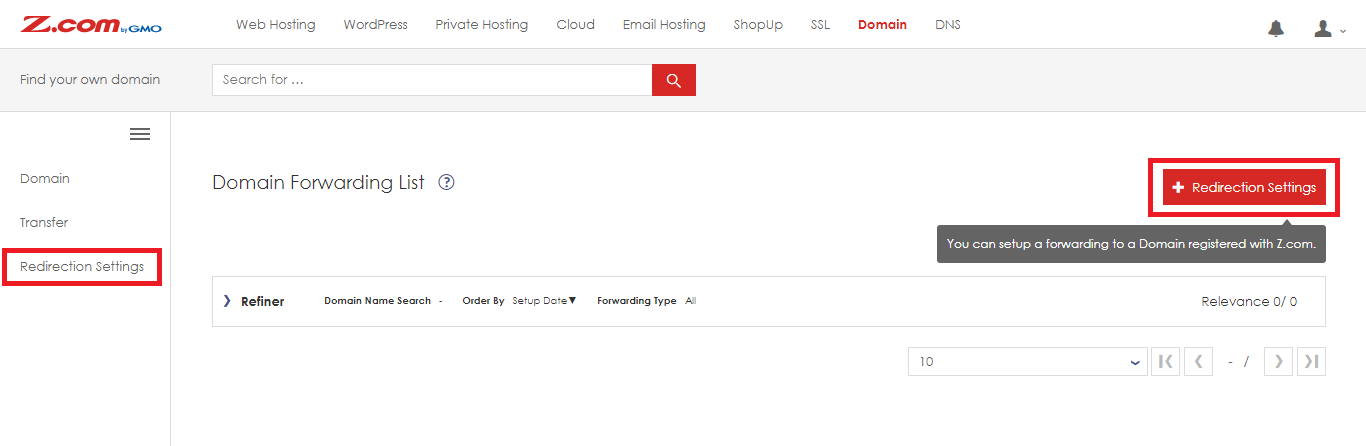
Step3- Click "Redirection Settings" in left side
- then click "+ Redirection Settings"
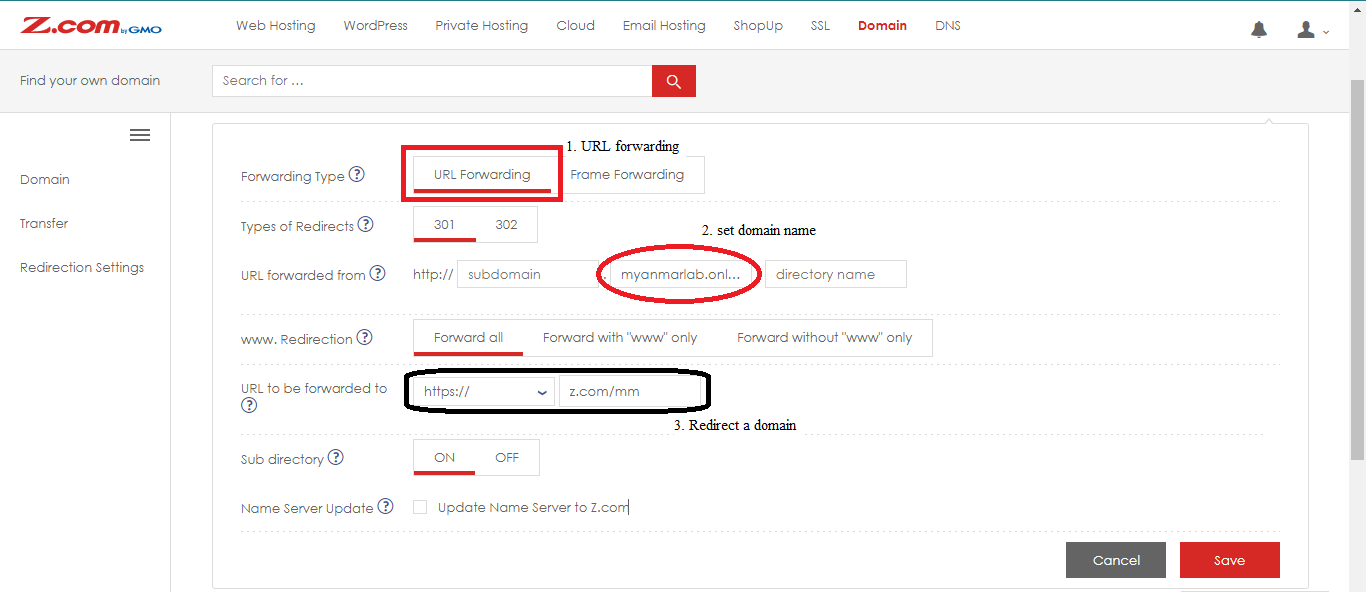
Step4- Choose "URL Forwarding"
- Set "your domain"
- Set "a domain" that you want to redirect a domain
- And then Click "Save"
2. Frame Forwarding
Step1- Login your Z.com Account
Step2- Click "Domain" section
- Click "your domain"
Step3- Click "Redirection Settings" in left side
- then click "+ Redirection Settings"
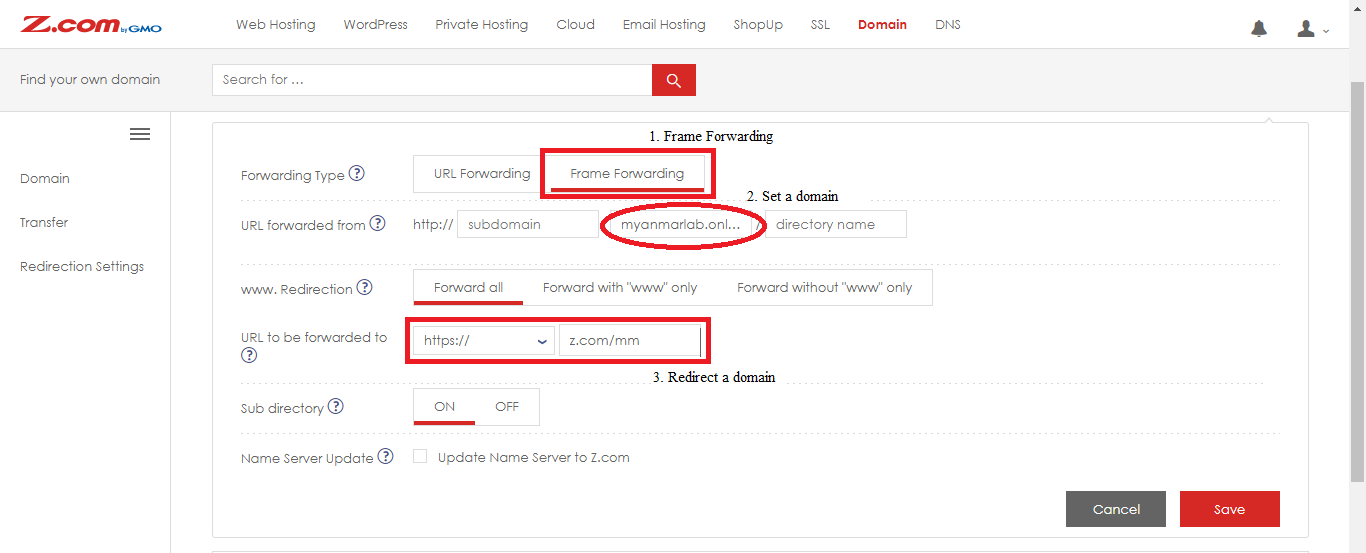
Step4- Choose "Frame Forwarding"
- Set "your domain"
- Set "a domain" that you want to redirect a domain
- And then Click "Save"
Thank you!!!
Was this article helpful?
That’s Great!
Thank you for your feedback
Sorry! We couldn't be helpful
Thank you for your feedback
Feedback sent
We appreciate your effort and will try to fix the article