Domain Transfer-out from Z.com
Step1. log in to z.com https://cloud.z.com/mm/signin/
Step2. Enter the “Domain” menu and Click on the domain you want to transfer
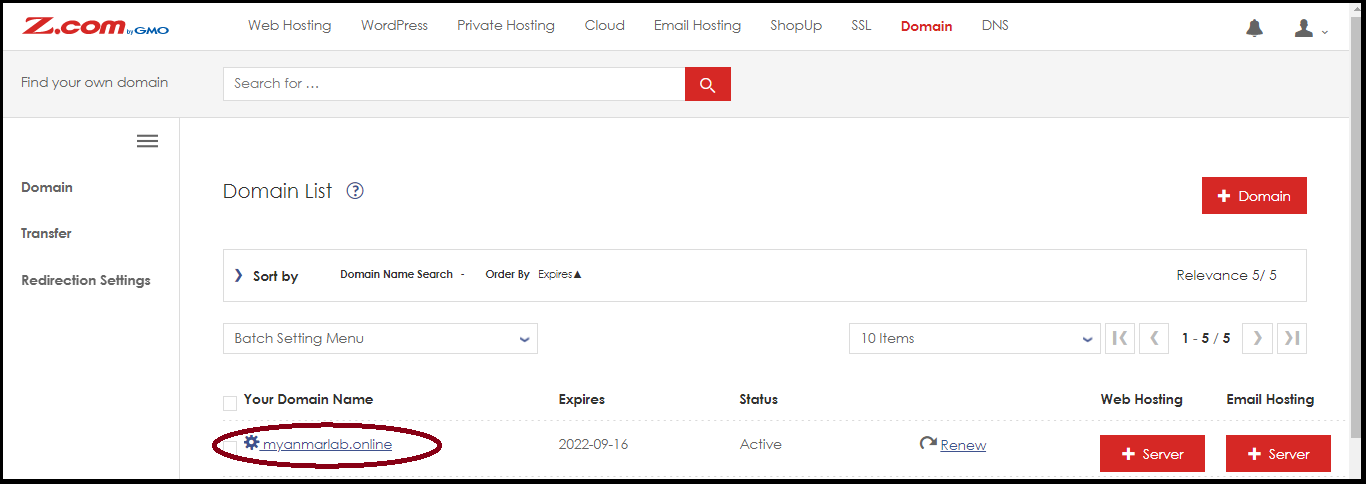
Step3. Select “Domain & Contract Information”
Step3.1 Copy the “Authcode” to transfer a domain to another service provider
Step3.2 Set the “Transfer Lock” to OFF
Step3.3 Set “Whois proxy” to OFF
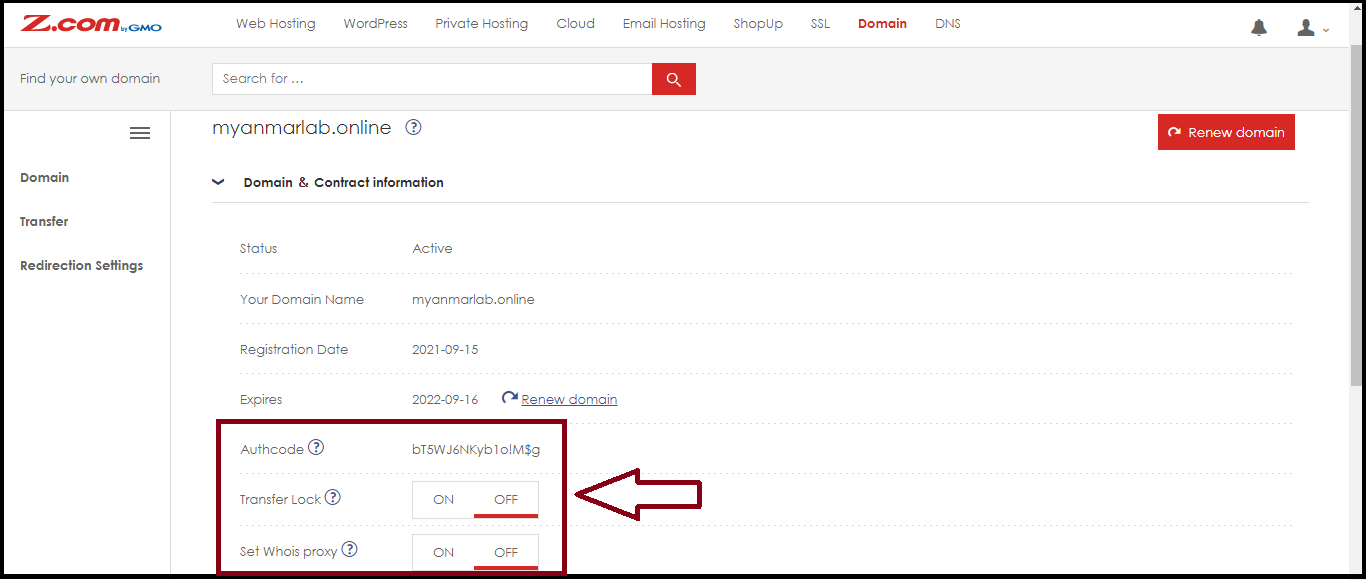
And then the Domain can be transferred-out to another service provider.
Step4. The email will be obtained to approve to transfer of a domain.
** E-mail will be sent via e-mail on your whois system. After you have entered the auth code from the destination, please check the e-mail **
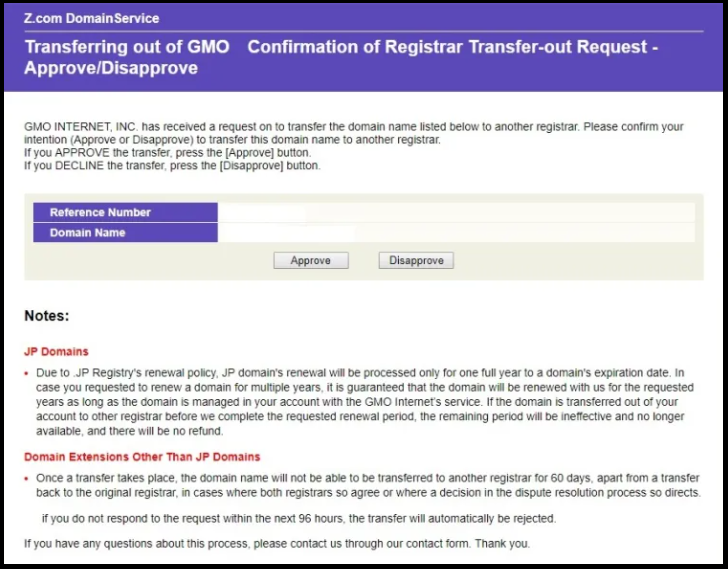
And then you can confirm and approve to transfer-out a domain.
Domain Transfer OUT requests will be automatically rejected if submitted within 60 days after any of the following events:
 | New domain registration |
 | Domain Transfer IN completion |
 | Whois Registrant information update |
Thank you!!!
Was this article helpful?
That’s Great!
Thank you for your feedback
Sorry! We couldn't be helpful
Thank you for your feedback
Feedback sent
We appreciate your effort and will try to fix the article