How to install WordPress in cPanel(WH-Pro)?
Login to your z.com account, https://cloud.z.com/mm/signin
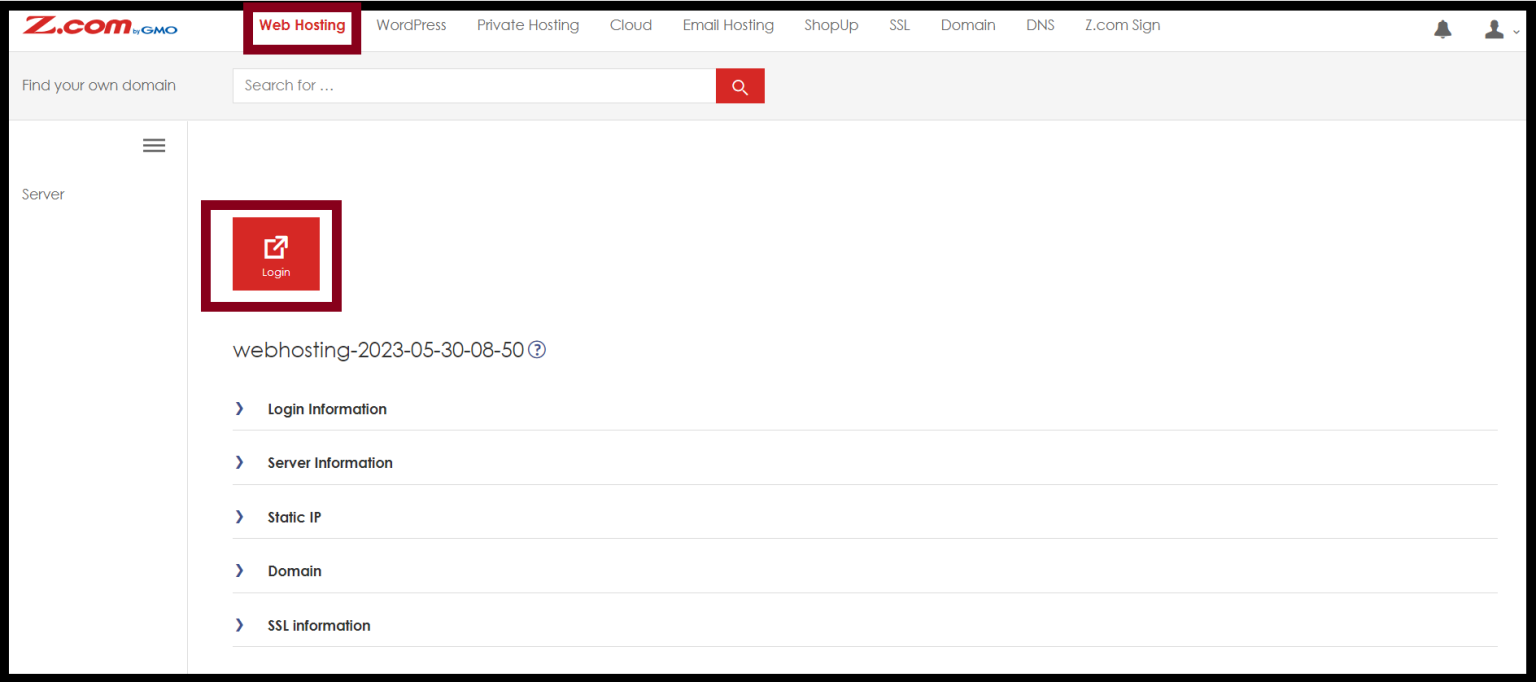
Step1. Login to the Z.com and Click on the " Web Hosting " .
Step2. Click on the cPanel " Login " .
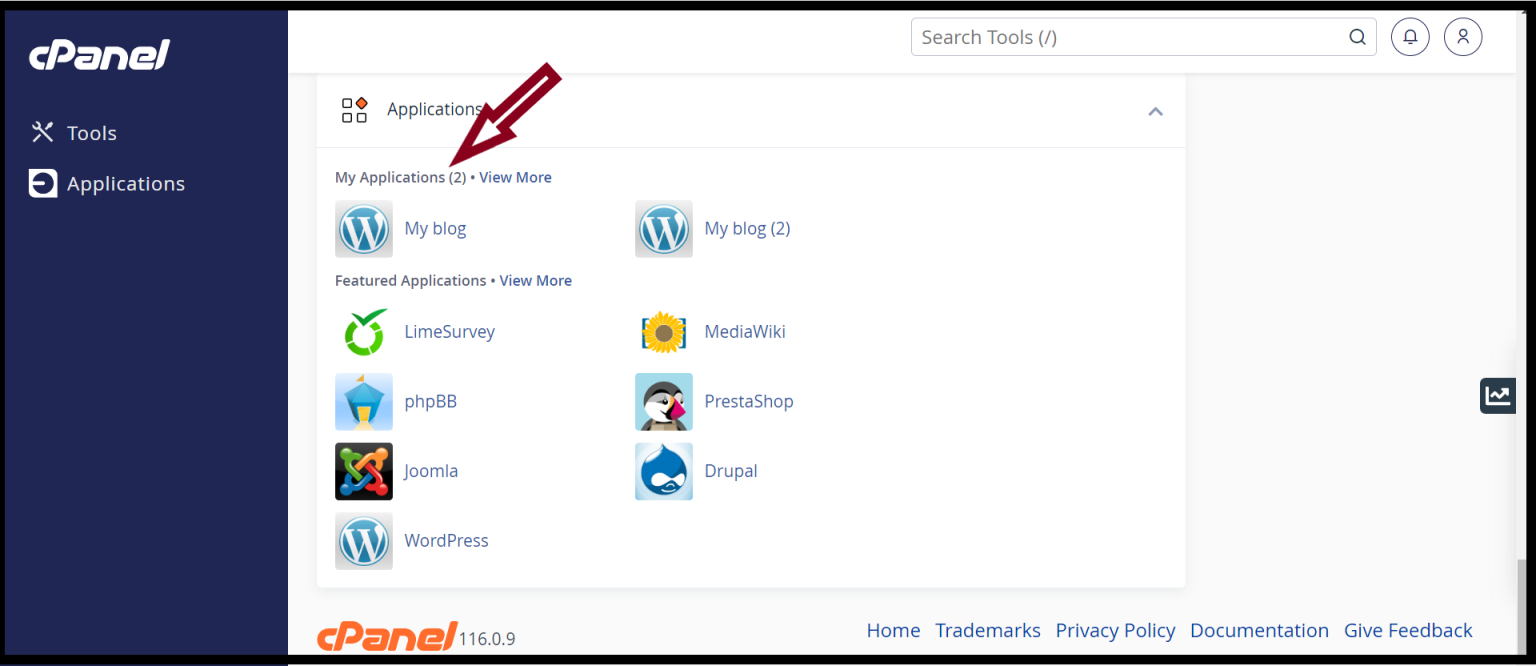
Step3. Go to the Application in cPanel and Click on the " My Applications " .
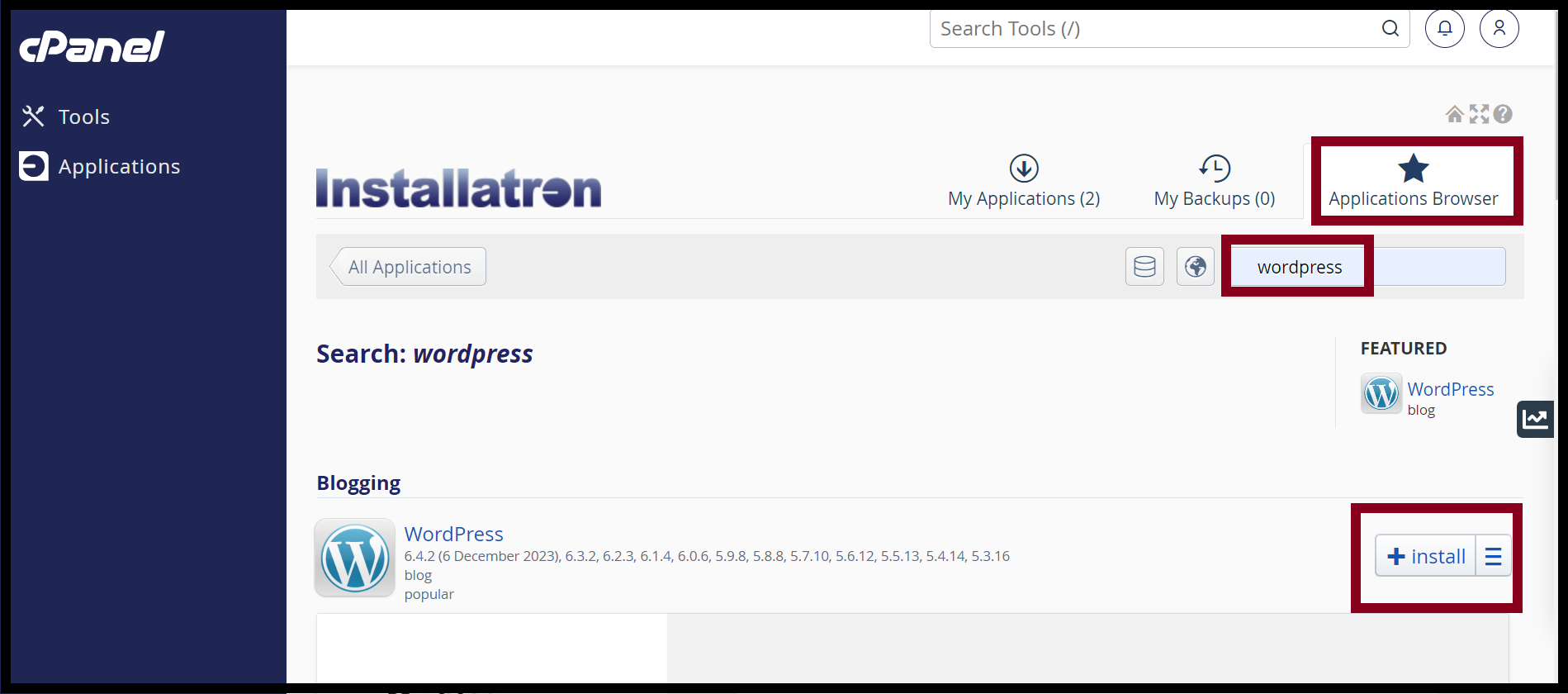
Step4. Click the " Application Browser " and type the WordPress in the search bar.
Step5. Click " + Install " .
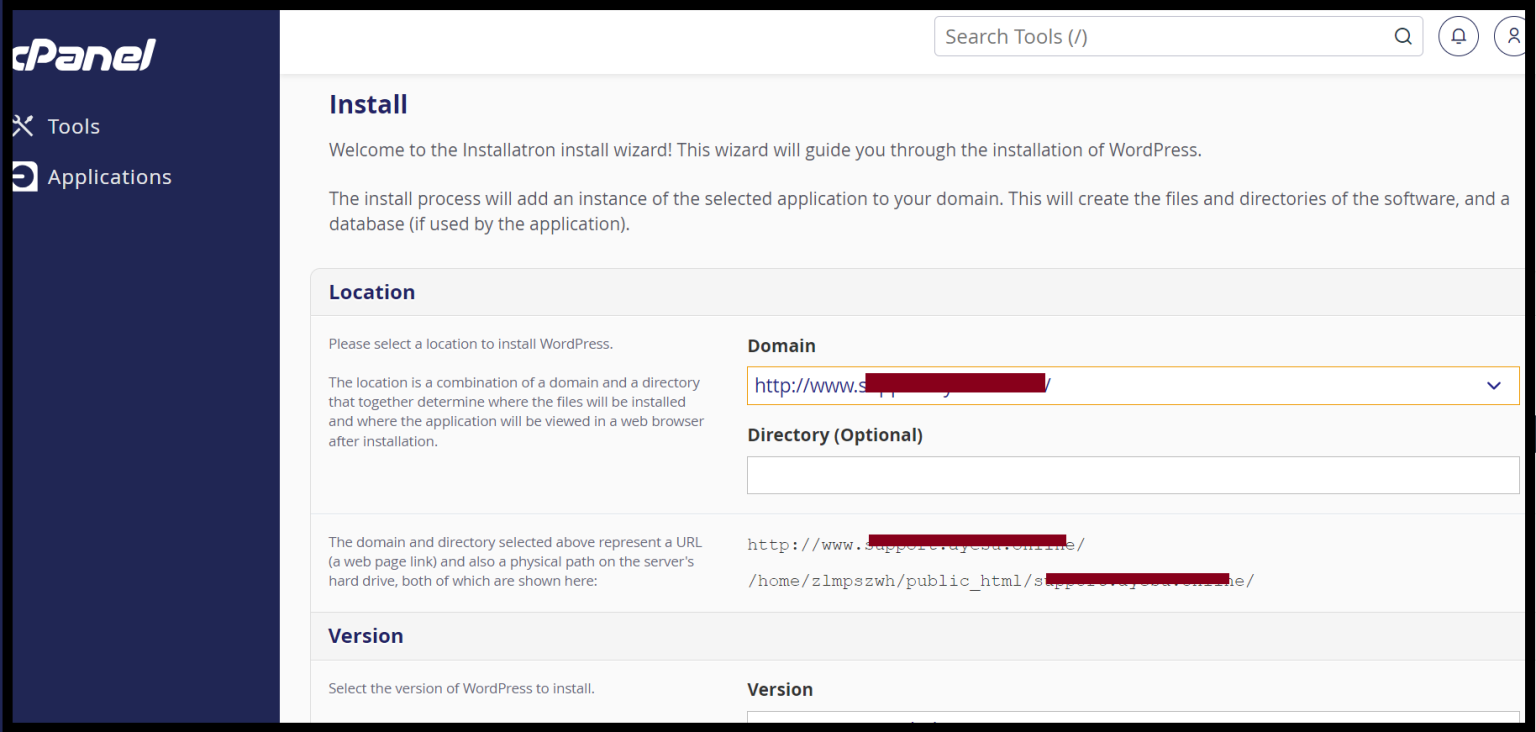
Step6. Select the domain you want WordPress installed on.
Step7. The directory section is empty. WordPress will install in the root directory of your website.
Step8. Set the Administrator Username, Administrator Password and Website Title.
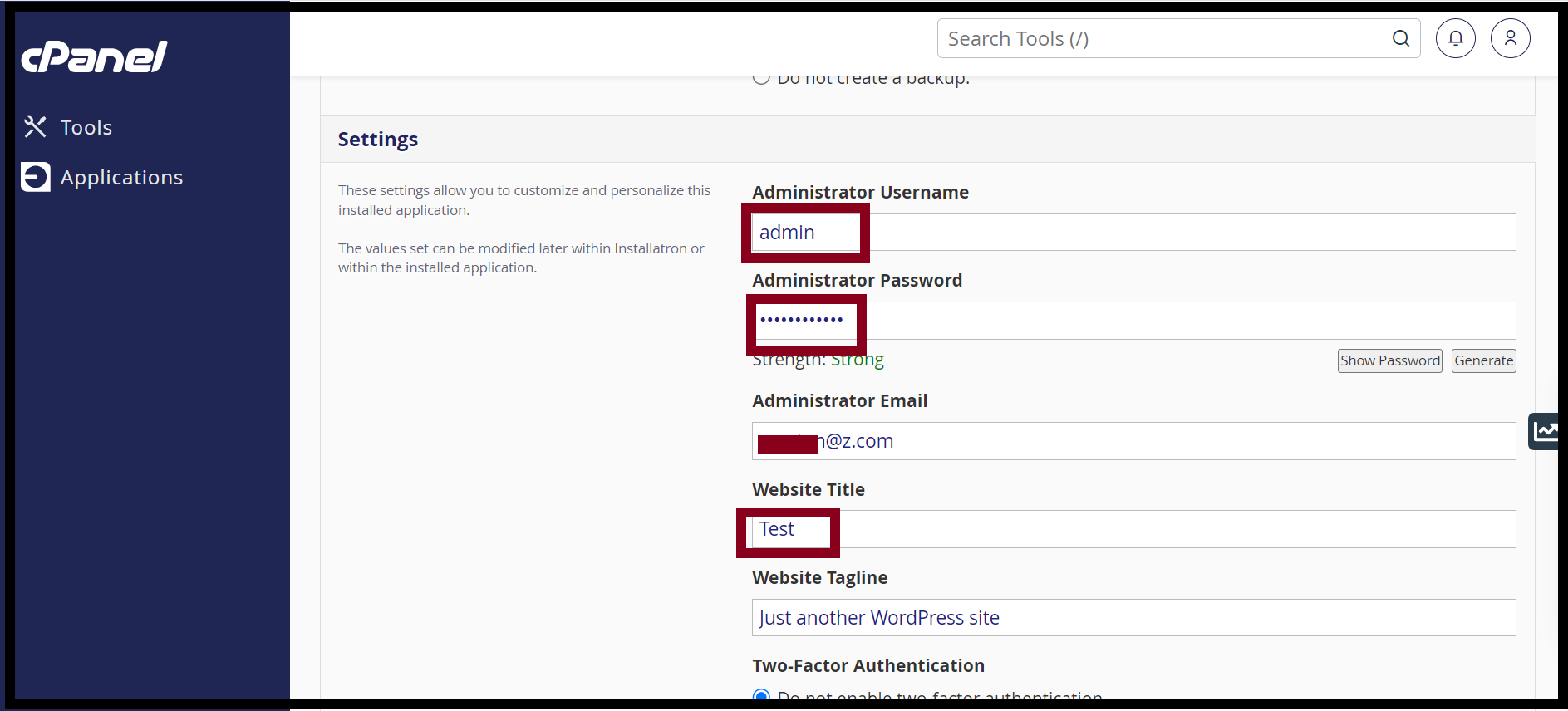
Step9. After that, Click on " + Install ".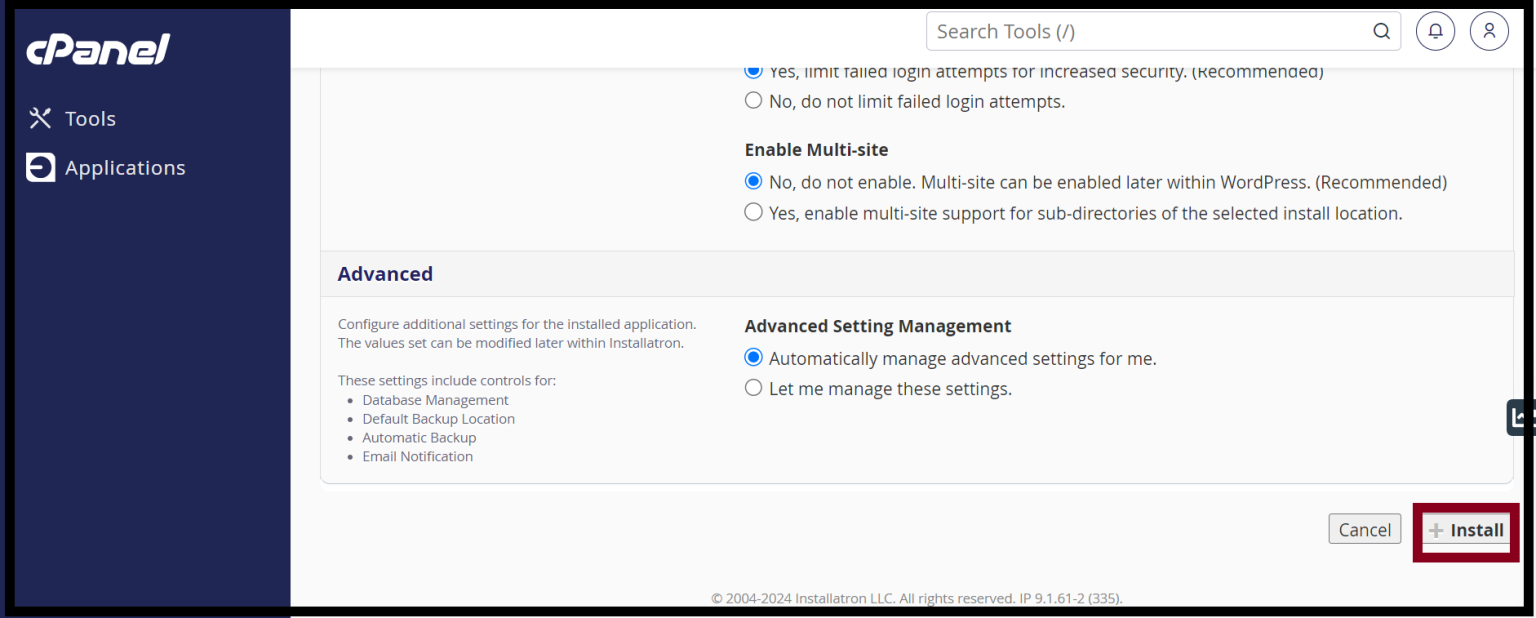
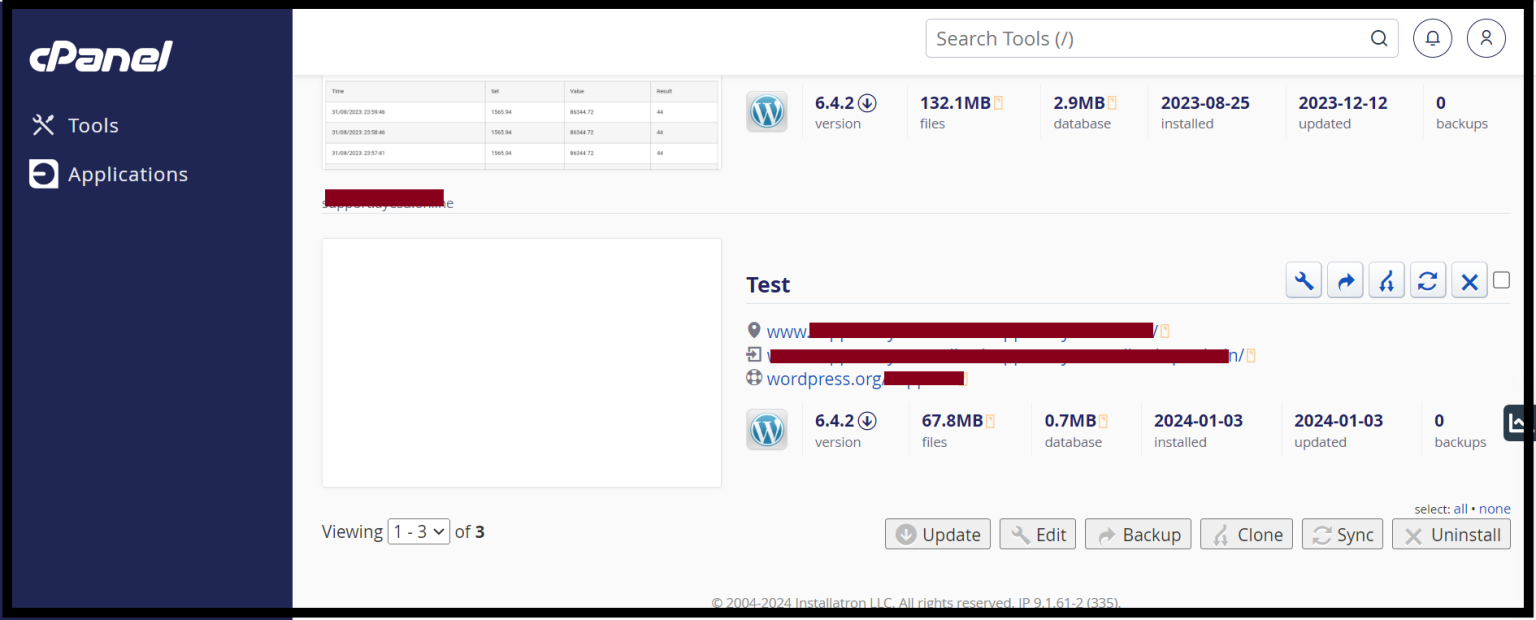
Step10. Now your WordPress installation is COMPLETE .
Thank you!!!
Was this article helpful?
That’s Great!
Thank you for your feedback
Sorry! We couldn't be helpful
Thank you for your feedback
Feedback sent
We appreciate your effort and will try to fix the article