How to install Third party SSL certificate in the Ubuntu server?
Step1. Download the SSL certificate files from your third-party SSL provider. Copy your SSL certificate files to your Apache server using the WinSCP application.
Please enter your Server’s information with SSH.
Hostname: Server_IP
Username: root
Password: ******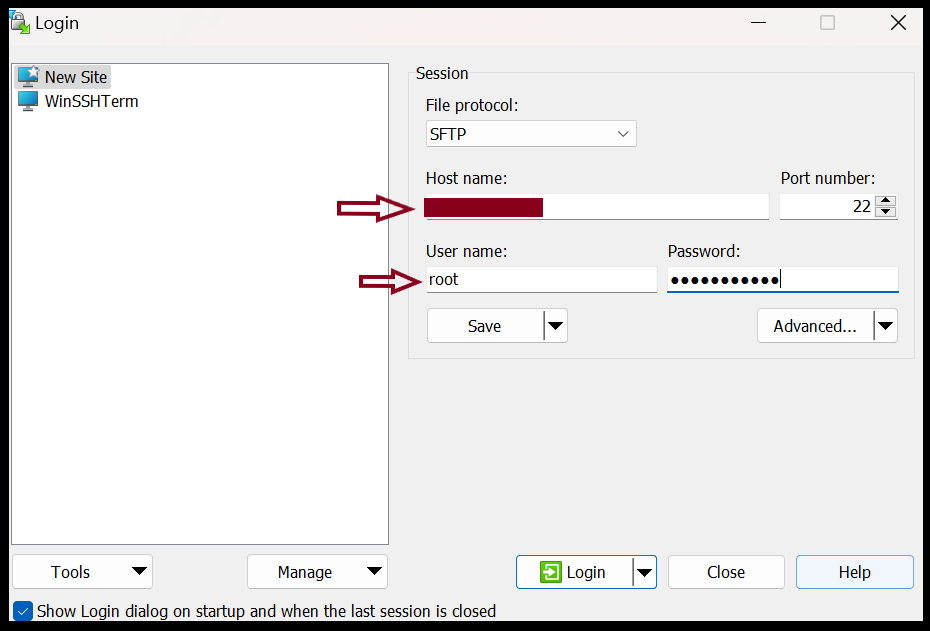
Step2. If we log on to the server with WinSCP, copy the certificate file (the primary and intermediate certificate) and upload it to the remote server.
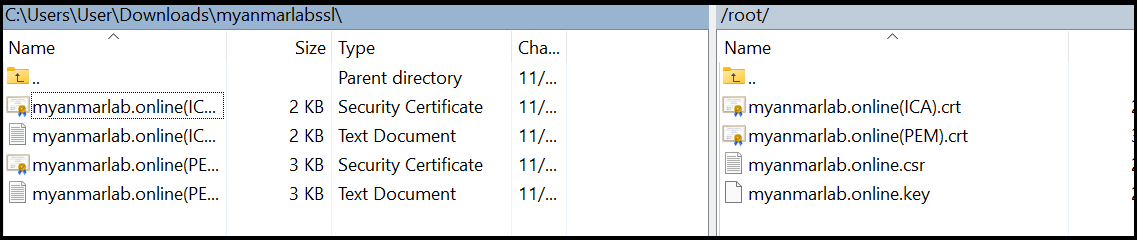
Step3. Now we need to do the edit in the SSL configuration file and Find default-ssl.conf presented in the default Apache2 configuration. If you do not find the file, you will need to ensure that the Apache2 mod_ssl module is installed on your system.
root@ayechan:~# sudo a2enmod SSL
To Edit the files please use the following command.
root@ayechan:~# cp /etc/apache2/sites-available/default-ssl.conf /etc/apache2/sites-available/myanmarlab-ssl.conf
root@ayechan:~# nano /etc/apache2/sites-available/ myanmarlab-ssl.conf

SSLCertificateFile /etc/ssl/certs/myanmarlab.online_PEM.crt
SSLCertificateKeyFile  /etc/ssl/private/myanmarlab.online.key
SSLCertificateChainFile /etc/ssl/certs/myanmarlab.online_ICA.crt
Now save your configuration file and test the apache2 SSL config. Then disable the default ssl config file in server and restart the apache2.
root@ayechan:~# a2dissite default-ssl.conf
root@ayechan:~# systemctl reload apache2

root@ayechan:~# a2ensite myanmarlab-ssl.conf
root@ayechan:~# systemctl reload apache2 
Then check whether the Apache config is correct or not. Then check the firewall status in the server.
root@ayechan:~# apachectl configtest

root@ayechan:~# sudo systemctl restart apache2.service
root@ayechan:~# sudo ufw status

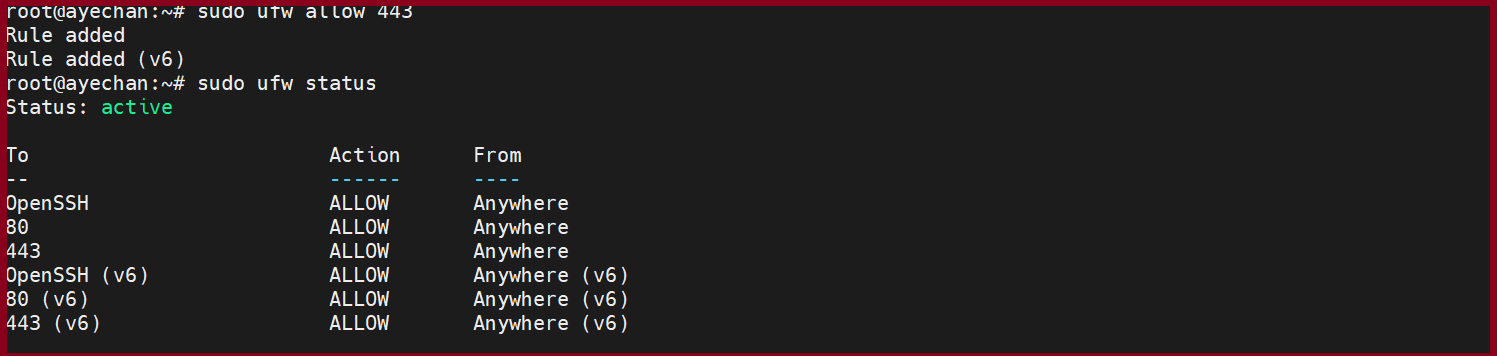
Step4. Please open the 443 port in firewall to connection with HTTPS.
root@ayechan:~# sudo ufw allow 443
root@ayechan:~# sudo ufw status
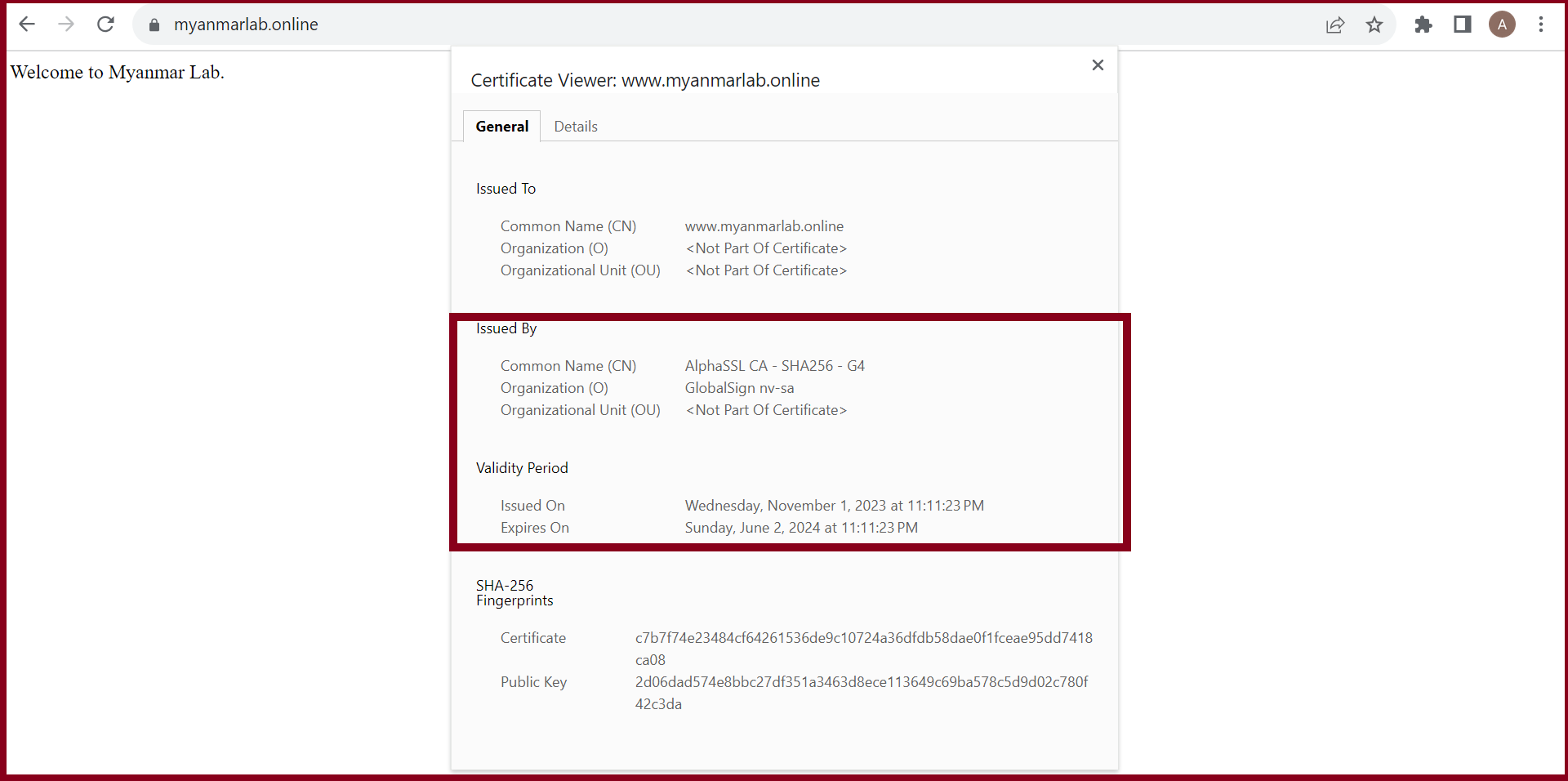
Step5. Please check again your website with https from the browser.
https://myanmarlab.online (sample)
THANK YOU!!!
Was this article helpful?
That’s Great!
Thank you for your feedback
Sorry! We couldn't be helpful
Thank you for your feedback
Feedback sent
We appreciate your effort and will try to fix the article