Enable/ Disable Whois Proxy of Domain
1. Enable the Domain’s Whois Proxy
Step1. Login to z.com account, https://cloud.z.com/mm/signin/
Step2. Click "Domain" Tag
Step3. Select your domain name that you want to enable the Whois proxy
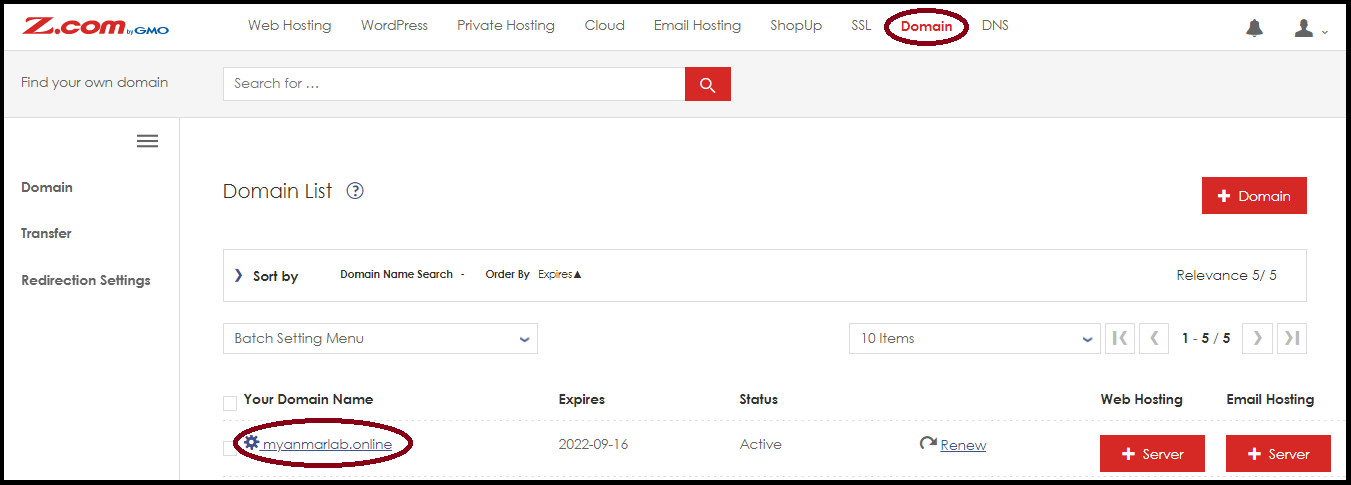
Step4. Go to "Domain & Contract Information"
Step5. Set Whois Proxy to "ON"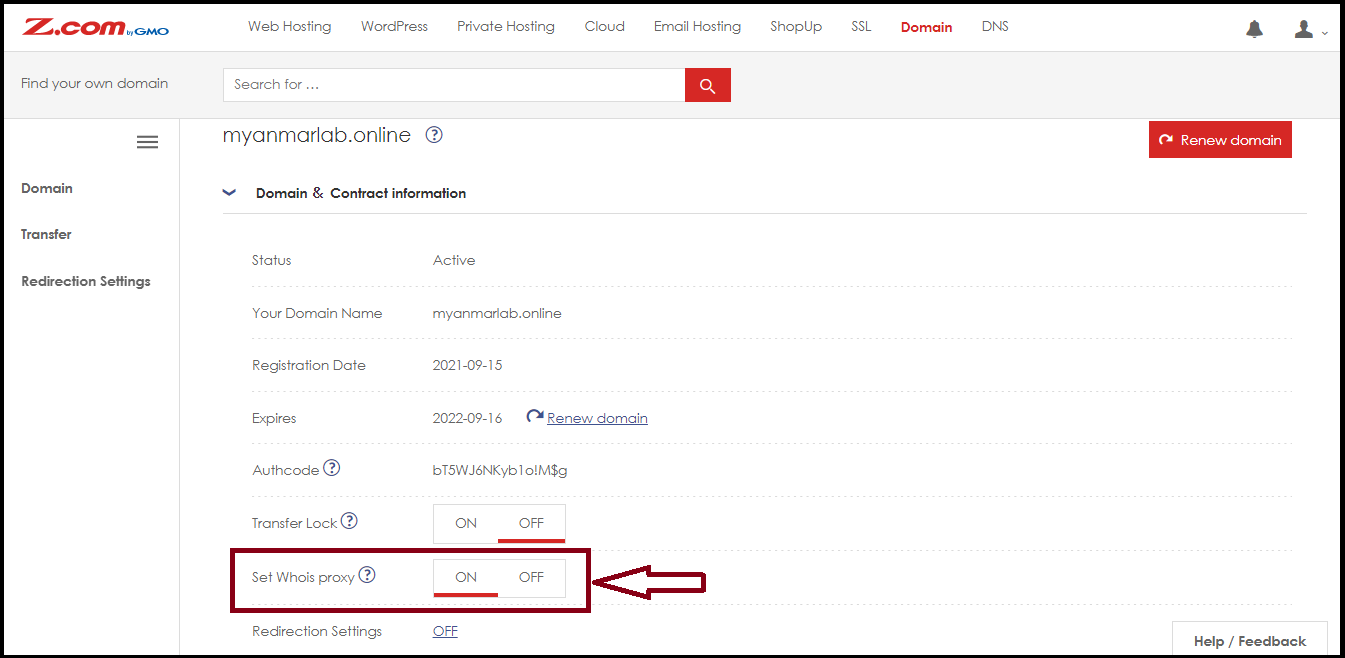
** And then, The Whois proxy will update within 24 hours. **2. Disable Domain’s Whois Proxy
Step1. Login to z.com account, https://cloud.z.com/mm/signin/
Step2. Click "Domain" Tag
Step3. Select the domain name that you want to disable the Whois proxy
Step4. Go to "Domain & Contract Information"
Step5. Set Whois Proxy to "OFF"
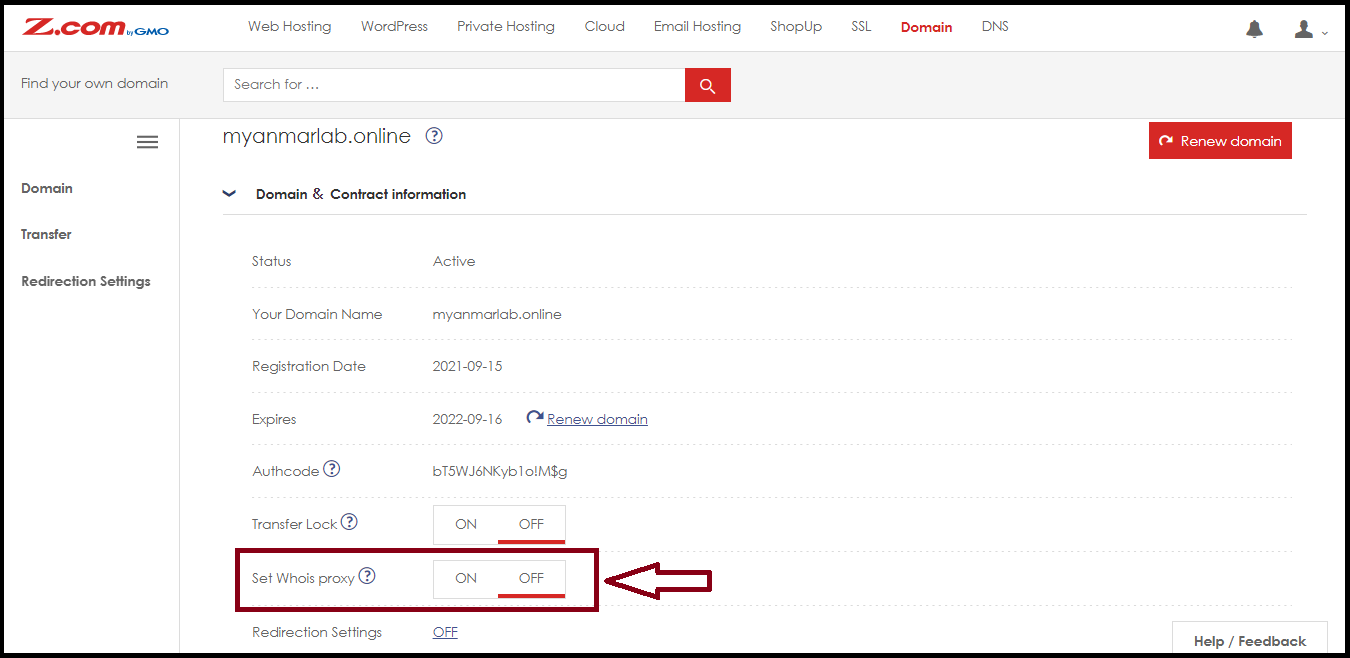
** And then, The Whois proxy will update within 24 hours. **Thank You!!!
Was this article helpful?
That’s Great!
Thank you for your feedback
Sorry! We couldn't be helpful
Thank you for your feedback
Feedback sent
We appreciate your effort and will try to fix the article